
Mario Kart 64 (3DS Port Complete)
Mario Kart 64
About the project
Mario Kart 64 es un videojuego de carreras para la Nintendo 64 (N64). Desarrollado y publicado por Nintendo, es la segunda entrega de la serie Mario Kart tras Super Mario Kart de 1992. Conserva la mecánica de su predecesor: el jugador, que controla a un personaje de la franquicia Mario, compite contra sus rivales en circuitos basados en escenarios de los plataformas de Super Mario. Contienen obstáculos para frenarlo y cajas de objetos que le proporcionan potenciadores para ayudarle a avanzar.
12 versions of Mario Kart 64
You're viewing: Mario Kart 64 (3DS Port Complete)
Mario Kart 64 (3DS Port Complete)github.com/Epic0522/MarioKart64-3DSPort-CompleteMario Kart 64github.com/n64decomp/mk64Mario Kart 64 - MarioKart64Recompgitlab.com/sonicdcer/MarioKart64Recomp Mario Kart 64 (3DS)github.com/EstebanPdN/mario-kart-64-3dsMario Kart 64 (jnmartin84)github.com/jnmartin84/mk64-dcMario Kart 64 (MK64Recomp)github.com/arefdsg/MK64RecompMario Kart 64 (MKart360, Xbox 360)github.com/sirdankz/MKart360Mario Kart 64 (Xbox)github.com/Team-Resurgent/Mario-Kart-64-XMarioKart 64: Recompiledgithub.com/sonicdcer/MarioKart64RecompMK64 Portable (Mario Kart 64, PSP)github.com/beckerd/psp_mk64_portableSpaghettiKartgithub.com/HarbourMasters/SpaghettiKartSpaghettiKart (Android)github.com/izzy2lost/SpaghettiKart
Official project information
Mario Kart 64 3DS Port Complete
<p> <img src="https://img.shields.io/badge/platform-Nintendo%203DS-1f6feb?style=for-the-badge" alt="Nintendo 3DS"> <img src="https://img.shields.io/badge/output-.3dsx%20%7C%20.cia-6f42c1?style=for-the-badge" alt="3DSX and CIA"> </p>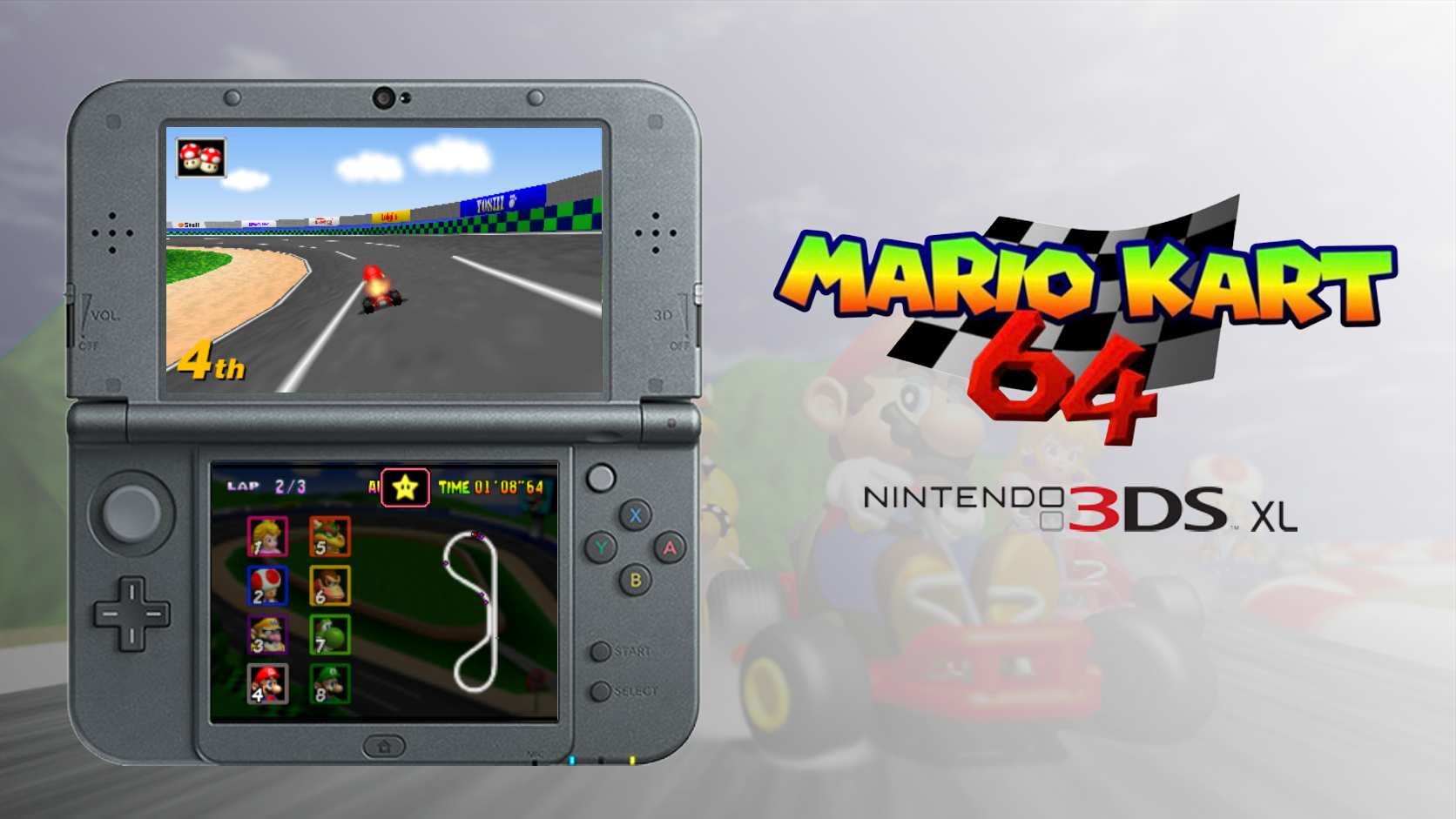
A native Mario Kart 64 port for the Nintendo 3DS family, maintained by Epic. This project continues EstebanPdN's original Mario Kart 64 3DS port, based on SpaghettiKart, with resource-management fixes, rendering corrections and optional gameplay improvements.
Original project · Discord community
This is an unofficial fan project, not affiliated with Nintendo or Harbour Masters. No ROM, O2R archive, save or extracted gameplay resources are included. A compatible USA ROM is required.
💬 Community
Join My Discord community to discuss the port and share feedback. When reporting an issue, include your console model, game version, relevant settings and the steps needed to reproduce it.
⬇️ Download and Installation
- Install the CIA with FBI, or launch the 3DSX with Homebrew Launcher.
- Place a big-endian USA ROM at
sd:/3ds/MK64/mk64.z64. - First launch validates and extracts
mk64.o2r. Keep the console charged; START cancels extraction safely.
Later launches reuse the archive; an existing compatible SpaghettiKart O2R can also be used. Upgrades replace only the application: retain sd:/3ds/MK64/ to preserve saves, ghosts and settings.
⚙️ Features
- Resource lifetime fixes — bounded caches, GPU-safe texture recycling and complete course/kart resets on race transitions, including retries.
- Old 3DS I/O improvements — revised heap partitioning and a bounded compressed-entry cache reduce repeated SD reads without removing memory-safety protections.
- Rendering corrections — depth/culling, transparent trees and water, podium shadows, results viewports and credits transitions.
- Dual-screen UI — five HUD layouts, native item graphics, crisp scrolling course minimaps, blurred menu backdrops and original-style RANDOM CUP / AUTO artwork.
- Audio and feedback — prioritized effect requests, positional CPU sounds, hit/finish voices and opponent reaction effects.
- Optional modern logic — real CPU item-box collection, adjusted CPU item rules and penalties, smoother pack pacing, road-following shells and held-brake reverse.
- Random cups and AUTO — four-race random cups and spectator cups driven by the game's CPU logic.
- Solo VS and Battle — race against seven CPUs in VS, or face three arena bots in four-kart Battle, with a single full-screen view.
- Timing and presentation — an independent race clock, synchronized transitions and a selectable 30 FPS frame limiter.
- Animated 3D HOME banner — a front-facing logo and waving flag, without HOME's default continuous rotation.
Modern logic can be toggled under Gameplay. Rendering, audio and UI fixes remain active with it disabled. See FIXES.md and CHANGELOG.md for the full change overview.
Select VS or Battle under 1P GAME. VS races against seven CPUs. Battle uses the original arenas and three-balloon rules against three bots; the last survivor wins. After elimination, use your one-use bomb, then spectate the remaining bots. Pause and quit remain available. Battle bots work with modern logic disabled too.
The frame limiter caps presentation at 30 FPS. With it off, rendering can reach 60 FPS when workload permits. Performance varies by console and course. Local multiplayer is not available.
🎮 Controls and Configuration
| Control | Manual racing |
|---|---|
| Circle Pad | Steer; up/down selects item throw direction |
| A | Accelerate |
| B | Brake and then reverse |
| R | Hop / drift |
| L or Y | Use item |
| X | look behind |
| SELECT | Switch camera distance |
| START | Pause / continue |
| C-Stick | Hold for configured Turbo Speed |
| ZL | Toggle configured Turbo Speed on/off |
Press L on Game Select to open Display, Gameplay and Developer settings. The in-race menu also has a Pause page for continue/quit. HUD layout, speedometer and other meters are configured under Display.
Turbo Speed fast-forwards the game, including AUTO, menus and ceremonies; it does not upgrade your kart. Hold C-Stick to fast-forward, or press ZL to toggle it. Manual race entry/retry resets Turbo; AUTO retains it across courses and retries. A fresh game launch starts with Turbo off.
| Fresh setting | Default |
|---|---|
| HUD layout | Clean |
| HUD meters | Off |
| Render distance | Low |
| Modern logic | On |
| Frame limiter | Old 3DS: On / New 3DS: Off |
| ZR debug | Off |
| Logging | Off |
In Clean, manual racing shows standings through the lower-screen portrait
columns by default, without a separate 1st / 2nd / ... place indicator.
Select Display → HUD METERS → POSITION/LAP to show your place at the
bottom-left of the upper screen and lap count at the top-right. GP/VS AUTO
shows the upper-screen place indicator automatically. The separate place
indicator is never displayed on the lower screen.
Saved settings take precedence. Unsupported HUD meter combinations appear red. Time Trials hide rank; title demos hide the upper HUD. Modern logic changes take effect next race.
🎲 Random Cups and AUTO
| Menu | SELECT action |
|---|---|
| GP Map Select | Four random tracks with the chosen driver/level |
| Game Select | ALL RANDOM: random driver; 150cc or Extra each course |
| Character Select | AUTO using the cursor's driver |
Time Trial Map Select has no random cup button. Extra is the mirrored course mode. The award ceremony can be skipped with A or START.
AUTO is available in GP, VS and Battle. The CPU controls every kart, and the selected driver owns the result even when you switch the camera to another driver. Modern logic also applies in AUTO when enabled. Gameplay view is the default. Battle rankings follow balloon counts, with eliminated drivers last.
Circle Pad / D-pad left or right changes the observed driver. A/B/X/Y switches between gameplay and cinematic views in GP/VS, or near/far gameplay views in Battle. Driving and item inputs are disabled; pause, continue, retry and quit remain available.
GP AUTO advances through results and retries automatically. VS/Battle confirms the selected result action. GP AUTO ends with the original fourth-place no-trophy ceremony. AUTO does not save awards or unlock progress.
🛠️ Diagnostics
The Developer page includes:
- Memory dump — export performance samples, settings and resource data to
sd:/3ds/MK64/dump/for bug reports. - Logging — record startup, runtime, installer and fault logs. Off by default; manual dumps and FPS displays still work with logging off.
- Clean dumps — remove diagnostic files without touching ROMs, O2R archives, saves or settings.
- ZR debug — hold ZR to advance through checkpoints and finish a race. Off by default.
🏗️ Building
Initialize pinned submodules recursively, then build:
git submodule update --init --recursive --depth 1
./platform/3ds/build.sh
The first configuration downloads pinned build dependencies, so an internet connection is required unless they are already cached. A ROM is not needed to compile; the console needs a ROM or compatible O2R archive to play.
See BUILDING.md for setup and build instructions, ARCHITECTURE.md for the code map, and RELEASING.md for packaging instructions.
📁 Project Structure
| Location | Purpose |
|---|---|
platform/3ds/ | Maintained runtime, adaptations, artwork and packaging helpers |
third_party/SpaghettiKart/ | Pinned production game/engine dependencies |
build-3ds/game/ | Generated CIA, full-game 3DSX and hash manifest |
docs/images/ | README artwork |
🫡 Credits
- EstebanPdN — original Nintendo 3DS port.
- Harbour Masters and contributors — SpaghettiKart, libultraship and Torch.
- N64 decompilation and 3DS homebrew communities.
See THIRD_PARTY_NOTICES.md for source origins and third-party license notices.