
Mario Kart 64 (jnmartin84)
Mario Kart 64
About the project
Mario Kart 64 es un videojuego de carreras para la Nintendo 64 (N64). Desarrollado y publicado por Nintendo, es la segunda entrega de la serie Mario Kart tras Super Mario Kart de 1992. Conserva la mecánica de su predecesor: el jugador, que controla a un personaje de la franquicia Mario, compite contra sus rivales en circuitos basados en escenarios de los plataformas de Super Mario. Contienen obstáculos para frenarlo y cajas de objetos que le proporcionan potenciadores para ayudarle a avanzar.
12 versions of Mario Kart 64
You're viewing: Mario Kart 64 (jnmartin84)
Mario Kart 64 (jnmartin84)github.com/jnmartin84/mk64-dcMario Kart 64github.com/n64decomp/mk64Mario Kart 64 - MarioKart64Recompgitlab.com/sonicdcer/MarioKart64RecompMario Kart 64 (3DS Port Complete)github.com/Epic0522/MarioKart64-3DSPort-Complete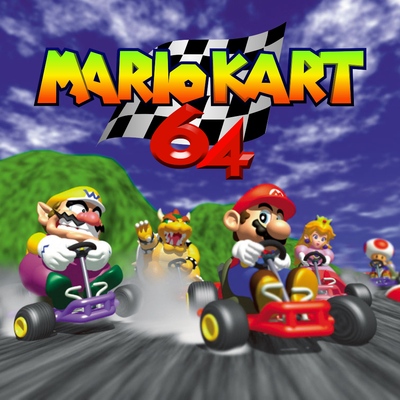 Mario Kart 64 (3DS)github.com/EstebanPdN/mario-kart-64-3dsMario Kart 64 (MK64Recomp)github.com/arefdsg/MK64RecompMario Kart 64 (MKart360, Xbox 360)github.com/sirdankz/MKart360Mario Kart 64 (Xbox)github.com/Team-Resurgent/Mario-Kart-64-XMarioKart 64: Recompiledgithub.com/sonicdcer/MarioKart64RecompMK64 Portable (Mario Kart 64, PSP)github.com/beckerd/psp_mk64_portableSpaghettiKartgithub.com/HarbourMasters/SpaghettiKartSpaghettiKart (Android)github.com/izzy2lost/SpaghettiKart
Official project information
Mario Kart 64 for Dreamcast (updated 2026/08/23)
New and improved MK64-DC with hardware-mixed audio, raw PowerVR Fast3d backend, 30 fps 4 player with music and more.
You can upload a ROM and download a CDI.
Find more details here: https://colab.research.google.com/drive/1IhNVeiFJxnn5oVLLG_Esrb_bZZ5Nl8Rs
Now for business as usual.
This is a Sega Dreamcast port of the Mario Kart 64 decompilation [ https://github.com/n64decomp/mk64 ] .


Do not ask for a CDI or ISO. Learn how to build it or don't play it.
I am not getting sued by Nintendo to make your lives easy.
Anyway, here's how to build it yourself.
NOTE: This game has been tested and works properly on physical hardware. Emulation is already known to have many issues with this release, so do not open up a ticket unless you've confirmed that it is an actual bug on real hardware.
Build Guide
Pre-requisites
Whatever the directory you cloned this github repo to is named and wherever it is located, it will be referred to in this document as
mario-kart-64-dc
This guide will assume that you cloned it into your home directory.
If you need to get to the top level of the repo, it will say
cd ~/mario-kart-64-dc
The build is known to work on the following platforms as of the current commit:
Ubuntu 22.04
macOS 15.5
Windows 11 (with DreamSDK)
It should work on most other Linux environments.
You will need a host/native GCC install and a full working Dreamcast/KallistiOS compiler toolchain install. You will also need to install the latest kos-ports.
See the Dreamcast Wiki for instructions. Windows users can get everything needed from installing the latest version of DreamSDK.
Mario Kart 64 DC has only been tested to build and run using sh-elf-gcc versions 13 (13.2, 13.3), 14 (14.2) and 15 (15.1). Use any other major version at your own risk. No support will be provided.
NOTE: WHEN BUILDING KOS, USE THE environ.sh FILE PROVIDED IN THE mario-kart-64-dc REPO.
Mario Kart 64 can be built using an unmodified copy of KOS cloned directly from the official repo. Mario Kart 64 requires the use of KallistiOS commit 680d1862 (from master branch).
There are zero guarantee that it even builds against any other KOS commit, nevermind that it runs or runs correctly.
If you are going to file a Github issue, make sure you are using that version to test your problem. Your issue will be closed without action otherwise.
Please follow the instructions for building KOS found in the wiki: [ https://dreamcast.wiki/Getting_Started_with_Dreamcast_development#Configuring_and_compiling_KOS_and_kos-ports ].
And be sure to not skip Building kos-ports.
AGAIN: BE SURE TO USE THE environ.sh FILE PROVIDED IN THE mario-kart-64-dc FOR YOUR KOS BUILD.
Compiling Mario Kart 64 for Dreamcast
Somehow acquire a Mario Kart 64 ROM in Z64 format and name it all lowercase baserom.us.z64 .
Copy baserom.us.z64 into ~/mario-kart-64-dc.
Check that your Mario Kart 64 ROM is a supported version.
The below is the expected md5sum output:
md5sum baserom.us.z64
3a67d9986f54eb282924fca4cd5f6dff  baserom.us.z64
Go to the repo directory and compile it like any other KallistiOS project. Make sure you source your KOS environment first (third reminder, use the environ.sh provided with in mario-kart-64-dc repo).
To build the source into an ELF file, run the following commands (exactly as written, except for the path to the mario-kart-64-dc repo, do not change, if it doesn't build, it is your fault not mine):
source /opt/toolchains/dc/kos/environ.sh
cd ~/mario-kart-64-dc
git submodule update --init
cd tools/torch
Under ~/mario-kart-64-dc/tools/torch you will find a README.md with instructions on installing dependencies for torch.
See: [ https://github.com/HarbourMasters/Torch/blob/6a2eb921482f2eb3b3cb5b675152d6d21d1a20ff/README.md ]
For Linux and other Linux-like environments, follow those instructions or nothing else will work. Then continue with the following commands (we will start from the beginning so there is no confusion):
source /opt/toolchains/dc/kos/environ.sh
cd ~/mario-kart-64-dc
cd tools/torch
make
cd ..
make
cd ..
make assets
make
For macOS, make sure you have gmake installed (you may need to install it with brew) and try the following (this is how I build it):
source /opt/toolchains/dc/kos/environ.sh
cd ~/mario-kart-64-dc
cd tools/torch
CMAKE_POLICY_VERSION_MINIMUM=3.5 gmake
cd ..
CMAKE_POLICY_VERSION_MINIMUM=3.5 gmake
cd ..
CMAKE_POLICY_VERSION_MINIMUM=3.5 gmake assets
CMAKE_POLICY_VERSION_MINIMUM=3.5 gmake
For Windows DreamSDK users the following prerequesites must be installed:
- Python, CMake, Git
- GLdc from kos-ports
Next, you must fix the CMakeLists.txt file in tools/torch to add the wininet library:
# Link StormLib

set(STORMLIB_DIR ${CMAKE_CURRENT_SOURCE_DIR}/lib/StormLib)
add_subdirectory(${STORMLIB_DIR})
target_link_libraries(${PROJECT_NAME} PRIVATE storm wininet)
After doing this, we can build Mario Kart 64 with DreamSDK using the following commands:
git clone https://github.com/jnmartin84/mk64-dc.git mario-kart-64-dc
cd ~/mario-kart-64-dc
mv /opt/toolchains/dc/kos/environ.sh /opt/toolchains/dc/kos/environ.sh.orig
cp environ.sh /opt/toolchains/dc/kos/environ.sh
source /opt/toolchains/dc/kos/environ.sh
cd tools
CMAKE_POLICY_VERSION_MINIMUM=3.5 make
cd ~/mario-kart-64-dc
make assets
make
How to Generate Mario Kart 64 Disc Image
Make sure that you have mkdcdisc built and the executable available on your path.
See: [ https://gitlab.com/simulant/mkdcdisc ] for that. Windows users of DreamSDK
will not need this dependency.
Once that is taken care of, run the following commands
cd ~/mario-kart-64-dc
make cdi
Moments later, you will have a mariokart64.cdi ready to burn to disc.
If you are trying to use the disc image on anything OTHER than a CDR, I cannot help you and will not even pretend to try to help. You're on your own.
How to Generate Mario Kart 64 DreamShell Image
Users of DreamShell will want to create a DreamShell-compatible ISO using the following commands
cd ~/mario-kart-64-dc
make dsiso
Moments later, you will have a mariokart64.ds.iso which is ready to be copied to your IDE drive or SD card!
Playing Mario Kart 64 on the Sega Dreamcast
The following is the mapping of N64 controls/actions to Dreamcast controls.
Dreamcast DPAD - N64 DPAD (move in menus)
Dreamcast Analog Stick - N64 Analog Stick (move in game)
Dreamcast Start - N64 Start (... start)
Dreamcast A button - N64 A button (accelerate, menu select)
Dreamcast B button - N64 B button (brake, menu back?)
Dreamcast X button - N64 right C button (HUD change)
Dreamcast Y button - N64 up C button (camera)
Dreamcast L trigger - N64 Z trigger (use item)
Dreamcast R trigger - N64 R trigger (jump/drift)
These controls are fixed, they are not configurable. If you don't like it, submit a Pull Request.
Options/race records (EEPROM) and time trial ghosts (Controller Pak) saving are both supported when a VMU is inserted in controller 1 and has enough free blocks to write the files.
The EEPROM save requires 3 blocks. The time trial ghost save requires 67 blocks.
The game will still function normally without a VMU present.
Acknowledgments
Dreamcast Side
Falco Girgis (@gyrovorbis) - the game doesn't have sound without him. Extreme optimizations to the audio mixer made full speed gameplay and pristine sound possible. Other optimizations to matrix math across the entire code base kept it fast and made it faster.
Paul Cercueil (@pcercuei) - "HEY THAT'S A FIPR" and now we have FPU matrix-accelerated audio.
Luke Benstead (@kazade) - Without GLdc, this project would have taken 6 more months for me to go and write a new Fast3d backend instead of being able to start with an existing GL one. And for quickly reviewing and accepting my PRs to GLdc to add mirrored repeat :-D
@stiffpeaks - VMU assets and case artwork
John Brooks (@JBrooksBSI) - The man credited as the "Lead Technologist" for World Series Baseball 2k2 graciously offered some incredibly good advice over X/Twitter with regards to vectorizing aDPCMdecImpl(), which directly resulted in better audio performance while under load.
Nintendo 64 Side
MK64 decomp team.
MegaMech for taking time to personally answer questions and show me many bug-fixes. Game wouldn't be right without them.
N64 Decompilation Discord/#mk64-decomp.
Spaghetti Kart project/team. Without being able to reference that code, there are things that would not be working and would never be working.
SonicDreamcaster - we're going to bring you over to the Dreamcast dark side.