Demon's Souls
About the project
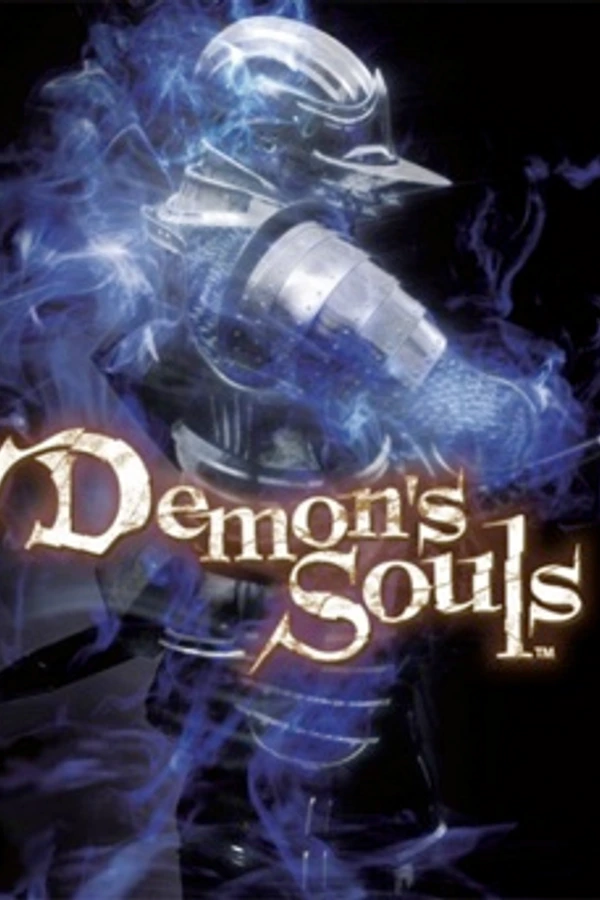
Demon's Souls es un videojuego de rol de acción en tercera persona desarrollado por la compañía de videojuegos japonesa FromSoftware exclusivamente para la consola PlayStation 3 bajo la supervisión de Japan Studio. Fue distribuido en Japón por Sony Computer Entertainment en febrero de 2009, en Norteamérica por Atlus USA en octubre de 2009 y en Europa por Bandai Namco Games en junio de 2010. El juego es comúnmente descrito como un sucesor espiritual de King's Field, una serie RPG creada también por FromSoftware.
2 versions of Demon's Souls
You're viewing: Demon's Souls
Official project information
Soulbrandt
Demon's Souls, running natively on PC.


Soulbrandt is a PC port of Demon's Souls (PS3, 2009). The game's original code has been converted to run directly on Windows and Linux, with no emulator.
You need your own copy of the game: the US version, BLUS30443 (version 1.00). This project includes no game files.
Status
0.1.0, the first release, is an alpha. Download it from the Releases page.
The game plays from start to finish (a tester has beaten it), but not every part has been tried on every setting, so expect bugs. What isn't supported yet is below; please report anything you find. Questions and help: Discord.
Highlights
- Up to 240 fps or unlocked, with the game's timing fixed. Up to 4K, ultrawide and HDR.
- Online play on this project's own server: messages, bloodstains, ghosts, co-op and invasions.
- Roll in any direction while locked on, not only forward, back, left or right.
- A stat respec in the Nexus (optional): get back the souls your levels cost and spend them again.
- Keyboard and mouse, Xbox controllers, DualSense and DualShock 4.
Features
Press F1 (or L3 + R3 on a controller) at any time to open the menu. Most settings apply right away. Each setting has a short help text in the menu.
Picture
- Frame rates of 30 (the original), 60, 120, 144, 165 or 240 fps, a number of your own, or unlocked. The game's timing is fixed so it still plays the way it should. Above 60 fps is less tested.
- Cutscenes play at 30 fps by default, as they judder above it. You can play them at your frame rate instead.
- V-sync on or off, "Even frames" for smooth motion, and G-Sync / FreeSync.
- Render resolution up to 300% (4K), and ultrawide aspect ratios (21:9 and 32:9).
- Anti-aliasing (FXAA or SMAA), anisotropic filtering up to 16x, texture filtering and a sharp scaling filter.
- HDR on HDR displays (Windows), with settings for brightness, peak and shadows.
- Turn off the game's depth of field and motion blur.
- Window or fullscreen (Alt+Enter switches).
- Two renderers (Settings > Display > Renderer): DirectX 12 and Vulkan. Windows starts on DirectX 12, Linux on Vulkan.
Controls
- Xbox controllers, DualSense and DualShock 4, over USB or Bluetooth, with vibration. Pick which controller the game uses when several are connected.
- Keyboard and mouse, laid out like the Souls games on PC. To turn the camera with the mouse, turn on Mouse look in Settings > Controls.
- Change which buttons and keys do what.
- Mouse sensitivity, inverted axes, and switching lock-on targets with a flick of the mouse.
- Roll in any direction while locked on: the roll goes where the stick points. It's on by default; turn off Roll toward the stick in Settings > Controls for the original's four directions.
- The mouse in the game's own menus: point and click. Experimental, and off by default.
HUD
- Move, resize, hide or show each part of the HUD.
- Change its size, and choose where it goes on wide screens.
Game
- Skip the logos and the opening movie, and go straight into your last save.
- Stat respec: the Maiden in Black, or the statue in front of where you wake in the Nexus, puts your stats back to your class's and gives back the souls your levels cost, to spend again. Off by default: turn on Stat respec in the Nexus in Settings > Game.
- Use several soul items at once, as Drop does. On by default: turn off Use several souls at once in Settings > Game for the original's one at a time.
Online
- On by default, on this project's own server: messages, bloodstains, ghosts, co-op and invasions.
- Setup asks for your online name. You can change it, or turn online play off, in Settings > Network.
- A matchmaking password, so you meet only your friends.
- Show or hide other players' messages, bloodstains and ghosts.
The program
- A setup that builds the game from your copy, with an Original and an Enhanced preset (see How to play).
- Updates: the game checks for a new version at start and asks before changing anything. Your saves and settings are kept, and you can go back one version.
- In the menu, the Large Sword of Moonlight is the cursor and a crystal lizard dances in the corner. Both can be turned off.
- Trophies, with pop-ups. Setup can bring your trophies and save across from RPCS3.
- Report an issue in the menu opens a GitHub issue with your PC's details filled in, and a zip to attach that includes your save, so the problem can be seen where it happened. It has no game files. If the game crashes or stops responding, a window offers to do the same.
What you need
- Your own copy of Demon's Souls for the PS3, US version (BLUS30443, version 1.00), as a folder with
PS3_GAMEin it. Setup cannot use ISO files yet. - RPCS3, the free PS3 emulator, with the PS3 system software installed (4.93, the version Sony offers now). Setup has it unlock the game's encrypted files. (Or decrypt the files yourself: see below.)
- Windows 10 or 11 (64-bit) with a graphics card that supports DirectX 12, or Linux (see Linux).
- A processor with SSE4.1, which most have since about 2011.
- An internet connection during setup. Setup downloads a compiler and Python (about 60 MB on Windows, about 130 MB on Linux).
How to play
These steps are for the release download.
- Download the zip for Windows (
DemonsSoulsRecomp-X.Y.Z-windows.zip) or the tarball for Linux (DemonsSoulsRecomp-X.Y.Z-linux.tar.xz), and unpack it into a folder of its own. - Start
Soulbrandt.exe(on Linux,Soulbrandt). Setup opens. - Pick how setup gets your game's files:
- Import from RPCS3: setup finds the game in RPCS3's list and has your RPCS3 unlock its files. It can bring your save, trophies and some settings across too.
- I have decrypted files: your disc copy, plus the 28 files you decrypted yourself (
EBOOT.elf, the.sdatfiles andlibsre.prx). - Show me how: step by step, with free tools only.
- Start the build. It runs on your PC and can take a while; setup shows an estimate first. You can stop it and carry on later.
- Pick a preset: Original plays as on the PS3; Enhanced sets 60 fps, a resolution that fits your display, SMAA, 16x anisotropic filtering, fullscreen, and HDR when Windows has HDR on for your display. Then a few choices (HDR among them, on Windows) and your online name. You can change anything later in Settings.
Then press Play.
Windows may warn you the first time you start Soulbrandt.exe ("Windows protected your PC"), because the program isn't signed yet. Click More info, then Run anyway.
If setup says your libsre.prx came out different, your RPCS3 probably has PS3 system software 4.90. Install 4.93 in RPCS3 (File > Install Firmware) and try again. If RPCS3 is set to run as administrator, setup cannot start it: untick that in rpcs3.exe's Properties.
Linux
CI builds the Linux program on every change, and each release includes a Linux download. It needs x86-64 Linux with glibc 2.35 or newer, a Vulkan driver, and curl and tar. Nothing else needs installing. The game renders on Vulkan, and setup prepares its shaders. If Vulkan can't start, the game falls back to its older renderer on vkd3d (DirectX 12 on Vulkan), which compiles shaders as it goes, with long pauses when a new area loads.
Linux is newer and less tested than Windows. So far it has run in WSL (Ubuntu 24.04) and, on the older renderer, on one Steam Deck. The Vulkan renderer hasn't run on a real Linux graphics driver yet (docs/106).
macOS is not supported.
On a Steam Deck, keys and the mouse stay out of the game while its controls are on, because Steam's desktop layout presses them too. To use a keyboard on a docked Deck, set PAD_KEYBOARD_WITH_PAD=1.
Online play
Online play is on by default and uses this project's own server. Setup asks for your online name; you can change it, or turn online play off, in Settings > Network. RPCS3 players use other servers, so you won't meet them. What the server keeps about you is in the privacy note.
Not supported yet
- Only the US version (BLUS30443) works. The European version is being looked at; other versions are not supported.
- Setup can't read ISO files, and it needs RPCS3 to unlock the game's files (or files you decrypted yourself).
- macOS isn't supported, and running the Windows download through CrossOver hasn't been tested all the way through. Linux is less tested than Windows, and the Steam Deck has had one test so far.
- On-screen button prompts always show PlayStation buttons, even with a keyboard or an Xbox controller.
Problems
Use Report an issue in the menu (F1), or open an issue. For questions and help, join the Discord. Report security problems privately, as SECURITY.md says.
Building from source
This is the technical part. The full notes are in docs/.
Tools
| Windows | Linux |
|---|---|
| Visual Studio 2022 Build Tools, LLVM (clang), CMake, Ninja, Python 3, Git Bash | clang or GCC, CMake, Ninja, Python 3, SDL2, Vulkan and FFmpeg development files, vkd3d (details) |
On Windows, step 4 downloads FFmpeg's MPEG-2 video decoder for the game's movies (about 1 MB) and puts it beside des_boot.exe. If that download fails, the build says so and goes on, and the movies then need Microsoft's free MPEG-2 Video Extension from the Microsoft Store; without either, they play their sound with no picture. (A paid app called "MPEG-2 Video Extensions", from another publisher, is a different thing; you don't need it.)
From your copy of the game
- The game disc's files (
PS3_GAME) - RPCS3, to decrypt the game's
EBOOT.BIN libsre.prxfrom your PS3 firmware, decrypted
Steps
- Get this repository, and its runtime inside it:
git clone https://github.com/JonathanDC64/Soulbrandt.git cd Soulbrandt git clone https://github.com/JonathanDC64/ps3recomp.gitps3recomp.pinnames the ps3recomp commit this version of the port needs.python tools/release/pin_ps3recomp.py localchecks your checkout against it. - In RPCS3, decrypt
PS3_GAME/USRDIR/EBOOT.BIN(Utilities > Decrypt PS3 Binaries) towork/game/EBOOT.ELF. CopyPS3_GAME/ICON0.PNGnext to it, for the program's icon. - Convert the game's main code:
Then the SPU code withpython ps3recomp/tools/ppu_loader.py work/game/EBOOT.ELF -o work/loader python ps3recomp/tools/ppu_lifter.py work/game/EBOOT.ELF \ --functions work/loader/EBOOT.functions.json --hle-stubs work/loader/EBOOT.imports.json \ --override-funcs "0x167AC88=ds_malloc,0x167AC58=ds_free,0x273D38=des_move_post,0x724E40=des_menu_tick" \ --insn-hooks @port/insn_hooks.txt --shadow-stack --chunk-lines 150000 --output work/recomp -j 16 python ps3recomp/tools/gen_hle_nids.py --all --out work/recomp/hle_nid_table.cpp python scripts/apply_boot_patches.py work/recomppython scripts/build_spu.py --eboot work/game/EBOOT.ELF(docs/09), which first cuts the SPU programs out of the EBOOT, and libsre withpython scripts/build_libsre.py <libsre.prx>. The lifter's flags above are also inscripts/lift_ppu.json, which setup reads; change both together. - Compile the runtime, then the game. On Windows:
cmake -S ps3recomp -B ps3recomp/build -G Ninja -DCMAKE_C_COMPILER=clang-cl -DCMAKE_CXX_COMPILER=clang-cl -DCMAKE_BUILD_TYPE=Release \ -DPS3RECOMP_RSX_HAL=ON cmake -S port -B port/build -G Ninja -DCMAKE_C_COMPILER=clang-cl -DCMAKE_CXX_COMPILER=clang-cl \ -DCMAKE_BUILD_TYPE= -DCMAKE_CXX_FLAGS_DEBUG= -DCMAKE_C_FLAGS_DEBUG= cmake --build ps3recomp/build --target ps3recomp_runtime rsx_shader_precompile cmake --build port/build --target des_boot --parallel 4PS3RECOMP_RSX_HAL=ONbuilds the portable renderer: DirectX 12 through it, the default, and Vulkan beside it (Settings > Display > Renderer). Without it the game runs on the legacy renderer only. Its first configure downloads glslang and SPIRV-Tools at their pinned commits. On Linux, see docs/76. - Copy
tools/des/local.env.exampletotools/des/local.env, setPS3_VFS_ROOTin it to the folder that holdsPS3_GAME, and start the game withtools/des/play.sh.
Everything made from your copy of the game stays in work/ and gamedata/, which git ignores. Never share your build: it contains code converted from your game.
For developers
- Each setting's help text ends with its name in brackets, such as
(DES_FPS). The same name works as an environment variable, which wins over the menu. -DDES_SPLIT=ONalso builds the game the way setup does:des_hostplus the game as a separate library (docs/57).-DDES_DEV=ONmakes a developer build, with cheats and a Developer tab in Settings (docs/55). Never share one as a release.- The renderer is the portable one (docs/120): DirectX 12 by default, or Vulkan in Settings > Display > Renderer, then restart. If Vulkan fails to start, the game runs on DirectX 12 and says why.
RSX_BACKEND=legacyruns the renderer from before it: retired, kept unchanged as a fallback, with no more fixes. A build has it when its ps3recomp is configured withPS3RECOMP_RSX_HAL=ON, as in the steps above and in the released Windows build.
Legal
This project contains only its own code, scripts and documentation. It has no game code, no game files, no Sony firmware and no keys; you make those from your own copy (docs/05).
Demon's Souls is a trademark of Sony Interactive Entertainment. This project is not affiliated with or endorsed by Sony Interactive Entertainment, FromSoftware or Atlus.
Credits
- ps3recomp by sp00nznet and its contributors: the recompiler and runtime this port is built on
- RPCS3: a reference for how the PS3 behaves (no RPCS3 code is copied)
- RmlUi and FreeType for the menus, adapted from Dusklight's interface code
- SMAA for the SMAA setting, FFmpeg for the movies, and vkd3d and SDL for Linux
Settings > About and port/ui/NOTICE.md list the menus' parts with their licences. The download's licenses folder holds the licences of the libraries shipped beside the program. The source of its LGPL libraries, FFmpeg and vkd3d, is on their own release.
License
MIT, for this repository's own code, scripts and documentation (LICENSE). ps3recomp is MIT-licensed by its authors.