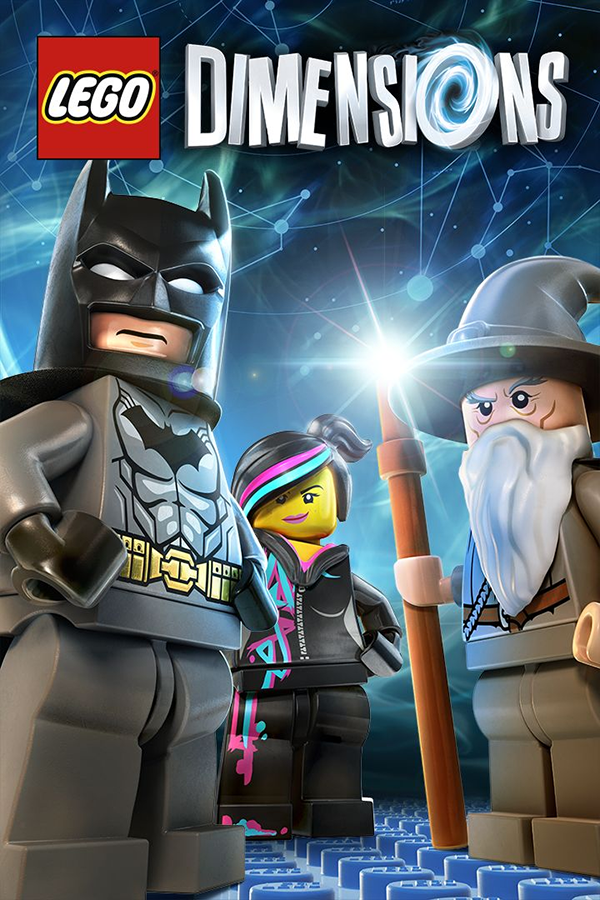
LEGO Dimensions (PC)
LEGO Dimensions
OriginPlayStation 4
TechnologyNative C/C++ port (engine reimplementation)
Available forWindows
View official projectAbout the project
Lego Dimensions era un videojuego de acción y aventura de la franquicia LEGO, desarrollado por Traveller's Tales y publicado y distribuido por Warner Bros. Interactive Entertainment, para las plataformas PlayStation 4, PlayStation 3, Wii U, Xbox One y Xbox 360. Ya no se encuentra disponible a la venta y sus servidores se encuentran cerrados.
2 versions of LEGO Dimensions
You're viewing: LEGO Dimensions (PC)
Official project information
LEGO Dimensions PC
English | Português
An unofficial native port of the PS4 LEGO Dimensions (CUSA01176 / CUSA00935, version 01.24) to Windows x64.
It is not a PS4 emulator. The game executable runs directly on the PC's processor, and the PS4 system libraries were rewritten for Windows. The PS4 graphics (GCN) are translated to Vulkan, and the game's shaders are translated before you play, from the game's own packages.
This repository contains nothing from the game. To play you need your own dump of the PS4 LEGO Dimensions (and, if you want, your DLCs). No game files, DLC, eboot, system modules or saves are distributed here.
Download
Get the installer (LEGO_Dimensions_PC_Setup.exe) or the portable zip from the Releases page.
What you need
- Windows 10 (1803 or newer) or Windows 11, 64-bit.
- A graphics card with Vulkan 1.3 and an up-to-date driver. Tested on an AMD Radeon RX 6600.
- 16 GB of RAM. The game uses about 5 GB; 8 GB may work, but with stutters.
- The game dump: the
CUSA01176(EU) orCUSA00935(US) folder (witheboot.bin,sce_sysanddata\chunk*), version 01.24. Two layouts work:- all in one: the update already inside the dump (
data\chunk1withPATCH.DAT,PATCH0.DAT...); - base game + update in a separate folder,
CUSA01176-patchorCUSA00935-patch(matching the game region; shadPS4 layout), inside the game folder or next to it.
- all in one: the update already inside the dump (
- Optional: DLCs (one subfolder per DLC, in the shadPS4
addcontlayout), a DS4/Xbox controller and the LegoToypad app for the portal. - Game, update or DLCs as
.pkgfiles: the launcher's Extract PKG... button extracts them into the layout above and fills in the folders (PKG extraction from shadPS4 0.7.0).
How to use
- Install (or extract the zip) and open LegoDimensionsLauncher.exe.
- Open Settings to choose the game folder. A separate update folder is found automatically. Choose the DLC folder too, if you have one.
- Click Prepare game (first time only, also available under Tools). This converts the
eboot.binfrom your dump and translates all of the game's shaders to Vulkan. It takes 20 to 60 minutes. - Click PLAY.
- Later, Check updates in the launcher downloads and installs new versions from the GitHub releases (from 1.3 on).
Details and tips in the README that ships with the port.
The beta launcher uses a compact home screen with PLAY, Mods, Settings
and Tools. Show details expands the preparation log. Folder paths,
resolution, language, controller icons and gameplay options are in Settings;
PKG extraction, save transfer, preparation and update checks are in Tools.
Existing settings and mod enable/disable choices retain their original format.
The window icon is loaded from the owner's sce_sys/icon0.png; no game artwork
is included in the source. Updater backups are preserved rather than deleted
by a recursive filename-suffix scan.
For an asset-free launcher layout check, run
LegoDimensionsLauncher.exe --self-test report.json. This writes a JSON result
for the hidden Home, Details and Settings layouts without opening gameplay,
loading user settings or starting external tools. LD_UI_WORKAREA=1280x680
can exercise the small-screen layout. Visual appearance and gameplay remain
separate manual checks.
Language
New launcher settings and setup command output default to English. Choose the game language under Settings > Language; existing saved choices are retained, including Automatic (Windows). Portuguese translations remain available for existing dialogs and explicit Portuguese setup commands. The installer follows the Windows display language. Runtime diagnostic logs are in English regardless of the game's text language. Existing script command names and protocol tokens remain compatible.
The languages other than Portuguese and English need the game's original text files: a dump with a fan translation that replaced text.csv closes the game in those languages.
Status
- The story, Vorton and the DLC levels are playable at 60 fps (the "60 FPS" option in the launcher).
- Audio, saves, controller and the portal (the real Toy Pad on USB, the LegoToypad app or a virtual Toy Pad) work.
- Local co-op: up to 4 controllers, player 2 joins in split screen by pressing Options.
- Button icons follow your controller (Xbox 360, Xbox One/Series, PS3, PS4/PS5, Wii U for Nintendo controllers), built from the game's own files; the launcher can also lock one set.
- LD PC Transfer (button in the launcher): converts the progress between the port, PS4 / shadPS4, Xbox 360 (Xenia), Wii U (Cemu) and PS3 (RPCS3, experimental). The original save is not changed and whatever the destination had goes to the
saves_backupfolder. Xbox One is not possible: its saves live in the cloud, encrypted. - FPS and info counter (launcher option, F10 in game): FPS, frame-time graph, graphics card temperature / load / clock / power / video memory (AMD via ADL, NVIDIA via NVML), CPU load and RAM in the top-left corner.
- Player nicknames (launcher): the names the game shows instead of Player1, Player2...
- Mods (button in the launcher): PS4 / shadPS4 LEGO Dimensions mods work -
.HDR+.DATpacks (e.g. made with BrickVault), edited game packs like thePATCH.HDR+PATCH.DATshadPS4 mods (only the files that changed are used) and loose files laid out like the game folder. Install from a.zip,.raror.7z, turn each one on / off; mods already in the shadPS4CUSA01176-modsfolder or inCUSA01176\Modsare picked up too. The game files are never changed. Mod packs with their own name load through Anomaly, the LEGO Dimensions PS4 mod loader by connorh315, built into the port (Mods menu, on by default). Mod voice lines with blank sound-event hashes or without the language suffix (e.g. connorh315's Bart voice mod) are fixed in the cache, so they play with subtitles, and the game text is kept with large mods. - Disabled figures: figures the game has but leaves switched off (e.g. Lord Vortech, figure 73) are enabled when a mod folder holds the figure's
.bindump; the character is built in the cache from the player's own game files. - The LegoToypad app (version 1.9 Web App Extended included): the launcher has an "Open with LegoToypad" option to automatically start the portal emulator with the game, and a button to open it anytime.
- Create Shortcut: launcher button to create Desktop and Start Menu shortcuts.
- Default resolution is 1080p (1920x1080) and immediate application of settings (resolution, button icons, language) without needing to Prepare again.
- Fullscreen ("Fullscreen" option in the launcher, or F11 in game) and a window size selector ("Resolution"; the game still renders at 1920x1080 and is scaled to the window).
- "Skip all cutscenes" option: any cutscene can be skipped, even the ones the game only lets you skip after watching them or at 100%.
- The controller only drives the game while the game window is in front: clicking the Toy Pad app makes the character stop.
- The first time you visit a new area the graphics driver still compiles pipelines. That can cause a short hitch, but objects never disappear (no pop-in).
- Very heavy scenes (~6000 draws per frame) run below 60 fps on 6-core CPUs.
- Some outdoor scenes (for example the aerial shot of Metropolis) have much heavier fog than on the PS4. Under investigation.
- Only tested on AMD graphics. Reports with NVIDIA and Intel are welcome (open an issue with the log from
build\logs\).
Building from source
Requires:
- Visual Studio 2022 or newer, with the C++ tools and clang-cl;
- CMake;
- Vulkan headers are included. An installed Vulkan SDK is used when available. The SDK is optional for the port build, supplies runtime validation layers, and is still required by the shader-translator build below;
- Python 3.
build.bat                    :: the port -> build\lego_dimensions.exe
tools\dist\build_dist.bat    :: launcher and installer
Shader translator (tools/shader_compiler_tool): uses the shader recompiler from shadPS4, unmodified, at commit eeecd10. The only replacement is override/resource_patching_pass.cpp, which lives in that folder.
Install Vulkan SDK 1.4 and set VULKAN_SDK for this separate translator build.
- Build that shadPS4 commit (Release, clang-cl).
- Point
SHADPS4_DIRat it. - Run
tools\shader_compiler_tool\build.bat.
Distribution package: python tools/dist/montar.py builds the installer and the zip in dist\.
Many source comments remain in Portuguese; runtime diagnostics are in English. AI-assisted changes include diagnostic translation, the compact launcher and bounded PKG I/O. No game files, custom character assets, saves or Toypad app fork are included in these changes.
Use -DLD_APP_ICON=/path/to/your/icon.ico when configuring CMake to embed artwork
you supply yourself. Without it the existing source icon is used. The launcher
also reads the window icon from the owner's game folder. No game icon is added
to the repository.
Asset-free checks: python tools/test_english_output.py,
python tools/test_vulkan_headers.py, and
python tools/test_pkg_extractor_jobs.py --exe <pkg_extractor.exe>.
Shader cache regression checks are python tools/test_shader_metadata.py and
the CMake/CTest target shader_metadata_test (BUILD_TESTING=ON). The latter
can also read owner-supplied pair .txt files passed as arguments.
Shader metadata is a serialized format: its real sim / real nao flags stay
unchanged regardless of log language. Both disk and packed AOT pairs use the
same runtime flag reader; real yes from the early English-beta compiler is
also accepted. English diagnostic output does not require rebuilding existing
prepared shaders. Translating the flag itself caused audio with a blank game
window because every prepared pair was rejected before drawing.
The built-in lego_dimensions.exe --selftest <prepared-ELF> checks HLE behavior
and requires an owner-supplied ELF plus --app0 <dump> for its Fios tests.
Use a separate --root <test-directory> to keep test saves out of the normal
installation. This returns before the game entry point; gameplay is a separate
manual test.
License
GPL-2.0. See LICENSE. Third-party libraries and their licenses are listed in THIRD_PARTY.md.
Disclaimer
Non-profit fan project. Not affiliated with the LEGO Group, TT Games, Warner Bros. Games or Sony Interactive Entertainment. LEGO and LEGO Dimensions are trademarks of the LEGO Group. PlayStation is a trademark of Sony. Only use it with a copy of the game you own.
US support in english-beta
CUSA00935 discovery and setup acceptance are adapted from JonyGOi commit 0aeb8b9. The compact launcher and English diagnostics are retained. Automatic update and DLC discovery use the dump metadata and never select the other region. The optional cutscene patch requires one unique match in file-backed executable segments; ambiguous or missing signatures leave the executable unchanged. Synthetic EU/US fixtures exercise discovery and rejection. Actual local native self-tests use EU 01.24 only; US gameplay has not been verified here. No release version, upstream update destination or workflow is changed by this integration.
English beta upstream integration
This branch includes main through 4d99f34: DPI awareness, swapchain rebuilding
on window resize/fullscreen changes, and launcher Toypad/shortcut helpers. The
compact launcher keeps Toypad auto-start in Settings and manual opening/shortcut
creation in Tools. It also searches the sibling tools folder used by portable
installations. Existing resolution choices are retained. The game still renders
at its native internal resolution; these changes do not establish a performance
gain. Region metadata validation, bounded cutscene patching, English diagnostics
and compatibility with prepared real sim shader metadata are retained.
Validation: native build, three CTest cases, ten Python checks and the hidden launcher layout test. Gameplay and resize behavior still require owner testing.