
Marvel Nemesis Recomp
Marvel Nemesis: Rise of the Imperfects
About the project
Marvel Nemesis: Rise of the Imperfects es un videojuego de lucha beat'em up para las consolas PlayStation 2, Xbox, GameCube, Nintendo DS y PSP, con vínculos con la serie de cómics Marvel Nemesis. Aunque se tenía que planificar también para la versión de Game Boy Advance pero nunca fue lanzada oficialmente.
2 versions of Marvel Nemesis: Rise of the Imperfects
You're viewing: Marvel Nemesis Recomp
Official project information
Marvel Nemesis: Rise of the Imperfects — PC Recomp
Built with TGP482/XboxXBERecomp — the original Xbox static recompilation toolkit that makes this port possible.
I bring the original Xbox game to Windows with modern graphics options, flexible controls, Survival and native PC Settings.
Return to the campaign and local Versus with cleaner edges, configurable shadows, optional ambient occlusion and the freedom to choose your resolution and frame-rate limit. Explore developer-only scenes retained in the game data, remap your keyboard/controller, and experiment with compatible replacement resources through a portable mods folder.
Status: alpha · Windows x64 · Direct3D 12 · portable Windows package and source code. This is an evolving community project, not a claim of complete compatibility. See Validation and known limitations for the scope of testing.
Bring your own game. I do not support piracy. You must provide files from your own legally acquired, supported original Xbox copy. No disc images, original game executables, prepared game-code DLLs, generated game sources or texture packs are supplied. The Windows package includes the host executable and compiler tools; your game's code is prepared locally from your own XBE. Do not request or share pirated copies, game-download links or copyrighted game resources in issues or pull requests. I supplied the gameplay captures below for documentation; they are not usable game resources.
See the port in action
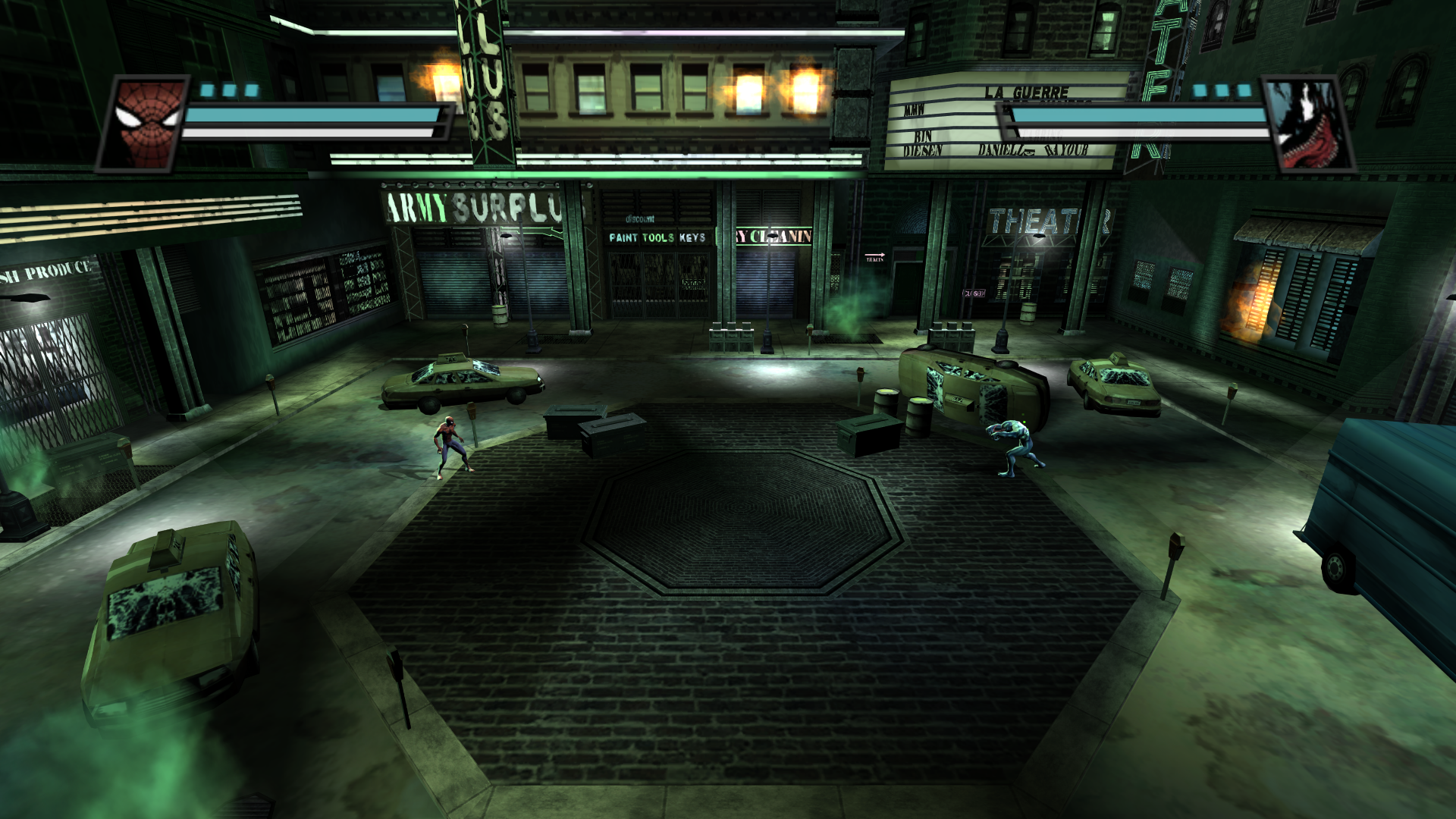
PC Settings — integrated into the game's own interface
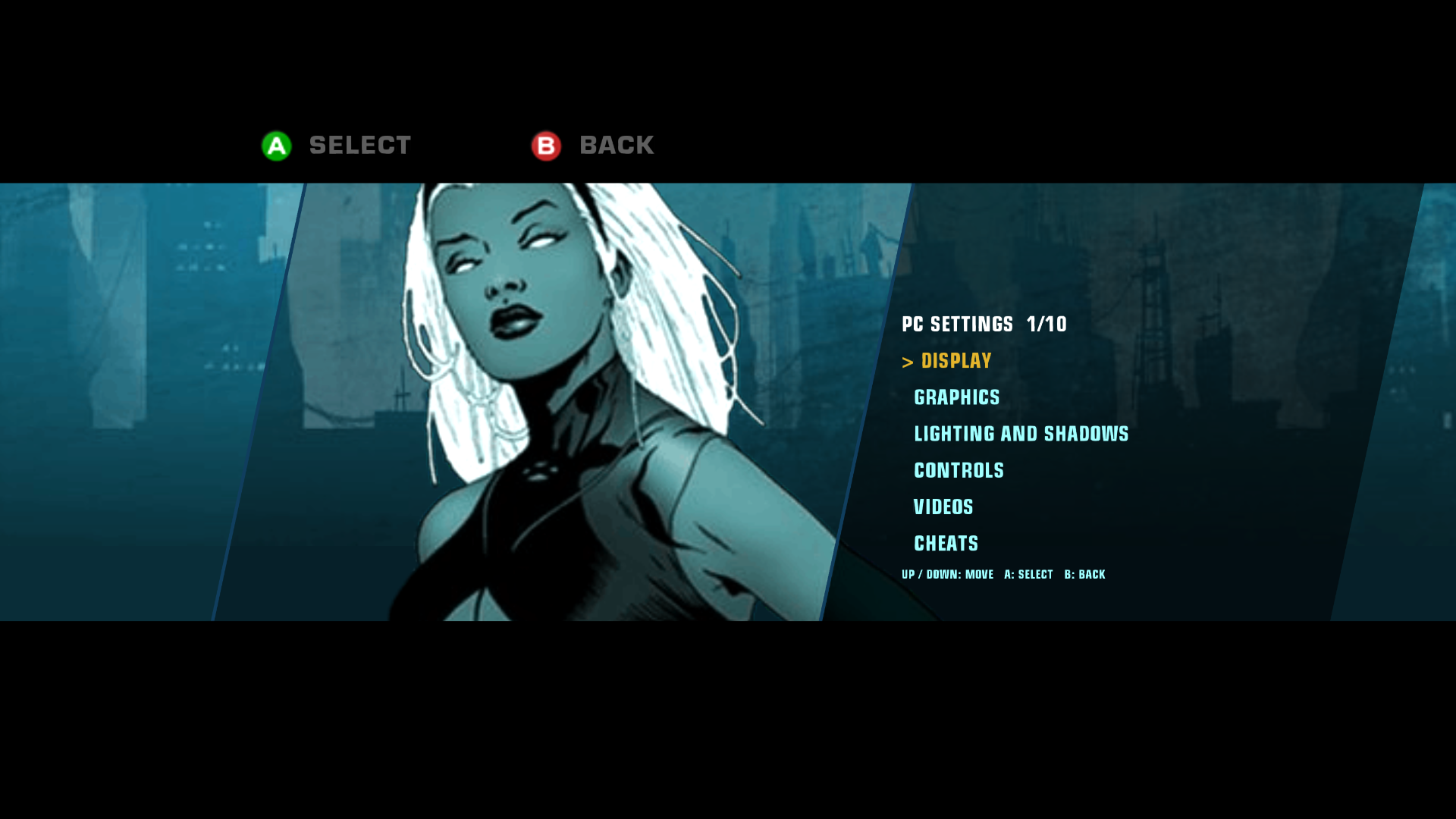
Options — the original menu, extended
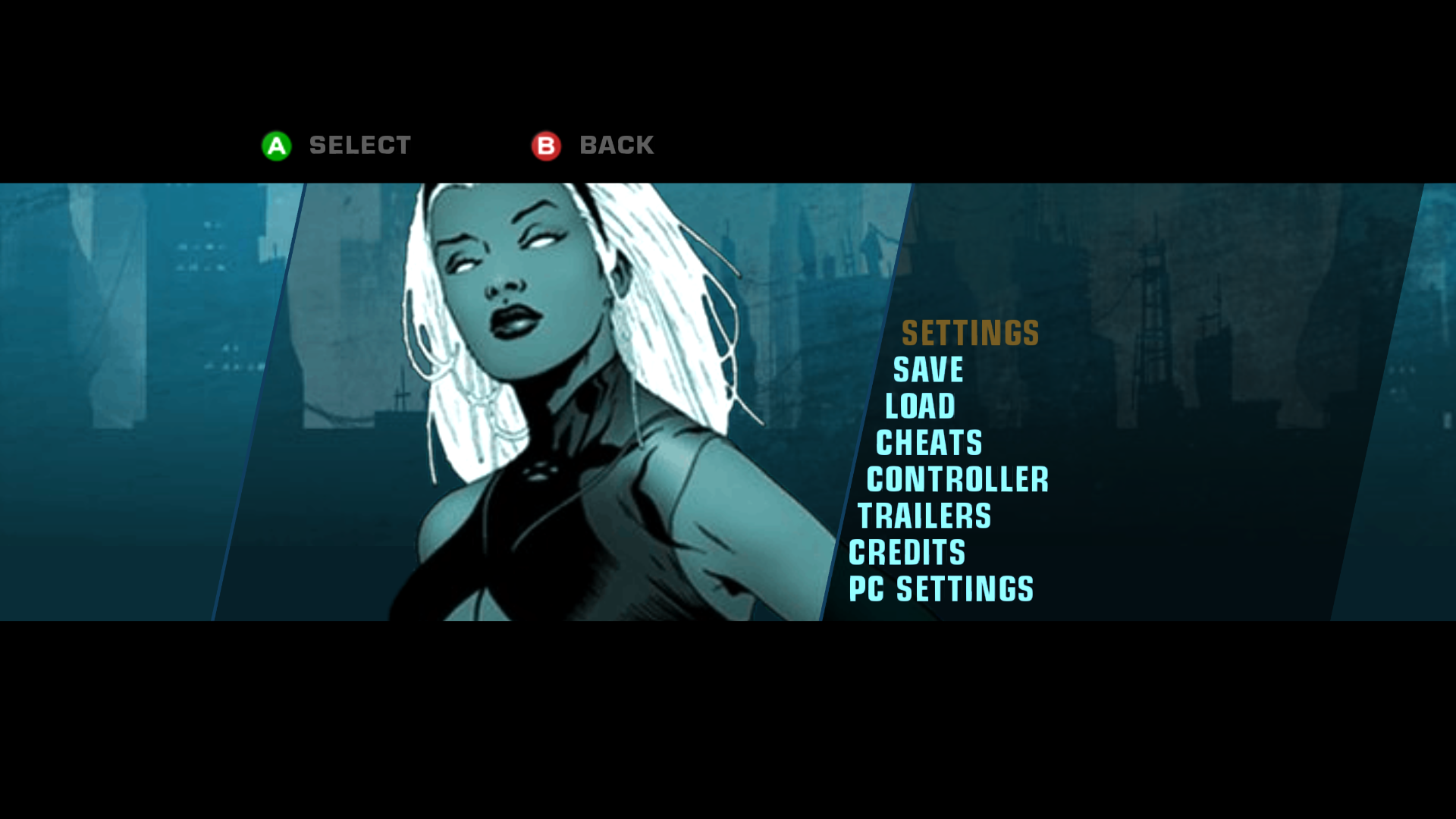
Original presentation
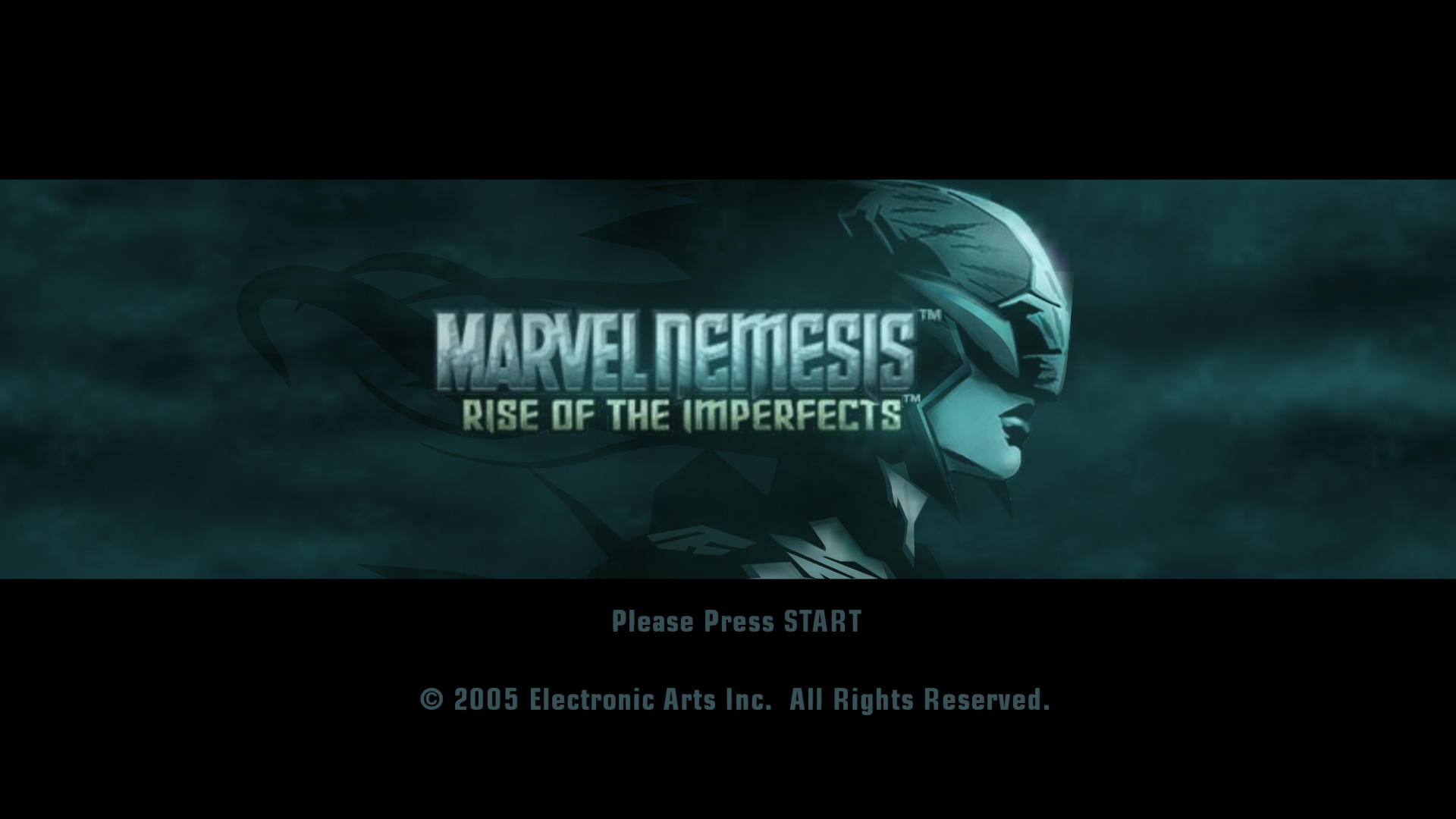
Gameplay and menu video — available now: Watch the PC port showcase on YouTube, featuring menus and gameplay.
Graphics, before and after
<table> <tr><th>Before — baseline capture</th><th>After — enhanced capture</th></tr> <tr> <td><img src="docs/screenshots/graphics-before.png" alt="Thing before applying the demonstrated graphics improvements" width="480"></td> <td><img src="docs/screenshots/graphics-after.png" alt="Thing after applying the demonstrated graphics improvements" width="480"></td> </tr> </table>I identified the before/after order. These are different moments in the same scene, not frame-matched captures; exact per-option settings have not been recorded for this pair. They illustrate the reported overall improvement, not an isolated effect test or a performance benchmark. Full-size gallery and capture notes.
Features
Survival
Choose SURVIVAL from the main menu for Solo, local two-player Co-op or Co-op with a CPU ally. Play Classic's 20 waves or continue in Endless, choose a difficulty and arena, face bosses every five waves, and view local records. The main menu also has QUIT GAME. These are new PC-port features; network multiplayer is not included.
Display and performance controls
-
Ultrawide 21:9. The main scene widens horizontally, HUD/menus keep a centred 16:9 canvas, and VP6 movies retain their proportions. I checked menus and combat in a 1720×720 window on a 16:9 desktop. See the build and validation guide for coverage and remaining checks.
-
Choose your screen setup. Fullscreen, borderless and windowed modes, monitor selection and available display resolutions let the port fit your desktop. Display changes use a confirmation timeout so an unusable selection can revert.
-
Independent render resolution, from 20% to 200%. Lower internal resolution can reduce rendering cost; higher settings allow supersampling. Output resolution and rendering scale are separate controls. Increasing scale does not replace the game's original texture artwork with new HD assets.
-
Choose your frame-rate limit. Use a predefined/custom cap, automatic capping based on the selected display, or an uncapped setting. V-Sync and an FPS counter are available separately. Actual performance depends on hardware, scene and enabled effects; capped screenshots are not benchmark results.
-
Tune the image. Brightness and contrast adjustments help adapt the game's dark presentation to your display without requiring a texture mod.
A more configurable image
| Option | What it brings to the port |
|---|---|
| MSAA: Off / 2x / 4x / 8x | Multisample antialiasing smooths geometry edges. Higher modes increase GPU/memory cost; unsupported combinations can fall back and are reported in the log. |
| SMAA | A separate image-space antialiasing pass for a smoother final image. It can be combined with MSAA, balancing geometry coverage and final edge treatment. |
| Anisotropic filtering: up to 16x | Improves texture sampling on angled surfaces, especially floors and receding scenery, while retaining the original texture data. |
| Ambient occlusion: Off / SSAO / GTAO | Optional screen-space shading adds contact depth around nearby geometry, with strength/radius controls. These are added PC effects, not newly discovered original Xbox lighting modes. |
| Shadow resolution: Auto / 256 / 512 / 1024 / 2048 | Raises the resolution of the identified character-shadow mask for cleaner silhouettes. Auto follows render-scale behavior; 256 is the original guest mask size. This does not increase every shadow or light source. |
| Shadow softness: Original / Light / Medium | Smooths the projected character-shadow mask. Resolution and softness remain independent. This is filtering, not physically simulated penumbra. |
| Bloom | Optional highlight glow with strength, threshold and radius controls. The current effect is deliberately subtle and can be disabled. It is not HDR or a replacement lighting engine. |
| Object distance: Original / 1.5x / 2x / 3x | Extends identified distance-based visibility checks for scenery. Other engine limits still apply; this is not a universal model-detail/LOD replacement. Visual coverage and uncapped cost comparisons are still being expanded. |
These options build on compatibility work for geometry submission, depth behavior, compressed textures and fog. I checked the Daily Bugle black-scene correction alongside other rendering fixes. Alpha testing across more scenes and GPUs remains important.
PC Settings that belong in the game
Open Options → PC Settings for an English menu using the game's own interface, or press F10 for the alternate PC panel. Both use the same configuration: changing an option in one updates the other.
Display, Graphics, Lighting and Shadows, Controls, Videos, Cheats and Development are grouped into navigable pages. MUSIC ON/OFF is available here, not in the pause menu. Applied PC settings are written to settings.toml beside your executable. The original Options menu remains available.
Keyboard and controller freedom
- Keyboard support with key remapping, rather than replacing controller support.
- Keyboard and controller can coexist on player 1. A second controller can independently drive player 2 in local Versus; I tested this combination.
- Per-player device assignment and controller button remapping let you choose how to play. The SDL-based input layer supports Xbox, PlayStation and Switch controllers, although not every model/hot-plug combination has been tested.
Everyday quality-of-life improvements
- Pause on focus loss, including audio. Switching away pauses the simulation/audio flow and resumes it on return when enabled.
- Optional intro-logo skipping follows the native completion path. Movie framing includes the original treatment, aspect-preserving fit, a 4:3 frame and fill/crop; per-mode validation is still incomplete.
- Portable saves beside the executable. Campaign data lives under
saves/E/UDATA/4541038a/. Initial migration can copy oldhdd/Edata without deleting the original or overwriting populated saves. I tested a fresh public build's save/close/reopen/load cycle. - Built-in optional cheats. Separate player 1/player 2 health and energy modifiers, refill actions and content unlocks are accessible through PC Settings/F10. Session modifiers and normal-save unlock persistence are different behaviors; scripted deaths, ring-outs and objective failures are not all prevented.
Developer-only content, brought back into reach
The original game retains mission-loading paths and test scenes that were not exposed through its normal retail menus. This port adds a Development selector to make part of that retained content accessible:
- Browse and launch campaign missions for exploration and testing.
- Visit Combat Test, Character Test and Empty Test Arena.
- Enter and leave the three available test scenes through the added menu flow; the exit crash found during development has been fixed in the tested path.
These are experimental developer scenes, not finished bonus campaign levels. Actors may stand in T poses or have incomplete behavior. Scenes whose world data could not be loaded were removed from the selection list; no complete unfinished campaign, cut hero or hidden multiplayer mode is being advertised as restored.
Development sessions suppress autosave. They do not roll back progress in memory or block an explicit manual save. Back up your save and reload your normal campaign before continuing real progression. Development is accessed from the front-end PC Settings, not the pause menu. Usage and limits.
Experimental file-mod support
The port creates a mods/ folder beside the executable. Compatible replacement files mirror their paths inside the game data and override matching reads, with fallback to originals when no replacement exists. Restart after adding or removing a mod; recompilation is not needed for a compatible resource replacement.
What has already worked: I supplied a community GameCube/Dolphin Spider-Man color texture for manual adaptation to native Xbox DDS/XPR resources. It loaded through the mods folder, and I checked it during gameplay in a tested arena. The community mod is not distributed with this project.
What I learned:
- Some textures come from XPR bundles registered before loose DDS files, so a loose texture replacement alone may not be enough.
- Color, alpha/material masks and normal maps have separate roles. Changing a suit's colors can leave original relief/reflections visible; a full visual adaptation may need matching maps.
- Dolphin hash filenames and PNG packs are not imported automatically. Resources must be adapted to the Xbox paths/formats the game actually loads.
- Native dimensions, compression, mipmaps, dependencies and guest memory matter. A larger host GPU does not remove the Xbox guest-memory constraint.
- This is an experimental replacement layer, not a model/arena importer, extra roster-slot system, universal HD injector or mod manager. The ISO-overlay route still needs individual validation.
Use only mods you have permission to use and redistribute. No community texture packs or original game resources are included. How file overrides work.
Play — no Visual Studio installation required
- Download MarvelNemesis-Windows-x64.zip from Releases. The automatic "Source code" archives are intended for developers.
- Extract the complete ZIP into a writable folder. Keep
compiler/besideMarvelNemesis.exe. - Put your own supported Xbox game files in
assets/: the extracteddefault.xbewith all game directories, or your own game ISO. - Run
MarvelNemesis.exe. First launch translates and compiles your XBE locally, then starts the game. A progress window is shown; this can take several minutes. Later launches reuse the generatedMarvelNemesis.dll.
No Visual Studio, CMake or Ninja installation is required for this player package. It includes the recompiler, Clang/LLD and required runtime DLLs. Keep compiler/ for future preparation/repair. Completed compilation files are retained when preparation is interrupted. See the package's README.txt and Usage.
The prepared game-code DLL and compiler/work/ belong on your own computer; do not redistribute them. First-launch duration and memory usage depend on the PC. Use a fresh folder when testing an update and preserve your existing saves separately.
Build from source — for developers
Only an original Xbox default.xbe with SHA-1 66481feb81d9a00a63f0d2f0a203a297b712cfb5 is supported. Other revisions/regions, prototypes and GameCube/PS2/PSP versions are not supported build inputs. The hash check identifies the executable, not the completeness of the remaining game data.
- Read Building. Install Visual Studio with Desktop development with C++, Clang/LLVM, CMake, Ninja, a Windows SDK and Git.
- Place your extracted game files in
assets/, withdefault.xbedirectly inside it. - Run
build.bat. First configuration fetches dependencies and requires Internet access. Total first-build time has not been measured; the successful local fresh-folder build is recorded in Validation. - Start your locally built
out/build/release/MarvelNemesis.exe.
Keep the bundled sdk/, which contains local compatibility fixes. Do not run SDK Sync or replace it with an unrelated upstream version. Developer builds produce the host EXE and a separate game-code DLL; release.bat packages only the host and portable compiler, excluding that DLL and all game resources.
Where the project may go next
My focus is a dependable PC port and broader community testing. Possible future investigations include additional gameplay modes, expanded character-slot support, network multiplayer options, and better tools/documentation for creators.
These are exploratory directions, not announced features, deadlines or guarantees. Local Versus and Survival Co-op already work; network functionality would be a separate undertaking. I am not promising unproven or unfinished content.
Validation, feedback and community testing
I developed and tested on a Windows/NVIDIA system. A friend tested the portable candidate and approved it for release; I have no detailed hardware matrix or build log from that test. Earlier fresh-folder builds, gameplay checks and save/reopen/load are documented in Validation. Thing, Wolverine and Elektra campaign missions were visited through Development, without a claim of full campaign completion. Other characters/arenas and local multiplayer have also been exercised, but coverage is incomplete.
AMD/Intel GPUs and additional campaign paths need testing. Vulkan, HDR and network multiplayer are not implemented. Read known limitations, then report reproducible defects using the issue template and reporting guide.
Include hardware, source revision, settings, reproduction steps and a sanitized log. Do not attach game files, disc images, executable/PDB, generated code, saves, memory dumps, bundles or texture packs.
Credits, license and independence
This project would not be possible without TGP482's XboxXBERecomp. Thanks also to the Splinter Cell: Double Agent and BLACK recomp projects for technical reference, and to the SDK dependency and graphics-component authors. Original SDK, SMAA and SCDA attribution is preserved in NOTICE, sdk/LICENSE and third-party notices.
Project-owned additions are licensed under MIT. Third-party files retain their existing notices/licenses. Gameplay screenshots illustrate the port; game artwork and trademarks remain the property of their respective rights holders and are not granted by this software license.
This is an unofficial fan project, not affiliated with, endorsed by or sponsored by Marvel, Electronic Arts, Microsoft or the original developers. No commercial affiliation or ownership of the original game is claimed.
I am 15Cyber, the owner and developer of this project. I set its direction, test the game and decide what to release. I work with OpenAI Codex and Anthropic Claude as AI partners for research, implementation, debugging and documentation.