
Minish Cap (Switch, Alek's Edition)
The Legend of Zelda: The Minish Cap
About the project
The Legend of Zelda: The Minish Cap, conocido en Japón como Zelda no Densetsu: Fushigi no Bōshi , es el duodécimo videojuego de la saga The Legend of Zelda, desarrollado por Flagship bajo la supervisión de Nintendo. The Minish Cap es el primer título original de la saga para consola portátil tras la reedición de The Legend of Zelda: A Link to the Past junto con el primer Zelda multijugador, The Legend of Zelda: Four Swords. El juego llegó a Game Boy Advance en noviembre de 2004 en Japón y Europa, y a principios de 2005 en Estados Unidos y Australia.
9 versions of The Legend of Zelda: The Minish Cap
You're viewing: Minish Cap (Switch, Alek's Edition)
Minish Cap (Switch, Alek's Edition)github.com/Alexgg1014/The-Legend-of-Zelda-The-Minish-Cap-Alek-s-Ultimate-NX-EditionMinish Cap (Android, dual screen)github.com/samyost1/tmc-androidProject Picori (Minish Cap PC)github.com/999sian/tmcThe Legend of Zelda: The Minish Capgithub.com/MatheoVignaud/tmcauto tmc (StonedModder)github.com/StonedModder/auto-tmcProject Picori (Nintendo 64)github.com/999sian/picori-n64The Legend of Zelda: The Minish Cap (mstan)github.com/mstan/MinishCapRecomp The Minish Cap (3DS)github.com/EstebanPdN/zelda-tmc-3dsThe Minish Cap Decompilationgithub.com/zeldaret/tmc
Official project information
The Legend of Zelda: The Minish Cap — Alek's Ultimate NX Edition
v2.0.1 · Native Nintendo Switch homebrew port · Español → README_ES.md
<p align="center"> <img src="docs/images/v2-art.webp" alt="Alek's Ultimate NX Edition v2 — Randomizer" width="380"> </p>
What is this?
A Nintendo Switch-focused edition of the native The Minish Cap port, built on the open-source decompilation and the native-port projects listed in CREDITS.md. It runs the game natively on the Switch — this is not an emulator — and adds a second-screen companion display, touch and controller interaction, RetroAchievements, a port interface in six languages, an in-game shortcut HUD, an in-app updater and a set of Switch-specific quality-of-life features.
I made this because I wanted to play The Minish Cap this specific way on my own Switch: with a dual-screen layout in the spirit of the DS Zelda games, a vertical Flip-Grip-style mode, and achievements. It is shared publicly in case other people want to play it, study it, fork it, or use it as a starting point for their own work.
This project did not create the Minish Cap decompilation, the native PC port, or the original dual-screen concept. It stands on the projects credited below — please see CREDITS.md for the full lineage.
What's new in v2.0
The last big update.
- Randomizer (Beta) — when you name a new file, choose NORMAL or
RANDOMIZER. Every chest, NPC, shop and dungeon reward is shuffled; the goal is
still to defeat Vaati. Four modes (Standard, Keysanity, Entrances, Keys +
Entrances), every seed checked before you can play it, and a RANDOMIZER page
under
−with a visual tracker, Ezlo's notes and an optional spoiler. Beta: generation is verified, but no full run has been finished on Switch yet — please report a stuck file with its seed hash. - Widescreen in Dual mode at 2X.
- Music and effects volume, voice and low-health-beep mutes, cheats,
autosave interval, stick dead zone, and
−reopens the tab you left. - Fixes — lit torches no longer draw a white blob, Link stays behind door frames on stairs, widescreen holds through room and area transitions.
Features
- Native Switch build — no emulator, runs as homebrew (NRO).
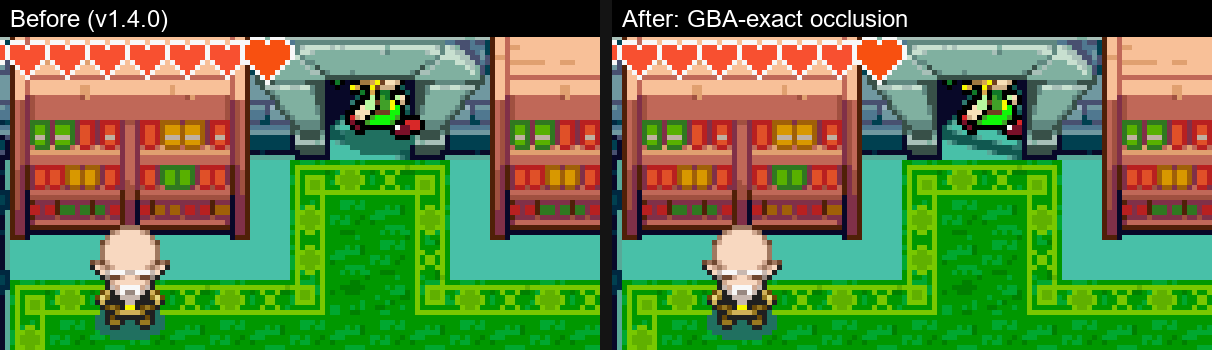
- Widescreen (16:9) in NORMAL mode (and DUAL at 2X): the camera shows more of the room on both sides, text boxes stay centred and the HUD anchors to the edges. Rooms narrower than the view are pillarboxed, never stretched. Holds 60 FPS at the stock CPU clock thanks to the tile-based renderer.
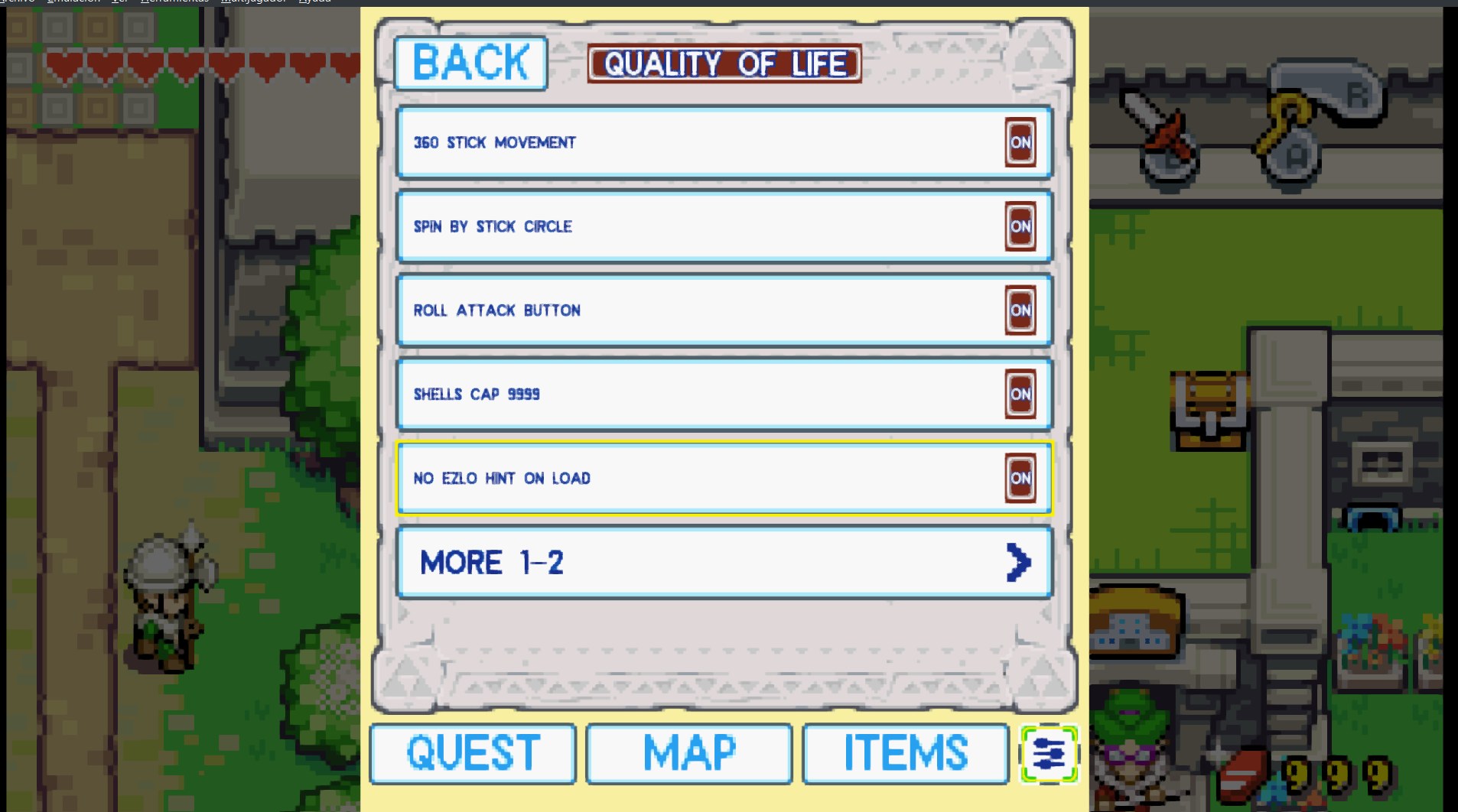
- Quality of life (SETTINGS → GAMEPLAY → QUALITY OF LIFE, all toggles): 360° stick movement, spin attack by rolling the stick and pressing B, a one-button roll attack, Pegasus dash that turns with the stick (1.4.1), shells cap 9999, no Ezlo hint after loading a save, fairer figurine odds, optional Hero Mode and Ezlo-tutorial skip.
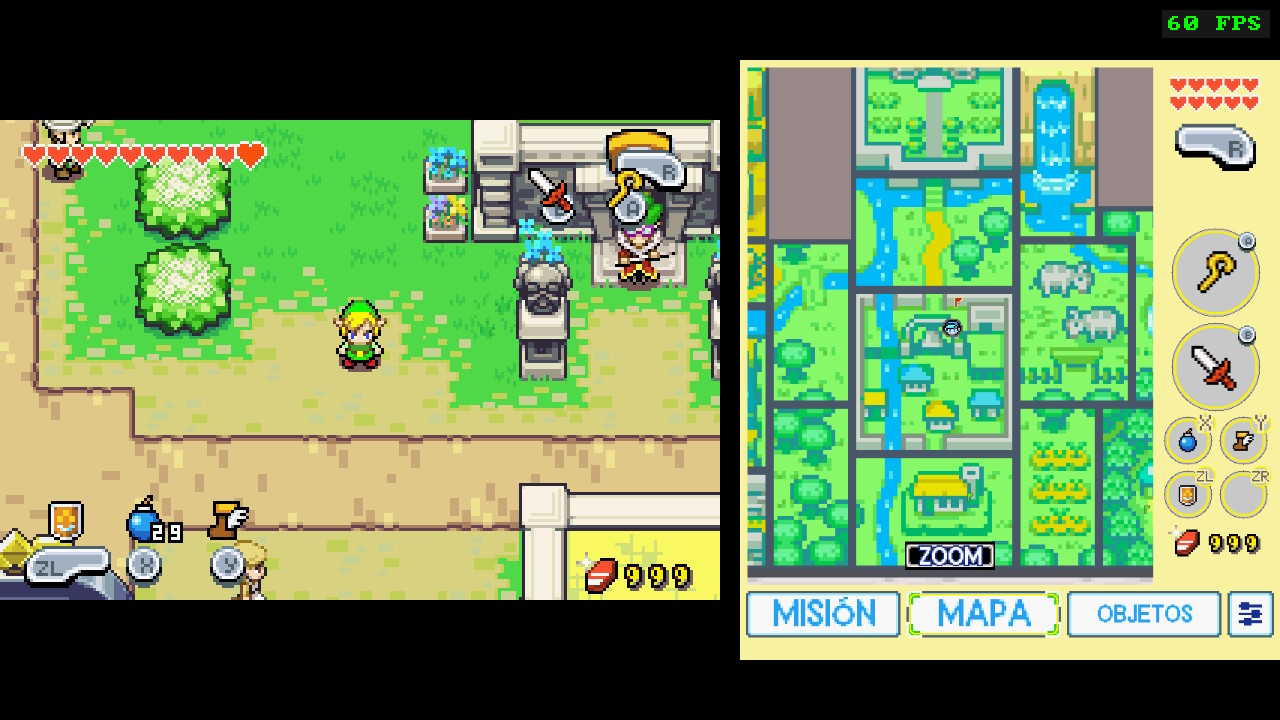
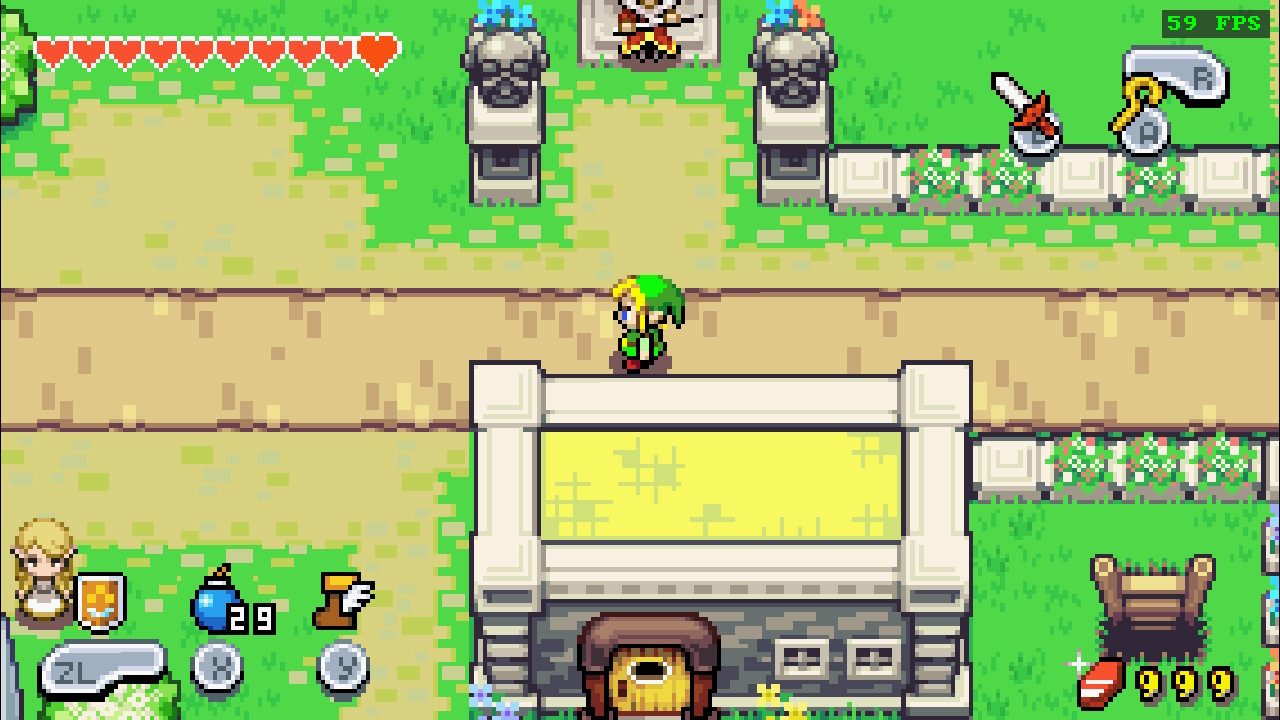
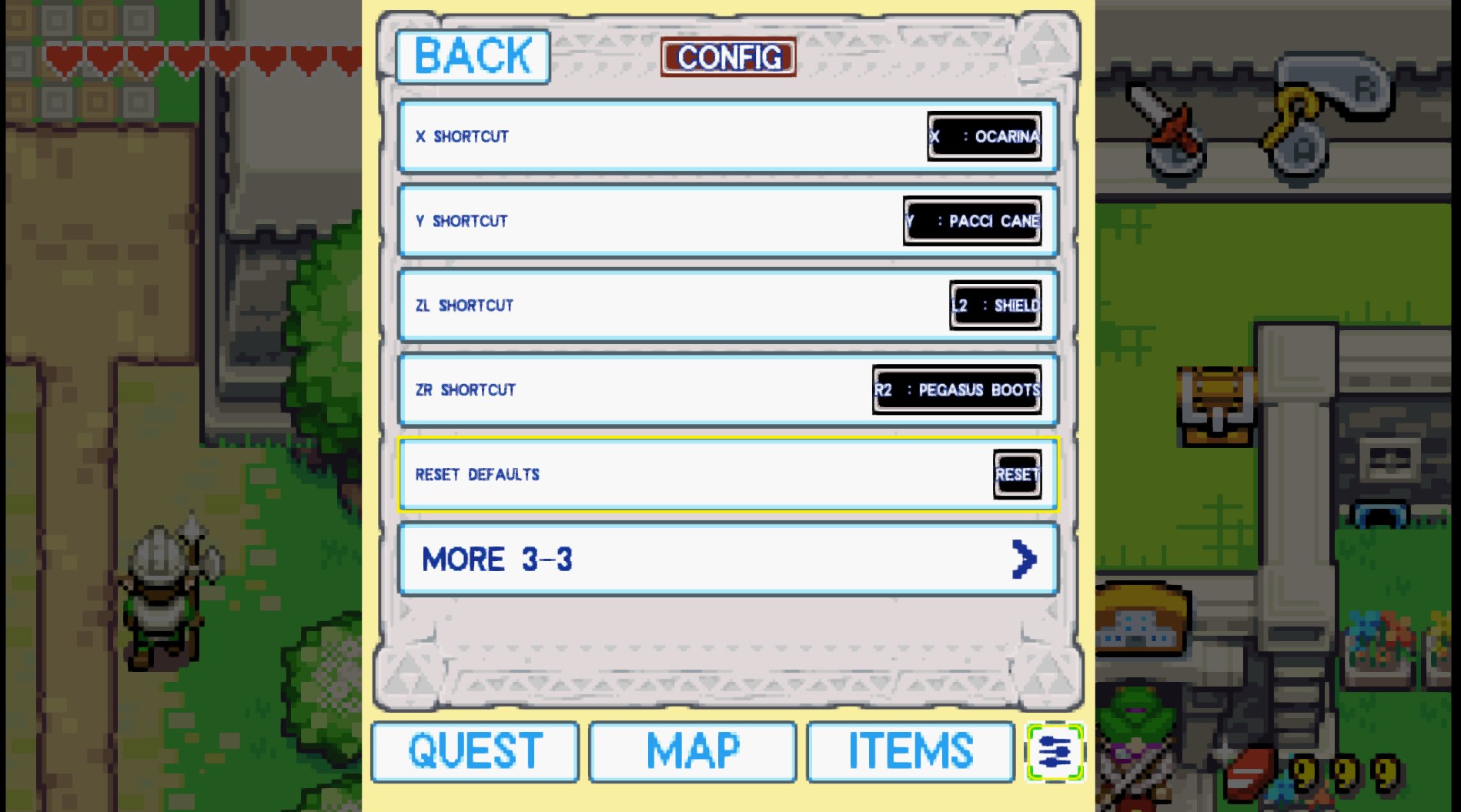
- In-game shortcut HUD (new in v1.5) — X / Y / ZL / ZR item cells on the game screen, in NORMAL, DUAL and FLIP; FULL / ICONS / OFF in SETTINGS → DISPLAY.
- Screen filters — scanlines (hard / soft) and a GBA LCD grid, drawn on the GPU at no FPS cost (SETTINGS → DISPLAY).
- Three display modes
- NORMAL — classic single-screen presentation (Fit or exact 2×/3×/4×).
- DUAL — gameplay plus a second-screen companion panel, side by side.
- FLIP 270 — a vertical composition designed for physically rotating the Switch (works well with a Flip-Grip-style holder; not affiliated with any accessory maker).
- Second-screen panel with four tabs:
- QUEST — current main quest, objective, hint and location (Story Guide).
- MAP — overworld and dungeon maps with Link's live position marker, windcrest pins, floor auto-return and optional follow camera.
- ITEMS — equipment view with A/B rings and X/Y/ZL/ZR shortcut rings (soft slots: equip a third and fourth item without opening the pause menu). Drag an item onto any ring to assign it, drag ring to ring to swap, drag a shortcut ring away (or hold it) to empty it (1.4.4).
- SETTINGS — every port setting, plus the updater and build info.
- Works with touch or controller. In NORMAL mode the panel opens as an overlay with Minus and stays up on any tab: D-pad moves, A / B activate (on ITEMS: equip to the A or B slot), L / R cycle the tabs, A on the map opens the region Link is standing in.
- RetroAchievements — login, game recognition, Rich Presence, unlock notifications with real badge artwork, and offline play: unlocks earned without a connection are queued with their original time and sent on reconnect (softcore only, per RetroAchievements' policy). Requires a free retroachievements.org account.
- Saves interchangeable with emulators —
tmc.savuses the same byte order as mGBA / VBA-M / cartridge dumps (since v1.3.9). Copy it to<rom>.savor back with no conversion. - Port-managed Autosave and Load Autosave — separate from, and never overwriting, the game's own save system.
- In-app updater — check for, download and install new versions from the second screen, without a PC. The download is verified against a size and SHA-256 pinned in the manifest, a verified backup of your current build is made first, and any failure restores it. See Updating.
- Talk to Ezlo shortcut (Left Stick click by default, rebindable), a Return to Title entry, and a contextual Action Hint for the R button (OFF / CONTEXTUAL / ON).
- Languages — the port's own interface (menus, second screen, settings) in six languages: English, Español, Français, Deutsch, Italiano and Português (Brasil), all selectable under SETTINGS → GENERAL → LANGUAGE. The game's original dialogue is Nintendo's and comes from your ROM. Brazilian Portuguese is the one language that also has a complete game translation (every dialogue, sign and item description — 2910 messages), made for this project and running on the USA ROM.
- Fast Boot — startup around 13–14 s on tested hardware; actual time depends on the SD card.
- Engine hardening — the 1.3.x line audited every entity type for 64-bit layout drift (~130 structures, each with a compile-time check), ported the engine fixes from the upstream PC port up to v0.9.3, and closed the crash and softlock reports from the community. Details in CHANGELOG.md.
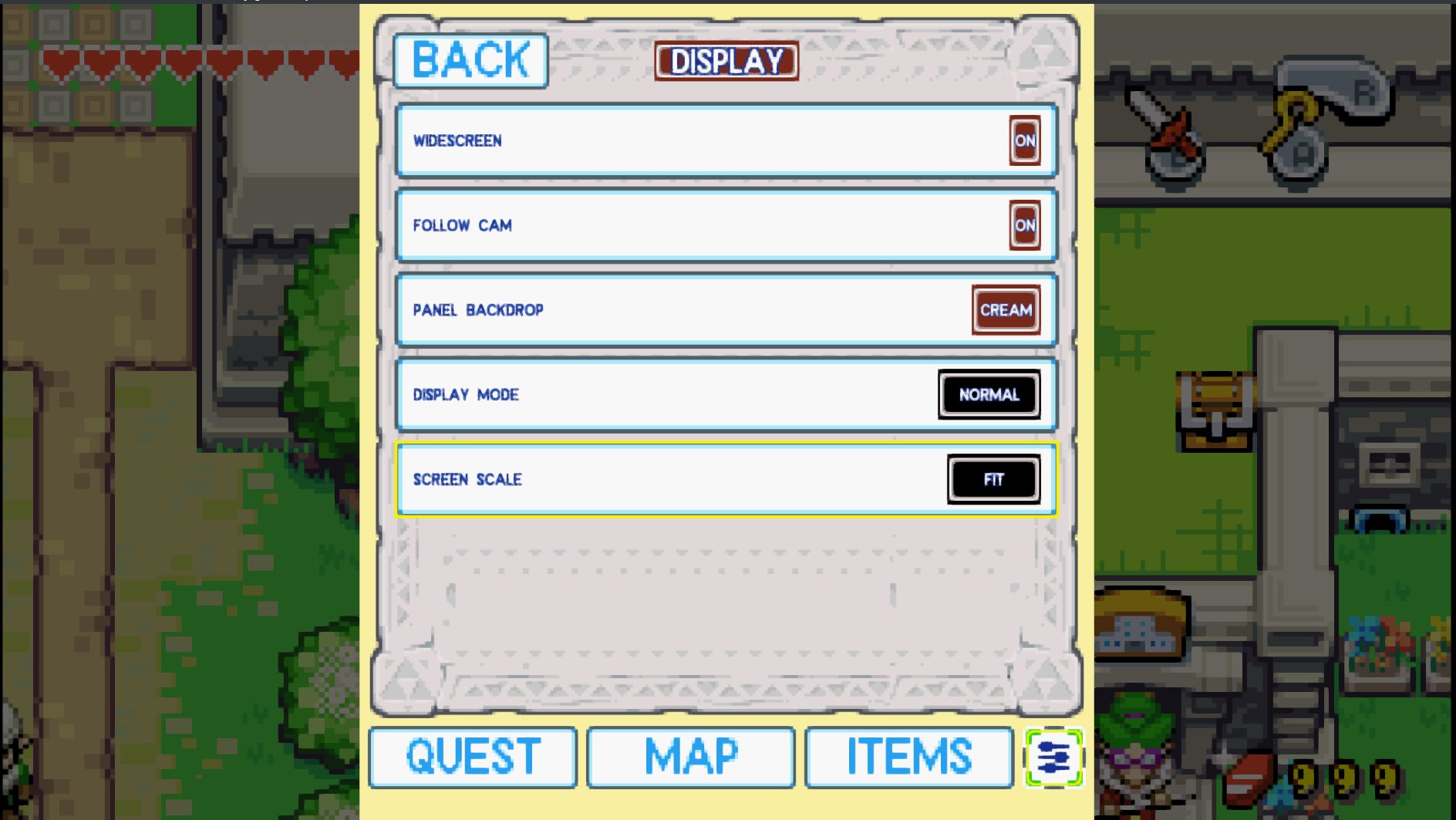
Widescreen (true 16:9 with more world on screen, no stretching) works in NORMAL mode, and in DUAL at 2X (using the room beside the panel). DUAL at 3X and FLIP keep the native 240-column canvas.
Screenshots
| DUAL | NORMAL | FLIP 270 |
|---|---|---|
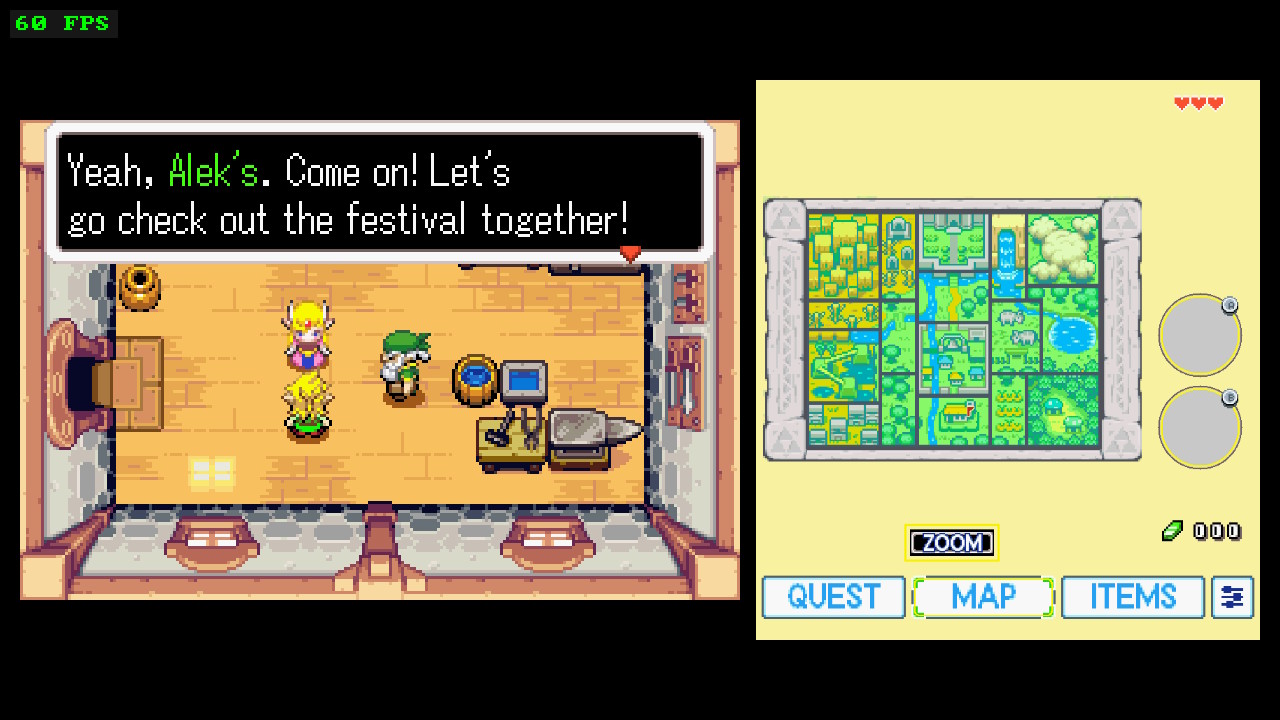 | 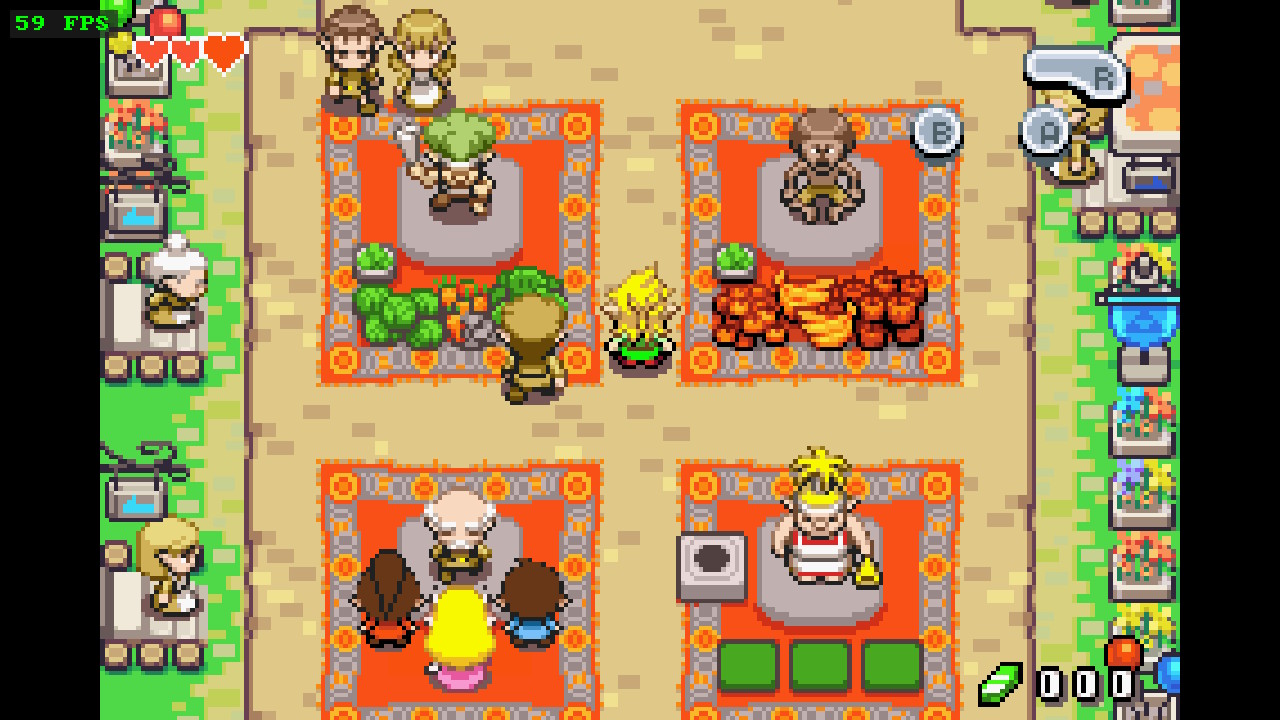 | 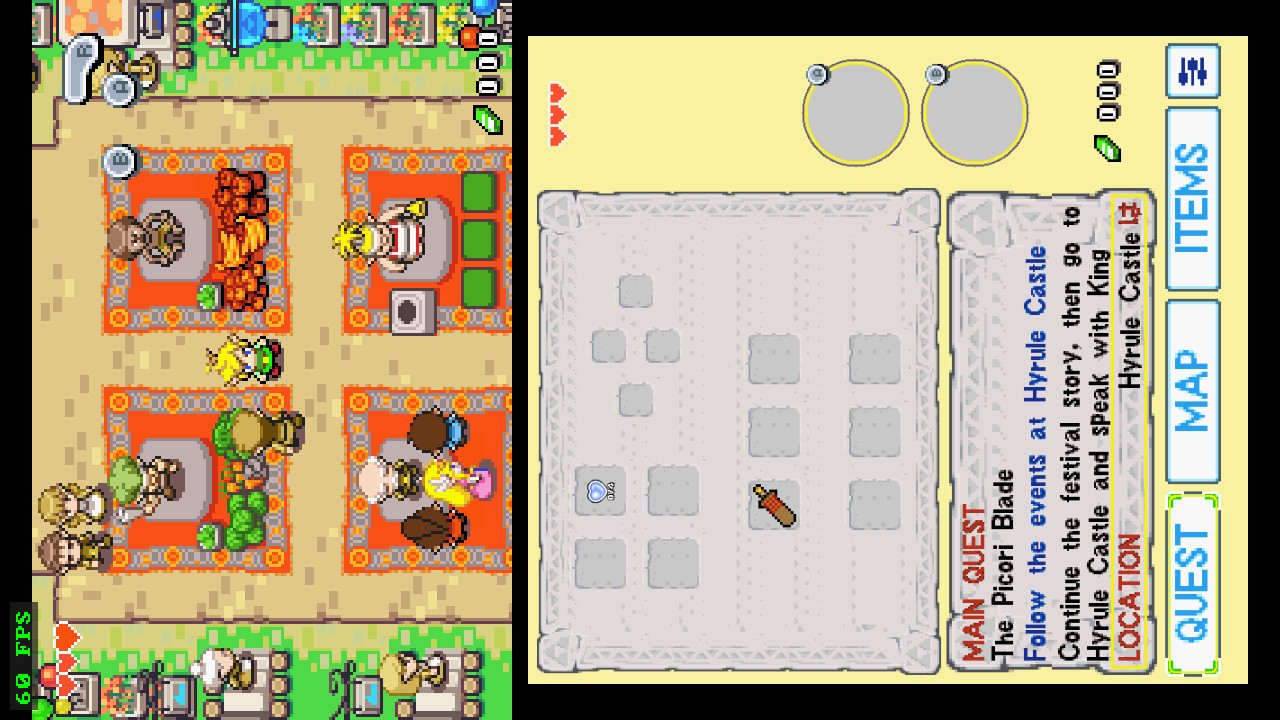 |
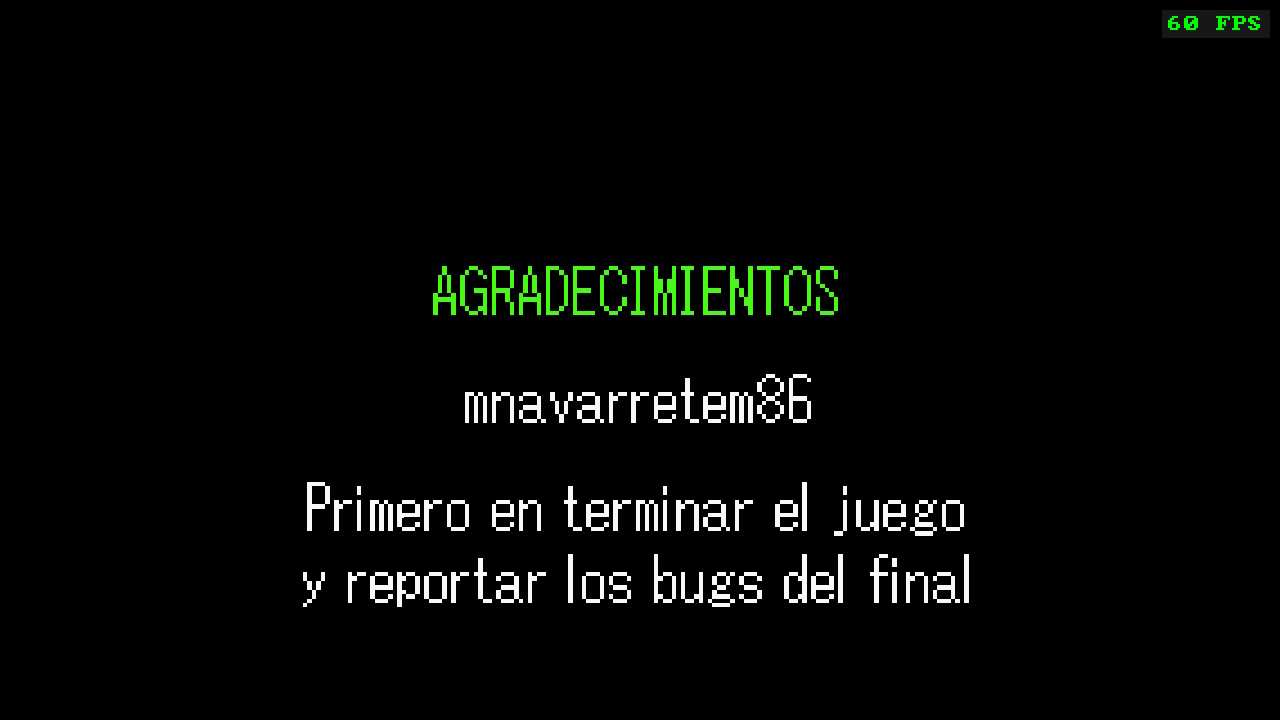
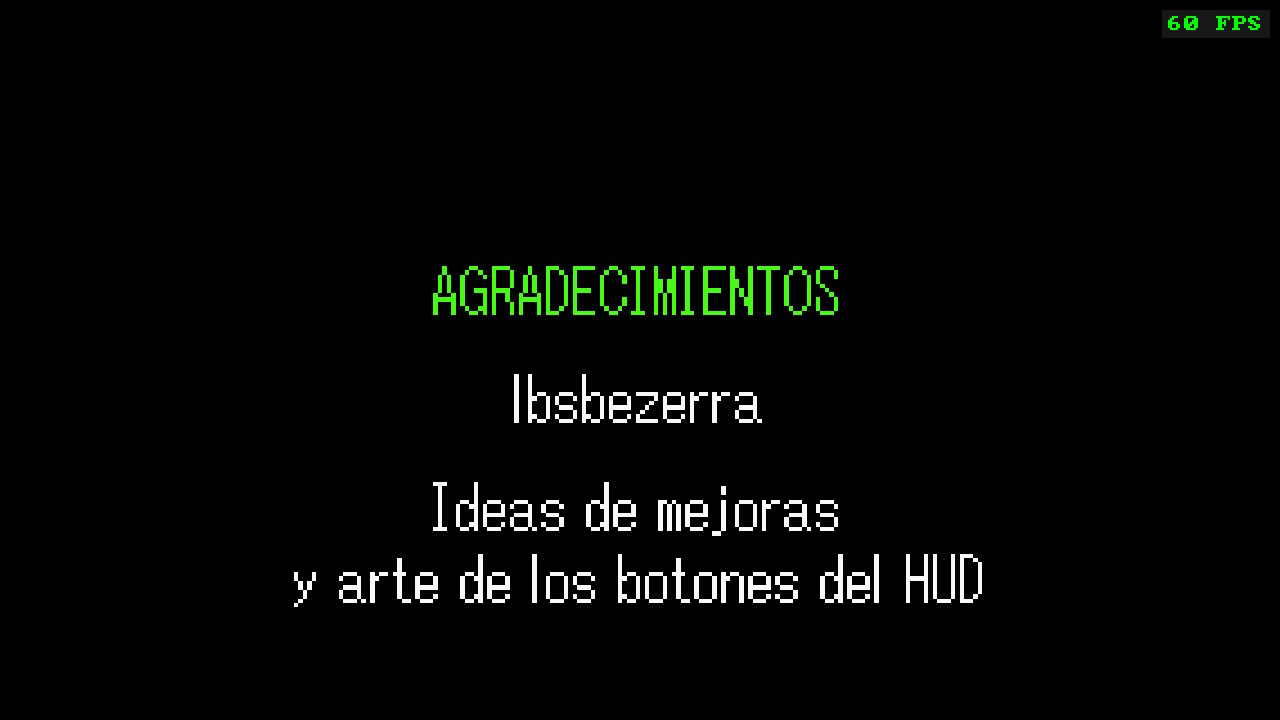
v1.5: the shortcut HUD in DUAL and NORMAL, and the new pages at the end of the credits:
| HUD in DUAL | HUD in NORMAL |
|---|---|
 |  |
| Thanks (1) | Thanks (2) | Title page |
|---|---|---|
 |  | 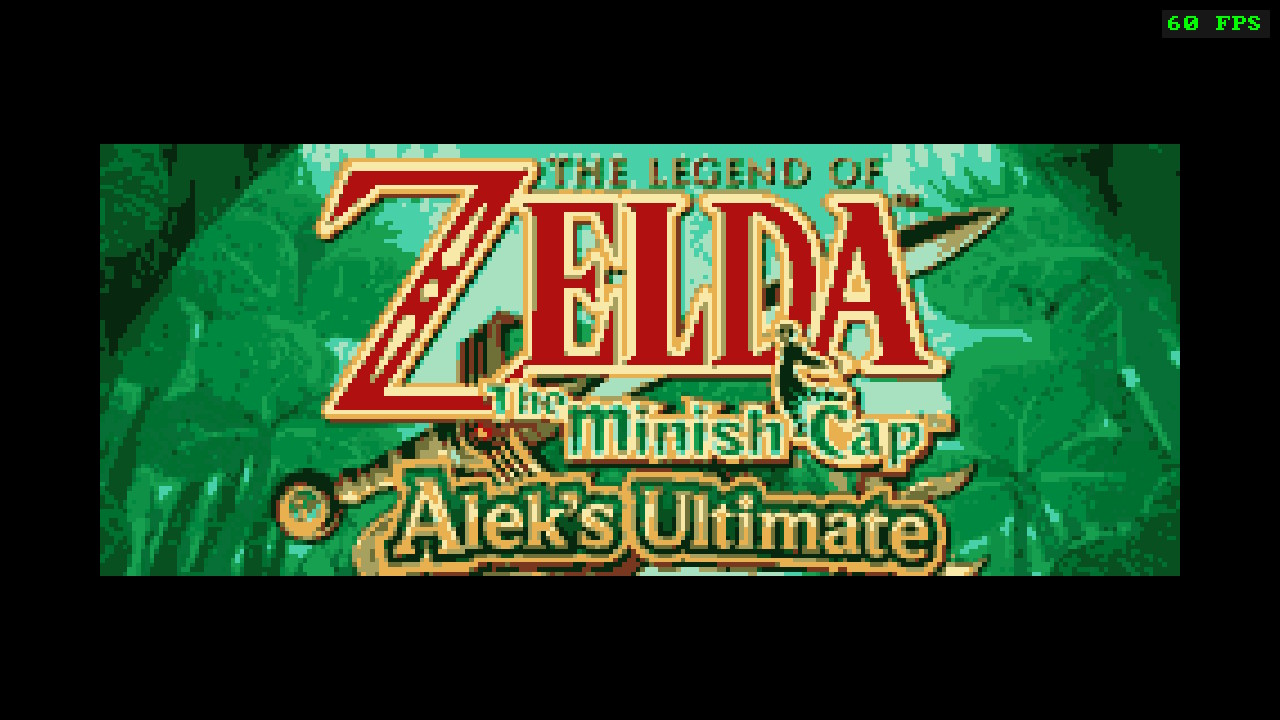 |
Widescreen (v1.4.0), native 240 columns next to the 284-column 16:9 view:
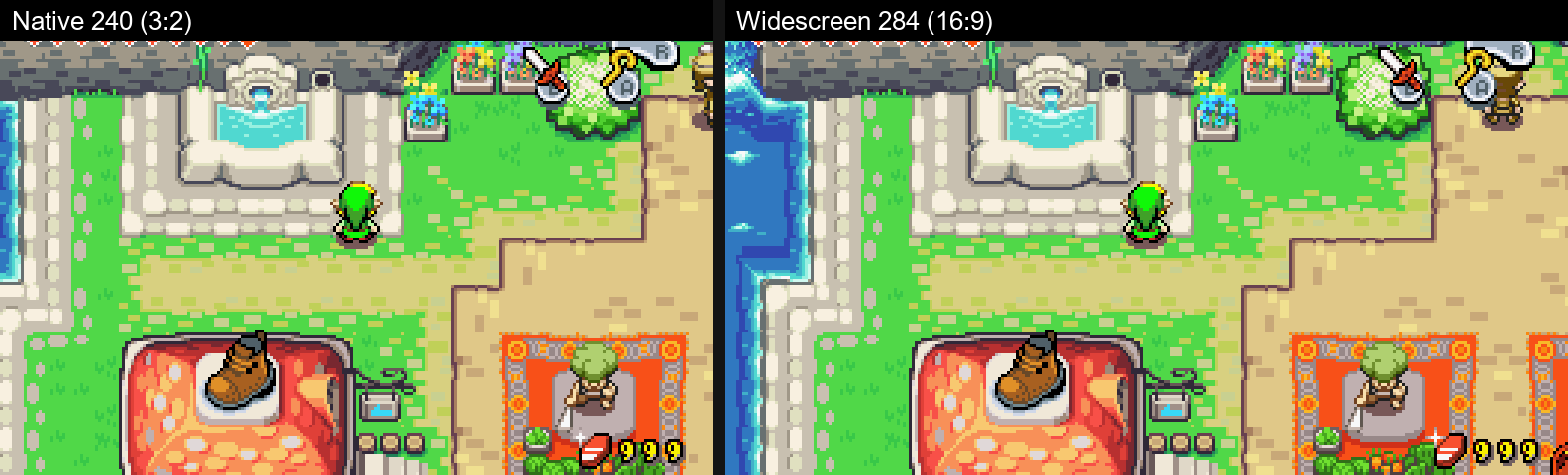
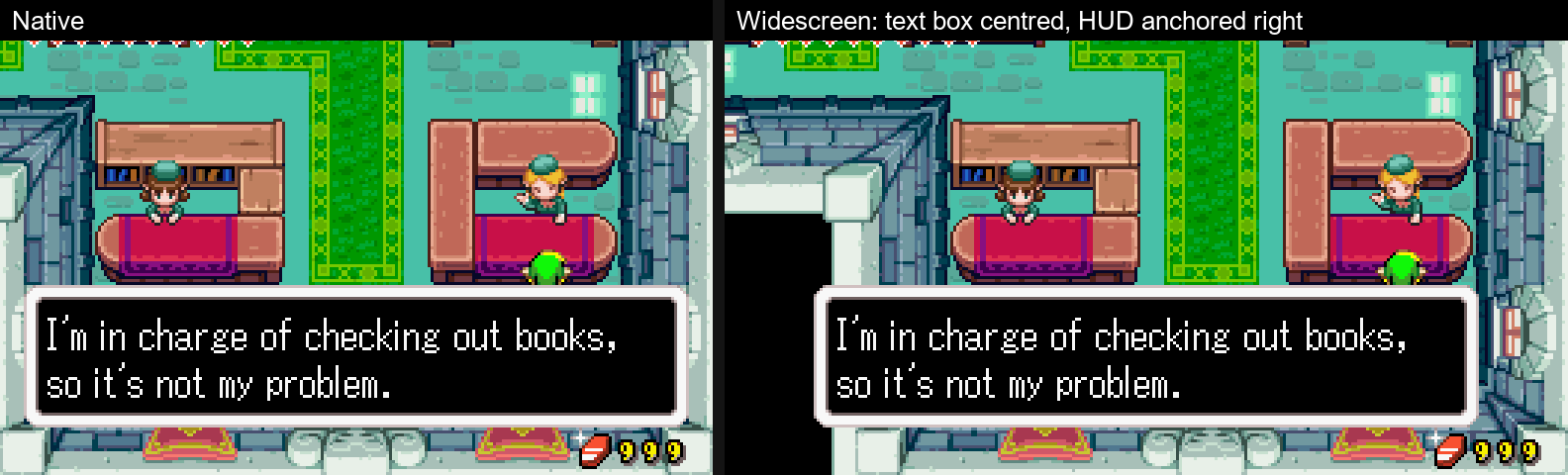
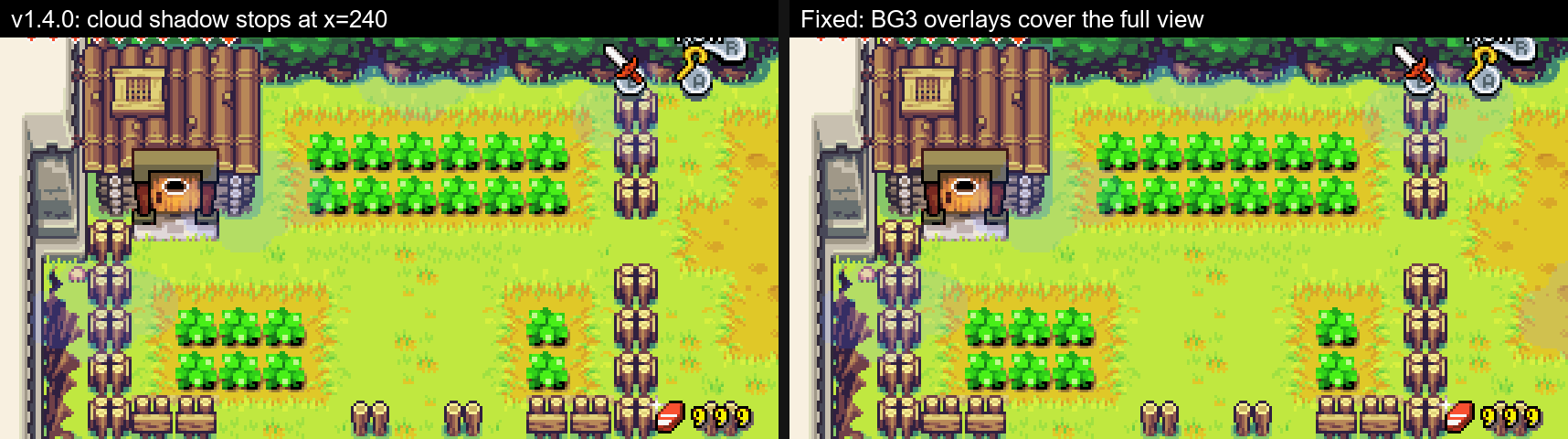
Settings (v1.4.0): the Quality-of-life page, shortcut slots, and widescreen on/off:
| QUALITY OF LIFE | CONTROLS | WIDESCREEN |
|---|---|---|
 |  |  |
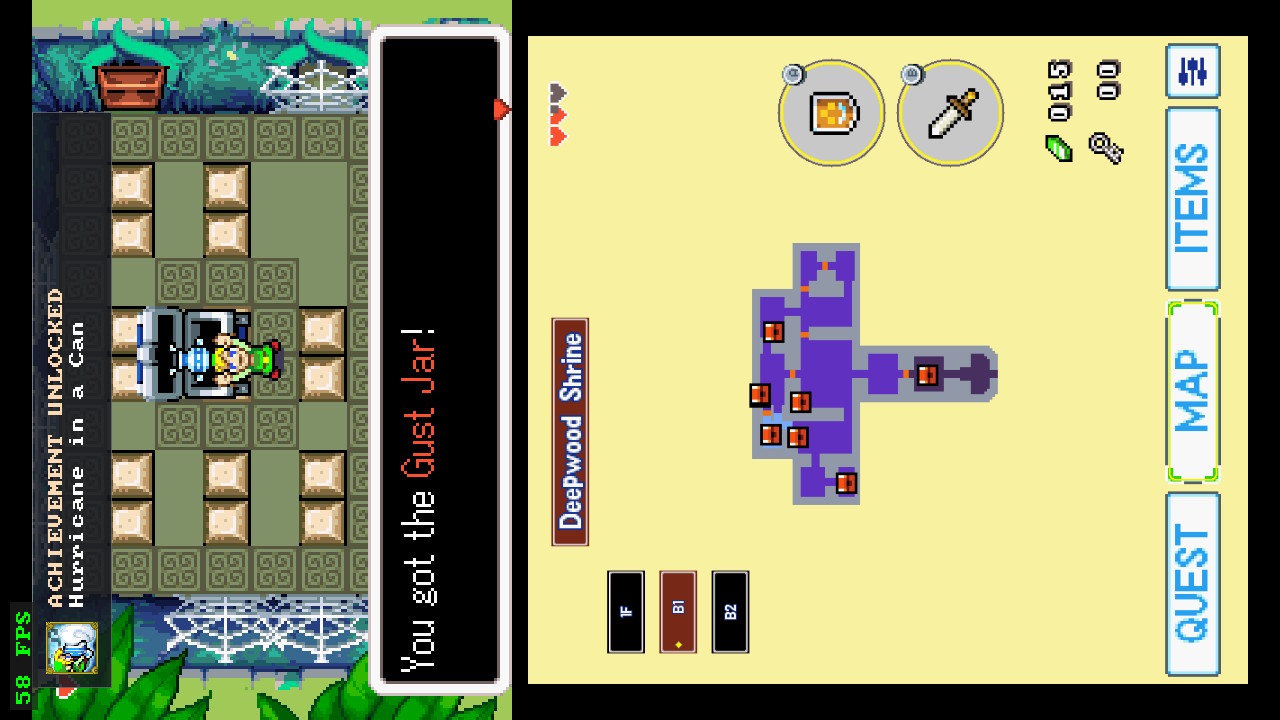
Real achievement unlock, on real hardware, in Deepwood Shrine:
Port UI localization
<table> <tr> <td align="center"><b>English</b></td> <td align="center"><b>Español</b></td> <td align="center"><b>Français</b></td> </tr> <tr> <td><img src="docs/screenshots/localization/en.jpg" alt="Port UI in English" width="280"></td> <td><img src="docs/screenshots/localization/es.jpg" alt="Port UI in Spanish" width="280"></td> <td><img src="docs/screenshots/localization/fr.jpg" alt="Port UI in French" width="280"></td> </tr> <tr> <td align="center"><b>Deutsch</b></td> <td align="center"><b>Italiano</b></td> <td></td> </tr> <tr> <td><img src="docs/screenshots/localization/de.jpg" alt="Port UI in German" width="280"></td> <td><img src="docs/screenshots/localization/it.jpg" alt="Port UI in Italian" width="280"></td> <td></td> </tr> </table>More in docs/SCREENSHOTS.md.
Localization and ROM base
This edition is built and tested with the USA ROM (header BZME). The
port's own UI is available in six languages, and the Brazilian Portuguese
option translates the whole game on top of that same USA ROM — no EU ROM and
no patched ROM are needed. Using the port UI in another language does not
convert the ROM: for the other languages, the in-game dialogue is whatever
your own ROM provides.
Installation
Short version — full guide in docs/INSTALLATION.md:
- Copy the NRO to
/switch/tmc/on your SD card, keeping its name (tmc_aleks_ultimate_nx.nro) — that is the file the in-app updater replaces. - Copy your own, legally obtained The Minish Cap USA ROM (
.gba) into the same folder. The filename does not matter — the port identifies the ROM by its header.baserom.gbais the conventional name. - Launch from the Homebrew Menu. Application mode (launching over a full title) is recommended for best performance.
No ROM is included with this project, no ROM download link is provided, and no copyrighted game content is distributed. You must dump your own cartridge or otherwise obtain the game legally.
Saves
/switch/tmc/tmc.savis the game's own save (the three in-game files). From v1.3.9 it is written in the standard emulator byte order, so you can copy it to mGBA / VBA-M as<rom>.savand back with no conversion. Saves written by older versions are detected and loaded automatically.- A save written by v1.3.9 or later will not load on v1.3.8 or older. If
you ever downgrade, restore
tmc.sav.bak(a copy taken at each start-up). - Autosaves (
autosave_*.bin) are the port's own and are independent oftmc.sav.
After updating: the assets/ folder
The first launch extracts the game's assets from your ROM into
/switch/tmc/assets/. Updating the NRO does not refresh that folder. If
after an update you see wrong graphics or text, delete assets/ and launch
again — the game regenerates it in about a minute. Saves are not affected.
Updating
On the second screen go to SETTINGS → SYSTEM, and use the update row:
- CHECK FOR UPDATES — contacts the project's update manifest.
- DOWNLOAD UPDATE — fetches the new build and verifies it.
- INSTALL UPDATE — backs up your current build, then installs.
- Close the game and open it again to run the new version.
The console needs an internet connection for steps 1 and 2 only.
What it does and does not touch
The updater replaces the game program (tmc_aleks_ultimate_nx.nro) and nothing
else. Your ROM, saves, autosave data, extracted assets and config.json are
never read or written by it.
Before the installed game is replaced, a verified copy of it is written to
/switch/tmc/tmc_aleks_ultimate_nx.bak. If the install fails at any point,
that backup is restored automatically. If you ever want to go back manually,
copy the .bak over the .nro.
Why it is built the way it is
Update metadata comes from a project-controlled manifest with a closed schema: an unknown key, a duplicate key, a non-HTTPS URL, the wrong channel or a malformed field rejects the whole manifest rather than being ignored. The expected size and SHA-256 of the new build are pinned in that manifest before any of it is downloaded, and the downloaded file is verified against them before it is allowed anywhere near your installed game. Downloads are HTTPS-only, redirects are HTTPS-only, and certificates are verified.
If you would rather not use it, you can keep updating by hand: download the
NRO from the releases page and copy it over
/switch/tmc/tmc_aleks_ultimate_nx.nro yourself.
ROM compatibility
Release builds target the USA version (header BZME). The known-good USA
reference dump has SHA-1 b4bd50e4131b027c334547b4524e2dbbd4227130 — the port
does not verify this hash at runtime (it identifies the game by header), but
that is the dump every release is built and tested against. EU (BZMP) is
recognized by the loader but is not a supported base; use a USA ROM.
Performance
NORMAL (including widescreen) runs at 60 FPS at the stock CPU clock since v1.4.0, when the software PPU moved from per-pixel to per-tile rendering. DUAL and FLIP are more demanding than NORMAL and also gained from that change; on tested hardware a 1224 MHz CPU clock still gives them the most consistent 60 FPS. This is optional and does not guarantee a locked 60 FPS in every scene. Details in docs/PERFORMANCE.md.
Configuration
Every setting in SETTINGS (GAMEPLAY, CONTROLS, DISPLAY, ACHIEVEMENTS, SYSTEM) is documented in docs/CONFIGURATION.md.
Development transparency
This project was developed with significant AI assistance — including Claude / Claude Code, ChatGPT and OpenAI Codex — for code investigation, debugging, implementation, code review, documentation and release preparation. Project direction, feature decisions, real-hardware testing, visual validation and all release decisions were made manually by the maintainer. This describes how this edition was built; the upstream projects it builds on have their own development histories, and no assumptions are made here about the tools or workflows their maintainers used. A full description is in docs/DEVELOPMENT_TRANSPARENCY.md.
Maintenance expectations
This is a personal project. I intend to keep improving it until it reaches a state I consider fully playable and stable for how I want to play it. After that, updates may become infrequent or stop. I do not promise long-term support, a roadmap, or timely responses to issues. If you want to take it further, forks are welcome under the applicable upstream licenses — see CONTRIBUTING.md.
Reporting a bug
Released builds keep diagnostics on disk, so a report can carry evidence. Please attach whatever of these exists, along with the version shown under SETTINGS → SYSTEM → BUILD INFO:
| File | What it is |
|---|---|
/switch/tmc/tmc.log | Boot log: build identity, asset loading, ROM resolution, errors. Starts with a [build] line naming the exact version — always include it. |
/switch/tmc/startup.log | Per-phase boot timings. Useful for slow-start or hang-at-boot reports. |
/switch/tmc/crashlogs/ | Written only if the game crashed — this is the file that matters for a crash; tmc.log alone usually is not enough. |
/switch/tmc/ra.log | RetroAchievements activity, for achievement reports. |
/atmosphere/crash_reports/ | The system's own crash report, same moment. |
A screenshot or a short video helps a lot for anything visual, and your
tmc.sav lets the problem be reproduced exactly. Please also say whether you
deleted assets/ after updating (see above) — a stale asset folder explains
many "wrong graphics" reports.
Known issues
See docs/KNOWN_ISSUES.md. In heavier scenes DUAL and FLIP can dip below 60 FPS.
Credits and lineage
This edition exists because of the projects below. The short version:
- zeldaret/tmc — the Minish Cap decompilation everything is built on.
- Project Picori (999sian/tmc) — the native PC port foundation. Its engine fixes are ported into this edition regularly (up to v0.9.3 through the 1.3.x line, plus selected fixes from v0.9.5 in v1.5), and its widescreen work is the base of this edition's widescreen.
- HayatoG/tmc — the original Nintendo Switch port and the direct base this tree is forked from.
- samyost1/tmc-android — the dual-screen second-screen concept and implementation this work extends.
- EstebanPdN/zelda-tmc-3ds — the 3DS dual-screen adaptation; several of its engine fixes are ported here.
Thanks to everyone testing on real hardware and reporting on GBAtemp and GitHub — most of the 1.3.x fixes started as one of your reports. Special thanks to mnavarretem86, the first to finish the game on this port and who reported the ending and credits bugs that v1.5 fixes, and to lbsbezerra for the shortcut HUD button art and many enhancement ideas.
Full roles, third-party libraries and license details: CREDITS.md · THIRD_PARTY_NOTICES.md.
Legal
This is an unofficial fan project, not affiliated with, endorsed by, or supported by Nintendo. The Legend of Zelda and The Minish Cap are trademarks of Nintendo. No original game assets, ROMs, or copyrighted Nintendo content are distributed with this project.