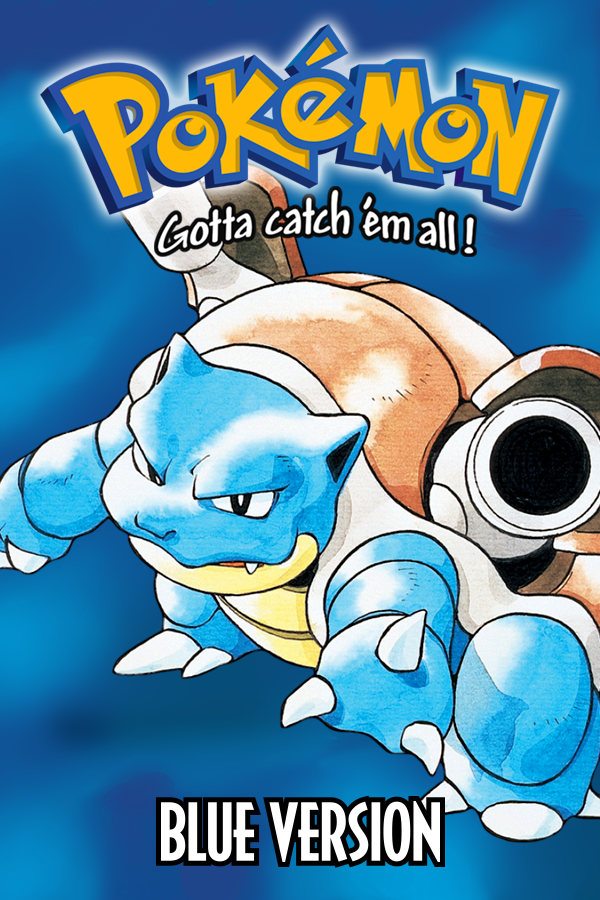
Pokemon Red & Blue (3DS, Gen1Recomp)
Pokemon Red
About the project
Pokémon Red es un videojuego de rol publicado por Nintendo en 1996.
2 versions of Pokemon Red
You're viewing: Pokemon Red & Blue (3DS, Gen1Recomp)
Official project information
This is the 3DS port layer for gen1recomp, the LÖVE/Lua recreation of the Game Boy Pokémon games, built on a fork of LÖVE Potion. Tested on a New 2DS XL with Luma3DS, both as a 3dsx (Homebrew Launcher) and as a CIA (HOME menu). Old 3DS/2DS is untested.
| 🎮 Plays | Gen 1 end to end through the upstream game: full speed battles, saves, sound effects and cries. Gen 2 loads, but the overworld crashes on the first big map (see Roadmap) |
| 📦 Installs | gen1recomp-<v>-3ds.zip for the Homebrew Launcher, or gen1recomp-<v>-3ds.cia for a HOME-menu icon |
| 🖼️ Renders | PNG decoded straight into the PICA200's tiled layout, no .t3x pre-conversion needed |
| 🧰 Ships | Debug symbols and sha256sums.txt with every release |
| 🚫 Contains | Nothing from Nintendo: no ROMs, no firmware, no keys. Your cartridge, your dump. |
⚡ Quick start
You need: a 3DS/2DS with Luma3DS, the Homebrew Launcher (or FBI for the CIA), and one thing dumped from your own console:
<details open> <summary><b>Option A — Homebrew Launcher (3dsx)</b></summary>
sdmc:/3ds/dspfirm.cdc— the DSP firmware, required by every homebrew that plays sound. Dump it once per SD card: Rosalina menu (L + Down + Select) → Miscellaneous options → Dump DSP firmware. It lands in the right place by itself. Without it the app exits before drawing anything.
- Download
gen1recomp-<version>-3ds.zipfrom the latest Release. - Extract it onto the root of the SD card, merging the
3dsfolder. You getsdmc:/3ds/gen1recomp.3dsxandsdmc:/3ds/game/. - Build your ROM cache on the PC (next section) and copy the
3dsfolder it produces onto the card too. - Open the Homebrew Launcher and start Gen1Recomp.
No card reader? Netload ftpd.3dsx once, then scripts/3ds/ftp_upload_game.py <3DS-IP> uploads the game tree over wifi.
Same engine, as its own title: an icon on the HOME menu, no Homebrew Launcher, and about four times the heap the 3dsx gets under the launcher (91 MB measured vs ~24 MB).
- Copy
gen1recomp-<version>-3ds.ciaanywhere on the SD card (or send it with FBI's Remote Install usingscripts/3ds/fbi_send_url.py <3DS-IP> <url>). - FBI → SD → the
.cia→ Install and delete CIA. - Copy your imported ROM folder onto the card (next section). The game tree itself is inside the CIA, so
sdmc:/3ds/game/is not needed; when it exists (the 3dsx install), it wins, so both can live side by side and share3ds/save/pokemon-love2d.
The CIA holds the assembled game tree (upstream gen1recomp plus this port's changes) and LÖVE Potion, signed with makerom's public test keys, which is why a CFW is required. No Nintendo firmware, keys or assets inside.
</details>💾 Importing your ROM (on the PC)
The console does not import ROMs (see Limitations); the PC does it in seconds. The release zip ships import-tools/ for exactly this — put that folder next to the gen1recomp desktop app (or install LÖVE), then double-click the file for your system:
| System | File |
|---|---|
| Windows | import-tools/Export-3DS.bat |
| macOS | import-tools/Export-3DS.command |
| Linux | import-tools/Export-3DS.sh |
No arguments, no questions. It imports every .gb/.gbc you dropped in import-tools/roms through the game's own headless mode, picks up any cache you already imported in the desktop app, writes everything to import-tools/sd-card/3ds/save/pokemon-love2d/<version>/, and prints that path. Copy that 3ds folder onto the card root, merging.
Each version folder holds:
<version>/
  assets/generated/     PNG textures — the engine decodes PNG natively
  data/generated/
  rom-cache.complete    the marker the launcher checks; identical on every platform
The launcher shows a version as ready — readiness is that marker; there is no flag or config on the console. Versions: red, blue, yellow, gold, silver, crystal; the ROM is identified by SHA-1, both Crystal revisions are accepted.
<details> <summary><b>🎵 Music (optional)</b></summary>Validated on Linux against the upstream
v0.2.64AppImage: the cache it produced was accepted by the console. Windows and macOS were exercised against a stand-in app only, not on real machines. By hand it isPOKEPORT_IMPORT_ONLY=1 POKEPORT_IMPORT_ROM=<rom> love .in a game tree, then copy~/.local/share/love/pokemon-love2d/<version>(Linux;%APPDATA%\LOVE\...on Windows,~/Library/Application Support/LOVE/...on macOS).
The console cannot synthesize the chip music in real time, so map and battle music is silent unless pre-rendered WAVs exist in the cache. Render them on the PC (needs LuaJIT; the script's header shows the Docker one-liner):
luajit scripts/3ds/prerender_music.lua <path/to/version-cache>
Output goes to <version>/assets/generated/audio/music/*.wav; copy it with the rest of the cache, or scripts/3ds/ftp_upload_music.py <IP> --source <cache>. Yellow's full set is ~76 MB.
🗂️ What is in this repository
This repository does not contain the game. It contains everything needed to build the port from the upstream game:
| Path | What |
|---|---|
engine/ | The LÖVE Potion fork (C++), full source. Rendering, audio, input and shutdown fixes for the 3DS, native PNG decode/encode, CIA start-up, the Gen1Recomp SMDH icon. |
overlay/ | New files added to the game: the 3DS platform layer (src/core/Console.lua), the console test suites, scripts/3ds/ (FTP upload, SD mirror, music pre-render). |
import-tools/ | The double-click scripts that build the SD card folder on the PC; shipped inside the release zip. |
patches/ | One diff per upstream game file the port edits (20 files). |
UPSTREAM | The upstream gen1recomp commit the patches apply to. |
tools/ | assemble.sh (upstream + overlay + patches → work/game/), package.sh (release zip), cia/ (RSF, banner, icon, make_cia.sh). |
docs/ | instrumentation.md + two patches: the console probes used during bring-up, removed from the build, re-applicable in one command. |
The scripts/3ds/ tools live in overlay/scripts/3ds/ here and inside the assembled game tree (work/game/scripts/3ds/); run them from the latter. import-tools/ is separate: it runs on the PC next to the desktop app, not from the game tree.
🔧 Building
Everything runs in Docker; no toolchain install needed.
# 1. game tree (clones upstream at the pinned commit, applies overlay + patches)
tools/assemble.sh                       # -> work/game

# 2. engine
docker run --rm -v "$PWD/engine":/src -w /src devkitpro/devkitarm:latest \
  sh -c 'cmake -G Ninja -S . -B build -Wno-dev -DCMAKE_TOOLCHAIN_FILE=/opt/devkitpro/cmake/3DS.cmake && ninja -C build'
  # -> engine/build/lovepotion.3dsx + lovepotion.elf

# 3. zip laid out like the SD root
tools/package.sh engine/build/lovepotion.3dsx 0.0.0-local

# 4. CIA (Linux x86_64 only: downloads pinned makerom + bannertool on first run)
tools/cia/make_cia.sh engine/build/lovepotion.elf dist/gen1recomp-0.0.1-3ds.cia v0.0.1
UPSTREAM_DIR=/path/to/gen1recomp tools/assemble.sh reuses a local clone. Console test suites (overlay/tests/engine/*.lua) run with luajit from work/game, same as CI.
CI. tests.yml runs on every push/PR to master (assemble + console test suites). engine.yml (3dsx + ELF + CIA artifacts) runs on PRs that touch engine/ or tools/cia/, and by hand from the Actions tab; it checks that the engine builds and the CIA packs, not that they run. release.yml is manual only. release.yml picks the version (blank input = next patch after the newest tag), builds master, creates the tag and the GitHub Release, and attaches gen1recomp-<v>-3ds.zip, gen1recomp-<v>-3ds.cia, gen1recomp-<v>-3ds-symbols.elf and sha256sums.txt, with the issues closed and contributors since the previous release in the notes — the same shape as upstream's releases. It needs write access and refuses a version whose tag already exists.
- The game is loaded from
sdmc:/3ds/game/when that folder exists. The 3DSX RomFS belongs to LÖVE Potion (shaders and the no-game screen); the CIA's RomFS also carries the game tree, andboot.luafalls back toromfs:/gamewhen the SD has none. A CIAchdirs tosdmc:/3dsat start so both install methods share one layout. - PNG loads natively: decoded straight into the PICA200's 8×8 tile layout; anything above 1024 px is box-filtered down to fit. A sibling
.t3x(tex3ds -f rgba8888 -z auto) is still preferred when present. - Fonts use the console's system font;
.ttffiles are not parsed. - The SMDH title, author, description and icon are set in
engine/CMakeLists.txt(platform/ctr/icon-gen1recomp.png, 48×48). The CIA's title version comes from the release tag.
Edit the game line in UPSTREAM, run tools/assemble.sh. A patch that no longer applies is named in the output; regenerate it from a checkout with the change re-applied (git diff <upstream> -- <file> > patches/NN-<file>.patch). Run the tests, then verify on hardware.
🚧 Current limitations
- No ROM import on the console. Measured on a New 2DS XL under the Homebrew Launcher: a Gen 2 import took hours (one SD write and PNG encode per file) and then crashed in
mallocat 68% — the extractor keeps ~30 MB live in Lua 5.1, more than the heap the 3dsx gets there. The Import button only tells you which folder to copy. The CIA has ~91 MB of heap, but import stays disabled on the console: the PC does it in seconds. - No map/battle music without the pre-render step above. Sound effects, cries and Yellow's Pikachu voice work.
- No online features on the console. The mod index, mod downloads and the update check go through a
curlsubprocess or a native bridge on the other platforms; neither exists on the 3DS, so the Mods tab cannot fetch anything. (LÖVE Potion does shiphttps; wiring it in is future work.) - Top screen only (400×240). The bottom screen is unused.
- Tilt effect disabled (its 741×573 canvas does not fit VRAM). Palette effects run without shaders.
- The New 3DS C-stick is not read (the engine never initialises
irrst). D-pad, Circle Pad, buttons and touch work. - Performance: the GPU is mostly idle; frame time is interpreted Lua on the main core. Battle/encounter transitions are noticeably slow.
- Memory: the CIA gets 91 MB of heap + 32 MB linear (measured). Under the Homebrew Launcher the split is inherited from the host title, roughly 24 MB + 32 MB by libctru's defaults (not measured). VRAM is 6 MB either way.
- Azahar/Citra cannot be used to test: LÖVE Potion exits immediately under it (lovebrew/LovePotion#102) while the same build runs on hardware.
- Upstream pinned to
fdd1d61e(dev, 2026-09-05). Newer upstream releases need the patches refreshed. - Tested on a New 2DS XL only. The CIA asks for the New 3DS memory mode (
SystemModeExt: 124MB); an Old 3DS/2DS is untested.
🗺️ Roadmap
Work on the port itself, roughly in order:
- Gen 2 overworld on the console. Upstream bakes each map into a canvas through a palette shader; the PICA200 has no fragment shader and a map-sized canvas does not fit the 6 MB of VRAM, so the overworld crashes on the first big map. The fix in progress bakes maps on the CPU into plain Images (no shader, no VRAM canvas). First attempt failed on hardware.
- Canvases in linear RAM when VRAM runs out (engine). Unblocks the Gen 2 bake, Tilt, and any bigger render target.
- Faster canvas creation and reuse, to cut the screen lag on transitions.
- Chip music on a second thread, so map and battle music plays without the pre-render step.
- Online features through LÖVE Potion's
https: routeHostShell.httpGet/httpDownloadthrough it for the mod index, mod downloads and the update check. - C-stick (
irrstInit). - Bottom screen.
🔍 Debugging on hardware
- Lua errors:
sdmc:/3ds/save/pokemon-love2d/lua-error.log. - Engine start-up failures (a system service, the boot, the no-game screen):
sdmc:/gen1_init.txtandsdmc:/gen1_boot_error.txt. These are the only probes left in the build; the per-frame traces used during bring-up are indocs/instrumentation.md, with patches to put them back. - Native crashes: Luma writes
sdmc:/luma/dumps/arm11/crash_dump_*.dmp. Readpc/lrfrom the register dump and resolve them against the release'sgen1recomp-<version>-3ds-symbols.elf:arm-none-eabi-addr2line -f -C -e gen1recomp-<version>-3ds-symbols.elf <pc> <lr>. 3dslinkdoes not stream stdout back; read errors from the files above.- Files on the SD are easiest to pull over wifi: netload
ftpd.3dsx, thenscripts/3ds/mirror_sd.py <3DS-IP>.
📜 License
This repository (patches, overlay, tools, engine changes) is MIT, see LICENSE. gen1recomp is © BOIS CLUB GAMES, LLC, MIT. LÖVE Potion is © Serena S. Postelnek & Logan Hickok-Dickson, MIT (engine/LICENSE.md). No Nintendo or Game Freak assets, ROMs or firmware are included — bring your own cartridge.