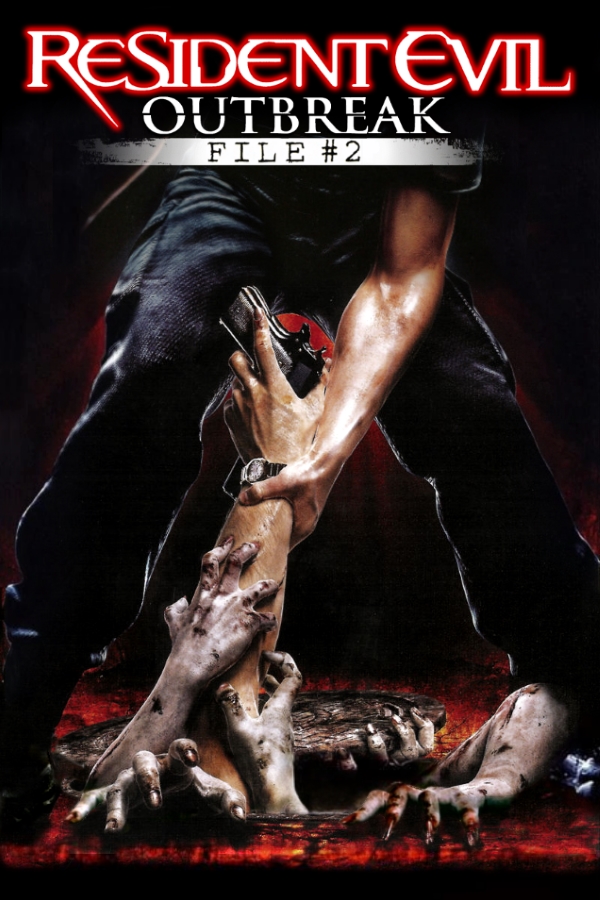
Resident Evil Outbreak
About the project
Resident Evil Outbreak conocido en Japón como Biohazard Outbreak es un videojuego de acción-aventura de terror y supervivencia desarrollado por Capcom y producido por Tsuyoshi Tanaka para PlayStation 2. Es la primera entrega de la franquicia que incluye la opción para jugar en línea. Fue publicado por primera vez el 11 de diciembre de 2003 en Japón; posteriormente, el 31 de marzo de 2004 en Norteamérica y el 17 de septiembre de 2004 en Europa.
3 versions of Resident Evil Outbreak
You're viewing: Resident Evil Outbreak
Official project information
Resident Evil Outbreak Recompiled
An unofficial PC port of Resident Evil Outbreak (File #1, USA) for Windows.
Resident Evil Outbreak Recompiled runs the original PlayStation 2 game as a native Windows program. The game's own code is statically recompiled into native x64 code. It runs on a PC runtime written for it, not in an emulator. The game's data (models, textures, sounds, movies, scripts) is read from your own copy of the game. Nothing from the game is included in the download.
<p align="center"> <img src="docs/screenshots/main-menu.png" width="49%" alt="The main menu with a menu video"> <img src="docs/screenshots/game-data-rom-folder.png" width="49%" alt="Choosing your game data from the ROM folder"> </p> <p align="center"> <img src="docs/screenshots/settings-background-video.png" width="49%" alt="Background Video: the three built-in videos"> <img src="docs/screenshots/preparing-your-game.png" width="49%" alt="Preparing the game from your own disc on your PC"> </p> <p align="center"><sub>The program's own menus, captured from the program itself with sample data. No game pictures.</sub></p>[!IMPORTANT] The game is prepared on your PC, once. Nothing of the game is in the download. On first start you choose your own disc image (or files extracted from your disc, or you put either one into the ROM folder). The program checks your choice, remembers it and then prepares the game's code from it on your PC: converted and compiled there, with the free compiler that comes with the program (LLVM, Apache License 2.0 with LLVM Exceptions; its licence files are installed with it). This takes about 3 to 6 minutes on a modern PC: about 3.5 minutes measured, up to about 6 when the PC has little free memory. Then Start Game starts the game, and later starts load the prepared game right away. Nothing is downloaded for this, and nothing from your disc leaves your PC.
Download and install
-
Download
ResidentEvilOutbreakRecompiled-1.5.1-Setup.exefrom Releases. -
Run it. By default it installs for your Windows user only, with no administrator rights needed, into
%LOCALAPPDATA%\Programs\Resident Evil Outbreak Recompiled. Install for all users is available too. The setup is not code-signed yet, so Windows SmartScreen may warn about an unrecognized app. -
Start Resident Evil Outbreak Recompiled. It asks for your game data:
- Select Resident Evil Outbreak ISO: the disc image (
.iso) you made from your own disc, or - Select Extracted Game Folder: a folder with the files extracted from your disc, or
- put your ISO or extracted folder into the installation's empty ROM folder first. The program then offers Use <name> from the ROM folder.
Your game data is only read, never modified or copied. Only its location is saved.
- Select Resident Evil Outbreak ISO: the disc image (
-
The program then prepares the game (Preparing your game..., with the current step and the time left). When it says Game code prepared., choose Continue, then Start Game.
You need your own legal copy of the game: the USA release of Resident Evil Outbreak for the PlayStation 2, SLUS-20765, disc version 2.00. Other releases of File #1 (USA 1.01, Europe, Japan) are recognized but not supported yet. Outbreak File #2 is not supported.
Requirements: Windows 10 or 11 (64-bit), a graphics card with Direct3D 11 and about 780 MB of free disk space. Vulkan is optional and comes with your graphics driver. No Visual C++ redistributable is needed, and no compiler of your own: the one that prepares the game comes with the program. On a PC with Smart App Control or an App Control policy, Windows may block the game file built on your PC; the program then explains what happened.
Your settings, saves, mods, logs and the game prepared from your disc (GameCode) are stored in your Windows profile
(%APPDATA% and %LOCALAPPDATA%\Resident Evil Outbreak Recompiled). When you uninstall, you are asked whether to
remove them; the default answer keeps them. Uninstalling never touches your disc image or extracted files.
Features
These are the features of the program as it is now. In-game features take effect in the game prepared on your PC (see the note above).
The game, natively
- The game's PlayStation 2 code, recompiled to native x64 code, running on a PC runtime for the console's hardware: the Emotion Engine, the vector units, the Graphics Synthesizer, the I/O processor with the game's own sound driver, the SPU2 sound chip, movie playback and the memory card.
- The original timing at the game's own 30 frames per second.
- An optional 60 fps mode (Settings > Graphics > Framerate: Original / 60 / Auto), marked experimental.
- Skip Intro Movies, and three built-in background videos for the menus (REOUTB, REOUTB 1, REOUTB 2) built in, chosen in Settings.
Graphics
- A Direct3D 11 hardware renderer (the default), a Vulkan renderer that draws the same pictures, and a software reference renderer.
- Internal resolution 2x, 3x, 4x, or Auto (matched to your window), with downsampling.
- MSAA (2x, 4x, 8x) and FXAA.
- Texture filtering and up to 16x anisotropic filtering.
- Scaling filters: Nearest, Bilinear and Sharp Bilinear.
- Widescreen (Aspect Ratio: Expand, 16:9 and ultrawide) with a choice of HUD placement. Marked experimental: checked in the first scenario so far.
- Windowed, borderless fullscreen and exclusive fullscreen.
- Brightness and gamma, a CRT effect, color filters for color vision deficiencies, and Reduce Flashing.
Controls
- Controllers (XInput, DualShock 4, DualSense) and keyboard and mouse, fully remappable.
- Keyboard and mouse in game: the right mouse button readies the weapon and the left mouse button fires; Enter confirms the game's own menus.
- On the Xbox Series X|S controller, Share opens the program's menu (over Bluetooth), and View opens the camera window while a camera mod is on.
- PlayStation, Xbox or keyboard button symbols in the game's own prompts.
- Compensate Game Deadzone, Mouse Acceleration and Hold To Toggle for held buttons.
Saves
- The game saves to a virtual memory card in your profile, with backups. It uses the same raw
.ps2layout as PCSX2, so cards can be exchanged. - Save Profiles give each profile its own card. Portable Saves keeps the cards next to the program.
Mods
The program has a mod framework:
- The Mods tab installs mods (a
.zipor a mod folder), switches them on and off, orders them and changes their settings. - Mods can replace the game's files without changing your disc image.
- Mods can carry code that runs in a sandbox and changes the game only through the program's feature system.
- The modding guide is installed with the program (
docs\MODDING.md).
Four mods are published as their own downloads:
| Mod | What it does | Download |
|---|---|---|
| Modern Camera | An over-the-shoulder camera with right-stick and mouse look, aiming, free aim, Lock On Enemy and a crosshair, with its own camera window (F8, or the controller's View button) for tuning. | REO-ModernCam |
| REO First Person | A first-person camera: the view from your character's eyes, lined up with the gun's sights while you aim, with right-stick look. Its camera window shows its settings, locked. | REO-FirstPerson |
| Cheats | The regular (original release) cheat set, each cheat its own option. | REO-Cheats |
| Greatest Hits Cheats | The Greatest Hits cheat set, each cheat its own switch. | REO-GreatestHits-Cheats |
The Modern Camera was recreated for the PC recompilation by studying how Snippy's Outbreak ModernCam works, then rebuilding the same camera for the US version. All credit for the original camera design goes to Snippy (heysnippy.com).
The mods take effect in the game prepared on your PC. The cheats that change the game's data or your save data need nothing more. The cheats that change the game's code, and the two camera mods, also need their code sites compiled into the prepared game: the program compiles them in when it prepares the game, so they work as soon as you switch the mod on. Use one camera mod at a time. The Greatest Hits Cheats download carries no code sites: its cheats marked game data or save data work, but its cheats marked game code do not act in the game prepared on your PC.
Cheats
- Cheats come as mods (see above). Every cheat is its own option on the Mods tab, and you switch it on and off while you play.
- Off means completely off. A cheat you switch off undoes what it changed, including on your memory card. The program keeps an undo journal next to the card, so your saves go back to the values they had.
- Each cheat mod lists its cheats with their authors and says which ones work as written on the v2.00 disc, which are adapted, and which cannot work there.
How it was made
Resident Evil Outbreak Recompiled was built by RaccoonRecomp with AI-assisted programming. The port's code was written with the help of Claude, an AI assistant made by Anthropic.
The approach is static recompilation. The game's executable and its overlays are read from the player's own disc, analysed, and translated instruction by instruction into C++ that is compiled for the PC. A runtime written for the project provides what the PlayStation 2 hardware did.
The work is checked at every step:
- an interpreter of the same instruction semantics;
- recorded traces of the console's timing that must stay byte-identical;
- thousands of automated tests with synthetic test discs, never with game data.
Legal
- Resident Evil Outbreak Recompiled is an unofficial fan project. It is not affiliated with or endorsed by Capcom (or Sony Interactive Entertainment).
- Resident Evil, Resident Evil Outbreak and all related names are trademarks of Capcom. All characters and content of the game are the property of Capcom. All copyright and credit for the game belong to Capcom. "PlayStation" is a trademark of Sony Interactive Entertainment. These names are used only to say which game this project works with.
- You need your own legal copy of the game. Use only a disc image you made from a disc you own.
- No game data is included. The download contains no disc image, no game files, no game executable and no game code. Please do not share disc images, extracted game files, or game code prepared from them.
Coming updates
Planned (not promised, in no particular order):
- more of the game verified at full speed, scenario by scenario;
- more mods;
- the other releases of File #1 (Europe, Japan), once they are verified from real discs.
Credits
- Capcom: Resident Evil Outbreak, the original game.
- Snippy (heysnippy.com): Outbreak ModernCam, the original camera design that the Modern Camera recreates.
- Cheat code authors, as credited in the cheat mods:
- Code Master, Lajos Szalay, Jay007, VirusPunk and Jarnold83 (GameHacking.org)
- Codejunkies, MadCatz and bungholio (GameHacking.org)
- nobody (the Item Values tables, GameHacking.org)
- 47iscool (Character 2/3 (CPU) Modifier, Go It Alone, Walk Through Walls)
- Inno Setup (Jordan Russell and Martijn Laan): the installer.
- The frontend's layout follows the menus of the Recompiled projects (DK64 Recompiled).
- Built by RaccoonRecomp with AI-assisted programming (Claude, Anthropic).