Shaolin Monks Recomp
Mortal Kombat: Shaolin Monks
About the project
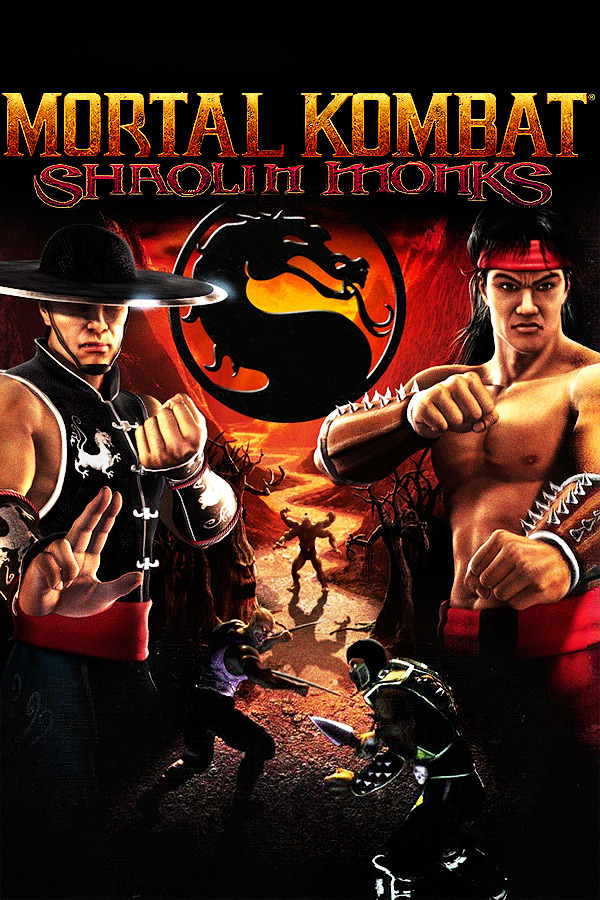
Mortal Kombat: Shaolin Monks es un videojuego beat 'em up de acción y aventuras desarrollado y publicado por Midway para la PlayStation 2 y Xbox en 2005. El tercer spin-off de la franquicia Mortal Kombat, es un recuento de los eventos del segundo juego, comenzando después del final del primero. El juego se centra en los epónimos monjes Shaolin: Liu Kang y Kung Lao, en sus aventuras por los reinos en un intento de detener los planes de Shang Tsung de dominar el reino de la Tierra.
2 versions of Mortal Kombat: Shaolin Monks
You're viewing: Shaolin Monks Recomp
Official project information
OpenShao
<p align="center"> <img src="docs/images/openshao.png" width="240" alt="OpenShao logo"> </p> <p align="center"> <a href="https://github.com/OAleex/OpenShao/releases/latest"><img src="https://img.shields.io/badge/Download-Latest-2563eb?style=for-the-badge&logo=github&logoColor=white" alt="Download the latest release"></a> <a href="https://github.com/OAleex/OpenShao/releases/latest"><img src="https://img.shields.io/github/v/release/OAleex/OpenShao?style=for-the-badge&logo=github&label=Latest%20release&cacheSeconds=300" alt="Latest stable release"></a> <a href="https://github.com/OAleex/OpenShao/releases"><img src="https://img.shields.io/github/downloads/OAleex/OpenShao/total?style=for-the-badge&logo=github&label=Release%20downloads" alt="Total GitHub release downloads"></a> <a href="LICENSE"><img src="https://img.shields.io/badge/License-GPL--2.0--or--later-blue?style=for-the-badge" alt="GPL-2.0-or-later license"></a> </p>OpenShao is a native PC port of Mortal Kombat: Shaolin Monks, made by statically recompiling the original Xbox game.
[!IMPORTANT] OpenShao does not include the game. You need your own USA/Europe Xbox copy.
Contents
Requirements
- Windows 10 1903 or later, or Linux with glibc 2.38 or later
- x64 CPU with SSE4.2 and POPCNT
- Direct3D 12 GPU, or Vulkan 1.2 with dynamic rendering and timeline semaphores
- Controller, or keyboard and mouse
- On Linux, the system
libcurlfor mod and update downloads
Install
- Download the latest release for your system.
- Extract it to a folder.
- Open OpenShao.
- Choose your game: an ISO, XISO, ZIP, extracted folder or
default.xbe. - Select Play.
Keep the game image or folder where it is. OpenShao reads it in place.
Update
The launcher checks for a new version when it opens. Select Update and it installs the new version and restarts. Saves, settings and mods are kept.
To update manually, extract the new release to a new folder. The first start of 0.3.0 moves the data and saves of earlier releases to the new folders.
Features
- Launcher with game selection, mods, folders and automatic updates.
- Graphics API selection on the launcher's Play page: Direct3D 12 by default or Vulkan on Windows. Linux uses Vulkan.
- Konfigure Recompilation, an in-game settings menu for display, graphics, controls, audio and language.
- Pause menu with Continue, Options, Konfigure Recompilation, Exit Game and Exit to Desktop. Exit Game returns to the main menu.
- Widescreen at 16:9, 16:10, 21:9, 32:9 or the window's own shape, with the original 4:3 as default.
- Render scale from 25% to 400%, anisotropic filtering and V-Sync.
- Cinematic Bars in the main menu's Enhancements adds animated black bands to in-game cutscenes. It is off by default.
- Frame rate follows the current monitor with V-Sync enabled. With V-Sync disabled, select 60 or 120 FPS. Simulation runs at 60 Hz.
- Remappable controls for controllers, keyboard and mouse, with mouse camera support.
- Local Ko-op with keyboard and mouse plus one controller, or two controllers.
- Restore Lost Dialogue in the main menu's Enhancements, on by default. It recovers overlapping story lines, Johnny Cage's ledge instruction and wheel reactions, missing Goro's Lair dialogue and tutorial cues, solo/Ko-op escape warnings, the Living Forest acid hints, Kitana's laugh variations and captive threat, and Shang Tsung's unused combat taunts. It also adds unused takes to matching boss encounters and voices selected tutorial captions. It uses the selected voice language and the original recordings available for each cue.
- Separate text and voice languages, including Brazilian Portuguese through a language pack.
- Mods from the OpenShao-Mods catalog, installed and updated in the launcher.
Known issues
- Most graphical issues have been fixed, but some can still appear. Any problem is worth reporting: open an issue with a screenshot.
- Mortal Kombat II and The Suffering demo do not run.
- Shaders and pipelines for supported assets are prepared while an area loads, including on the first run. Common menu, particle and screen-effect pipelines are prepared when their shaders load. Other effects can still pause briefly on first use. Observed pipelines are also prepared in the background in later sessions.
FAQ
The launcher says my game is invalid
Use the original USA/Europe Xbox release. Renamed or converted images from other releases are not supported. The check covers the executable, archives and required movies.
Where are my saves, settings and logs?
Open Files in the launcher. Each folder has an Open button, and Move places it somewhere else.
| System | Data | Saves |
|---|---|---|
| Windows | %LOCALAPPDATA%\OpenShao | Saved Games\OpenShao |
| Linux | ~/.local/share/OpenShao | ~/.local/share/OpenShao/saves |
The game does not start after I changed the display settings
Open the launcher and select Files > Video > Restore.
What are the keyboard and mouse controls?
| Input | Key or button |
|---|---|
| Move | W A S D |
| D-pad | Arrow keys |
| A / B | Space / Esc |
| X / Y | J or left click / K or middle click |
| Black / White | C / Q |
| Triggers | Shift / E |
| Start / Back | Enter / Backspace |
| Camera | Mouse |
| FPS display | F9 |
| Release or capture the mouse | F10 |
Change them in Konfigure Recompilation > Controls. Each action has a primary and an alternate key.
How do controllers and Ko-op work?
Xbox, PlayStation and other SDL-compatible controllers work. The game shows Xbox buttons. In single player, the keyboard, mouse and first controller all control player 1. In Ko-op, the keyboard and mouse are player 1 and a controller is player 2. With two controllers, each controller is one player. If player 1's controller disconnects during Ko-op, the keyboard and mouse take over player 1. Connected controllers keep their player slots, and a replacement fills an empty slot. Any connected controller can navigate Konfigure Recompilation and remap controls.
For a controller without a mapping, put an SDL gamecontrollerdb.txt in the data folder.
How do I install mods or the Portuguese language pack?
Open Mods in the launcher and select Install. A downloaded .tar.xz installs through Install from file.
Then choose the language in Konfigure Recompilation > Language. Mod authors can read the mod guide.
How can I improve performance?
Lower Render scale in Konfigure Recompilation > Graphics. Press F9 to see the frame rate. V-Sync uses the monitor's refresh rate as its target; output can fall below it when rendering is slow or an extra frame cannot be safely produced.
Why does OpenShao bring the open window forward instead of starting?
Only one copy can run at a time with the same data folder.
Are there command-line options?
| Option | Effect |
|---|---|
--configure | Open only the launcher settings |
--no-launcher | Start the game with the saved settings |
--setup | Choose the game again with the system dialogs |
--disc <image>, --game <folder> | Play another copy of the game for this session |
--data-dir <path> | Use another data folder for this session |
--save-dir <path> | Use another saves folder for this session |
--portable-saves | Keep saves in hdd next to the executable |
--paths | Print the folders in use |
--support-report | Create a filtered diagnostic ZIP without opening the launcher |
How do I report a problem?
Open Support in the launcher. Select Generate report to create a diagnostic ZIP, then Report a bug to open GitHub.
Attach the ZIP and describe the steps that cause the problem. Reports are saved in the data folder under reports.
Reports contain up to three session logs, selected settings and installed mod versions. Manual reports include the latest completed crash dump when available. Automatic crash reports include the dump captured for that crash when one can be created. New session logs and exported text logs filter account and computer names, personal paths, network addresses and credentials. ZIP reports exclude saves, game files and screenshots. Add a screenshot separately for graphical problems.
An unexpected launcher or game exit creates a ZIP automatically. The error message shows its location and reporting instructions. Select OK to open the reports folder. You do not need to reopen the launcher to create the crash report.
Building
You need the original default.xbe, Python 3.11, Git and a C++ toolchain: Visual Studio 2022 with LLVM 21 on Windows, or Clang 18 on Linux.
git clone https://github.com/OAleex/OpenShao.git
cd OpenShao
git clone https://github.com/TGP482/XboxXBERecomp.git third_party/XboxXBERecomp
git -C third_party/XboxXBERecomp checkout 40e9c35451305f09ca9d86f677e4b9c2c37ff26b
python tools/build_recomp.py --xbe path/to/default.xbe --sdk third_party/XboxXBERecomp --test
On Windows, add --llvm "C:/Program Files/LLVM". See Building for packages, options and the Linux setup.
AI usage
Development uses AI assistance for executable analysis, code, debugging, tests, build scripts and documentation. The maintainer reviews every change. Validation includes automated tests and gameplay.
Credits
Built with XboxXBERecomp. See tools and dependencies, third-party notices and the Brazilian Portuguese credits.
The code is licensed under GPL-2.0-or-later. The license does not cover the original game or its assets. OpenShao is not affiliated with or endorsed by the owners of Mortal Kombat or Xbox.