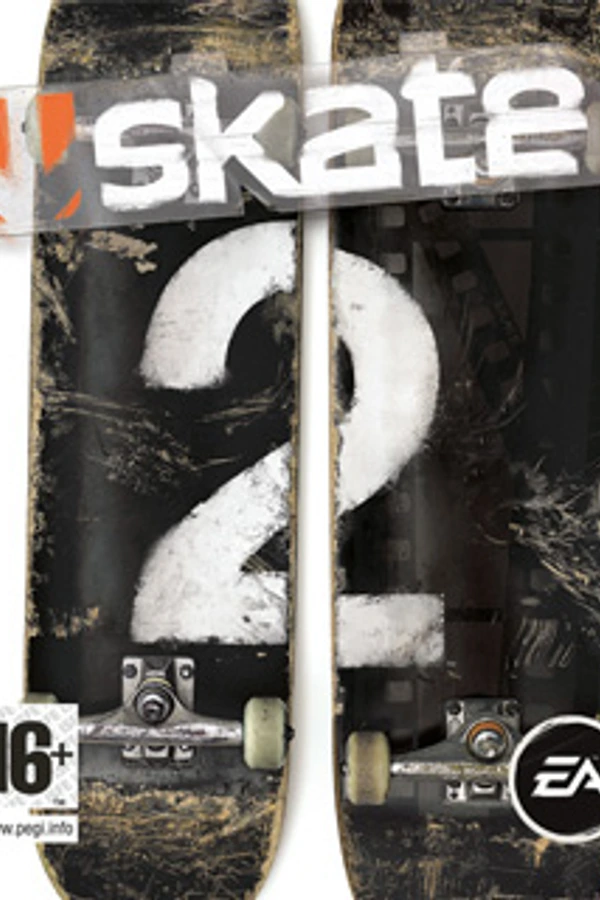
Skate 2 (PC)
Skate 2
OriginXbox 360
TechnologyStatic recompilation (native C/C++)
Available forWindows
View official projectAbout the project
Skate 2 es un videojuego de patinaje sobre ruedas desarrollado por la compañía Black Box Games y distribuido por Electronic Arts. Es la secuela del juego de 2007 Skate. Skate 2 fue publicado en enero de 2009 para PlayStation 3 y Xbox 360. El videojuego ha sido calificado con un 16+ en el PEGI por violencia, y con un T en el ESRB por razones bastante más notables que en el juego original, como las actividades delictivas, por los retos de la Sala del Dolor, Campeonatos, Dominar los Spot, Carreras, etc.
2 versions of Skate 2
You're viewing: Skate 2 (PC)
Official project information
Skate 2 PC
A community Windows port of the Xbox 360 version of Skate 2, built with ReXGlue.
Download Skate 2 PC for Windows — a compiled player package. No compiler or development tools are needed to play.
Getting started
- Download Skate2-PC-v0.1.1-Windows-x64.zip from Releases and extract the entire ZIP into a writable folder.
- Run Import Game Files.cmd and select your extracted Xbox 360 game folder containing
default.xexanddata. This is a one-time copy and verification step. - Connect your controller and run Launch Skate 2.exe.
If the launcher requests the Microsoft Visual C++ x64 Runtime, open the included Install Visual C++ Runtime.url, run Microsoft's installer, then launch again. The installation guide covers every step, the supported game revision, controls, and troubleshooting.
You will need:
- A Windows 10/11 x64 PC with a Direct3D 12 GPU.
- Windows PowerShell 5.1, included with Windows 10/11; the native launcher uses the existing startup script.
- Your own extracted files from the supported Xbox 360 game revision.
- A controller. USB DualSense input works directly without DS4Windows; broader controller compatibility is still being tested.
Use the named Windows ZIP under Releases. GitHub's Code → Download ZIP and the automatically generated Source code archives are for developers; they do not contain the player executable.
Original game files are required and are not included or downloaded by this project. An ISO or compressed archive must be extracted before import.
Features
- Native recompiled CPU code with Direct3D 12 graphics translation.
- Free Skate, campaign gameplay, and instant replay.
- Controller input, selectable audio output, and local saves.
- Unlimited and paced frame-rate options.
- 1× and 2× rendering profiles, with an experimental 4× option.
Use Launch Skate 2.exe for the default 2× quality / unlimited FPS profile. Launch Skate 2.cmd remains supported with the same settings. For lower GPU load, use Launch Skate 2 - 1x Performance.cmd. Performance depends on hardware, power mode, and scene complexity.
For Armoury Crate, add Launch Skate 2.exe as a custom game after completing the desktop import. Keep all package files together. See Armoury Crate and ROG Ally setup; ROG Ally hardware has not been tested. Existing v0.1.0 players can follow the upgrade steps without importing their game again.
Testing includes Free Skate, campaign progression, instant replay, save/reload, Alt-Tab, direct USB DualSense input, and player-package relaunch. An approximately hour-long play session progressed further through the campaign without reported glitches. These results come from one Windows PC; full campaign completion and broader hardware compatibility have not been verified. See release notes and known issues.
Guides
| Guide | Contents |
|---|---|
| Installation and controls | Game revision, package setup, controller, audio, saves, and troubleshooting |
| Build from source | Tool downloads and numbered build instructions |
| Display and performance | Rendering quality, FPS options, monitors, 4K, and ultrawide status |
| Known issues and roadmap | Current limitations and planned work |
| How it works | Recompilation approach and project credits |
Reporting a problem
Found a glitch, crash, or installation problem? Submit a bug report so we can investigate. The form asks for the version, hardware, launcher, location, and steps to reproduce. Screenshots and short clips help. Remove personal paths from logs before sharing; do not upload game files or saves.
License and credits
Newly authored port code and documentation are MIT licensed. Dependencies and derived patches retain their respective licenses; see third-party notices and credits.
This is an independent fan project, unaffiliated with EA or its licensors. Skate 2 and its original game content belong to their respective rights holders. The project license does not cover the original game, its assets, or generated game-derived code.