OpenTricky (SSX Tricky, PC)
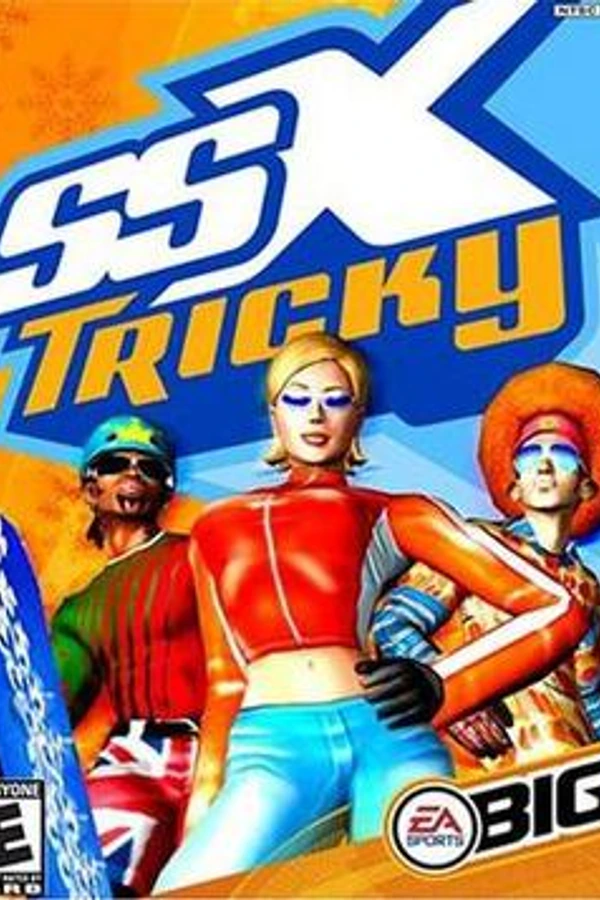
SSX Tricky
OriginPlayStation 2
TechnologyStatic recompilation (native C/C++)
Available forWindows
View official projectAbout the project
SSX Tricky es un videojuego de snowboarding, el segundo en la serie de juegos SSX. Es tan similar al primero que fue más conocido como un upgrade. En SSX, los jugadores eligen uno de los muchos personajes, participan en carreras o competencias de puntaje, y ganar recompensas. Las secuelas son SSX 3, SSX On Tour, y SSX Blur.
3 versions of SSX Tricky
You're viewing: OpenTricky (SSX Tricky, PC)
Official project information
<a href="https://opentricky.com"><img width="1280" height="320" alt="OpenTricky" src="https://github.com/user-attachments/assets/eb23ea38-f97d-43a1-b22c-e58a80f90aa7" /></a>
<h1 align="center">OpenTricky</h1> <p align="center"> <b>The PC port SSX Tricky never got.</b><br> Built from the original game, with its features restored, and everything a modern PC release would have: current controllers, new visual options, ultrawide, high frame rates and a real launcher. </p> <p align="center"> <a href="https://opentricky.com"><img alt="Website: opentricky.com" src="https://img.shields.io/badge/website-opentricky.com-0b5cd5"></a> <a href="https://github.com/GiZcesi/OpenTricky/releases/latest"><img alt="Release" src="https://img.shields.io/github/v/release/GiZcesi/OpenTricky?label=release&color=green"></a> <a href="https://discord.gg/r38sThsqnj"><img alt="Discord" src="https://img.shields.io/badge/Discord-join%20the%20server-5865F2?logo=discord&logoColor=white"></a> <a href="https://ko-fi.com/giz_music/"><img alt="Ko-fi" src="https://img.shields.io/badge/Ko--fi-buy%20me%20a%20coffee-FF5E5B?logo=ko-fi&logoColor=white"></a> </p> <p align="center"> <img width="49%" alt="Screenshot: a Showoff at sunset" src="https://github.com/user-attachments/assets/730af3cb-192e-4383-9518-7ed4474719bb" /> <img width="49%" alt="Screenshot: Tokyo Megaplex" src="https://github.com/user-attachments/assets/c170d174-e8dd-491a-9ad1-54dc1adf8032" /> </p>[!IMPORTANT] You need your own game. No disc image, music or video from the game is distributed: you need a disc image (
.isoor.xiso) of SSX Tricky for the original Xbox, USA release.
What is this?
OpenTricky runs SSX Tricky (2001) natively on Windows. It is not an emulator: the game's own Xbox code is translated to C with xboxrecomp and compiled into an ordinary Windows program, and the Xbox's graphics, sound and input chips are reimplemented on Direct3D 11, XAudio2 and XInput. OpenTricky continues SSX Tricky PC by MatiasRiveraC.
- Feature complete: built from the original game, with all its features restored (fog, lens flares, colours, 5.1 sound).
- A modern PC release: Xbox and PlayStation controllers, the original PS2 controls, Xbox, PlayStation and PS2 button styles, full remapping, any resolution, ultrawide and high frame rates, all set up in one launcher.
- New options on top: smoother edges, soft shadows, longer draw distance, HD HUD. The Original Xbox preset turns them all off at once.
Latest: 0.1.5
- Faster: on our test PC, without a frame rate limit, 24 to 31% more frames per second than 0.1.4.
- Closer to the original game: the sun's glare no longer drops out when the graphics card falls behind, and the game's videos play at their own pace.
- Fixes: split screen at Draw distance Max, camera cuts above 60 FPS, the scene after the finish line on screens wider than 16:9, and Find my disc image.
- New settings: Weather (snowfall without the thick fog, as in the PS2 version) and PlayStation controllers (experimental).
Everything else: the release notes and CHANGELOG.md.
Install and play
You need Windows 10 or 11 (64-bit), or Linux / Steam Deck with Proton, a Direct3D 11 graphics card, and a disc image of your own SSX Tricky Xbox disc, USA release (the PS2, GameCube, PAL and Japanese versions won't work).
- Download
OpenTricky-<version>-win64.zipfrom Releases and extract it into a new, empty folder. - Start
OpenTricky.exe, the launcher, and choose your disc image. - Pick a preset or your own settings, then press PLAY.
Updating: the launcher installs new versions for you, only if you say so, and keeps your saves, settings and disc image. Coming from 0.1.1, or no update showing up: see the install guide.
[!NOTE] Windows SmartScreen may warn you because the program isn't code-signed. If you trust the download, choose More info → Run anyway.
Controls and settings
The game uses the original PS2 layout. Everything can be remapped in the launcher's Controls tab.
| PS2 button | Controller | Keyboard |
|---|---|---|
| Cross / Circle / Square / Triangle | A / B / X / Y | Space / Esc / C / V |
| L1 / R1 | LB / RB | F / R |
| L2 / R2 | LT / RT | Q / E |
| Start / Select | Start / Back | Enter / Tab |
| L3 (press the left stick) | Left stick press | X |
| Left stick and D-pad | Left stick and D-pad | Arrow keys |
In the game window: Alt+Enter or F11 for window / fullscreen, F12 for a screenshot, Alt+F4 to quit.
Three presets set the main ones at once: Recommended (the default), Original Xbox (60 FPS, every Graphics option at its original value) and Steam Deck (1280×800, 60 FPS). Every setting is explained in the Settings guide.
Known issues
| Problem | What to do |
|---|---|
| Above 60 FPS, the controls respond one game step later (about 17 ms). | Set Frame rate limit to 60 (Xbox) for the original game's exact timing. |
| Natively, only Xbox-style (XInput) controllers, and the DualShock 4 and DualSense with PlayStation controllers (experimental). | For other controllers, use Steam Input or DS4Windows. |
The full list, with the details: opentricky.com/known-issues.
Help
- Questions about disc images, saves, updates, frame rates, controllers or the Steam Deck: the FAQ.
- A bug? Open an issue or post in #bug-reports on the Discord, with the zip from Settings → Advanced → Bug report → Prepare… (also offered after a crash). Nothing is ever sent by itself.
Building from source
<details> <summary>The game code is translated <b>on your own PC, from your own disc image</b>. It is never in this repository.</summary>- Install MSYS2, then run this in its UCRT64 shell:
pacman -S --needed mingw-w64-ucrt-x86_64-gcc mingw-w64-ucrt-x86_64-cmake make \ mingw-w64-ucrt-x86_64-python mingw-w64-ucrt-x86_64-python-capstone \ mingw-w64-ucrt-x86_64-python-numpy mingw-w64-ucrt-x86_64-python-pillow - Build from a Windows command prompt:
Or from the UCRT64 shell:build.bat "C:\path\to\SSX Tricky (USA).iso"./build.sh "/c/path/to/SSX Tricky (USA).iso". - When the build is done, start
dist/OpenTricky/OpenTricky.exe(the launcher) and choose the same disc image.
The script reads default.xbe from your disc image, translates it to C, applies the port's fix-up passes, then compiles the game and the launcher into dist/OpenTricky/.
No other tool is needed. docs/building.md has the details.
[!CAUTION] Please don't share your build: point people to the releases here instead.
Credits
| Who | What |
|---|---|
| MatiasRiveraC | Creator of SSX Tricky PC, the port OpenTricky continues: the recompilation, runtime, renderer, launcher and the reverse-engineering work. |
| sp00nznet | xboxrecomp, the static recompiler and Xbox runtime everything is built on (MIT). |
| xemu | The GPU and audio emulation that parts of the renderer and the audio are adapted from (LGPL-2.1-or-later), and the accuracy reference. |
| Jorge Jimenez et al. | SMAA (MIT). |
| Archy (GlitcherOG) and the SSX-Library contributors (Erickson400, swax, 8bitgentleman) | SSX research and file formats, a reference for understanding the game's code and data. |
| Bl4ckH4nd | HUD art (the HD HUD setting) and HD textures (not included). |
| RmlUi, SDL, FreeType | The launcher's interface, window and input, and text (MIT, zlib, FreeType License). |
| Capstone, Ghidra | Disassembly and reverse engineering. |
| GiZcesi | OpenTricky: direction, testing and playing. |
See CONTRIBUTORS.md.
Legal
- OpenTricky is an unofficial fan project, not affiliated with or endorsed by Electronic Arts, EA Canada or Microsoft. SSX and SSX Tricky are trademarks of Electronic Arts, and Xbox is a trademark of Microsoft. No disc image, music or video from the game is distributed.
- OpenTricky's code is under the GNU General Public License v3.0 only (
GPL-3.0-only, see LICENSE), unless a file says otherwise:xboxrecomp/keeps its MIT licence, files adapted from xemu stay under LGPL-2.1-or-later, and SMAA is MIT. The other licences (RmlUi, SDL 3, FreeType, and the fonts Inter and Exo 2) are inport/third_party/,port/launcher/app/ui/fonts/and the release'sTHIRD-PARTY-LICENSES.txt; the Bullet font (House Industries) has its own licence (port/launcher/app/licenses-head.txt). Portions of this software are copyright © 2026 The FreeType Project (https://freetype.org). All rights reserved. - Contributions are welcome. Please read CONTRIBUTING.md first.