
Street Fighter III: 3rd Strike (Xbox port)
Street Fighter III: 3rd Strike
OriginXbox
TechnologyNative C/C++ port (engine reimplementation)
Available forWindows
View official projectAbout the project
Street Fighter III 3rd Strike: Fight for the Future es un videojuego de lucha en 2D desarrollado y publicado por Capcom, lanzado originalmente para las salas de juego en 1999. Fue adaptado a Dreamcast, PlayStation 2 y Xbox entre el 2000 y 2010. Una versión en línea descargable titulada Street Fighter III: Third Strike Online Edition se lanzó para PlayStation Network y Xbox Live Arcade en 2011.
4 versions of Street Fighter III: 3rd Strike
You're viewing: Street Fighter III: 3rd Strike (Xbox port)
Official project information
SF33RDSXBRecompo
Native port of Street Fighter III: 3rd Strike, built from the Xbox version, for Linux and Windows (x86-64) and Android (arm64).
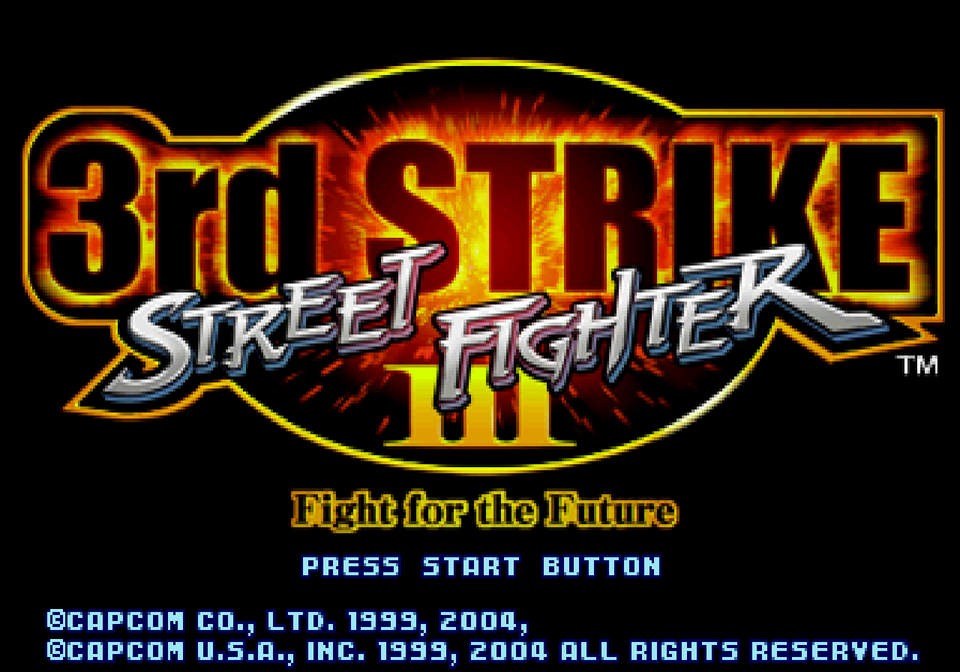
The game logic is the C of 3s-decomp-ogxb, compiled for x86-64. Everything the Xbox provided under it is written natively here: SDL3 for the window, input and timing, a Vulkan renderer for the game's draws (OpenGL 3.3 where Vulkan is missing), OpenAL for sound, plain files for the disc archive, and SQLite for the saves. No Xbox code is built. There is no Xbox heap, XDK, xboxkrnl, D3D8, CRI middleware, XACT or XOnline dependency. The XBE is read once, at import, for the sound effects' cue tables; nothing from the disc is in this repository. docs/porting.md describes how the pieces fit.
Status
Working:
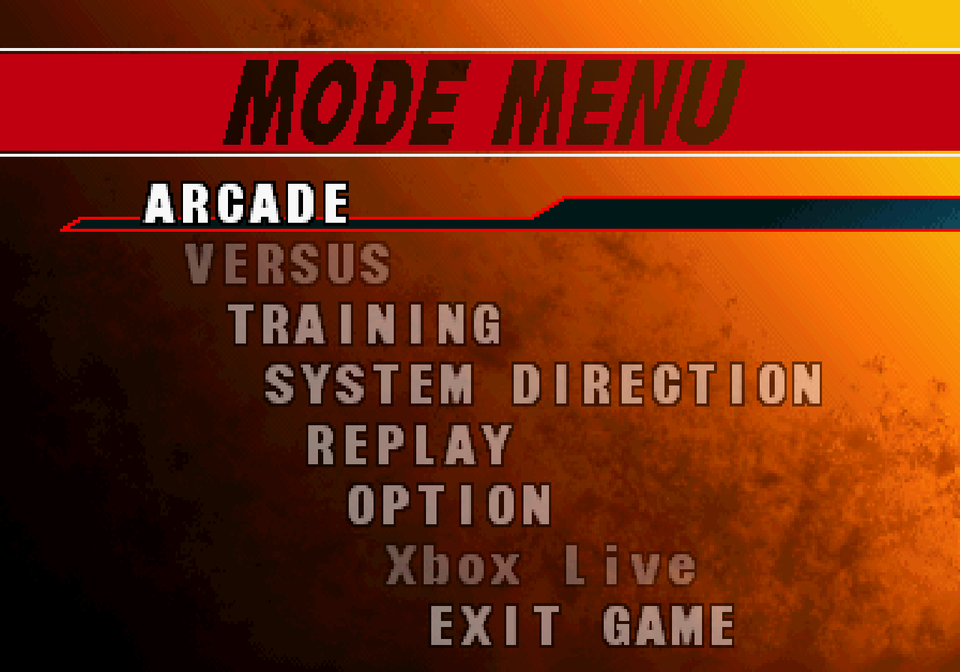
- the boot logos, the opening and attract demos, the title screen and menus
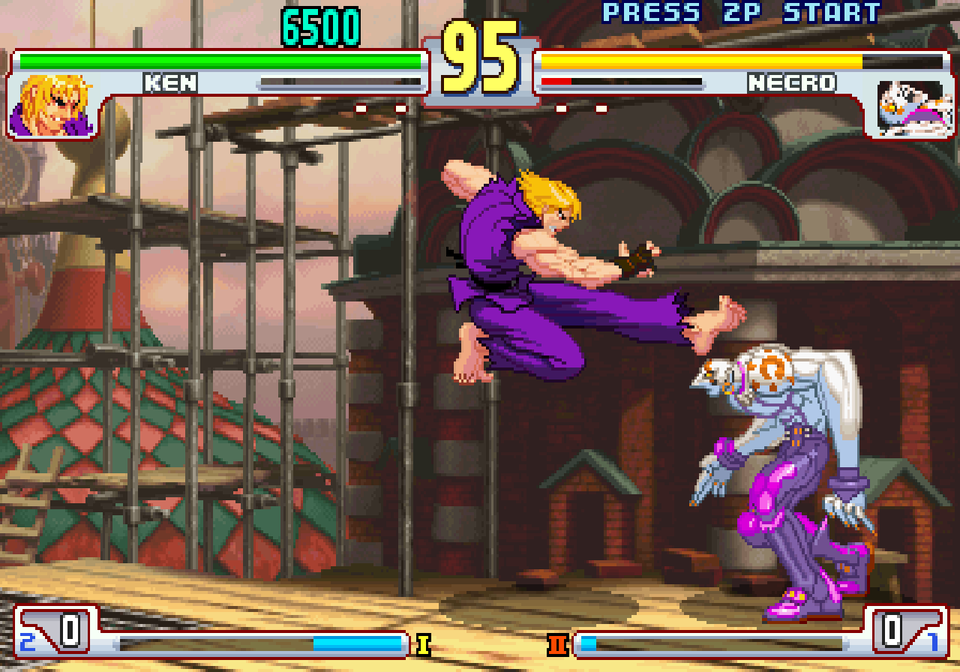
- Arcade, character select, and fights, including the attract-loop fights
- music: the ADX and AIX tracks, decoded natively and streamed through OpenAL
- sound effects and voices: the game's XACT cue banks played on OpenAL (PCM and Xbox ADPCM waves, loops, envelopes, fades, panning, the pitch LFO's vibrato)
- saves (system settings, button directions, and ten replay slots) in
data/save/game.sqlite, picked on the game's REPLAY screens - the keyboard and SDL3 gamepads, with retail's join-by-Start, and a keyboard page in BUTTON CONFIG for rebinding the keys
- windowed, borderless or fullscreen, the resolution, the aspect ratio and the picture filter, set in SCREEN ADJUST, paced to the CPS-3 rate (59.599491 frames a second); the 448-line game area fills the window's height
- Vulkan, or OpenGL 3.3 when Vulkan is missing (
SF_RENDERER=openglpicks it) - the game at the CPS-3 rate (59.599491 Hz) on one thread, with the drawing on a render thread and the disc reads and sound decoding on worker threads (docs/porting.md)
- EXIT GAME in the mode menu (retail's SELECT GAME), which quits cleanly
- versus over the network, with rollback, between any of the builds (a phone against a PC too): NETWORK in the mode menu, where Xbox Live was. A game on the same network is listed, or you call an address (Network)
- GAME OPTION's LANGUAGE: ENGLISH, or JAPANESE as a Japanese Xbox ran the game (its text, names and CPU). It asks, and restarts into the one you pick
Download
The releases have a Windows, a Linux and an Android package. None has any game data: the game imports your own Xbox disc the first time it starts (see Running).
Windows (64-bit Windows 10 or 11):
- Download
sf33rdsxb-windows-x86_64.zipand unzip the whole folder somewhere you can write to, such as Documents or the Desktop. Not Program Files: the game keeps its data and saves next tosf33rdsxb.exe. - Run
sf33rdsxb.exe. The program is not signed, so Windows may say "Windows protected your PC": click More info, then Run anyway. - Pick your Xbox disc image, zip or 7z in the window that opens.
It needs a graphics driver with Vulkan or OpenGL 3.3. The DLLs it uses are in the folder.
Linux (glibc 2.39 or newer: Ubuntu 24.04, Debian 13, Fedora 40 or later):
- Install OpenAL, libarchive and the Vulkan loader:
- Ubuntu/Debian:
sudo apt install libopenal1 libarchive13t64 libvulkan1 - Fedora:
sudo dnf install openal-soft libarchive vulkan-loader - Arch:
sudo pacman -S openal libarchive vulkan-icd-loader
- Ubuntu/Debian:
- Unpack
sf33rdsxb-linux-x86_64.tar.gzand run./sf33rdsxbin it. SDL3 is included (lib/).
Android (arm64, Android 8.0 or newer, with Vulkan):
- Download
sf33rdsxb-android-arm64.apkon the phone and open it; allow installs from that source when Android asks. - Open 3rd Strike and tap the screen to pick your Xbox disc: an
.iso,.zipor.7z(a folder cannot be picked on Android). The game is imported into the app's own storage (Android/data/io.github.manya3084.sf33rdsxb/files). - Play with the on-screen controls (the d-pad left, X Y WH over A B BK right, BACK and START at the top), or a USB or Bluetooth gamepad. OPTION → SCREEN ADJUST has ORIENTATION (landscape or portrait, held whichever way the phone turns) and TOUCH PAD (the on-screen controls on or off).
The game is compiled for arm64 (no emulation). If it ever stops, the next start shows why, and Copy log puts the log on the clipboard.
Getting the data
The game data comes from your own copy of the Xbox disc. sf33rdsxb imports it, either on first launch or with:
sf33rdsxb --extract SOURCE --data DIR
SOURCE is one of:
- an Xbox XDVDFS disc image;
- a zip or 7z archive of that disc (the image itself, or the extracted Xbox tree);
- the extracted Xbox folder (
sf33rd.xbeandXB_HostPC/SF33RDXB.AFS).
Anything else is refused, including a PlayStation 2 disc packed in a zip or 7z. The reader looks for the Xbox volume id MICROSOFT*XBOX*MEDIA and for XB_HostPC/SF33RDXB.AFS. It copies the 3rd Strike archive, the opening AIX, the fonts and the NV2A shaders, and reads the 21 sound banks (the sound effects' cue tables) out of sf33rd.xbe. It does not keep the XBE or copy the SF2 movies.
Data imported before the sound banks were can get them on their own:
sf33rdsxb --sound-banks /path/to/sf33rd.xbe --data DIR
Never commit anything under data/. It is the game itself.
Running
sf33rdsxb            (Linux)
sf33rdsxb.exe        (Windows)
The first time, the window asks for your Xbox disc:
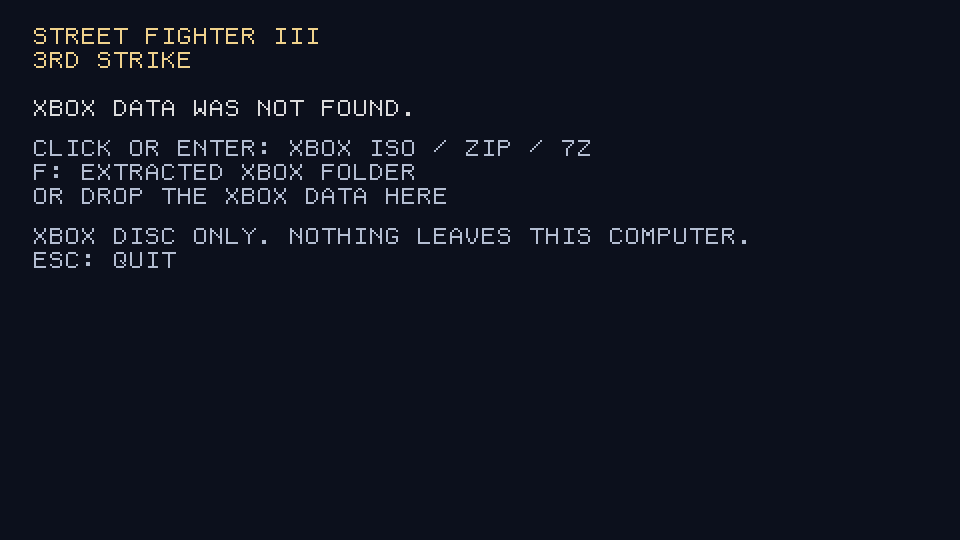
- click the window (or press Enter) and pick the disc image, or a zip or 7z of it;
- or press F and pick the extracted disc folder (the one holding
sf33rd.xbeandXB_HostPC); - or drop any of those on the window.
It imports the game into data/ next to the program (about 1.3 GB) and starts it. The next time, it starts straight away. Only the Xbox disc works; a PlayStation 2 image is refused with a message saying so. Data imported before the sound effects were read from sf33rd.xbe is asked for again.
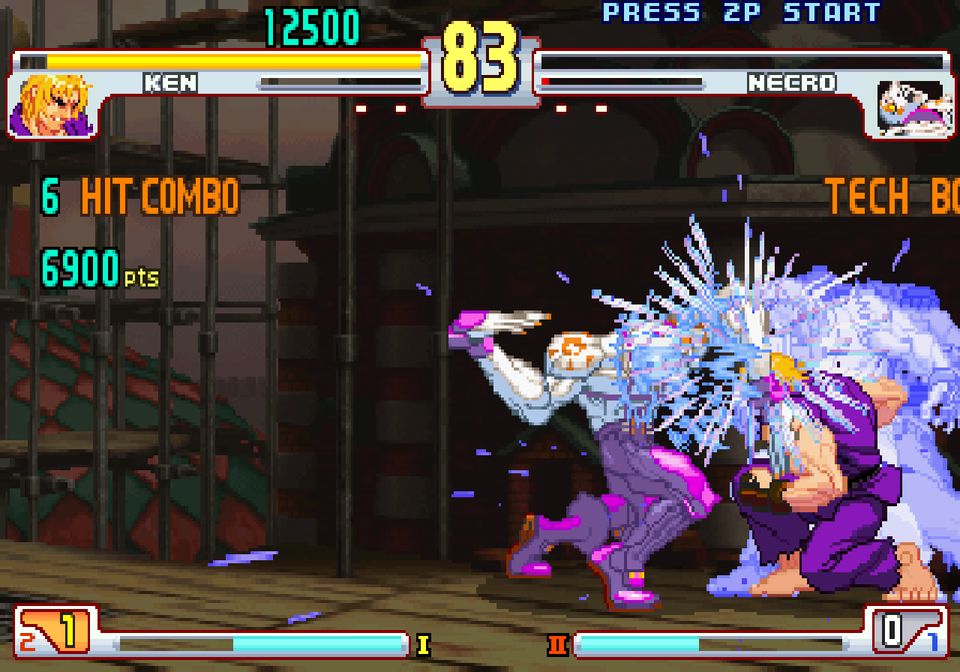
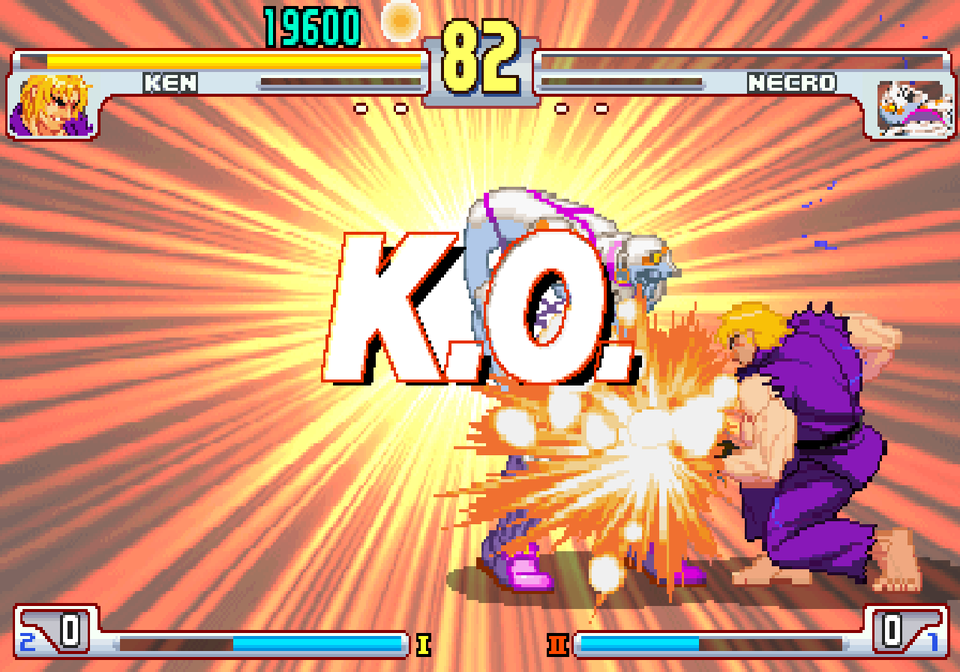
Screenshots
 |  |
 |  |
Controls
Players join the way they did on the Xbox: press Start on any pad.
| Xbox | Keyboard |
|---|---|
| d-pad | arrows |
| A, B | Z, X |
| X, Y | A, S |
| White | Q |
| Black | E |
| L, R | W, R |
| Start | Enter |
| Back | Backspace |
Those are the keyboard's defaults. In OPTION → BUTTON CONFIG, F1 opens the keyboard page: pick a button with the arrows, press Enter, then the new key (a key already in use swaps over). Esc goes back. The page always uses the arrows, Enter and Esc, whatever the bindings.
The keyboard is port 0. Gamepads take ports 1 to 3 in the order SDL3 reports them, and they are read even when the window is not focused.
Display
OPTION → SCREEN ADJUST's FILTER row cycles four pictures. Left steps back and right steps on:
- OFF: each game pixel stays a hard edge.
- SMOOTH: the picture is filtered as it is scaled into the window.
- CRT CURVED: scanlines on the 448 game lines, a faint shadow mask, a light curve and a little glow.
- CRT FLAT: that same CRT, with the corners left square.
Three rows follow FILTER:
- WINDOW MODE: WINDOWED, BORDERLESS (the desktop's size) or FULLSCREEN (a mode of the display).
- RESOLUTION: the window's size, or the fullscreen mode. The list is the display's modes and the 4:3 sizes that fit it. Borderless always uses the desktop.
- ASPECT RATIO: 4:3 (the original, with bars at the sides), 16:9 (widened), or FULL (the whole window).
DEFAULT SETTING puts them back to SMOOTH in a 1280×960 window at 4:3. FILTER and the picture size are written to the system database when they change. WINDOW MODE, RESOLUTION and ASPECT RATIO are written to the host database when those rows change.
Network
NETWORK in the mode menu plays a versus game with another machine:
- HOST MATCH waits for a player and shows this machine's address on its network. It also announces that game on the local network. Over the internet, the other player needs your public address, and your router must forward UDP port 33133 to this machine. A firewall on this machine has to allow that port, and UDP port 33134 for the announcement.
- LOBBY lists the games waiting on this network. A joins the one the cursor is on. On a touch screen, a tap on a row joins it.
- JOIN MATCH calls the address in ADDRESS. On the pad, up and down step a letter, left and right move along, A calls and B rubs out; a keyboard types.
- INPUT DELAY (0 to 6 frames, 2 by default) is how late each player's pad is used. The host's is used for both. Higher leaves more time for the other machine's pad to arrive, so there are fewer rollbacks on a slow line.
Both machines need this version and the same disc imported. A disc imported before 1.2 needs importing again, because netplay uses the retail image the import now writes. The game starts both machines from the same state with the host's GAME OPTION settings; each machine keeps its own screen, sound and keys. It goes straight to the versus character select. The game ends when it goes back to the mode menu, or when a player holds BACK for two seconds, and each machine returns to its title.
The game runs ahead on a guess at the other player's pad, and when the real pad differs it goes back and runs those frames again unseen (rollback). Every half second the two machines compare a checksum of the game, and stop with a message if they ever differ.
Layout
data/afs/SF33RDXB.AFS     the disc archive, read in place
data/afs/index            its members: index name bytes
data/afs/files/           the members, unpacked under their stored names
data/audio/ST3_3_OP.aix   the opening theme
data/audio/sdbk/          the sound effects' cue tables, 00.sdbk to 20.sdbk
data/fonts/
data/save/game.sqlite     the system row (includes FILTER), the directions, and ten replay slots
data/last_session.input   the last session's inputs, for replaying a bug
data/crash.log            the backtrace of the last crash
config/host.sqlite        the window and the keyboard
A new install creates those databases from the original defaults: the game's factory system and directions, a 1280×960 4:3 window, and the keyboard defaults above. An older ini or memory-card save is not read. SQLite is compiled into the program.
Build
cmake -S . -B build -DSF_DECOMP_DIR=/path/to/3s-decomp-ogxb
cmake --build build
ctest --test-dir build --output-on-failure
Requirements:
- SDL3, Vulkan, OpenAL, OpenGL, zlib and libarchive;
glslc, to compile the shaders;- Python 3, for the build's code generators.
For Windows, cross-built with MinGW-w64 from Linux:
cmake -S . -B build-win -DCMAKE_TOOLCHAIN_FILE=cmake/mingw-w64.cmake \
    -DSF_WIN_SYSROOT=/path/to/mingw64 -DSF_DECOMP_DIR=/path/to/3s-decomp-ogxb
cmake --build build-win
SF_WIN_SYSROOT is a MinGW-w64 root with SDL3, OpenAL, libarchive, zlib and the Vulkan loader (the MSYS2 mingw-w64-x86_64-* packages, unpacked). The DLLs the exe needs go next to it.
The Linux release package is built by .github/workflows/linux.yml on Ubuntu 24.04.
For Android (arm64), with the Android SDK and NDK r30:
ANDROID_HOME=/path/to/sdk SF_DECOMP_DIR=/path/to/3s-decomp-ogxb android/build.sh [debug|release]
It builds SDL3, OpenAL Soft, liblzma and libarchive for arm64 the first time (android/build-deps.sh), the game as libmain.so with the same CMake build, and the APK with Gradle. SF_ANDROID_SIGNING names a release key's properties file (kept out of the repository); without it a release is signed with the debug key. Vulkan only for now; OpenGL ES is to come.
SF_DECOMP_DIR is a checkout of 3s-decomp-ogxb (default ../3s-decomp-ogxb). Until it is merged, that checkout must be on its xbox-port-data branch. The port is 64-bit only, an ordinary position-independent program with ASLR (see docs/porting.md).
SF_SCALE=N fixes the render scale, and SF_COUNTRY=1..4 picks the region. The debugging switches (headless runs, input replay, frame captures) are listed in docs/porting.md.
Thanks
The game's C comes from the PlayStation 2 decompilation 3s-decomp. That project is Artem Pstygo's, with foolycooly95, Xkower8181, Lajuan Station, Mark Street, Ziemas, and the other contributors there. The Xbox decompilation matches their C to the Xbox disc.
The port runs on SDL for the window, input and timing, OpenAL Soft for sound, libarchive and XZ Utils to read a disc packed in a zip or 7z, zlib for the disc's compressed data, and SQLite for the saves.