
ZeldaWWHDRecompAndroid (GreenNaugahyde)
The Legend of Zelda: The Wind Waker HD
About the project
The Legend of Zelda: The Wind Waker HD es un videojuego de acción y aventura publicado por Nintendo en 2013.
6 versions of The Legend of Zelda: The Wind Waker HD
You're viewing: ZeldaWWHDRecompAndroid (GreenNaugahyde)
ZeldaWWHDRecompAndroid (GreenNaugahyde)github.com/GreenNaugahyde/ZeldaWWHDRecompAndroidThe Legend of Zelda: The Wind Waker HD (Wind Waker HD for PlayStation 5)github.com/griches/PS5_WindWakerHDThe Wind Waker HD Recompiledgithub.com/ZeldaWWHDRecomp/ZeldaWWHDRecompWind Waker HD (Nintendo Switch)github.com/centollOS/SwitchWakerHDWind Waker HD Recompiled for Android (Plus)github.com/Nycolazs/WindWakerHD-Android-PlusZeldaWWHDRecompAndroid (Enhanced)github.com/SSunnKing/ZeldaWWHDRecompAndroid---ENHANCEDOfficial project information
TLoZ:TWW HD Recompiled — Android
An Android port of the ZeldaWWHDRecomp project: The Legend of Zelda: The Wind Waker HD (Wii U, USA, European and Japanese versions) as a native app for 64-bit ARM Android devices. The game's PowerPC code is recompiled to native ARM code, the Wii U system libraries the game uses are reimplemented, and its graphics run directly on Vulkan. There is no emulator in between.
The app contains no game files. You bring your own copy of the game: a disc image (.wud or
.wux) dumped from your own Wii U disc, with its keys, or a Cemu archive (.wua) made from it. On the first start the app extracts the game
from it and builds the game code on your device.
The original project (macOS, the 60 fps modes, decompilation tools) is described in docs/original-readme.md; how the recompilation works in docs/how-it-works.md.
What this fork adds
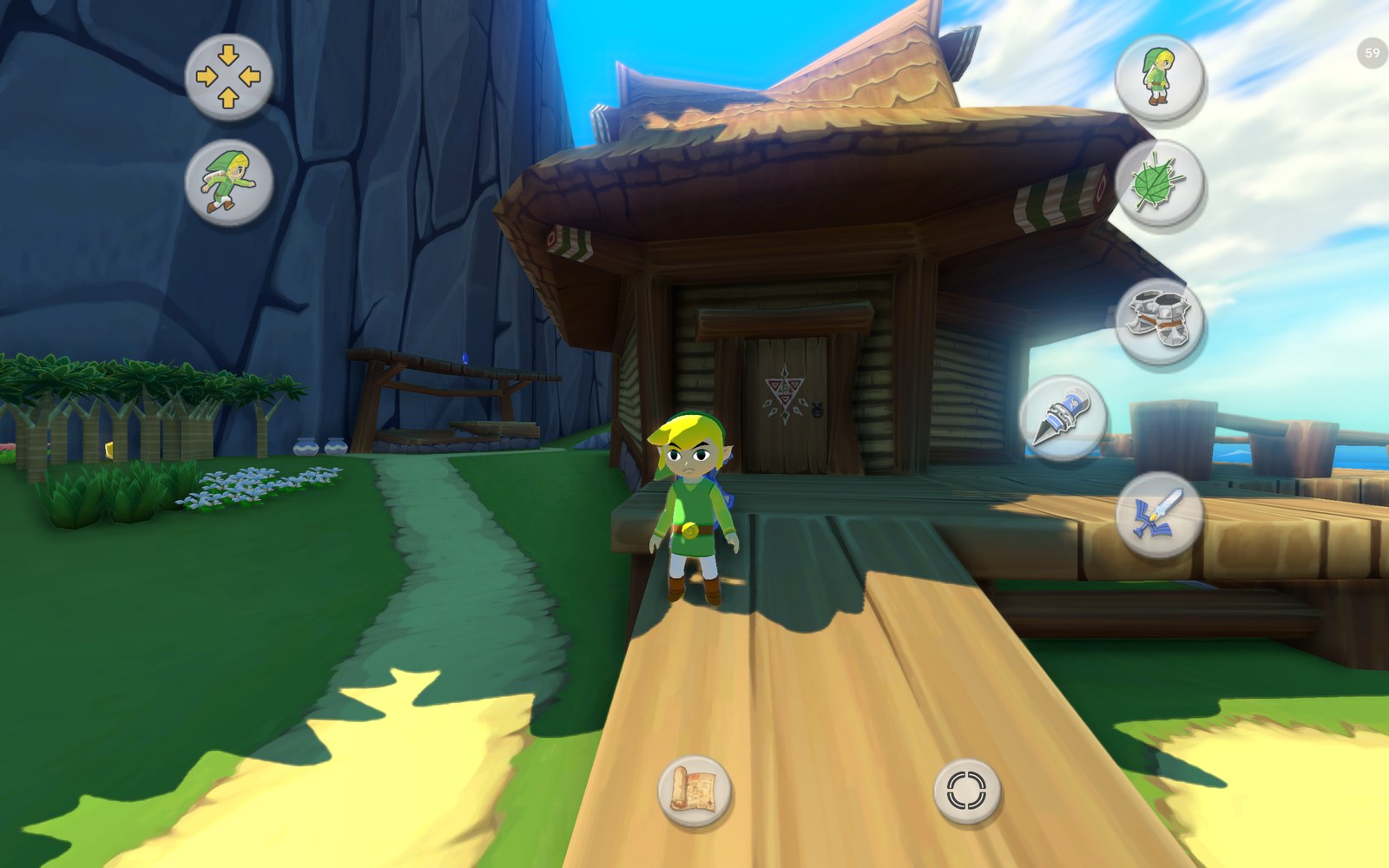 | 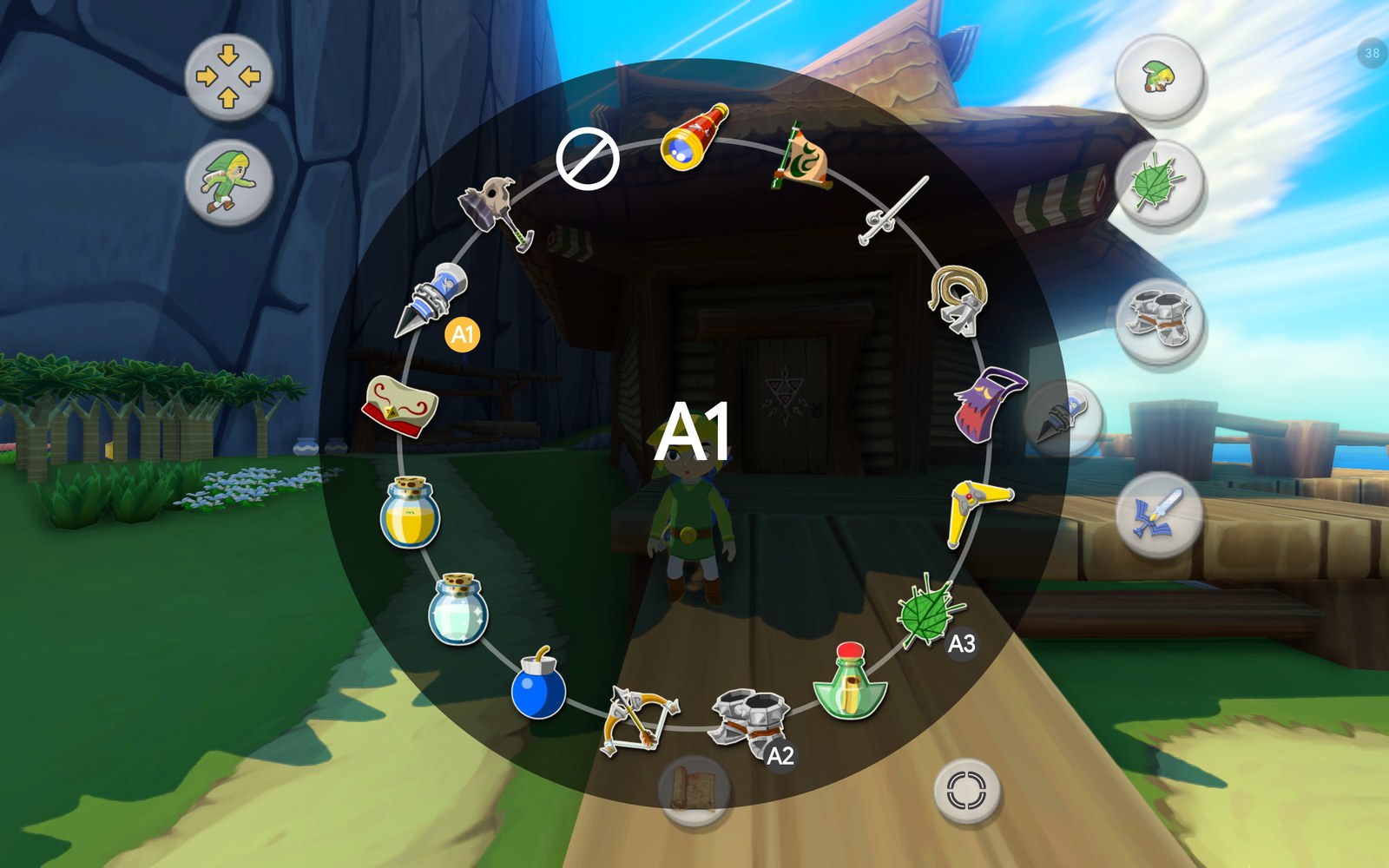 |
| Flexible touch controls with context buttons and Link in the button icons, on Outset Island | Hold an item button: the item ring |
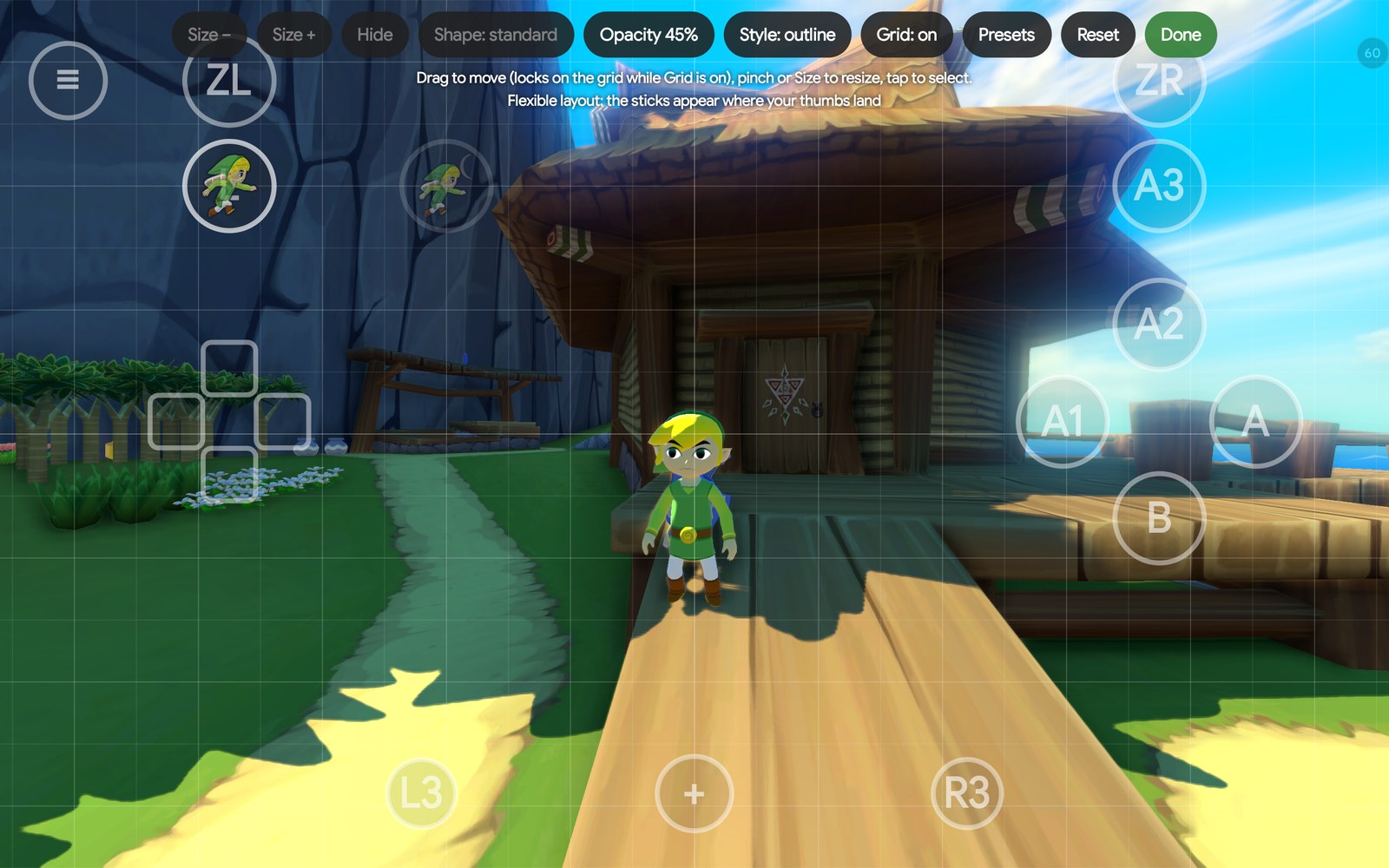 | 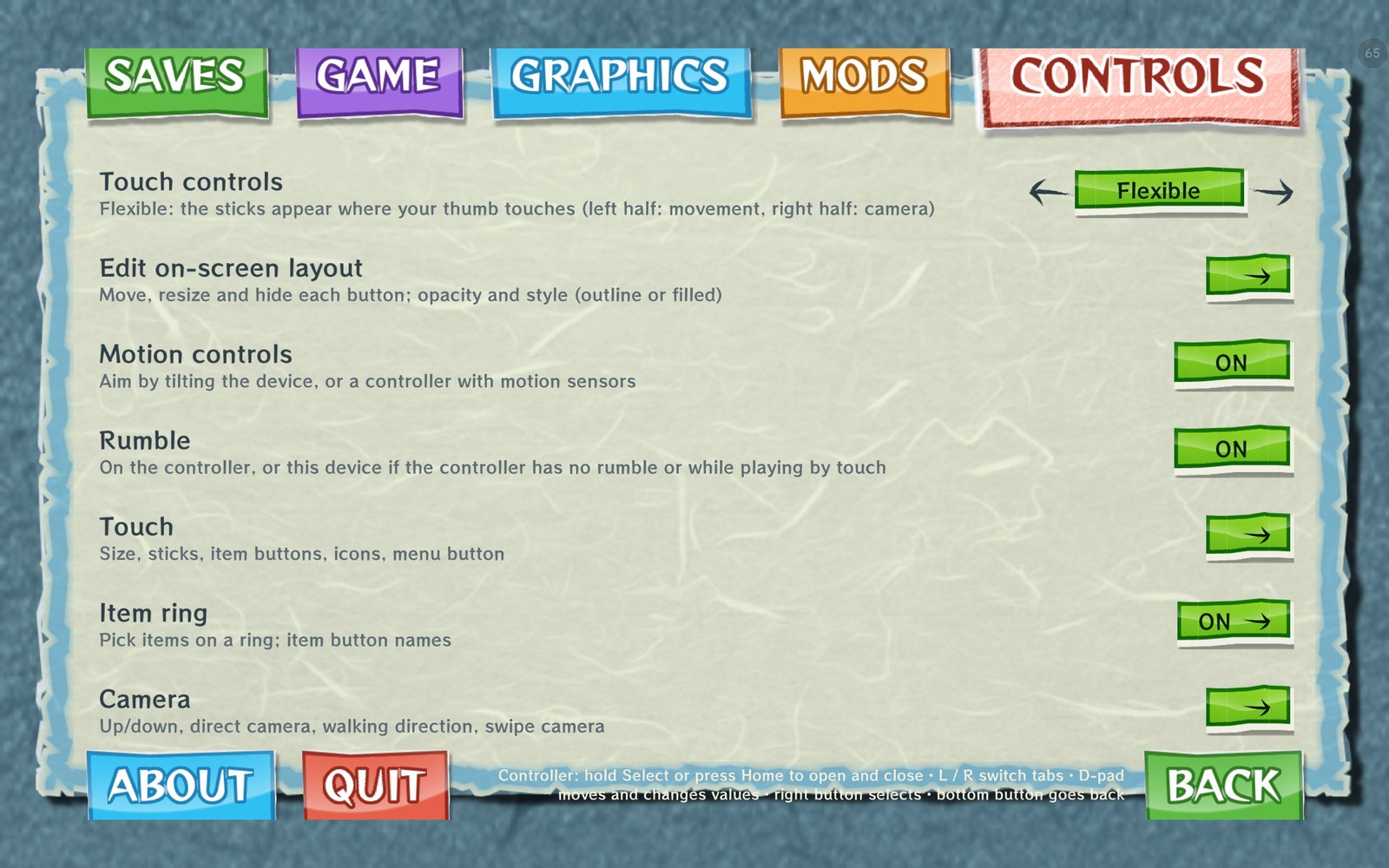 |
| The layout editor with its grid | The options as a page of the + menu, in the game's style |
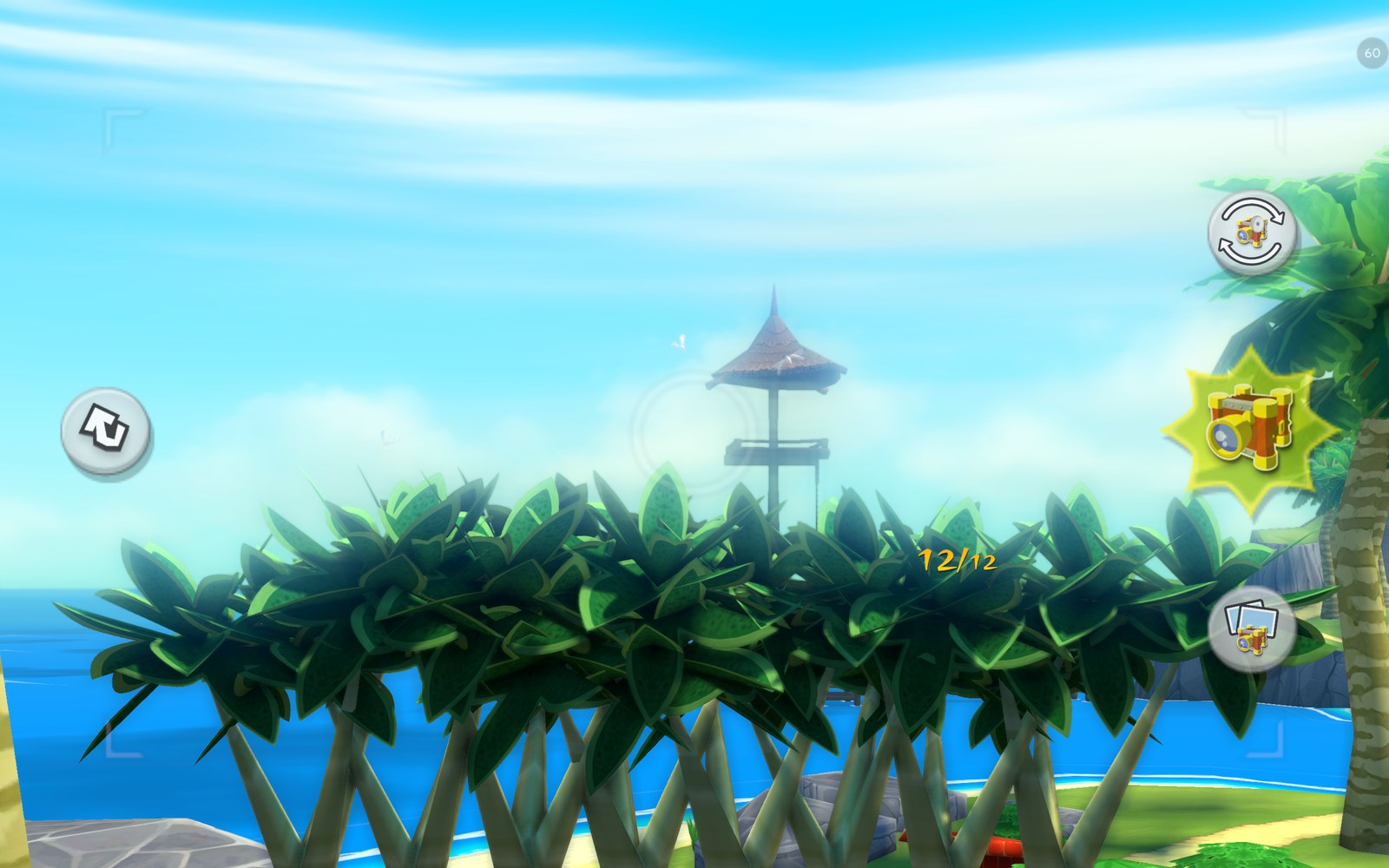 | 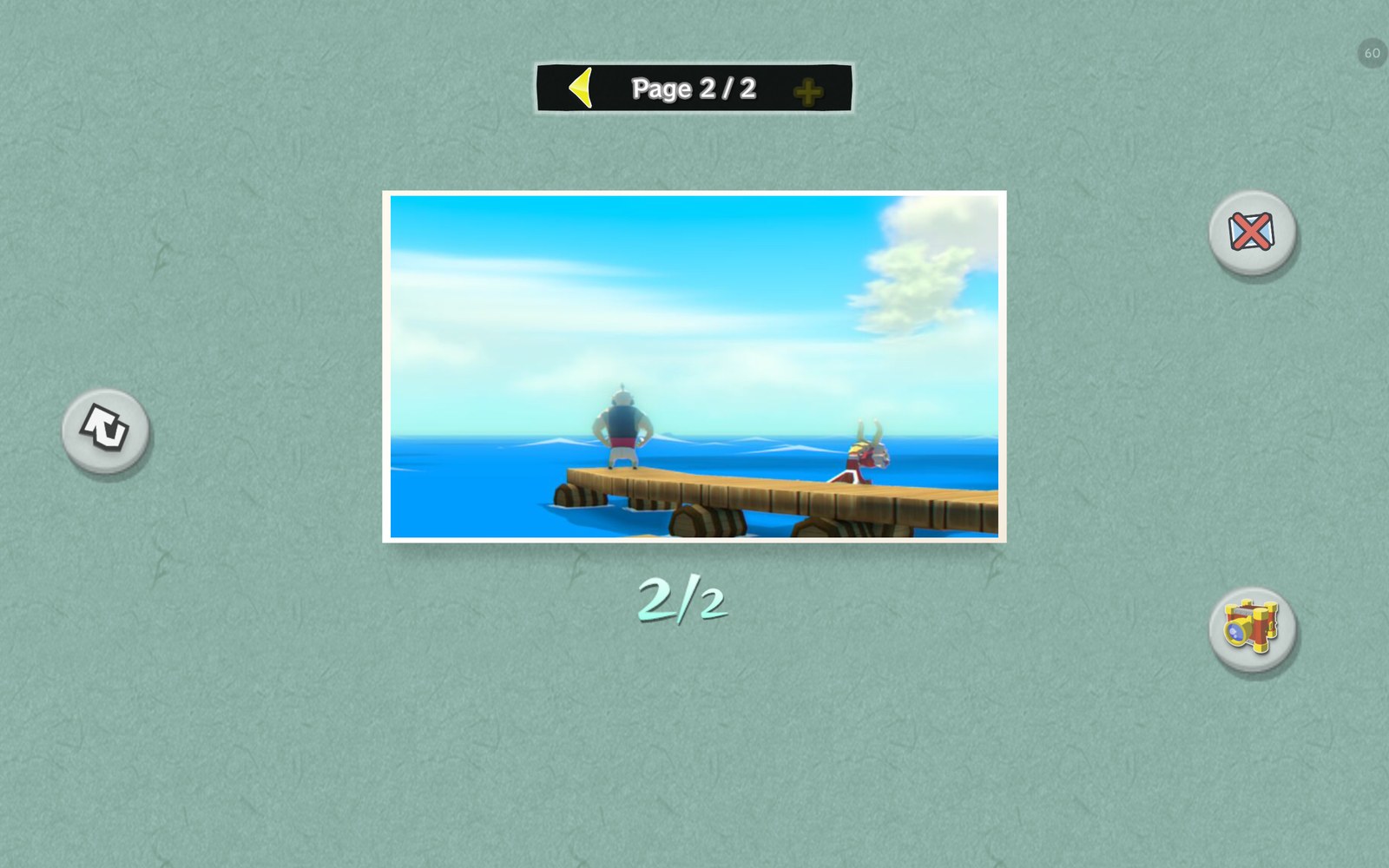 |
| The large Picto Box view | Album pages: a full album goes on to page 2 |
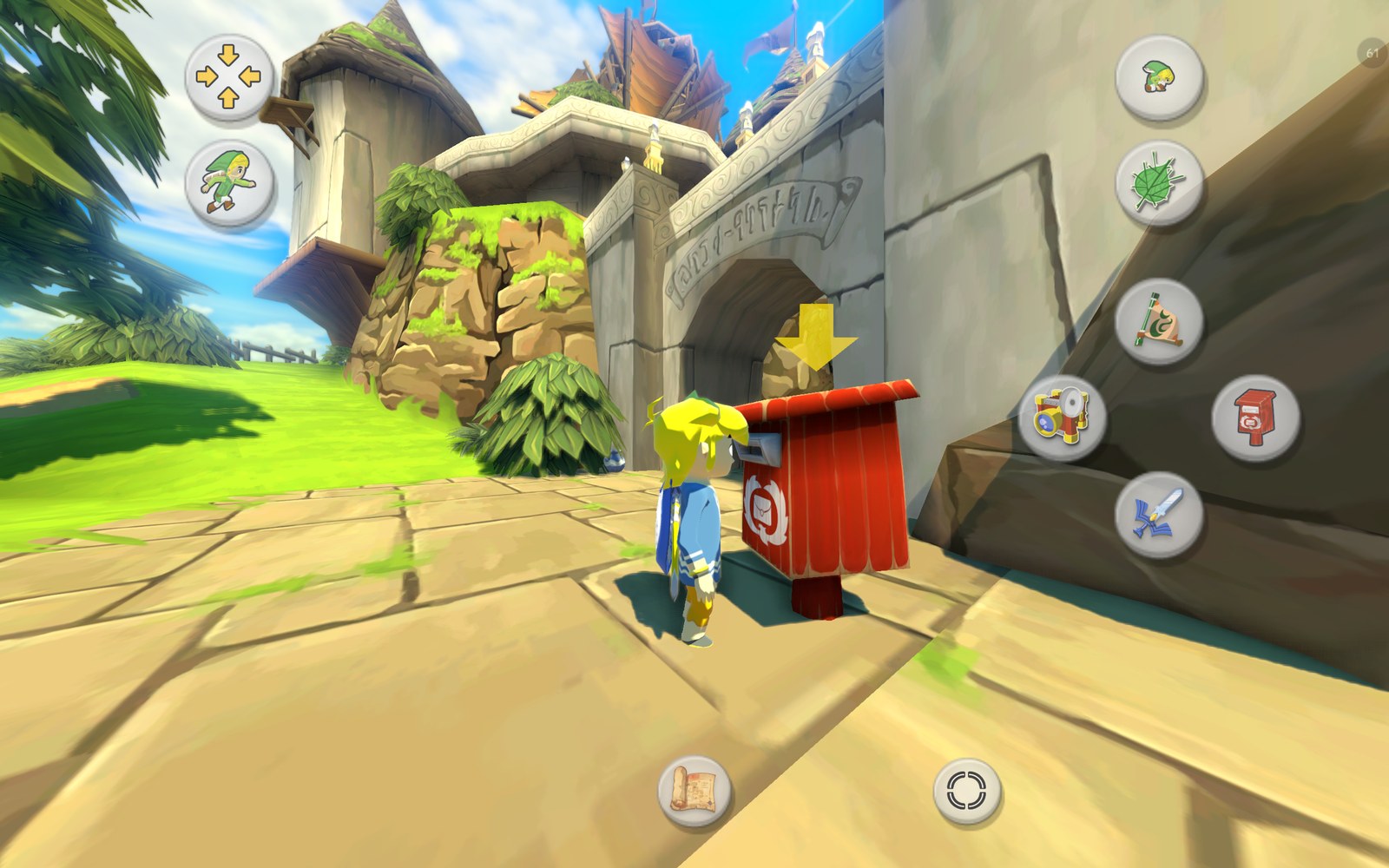 | 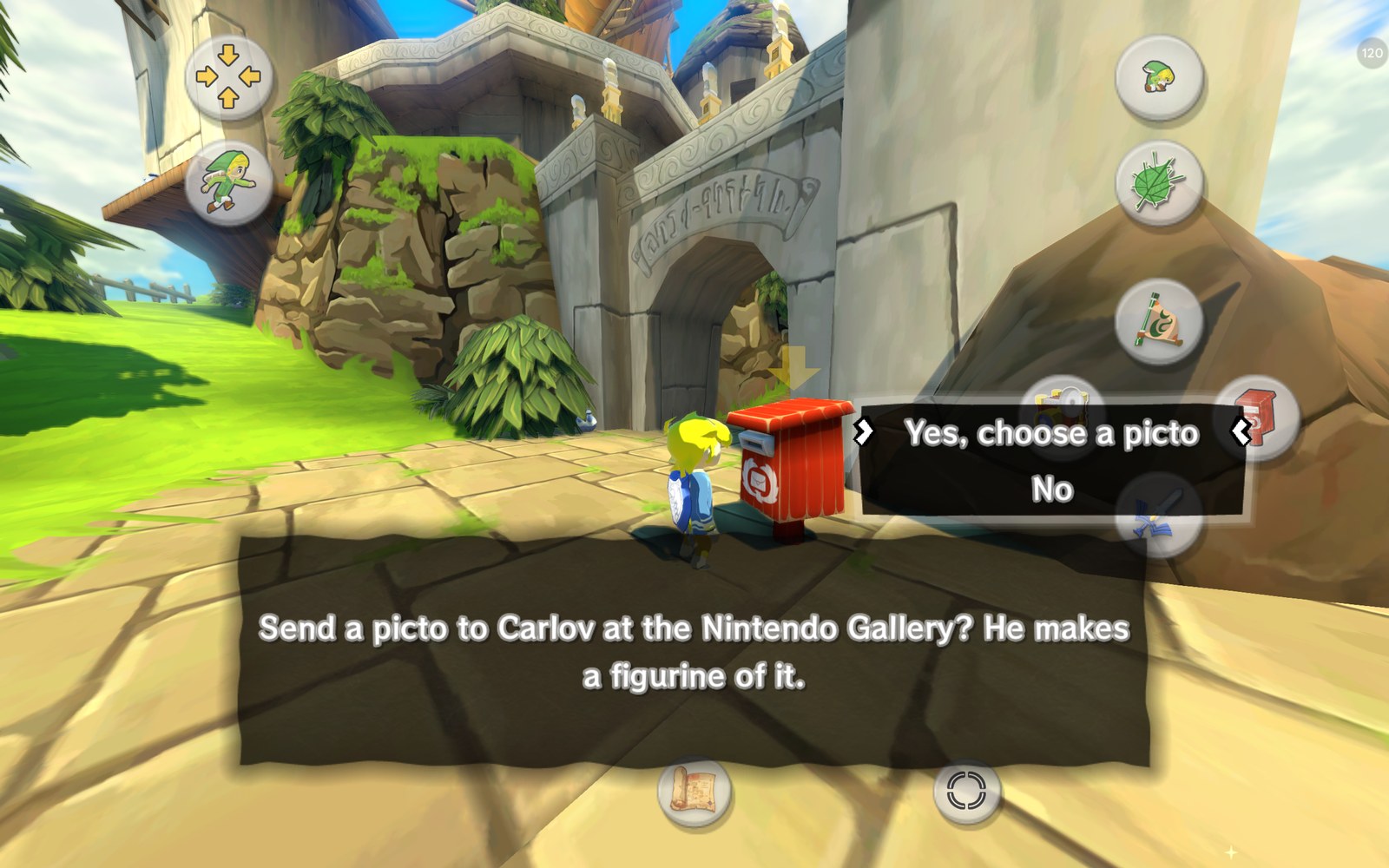 |
| At a postbox, A shows the postbox itself | The postbox offers to send a picto to Carlov |
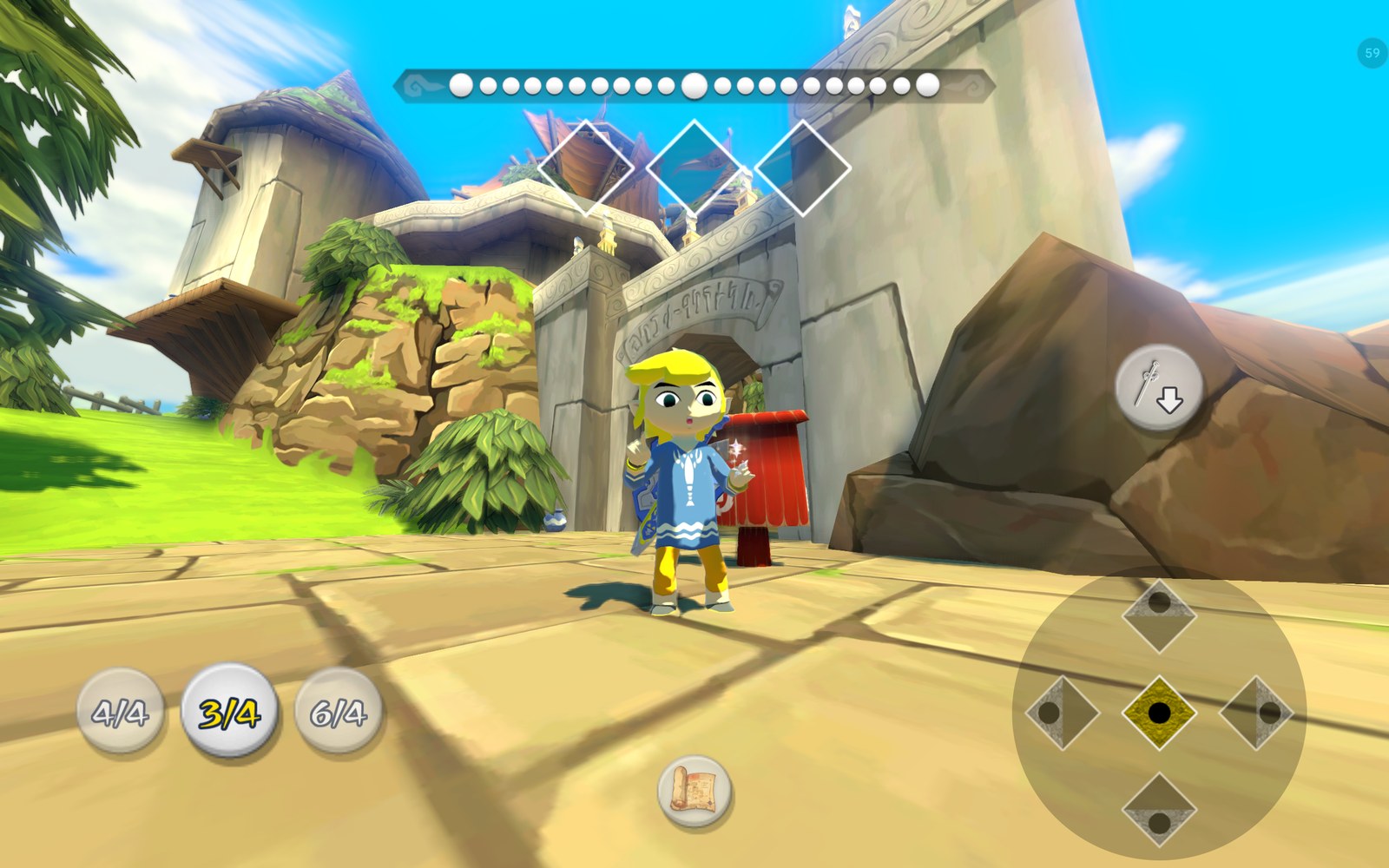 | 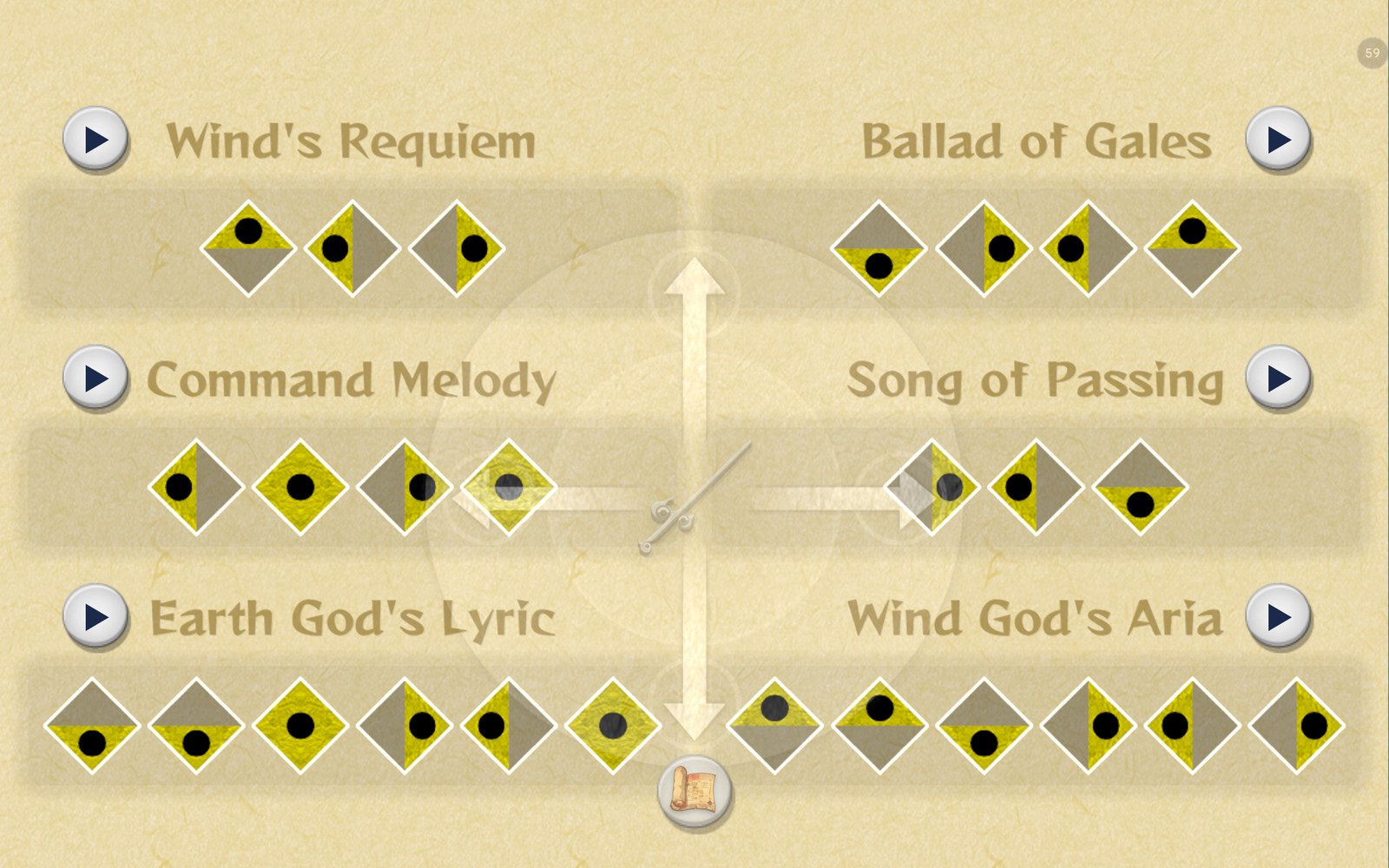 |
| Note pads for conducting | Play buttons in the + song list |
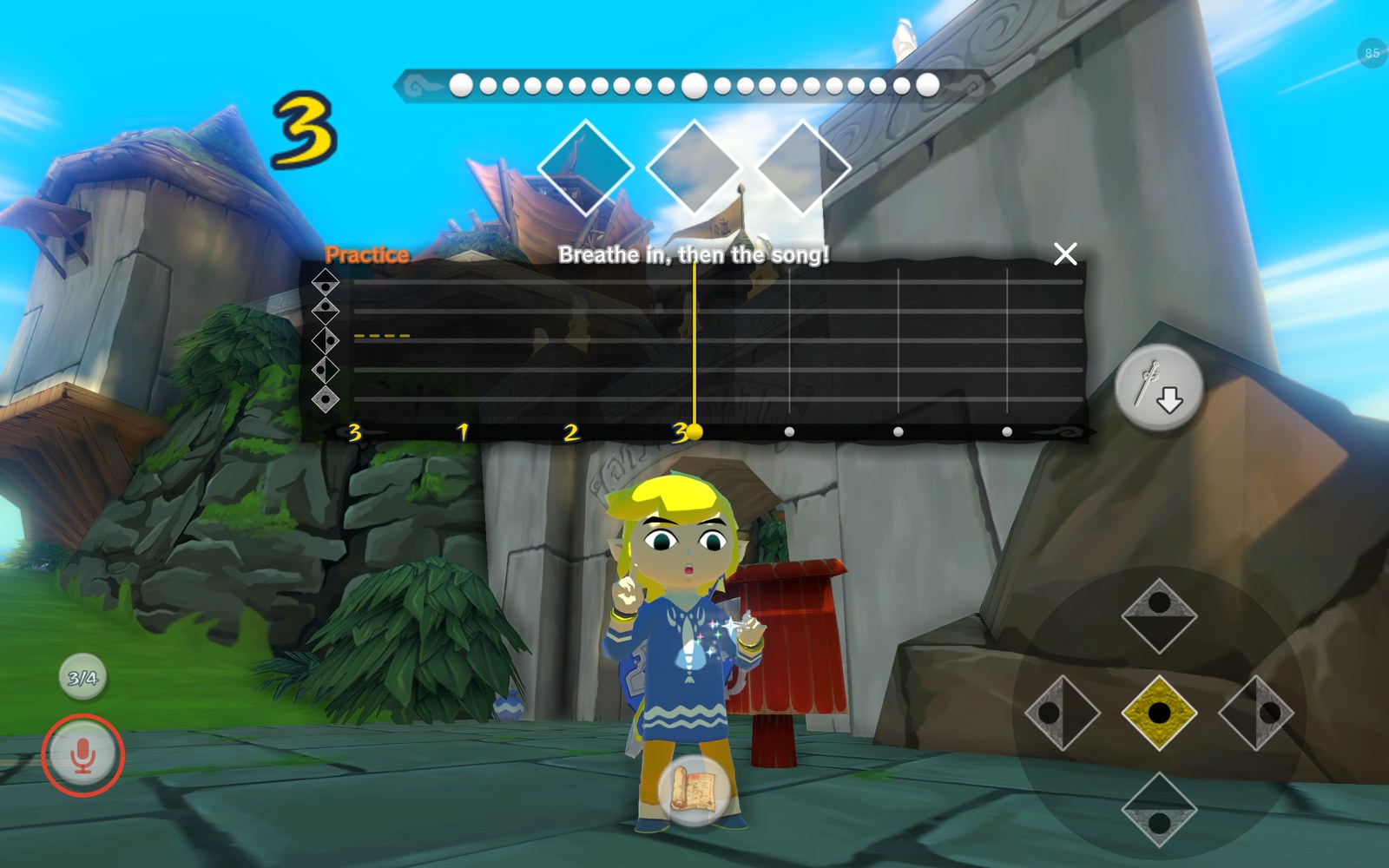 | 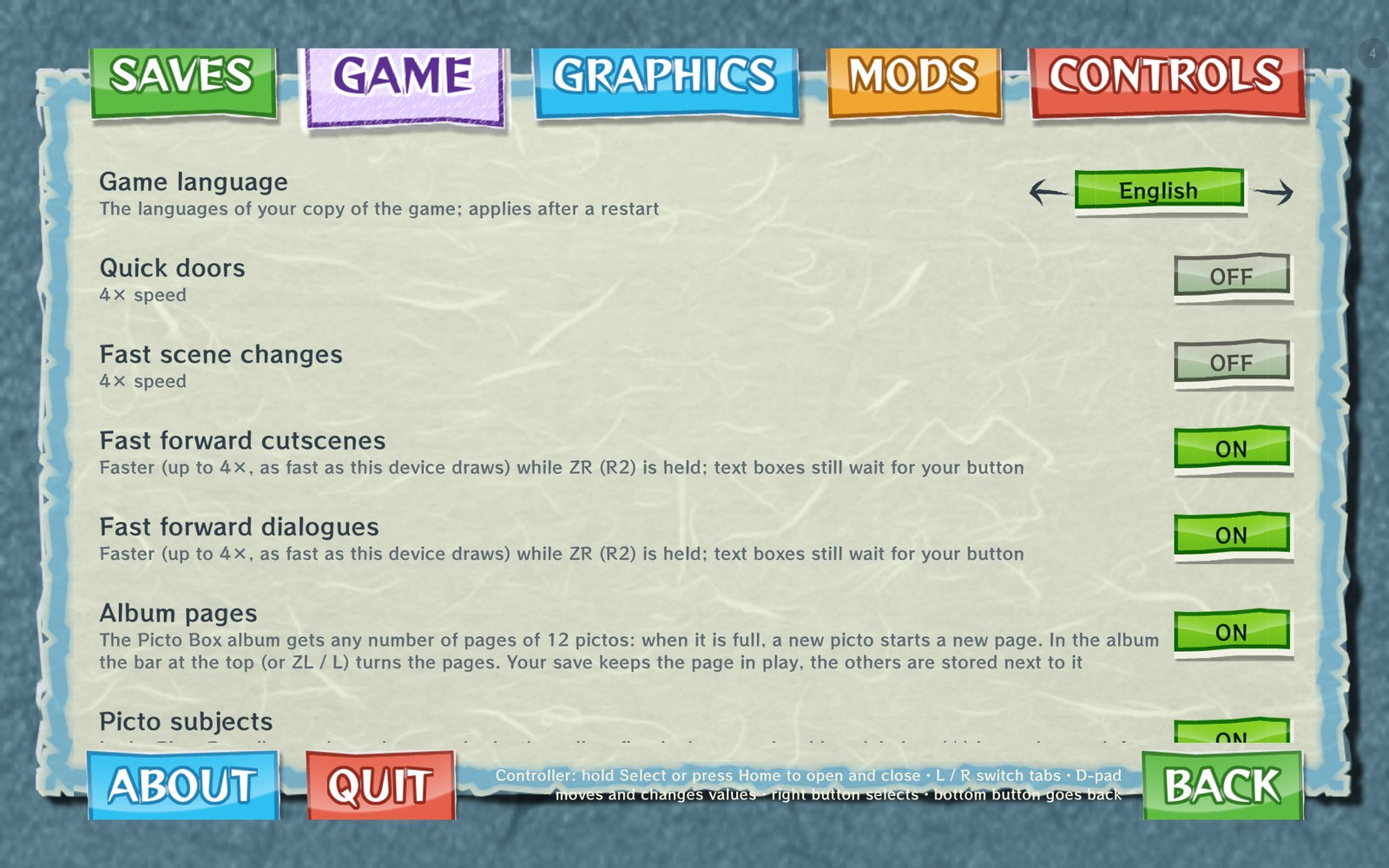 |
| Singing a song: the practice timeline | The Game tab with the new options |
- Android port: Vulkan renderer, AAudio sound, touch screen, game controllers and hardware keyboards.
- An APK without game code: on the first start the app extracts the game from your disc image or
.wuaarchive and recompiles its code on the device with LLVM (once; a few minutes on a fast phone, longer on slower ones). Later starts load the compiled code in about half a second. The work continues in the background with a progress notification, and resumes where it stopped if the app is closed. - Frame generation with Lossless Scaling's LSFG 3 (see below): 60, 90 or 120 fps.
- 60 fps by frame interpolation (the original project's, Graphics › Frame rate): the game draws an extra frame between its 30 steps a second, without the Lossless.dll; 120 fps on screens with 120 Hz or more. It needs a fast phone (60 fps on a Snapdragon 7+ Gen 3); where a frame doesn't fit in time it is left out, so the game always keeps its speed. Works together with frame generation ×2.
- 60 fps (generated) (from WindWakerHD-Android-Plus): the game stays at 30 fps and every other frame is made on the GPU from the last one, with the HUD kept still; for phones whose CPU can't interpolate (60 fps on a Snapdragon 855).
- An in-game options menu that looks like the game's own GamePad menus (its paper, tabs, buttons and fonts, taken from your game files), as a page of the game's + menu, with tabs for saves, the game, graphics, mods and controls, usable by touch and with a controller (see below); it fits phone screens too.
- Six languages: the app's texts in English, German, French, Italian, Spanish and Japanese, following the game's language.
- Save states: five slots with a picture, time and place of each state. Saving stops the game for only a few hundredths of a second (the memory is copied in the background), and a state loads anywhere: in the game, at the title screen or the file select. An auto save every 2, 5 or 10 minutes into two slots of its own, a "Last session" state when you leave the app or quit, and at start the choice of the intro, the save states, or straight back into the last session.
- Import and export of the game save and the save states as one backup file, and GameCube
saves (
.gci, USA, Europe and Japan) imported as the HD game save (after the original project's converter). - Mod packs: Cemu graphic packs (for example from GameBanana or GitHub) and plain game file mods,
imported from
.zipand.rarfiles: code patches (patch_*.asm, Cemuhookpatches.txt), game file replacements, shader replacements and texture filtering rules. A code patch only applies to the game version it was made for; turning packs on or off recompiles the changed code once. - Performance overlay: frame rate with its average, frame time, CPU and GPU load, CPU, GPU and battery temperatures, the graphics settings in use, the SoC, GPU and GPU driver; you choose the values and drag it where you want it.
- The European and Japanese versions as well as the USA one, with all features: the game code
of all three is the same program at shifted addresses, and the app's hooks and mods find their
places in each (
tools/recomp/port_addresses.pymatches the executables; the address maps it writes are intools/recomp/release_eur.txtandrelease_jpn.txt). - Game language: the languages of your copy (USA: English, French, Spanish; Europe: also German and Italian; Japan: Japanese), by default the device's language setting is used. The app's own menus have a language of their own (Menu language: English by default, or one of your copy's).
- Custom GPU drivers on Adreno GPUs (see below): Mesa Turnip or newer Qualcomm drivers.
- Widescreen: the game renders at the screen's shape and shows more to the sides; the HUD keeps its proportions at the screen edges.
- The Wii U's sun and haze: the sun's corona and lens flare (hidden behind walls and hills as on the console), the haze in the distance and the bloom around bright light.
- Display options: rendering resolution from 0.5× to 3×, dynamic resolution (lowered by itself while the GPU can't keep up or memory runs low, down to a limit you choose), sharp, bilinear or pixel-perfect upscaling, a display resolution that draws the picture only as large as it needs to be on high-resolution screens, aspect ratio (bars, stretched, or filling the screen), screen layouts for the TV and GamePad pictures (GamePad inset, side by side, TV with the GamePad on +, GamePad with TV inset). All of them apply immediately, without a restart.
- One controller, the GamePad: every controller and the on-screen controls act as the Wii U GamePad, with its gyro aiming and rumble. On a single screen, + shows the touchable GamePad screen (items, map, bottles) in place of the TV picture and pauses the game, and + again goes back. With a controller, a highlight in the game's own cursor style moves over the GamePad screen: A taps, Y / X / R put the highlighted item on that button, B goes back. The title screen's controller question is answered by itself (from the original project).
- Dual-screen devices (AYN Thor and the like): the GamePad picture goes to the second screen by itself, with touch, and the main screen shows the TV picture; Graphics › GamePad screen switches back to the screen layouts. The GamePad screens (items, map, bottles) fill a second screen of another shape, such as the Thor's lower screen; Graphics › GamePad picture keeps the original 16:9.
- New touch controls (see the controls guide): a Classic fixed GamePad or Flexible sticks where the thumbs land; context buttons that appear when they do something and show what with the game's own icons; items aimed and shot by tapping; an item ring (hold X, Y or R); a layout editor with a grid, button shapes, opacity and saved layouts; Link drawn in the button icons; a large Picto Box view. They hide while a controller is in use.
- Minigames, talks and menus by touch: Sploosh Kaboom, the picture puzzles, mail sorting, the cannon, the auction, shops, the gallery's figures, the wind compass, answers and number entry, with a first time hint in the game's message style. Talks go on with a tap anywhere (or by holding a finger down), answers by touching the line, shops without buttons.
- The songs: conducting by note pads, play buttons in the song list and in the story scenes that wait for a song, and (experimental) singing, humming or whistling a song into the microphone.
- Controller setup: face buttons by position or by letters, ready-made layouts for Jump anywhere, L1 and d-pad down as item buttons, controller details.
- Mini map in a corner of the TV picture, in the GamePad map's style: the sea, the dungeons' rooms and floor plans elsewhere, square or round in the sailing compass, with island pictures redrawn, in HD, as the terrain really is, or the game's own, and a wind arrow you can swipe to set the wind.
- Full map: the whole sea chart (or the dungeon, cave or house Link is in) full screen and sharp, and the + menu's sea chart and dungeon maps drawn anew in the same quality.
- Randomizer: TWWHD Randomizer 1.2.0 by SuperDude88 built in (USA, Europe and Japan), with several randomized games side by side, a choice at each start which one to play, and the spoiler log as pages and on the progress map.
- Link's colours: colour sets, each colour of his clothes, hair and eyes (with a colour wheel), for randomized games (also the casual clothes from the start) and for the game as it is, per save file and live.
- GameCube player models: custom models made for the GameCube randomizer (for example the Custom Wind Waker Player Models collection) imported as a zip and converted on the device for HD: Link's body, hair, hands and the items the pack changes, their textures upscaled to HD's sizes, on HD's skeleton and animations. A model (or Link) for each save file, switched live, in the game as it is and in randomized games.
- Save file names up to 16 characters, renamed while playing (the game's name entry allows 8).
- Game progress and achievements: a percent and a checklist of what the save file has collected and what is missing, a map of where each thing is found (also as marks on the mini map and the game's own maps), and 105 achievements with a pop-up of Link holding each one up.
- Quicker play (each a switch): instant text and no pauses in texts, walk-through doors (dungeon and house doors without their scene), hit freezes off by kind, the wind set at once from the mini map.
- Android TV: the app in the TV launcher, set up with the remote, played with a controller; a TV by casting or an HDMI cable shows the game picture while the device shows the GamePad.
- Graphics presets and a 2-minute test that finds the best settings for the device.
- Picto Box album and postboxes: an album with any number of pages of 12 pictos, the subject of each picto named (with the game's gold medal when it is good enough for a figurine), and pictos mailed to Carlov from any postbox, so his figurines arrive in the Nintendo Gallery without a trip there. Link's clothes: the hero's or the casual ones at any time.
- Gyro aiming with the device's motion sensors or a controller's (DualSense, DualShock 4, Switch Pro and others that Android reports with sensors).
- Rumble on the controller in use, or on the device while playing by touch.
- The original project's gameplay mods on Android: climb any wall, direct right-stick camera, first person on the mouse wheel, quick doors, fast scene changes.
- Walking direction: Link keeps walking his way while the camera turns, optionally with the camera swinging back behind him; a zoomed-out field of view.
- Faster running, swimming, climbing and sidling (new mods): 1.25 up to 4 times as fast; everything else keeps its speed.
- Jump anywhere (a new mod): its button jumps from standing or running, as off a ledge, with an optional double jump and without the automatic ledge jumps. Moon jump: hold its button to rise and fly. Both have their own touch buttons and any controller button you choose.
- Inverted camera up/down for first person and aiming, or always (contributed by Abssenta).
- Fast forward (a new mod): hold ZR (R2) to run cutscenes and dialogues faster, switched separately. The game plays its normal frames, only more of them per second (up to 4×, as fast as the device can draw them: about 2× on a Snapdragon 7+ Gen 3), so nothing is skipped; text boxes still wait for your button.
- Performance work for weaker devices, above all Mali GPUs: textures wait only for the shader stage that reads them (on a Helio G85 / Mali-G52 MC2 at 0.5×: 19.7 → 28.5 fps), clears done as part of the next render pass, mipmap chains built in place and only as far as they are read, exact float multiplies only where a value can be infinite (Mali-G52 at 1×: GPU time 47 → 40 ms), shadows with emulated depth clamping where the GPU has none, BC textures unpacked on the GPU where it can't sample them (most Mali and PowerVR GPUs), vertex byte swaps PowerVR drivers decode correctly. On the CPU side: faster recompiled game code (guest registers in the CPU's own registers, cheaper function entries and memory accesses, hot functions grouped together), a render thread with a third less work, unchanged vertex and index data kept across frames, a second thread for the Vulkan commands, the game and render threads on the fast cores, Android performance hints and game modes. On a Helio G85 / Mali-G52 MC2, 0.75× rendering resolution is now playable at close to 30 fps.
- Crash logs: if the game crashes, the next start offers its log in Android's share menu, for a bug report. It shows where the game crashed and with which app and game version, device and settings; it contains no personal data. About › Share crash logs shares the logs kept; a shared log is deleted at the next start.
- Fixes: correct lighting on the first visit to a scene with an empty shader cache; game files found on devices whose storage tells upper and lower case apart; Picto Box pictures in colour (the game reads them back from the GPU to save them).
- No internet access: the app doesn't request it, and its manifest explicitly excludes it.
Version history
0.9.9a
- Controller setup asks for the printed letters (press the button printed A, B, X, Y and say where each sits): the item buttons on the TV and the + menu's item slots show your controller's letters, the game's A, B, X and Y on the TV are drawn in its arrangement, and with X left of Y the + menu's X and Y slots swap places (#67).
- Controls › Camera › Invert camera up/down: new choice Normal camera only, which gives "up looks down" in every view; conducting the Wind Waker is never flipped (#68).
- Controls › Touch › Put away by itself: on, the sword and any item in Link's hand go away a few seconds after their last use; off, they stay in his hand and A shows Put away, as in the game. For Item buttons Tap and Hold (#66).
- Controls › Touch › Pinch to zoom: off, two fingers on the picture never change the view (#71).
- Save folders and save files can be shared with a sync tool such as Syncthing: folders are made group-writable, and a save file another app put there no longer stops the game from saving (#70).
0.9.9
- Game › Randomizer: TWWHD Randomizer 1.2.0 by SuperDude88 in the app, for the USA, European and Japanese releases: presets or its settings and a permalink (seeds match the PC version 1.2.0), several randomized games side by side with their own saves, a question at each start which one to play (or the game as it is), and the spoiler log as pages and on the game progress map. Its texts also in German, Italian and Japanese. Randomizer › Link's colours: the randomizer's colour sets, each colour by hue, saturation and brightness or a code, random colours, his casual clothes from the start, and a picture of him; a game made already gets them again with its own seed (its save and save states stay).
- Mods › Link's colours: the same colours for the game as it is, for each save file, changed while playing (no restart), with a colour wheel; a save file playing as a GameCube player model shows which model it is instead.
- Mods › Mod packs › GameCube player model: a custom model pack made for the GameCube randomizer (a zip with its Link.arc, also a whole collection at once) is converted on the device: what the pack changed (the body, hair, hands, swords, shield, items) goes onto HD's skeleton with HD's materials and animations, its textures upscaled to HD's sizes and formats. Pick one or Link himself for each save file; it changes while playing, also in randomized games. About 5 MB a model.
- Mods › Save file names: rename a save file while playing, up to 16 characters (the game's name entry allows 8); the file select shows the first 8, the texts the whole name.
- Full map (hold the mini map, or Controls › Screen (HUD) › Full map): the whole sea chart full
screen and sharp at any zoom; indoors the dungeon, cave or house Link is in, a floor at a time. The
- menu's sea chart and dungeon maps can be drawn anew in the same quality, with Medli and Makar where they wait. Map decorations in the GamePad menus' style.
- Mini map: Map pictures Redrawn (with island names), Terrain (the islands as they really are, houses and caves by their ground), HD or Original; a wind arrow (a swipe from it sets the wind at once, on any stage, without the song; − held and the right stick with a controller), opacity and fainter while moving, the treasure chart beside it, Link's face or only his arrow, zoom while moving. A tap steps its size.
- Game › Instant text (and No pauses in texts): message boxes show their whole text at once.
- Game › Walk-through doors: dungeon and house doors open as Link walks up (or With A) and he walks through without their scene; leaving a house is quicker.
- Game › Hit freezes: the moment the world stops when a hit lands, switched off by kind (hits, strong hits, defeats, bosses, signs).
- Mods › Deku Leaf: wave to rise: the height of one wave is a choice, and the button held waves on.
- Graphics › Upscaling › Pixel perfect: each rendered pixel a crisp block of the same size.
- Android TV: the app in the TV launcher, set up with the remote (files from the app's folder where a TV has no file chooser), played with a controller. A TV by casting or an HDMI cable: Graphics › Screens › GamePad screen › Game picture there; the device then shows the GamePad with a controller view of its own (an eyes-free layout by default, the TV picture dimmed behind it, the conducting bar and the wind compass on it).
- Touch: icons for Grab (push and pull), what Link holds and lifts, the rope's Let Go and R Cruise on the boat; on the boat the item ring has only what Link can use there; letters, stone tablets and signs go on with a tap; the system questions (after a game over) by tap; the classic layout hides no button.
- Dialogs with a controller: one button is selected from the start, the right stick scrolls the text.
- Devices with little memory (TV boxes with 3 GB): dynamic resolution steps down when memory runs low, and they start at 1× at most.
- Mini map (Controls › Screen (HUD) › Mini map, on): a map in a corner of the TV picture in the GamePad map's style, with the game's own artwork: on the Great Sea the charted islands and the King of Red Lions, in the dungeons the GamePad's room pictures of Link's floor with chests, doors and stairs, elsewhere a floor plan. Square (parchment) or Round (in the sailing compass), filled or see- through, north up or turning with Link, three sizes (a tap on it for the next one), any corner or a place of its own in the layout editor.
- Game › Game progress: a percent (optionally on screen) and a checklist of what the save file has collected and what is still missing, in ten parts: dungeons, hearts, items, equipment, upgrades, songs, pearls and Triforce, treasure charts, the sea chart and the Nintendo Gallery. Its Map shows where each thing is found on the sea chart and, if you like, what is still missing; the same marks can go on the mini map and on the game's own sea chart and dungeon maps.
- Game › Achievements: 105 goals (story, Hero Mode, items, songs, side quests, collections, the gallery), read from the save data and earned for good, for all save games and for each one. When one is earned, a pop-up shows Link holding it up as he does a treasure, with the game's item fanfare (each part can be switched off, the jingle's volume set). Cheats and story presets pause them, and the page names what pauses them; Earn with cheats lets them count anyway.
- Graphics › Frame rate › 60 fps (generated): the game stays at its 30 fps and every other frame is made on the GPU from the last one, with the HUD kept still (from Nycolazs's WindWakerHD-Android-Plus). It holds 60 fps where frame interpolation can't (a Snapdragon 855 does), but needs GPU time to spare: too much for a Mali-G52.
- Frame interpolation (60 / 120 fps) much improved with the original project's work: the game's logic at 60 fps now follows the 30 fps one exactly, and sword trails, the hookshot chain, sails, ropes, eyes, clouds, the sun and moon, fades and many effects move smoothly; minigame timers no longer run twice as fast, the Pirate's Charm rings again, Game Over's Continue works, the Boating Course stays at 60, the start-up screen plays at its speed.
- Graphics › Picture quality › Smooth blur at high resolution (on): above 1.5× the light and bloom blur no longer leave a fine grid around things on the ground; torchlight and bloom look as at 720p.
- Mods › Deku Leaf: wave to rise (off): while gliding, each wave of the leaf lifts Link a little; the magic is the limit.
- Mods › Cheats: Faster block pushing, and Complete the Nintendo Gallery (from the original project, by Pulpparty).
- Jump anywhere: a standing jump goes straight up instead of forward (the cause found by the original project).
- Controls › Touch › ZL / ZR stay on after a tap (Flexible, on): off, ZL and ZR work only while held.
- About › Share game log: the game's log of the current run (optionally with the save files) for a bug report, without anything personal.
- Picto Box on phone screens (20:9 and other non-16:9 shapes): the picto and its subjects are the 16:9 part of the picture, as on a Wii U (from the original project).
- The Quest Log shows each save's real date, and converted GameCube saves get the Deluxe Picto Box where HD would have given it (from the original project).
- Less memory: saving a state no longer needs about 250 MB extra, textures not seen for a while are freed, and a state isn't saved when Android is about to close the game for lack of memory (it says so) (issue #51).
- Fixed: a rare game halt at the title screen (from WindWakerHD-Android-Plus, after the original project); leaving Beedle's Shop Ship could halt the game; a black 3D picture in a night storm at sea.
- A shader the GPU driver crashes on is left out at the next start instead of crashing again (issue #53); BC textures are decoded in a form fragile GPU compilers accept, on Huawei GPUs on the CPU.
- Fewer render passes on tiled GPUs (Mali-G52: about 5 fewer a frame); fast forward reaches its full speed with frame generation; Turnip on Adreno 6xx runs without UBWC (a restart at the first frame was reported on an Adreno 650) (from WindWakerHD-Android-Plus).
- The microphone is optional: devices without one can install the app.
0.9.8
- Game › Menu language: the app's menus have their own language, English by default, or one of your copy's languages (issue #62).
- GamePad sounds: the sounds the Wii U plays on the GamePad speaker alone (its menus, switching items, saving) are heard, and the options menu uses the GamePad menus' own sounds (issue #64; Game › GamePad sounds).
- Controls › On-screen controls is back: switched off, only the menu button shows and a touch doesn't bring the controls back (issue #63).
- Fixed: a controller's own button assignment (from the setup or single rebinds) was replaced by the shared one after the next layout refresh (issue #61). The menus now follow the Wii U's A and B: with them by letters, A selects and B goes back.
- Hold to go on in talks moved to the Game tab and works with a controller too: hold A and the talk goes on by itself up to a question.
- With a controller the sword and the Deku Leaf stay in Link's hand until A puts them away, as on the Wii U; by touch they still go away by themselves.
- Controls › Controller › L turns the GamePad page (off): in play L no longer flips the game's GamePad screen between Items and Map.
- The controller setup can be finished with the controller: hold Start for Done, Select for Change.
- When a controller's motion sensors or rumble don't reach apps on this device (no kernel driver for it), the menu says so and Controller details explains why.
0.9.7
- Talks by touch (Flexible with context buttons): no buttons in a talk, a tap anywhere goes on; holding a finger down goes on by itself up to a question (Controls › Touch › Hold to go on in talks), optionally in fast forward. Answers by touching a line, no A or B shown there.
- Shops by touch: only B (leave) shows; a touch jumps straight to an item, items off the picture come into view by themselves, a touch off the held item puts it back, the "buy it?" question opens by itself; with a controller, B at the question answers "no".
- More animated Link icons: Speak, Check / Look (with a magnifying glass), leaving a shop, the jump attack, Let go (ladder, vines, ledge) and the boat (set sail, sail down, fast / normal, stop, get in, get out). On a ladder, vines or a ledge the buttons that can't be used there hide.
- A pops up with golden rings when it offers a new action.
- Album pages in the picto chooser (Carlov, Lenzo, a postbox); the chooser has only A and B and browses by swiping in the large view. The Picto Box facing a postbox aims instead of handing it over (the chat's "choose a picto" sends one).
- Fixed: the app closed when opening the options page with + on Android 13 or older with the 3-button navigation bar (issue #58).
- Fixed: on tall phones the buttons of some cards were cut off, so the best-settings test's offer at the first start couldn't be answered (issue #59). Switches in cards now stay in view too.
- Fixed: the game code preparation card stayed at "0 of 0 parts (0:00)" while its bar moved; it now counts the parts (and says when it is still dividing the code into them).
- Fixed: showing an item to a postbox closed the game.
- Fixed: swiping the camera on the boat turned it only by half or not at all.
- Fixed: the rupee counter's twinkle kept appearing at the lower right while the counter was faded out or the HUD hidden.
0.9.6
- New touch controls: Classic or Flexible (sticks where the thumbs land, camera by stick or swipe), context buttons with the game's icons and words, items by tap (aim once, tap Shoot, B puts away), the item ring (hold X, Y or R), item button names (A1–A3, the controller's, or X / Y / R) and emptying, a layout editor with a grid, shapes, opacity and saved layouts, Link in the button icons, left stick following the thumb, ZL after a defeated target, the large Picto Box view, hearts only in combat and rupees only when they change. Explained in the controls guide.
- Link in the button icons, animated: jumping, crouching, rolling, sidling, lifting, throwing, opening doors and chests, grabbing and picking up.
- Picto Box: album pages (any number of pages of 12 pictos), picto subjects named in the album (gold medal for a picto good enough for a figurine), pictos mailed to Carlov from any postbox (figurines in the gallery the next day, or at once with Same day delivery). Link's clothes: hero's or casual at any time. Cheats: one hit kills.
- Minigames, shops, answers, number entry, the wind compass and the item pages by touch, with first time hints.
- Songs: note pads for conducting, play buttons in the song list and in song scenes, singing into the microphone (experimental), replaying conducted songs as on the GameCube.
- Controllers: a setup (offered on first use), Jump anywhere and the moon jump on their own buttons, L1 and d-pad down as item buttons, motion and rumble sources, controller details, the game's cursor on the options page, hints answered with a controller or keyboard.
- Camera: walking direction kept while the camera turns, camera swing behind Link, field of view, swipe speed on the boat.
- The options as a page of the + menu (the ≡ button optional), in the game's style, regrouped into pages; the app in six languages.
- Graphics presets, a best-settings test, VSync (issue #54).
- Less memory: about 200 MB less on every device, about 800 MB less on devices with less than 4.5 GB of RAM (issues #51, #52).
- Fixes: PowerVR 3D (issue #17), looping sounds cutting off (issue #23), a blue haze at the bottom edge with dynamic resolution, the round telescope view, the file select's cursor with the screen-filling picture on phone-shaped screens.
- The game code is prepared once more after the update; save states of 0.9.5 can't be loaded.
0.9.5
- Much faster on Mali GPUs and slower phones. On a Helio G85 / Mali-G52 MC2: 0.5× rendering resolution from about 20 to 30 fps, 0.75× now playable at close to 30 fps, 1× from about 19 to 24 fps. Textures wait only for the shader stage that reads them, clears are part of the next render pass, mipmap chains are built in place and only as far as they are read, exact float multiplies only where needed.
- Faster game code and render thread (on a Helio G85: game thread about 16% less CPU time, render thread about 33% less); the game code compiles faster too.
- Graphics › Dynamic resolution: lowers the resolution while the GPU can't keep up, down to a limit you choose, and raises it back when there is room.
- Graphics › Display resolution (Auto by default): on high-resolution screens the picture is drawn only as large as it needs to be (Helio G99 / Mali-G57 at 2560×1600, 1×: 26 → 29 fps).
- Graphics › Upscaling: sharp (keeps edges crisp at lower resolutions) or bilinear.
- Much less shader stutter: shader variants that only differ in settings the shader doesn't read share one translation. Also fixes the crash with very large shader caches (issue #48).
- Shadows on GPUs without depth clamping (Mali-G52): no longer come and go with the camera (issue #45).
- The GamePad is the only controller: every controller and the on-screen controls act as the Wii U GamePad; on a single screen + shows the GamePad screen and pauses the game. With a controller, a highlight moves over the GamePad screen (A taps, Y / X / R assign items, B goes back). No − button on screen; the menu button moved to the top left. The title screen's controller question is answered by itself (from the original project, ZeldaWWHDRecomp/ZeldaWWHDRecomp#189); a touch on the title screen presses A; the file select has a Back button.
- Frame generation on Mali GPUs: asks first (it can hang the GPU there); a crash with frame generation on offers Start without frame generation; a GPU that stops responding for 10 seconds now ends in a crash log instead of a frozen game.
- The game code is prepared once more after the update.
0.9.4
- Save states without stopping the game, loading from anywhere (title screen, file select, any place), an auto save every 2, 5 or 10 minutes, a "Last session" state when you leave the app or quit, and Saves › At start: the intro, the save states, or straight back into the last session.
- Mod packs (Mods › Mod packs): Cemu graphic packs and game file mods from
.zipand.rarfiles, with code patches, game file and shader replacements and texture filtering rules. Changes ask for a restart; if the game doesn't start any more, the crash dialog can start it without mod packs. - Shader cache: shaders not used for a while are dropped, so the cache stays small and starts fast.
- New mods: Jump anywhere (L, with double jump), faster climbing and sidling. The moon jump moved from the cheats to the mods.
- New cheats: fill the bags, infinite rupees, infinite bait and spoils, infinite swimming.
- Controls › Invert camera up/down (pull request #42 by Abssenta).
- Import of GameCube saves (
.gci, USA, Europe and Japan) as the game save, and export of all saves as one backup file. Setup and Import saves also take files picked directly, for devices whose folder picker shows no folders. - Dual-screen devices: the GamePad screens fill a second screen of another shape (AYN Thor).
- The options menu fits phone screens.
- Quick doors no longer halt the game when leaving a Forbidden Woods spore room (from the original project, ZeldaWWHDRecomp/ZeldaWWHDRecomp#145).
- New defaults (only where you haven't chosen yourself): the controls act as a Wii U Pro Controller, the screen layout is TV only (GamePad inset on dual-screen devices), and the game starts with the intro.
- The game code is prepared once more after the update.
0.9.3
- Moon jump cheat (Mods › Cheats): hold L to rise, from the ground or the water, and steer with the left stick until Link lands. Rise and flight speed can be chosen, landings can be free of fall damage, and lift-off can use random poses.
- Much less memory: shaders no longer keep their source text once they are built (about 1.4 GB less on a Snapdragon 855 after a long session). Android had closed the game for low memory around Dragon Roost on phones with 6 GB (likely issue #30).
- Save states from before 0.9.2 are converted to the new format when loaded; the save-state folder is made again if it was deleted while the game ran.
- Crash logs: the app's memory use and threads at the crash, and a log for the game aborting too.
- No new preparation of the game code after the update.
0.9.2
- Fix for the GPU hangs with Qualcomm's older system drivers (issue #25: Snapdragon 855/865/870 with driver v502). The driver sometimes built broken GPU programs when several were prepared at the same time; on such drivers they are now prepared one at a time. On a Snapdragon 855 the game had closed in about every second start; in the tests afterwards it didn't any more.
- Three more errors the Vulkan validation layer found, fixed: a texture read in the wrong state after a copy, smooth filtering of a depth format the GPU can't filter, and two threads using the screen's image queue at the same time.
- Save states need much less extra memory while saving and loading: making one could close the game on phones with 6 GB.
- Rumble on the phone itself when the connected controller has none.
- Crash logs show more of the game's state at the crash.
- No new preparation of the game code after the update.
0.9.1
- Cheats, from the original project (Mods › Cheats): all items, Master Sword and Mirror Shield, hearts, magic and rupees, infinite health, magic, arrows and bombs, and story cheats (songs, Triforce shards, dungeon map, compass, boss key and small keys).
- After the GPU hung (the game closed with a driver error), the next start names the driver and offers another one: a Turnip driver after the system driver, or back to the system driver after a driver package (issue #25).
- A loading screen with progress while the shader cache is loaded at start, instead of a black screen.
- Fix: a restart after a settings change or "Delete shader cache" was taken for a crash, and the next start offered a crash log.
- No new preparation of the game code after the update.
0.9
- 60 fps by frame interpolation, from the original project (Graphics › Frame rate: 30 fps, 60 fps, and 120 fps on screens with 120 Hz or more). Where a frame doesn't fit in time it is left out, so the game keeps its speed; it falls back to 30 fps only while the device can't keep up for a while. Works together with frame generation ×2 (the multipliers now show the resulting frame rate).
- Faster: the game code keeps the game's CPU registers in the device's own (the game thread needs about 30% less time), and the render thread about 40% less. On phones without Android's performance hints (e.g. Snapdragon 855, Helio G85) the game and render threads stay on the fast cores.
- The sound's two busiest loops run as native code (from the original project): about 30% less CPU time for the game's audio thread.
- Fixes: Grandma kept the shield after a quick scene change (issue #15); light flashes in Beetle's shop with Turnip drivers (issue #16: the Vulkan commands are now recorded on a second thread with every GPU driver, Graphics › Command recording thread to choose); crash logs are also offered when the game crashes before it starts, and for exits the app's own handler can't catch (issue #25).
- The game code is prepared again once after the update.
0.8
- Fixes from the original project: an occasional crash while the game starts (a surface copy wrote into memory the game had already reused), a game halt with quick doors (seen at Tingle's jail on Windfall), shadows that could stay black for a whole session, shader inputs some GPU drivers handle badly, invalid depth copies on Adreno GPUs, the black letter card in the Rito mail-sorting game, and a multiplication in the game code the compiler could get wrong.
- The game code is prepared without SVE (MediaTek Dimensity, Google Tensor G3 and later), which a crash on such a phone pointed at (issue #24).
- The game code is prepared again once after the update, and the shaders are built anew once (short stutters the first time a place is visited, as on the very first start).
0.7
- Fast forward: hold ZR (R2) to run cutscenes and dialogues faster (Mods; each switched on separately).
- The Picto Box takes real pictures again: they were black in the save prompt and the album (issue #22). Pictures already saved black stay black; delete them in the album.
- Crash logs also cover the game halting itself and name the game functions that led to the crash.
- The performance overlay shows the app version as its last line.
- The game code is prepared again once after the update.
0.6
- Cemu archives (
.wua) as a game source: choose a folder with the.wuainstead of a disc image and keys. - Crash logs can be shared from the app: after a crash the next start offers the log in Android's share menu (also under About). The log now also shows the app and game version, the device, the settings and the place in the game. A shared log is deleted at the next start.
- Updating from 0.5 keeps the prepared game code: no new compile.
0.5
- The Japanese version of the game is now supported.
- Widescreen: the game renders at the screen's shape (Graphics › Widescreen).
- The sun's corona and lens flare, the haze in the distance and the bloom look as on the Wii U.
- Faster rendering: much less CPU time on the render thread (from pull request #8 by SSunnKing); with the Qualcomm driver the Vulkan commands are recorded on a second thread.
- Graphics fixes: black lines in shadows, depth surfaces in copies and comparisons.
- With a Turnip driver the GPU always renders in tiles (faster on an Adreno 740).
- Without frame generation, 90 and 120 Hz screens are asked to run at 60 Hz (the game shows at most 60 frames a second).
- A crash log for bug reports (
captures/in the app's files folder). - The game code is prepared again once after the update (it is now built with more optimisation).
0.4
- Controller buttons can be assigned to other Wii U buttons (Controls › Controller buttons).
- A new mod: faster running and swimming, each 1.25× up to 4×, always or with L3 (press to switch on and off, or hold).
- Updating from 0.3 keeps the prepared game code: no new compile.
0.3
- The European version of the game is now supported. A Game tab to choose the game language was added in the overlay options menu.
- Custom GPU drivers on Adreno GPUs (Turnip, newer Qualcomm drivers). Install them in the overlay options menu in the graphics settings.
- Gyro aiming with the device or a controller motion sensors, also in Pro Controller mode which is useful for single screen devices.
- Force feedback is working on the device in touchscreen mode or with a connected controller.
- The WiiU GamePad picture on the second screen of dual-screen devices.
- Save states keep the controller mode and switch back to it when loaded.
- Performance overlay: average frame rate, the graphics settings in use, SoC, GPU and GPU driver, with labelled values.
- Faster on Mali and other GPUs without BC textures; less CPU time on the render thread; Android performance hints, game modes and SVE.
- Fixes:
- A crash at boot where the device's storage tells upper and lower case apart
- The Saves tab shows a new state as soon as it is written
- Removing a GPU driver removes its pipeline cache
0.2: the first release (USA version).
Getting started
You need:
- an Android 11 (or newer) device with a 64-bit ARM processor and Vulkan 1.1, about 2 GB of free storage and, for the one-time compile, about 2 GB of free memory;
- your own dump of The Wind Waker HD (USA, Europe or Japan): the disc image (
.wuxor.wud), its disc key (a.keyfile with the image's name) and the Wii U common key (common.key); or a Cemu archive of the game (.wua, already decrypted: no keys needed).
None of these are included or provided here.
- Put the image and both keys in one folder on your device (or the
.wuafile alone). - Install the APK and start it. Choose Extract from your disc image or .wua… and select that folder.
- The app extracts the game files (a few seconds to minutes), then prepares the game code for your device (once; how long depends on the processor: about 6 minutes on a Snapdragon 7+ Gen 3, 9 minutes on a Snapdragon 855, 16 minutes on a Helio G99, 18 minutes on a Helio G85). You can leave the app meanwhile and read a Wind Waker walkthrough guide. A notification shows the progress and keeps the process alive.
- The game starts. Shaders compile on their first use and are cached.
Controls
Everything about the controls, with every option explained, is in the controls guide. In short:
- Touch: Classic (a fixed on-screen GamePad) or Flexible (the sticks appear where the thumbs land, with optional context buttons that show only what can be done). − is left out: the game uses it only to swap the TV and GamePad pictures, which + does here. The controls hide while a game controller is in use and come back on the next touch. On the title screen and in talks a touch anywhere presses A.
- Game controllers map by button position, as the game uses them: the bottom face button is the Wii U's B, the right one A, the left one Y and the top one X; Start is +. When a controller is first used the app offers a setup (by position or by letters, layouts for Jump anywhere). Under Controls › Controller › Controller buttons you can assign each Wii U button to another controller button: choose the Wii U button, then press the controller button (analog triggers and a D-pad that reports as a hat count too). A controller button already in use swaps places, so no Wii U button is lost. Home / Guide and holding Select always open the menu.
- Keyboards: WASD move, the arrow keys turn the camera, K or Space = A, J = B, L = X, I = Y, Q/E = L/R, Left Shift = ZL, C = ZR, Enter = +, H = HOME, 1–4 = D-pad, X/V = stick clicks.
The options menu
The game keeps running while the menu is open, and changes apply at once.
How to open it
- touch: press +, then the page arrow left of the items (or swipe the item pages to the right): the options slide in as a page of the game's GamePad menu. Android's Back opens them over the game. Controls › Touch › Menu button in the game brings back the ≡ button at the top left.
- controller: hold Select (View, Share, −: whatever the controller calls it) for a moment, or press Home / Guide (the logo button, where the controller passes it to apps). The same buttons close the menu again. In the + menu they go back a step, as B.
With a controller the game's bracket cursor shows where you are: L / R switch tabs, the D-pad moves and changes values, pressing toward a big page arrow turns the page, and as in the game the right face button selects and the bottom one goes back. (On an Xbox-style controller that is B to select and A to go back; on a PlayStation controller Circle selects and Cross goes back. With the Wii U's A and B swapped (the setup's "by their letters", or in Controller buttons), the menus swap too.)
The tabs
- Saves: five save state slots with Save and Load (a state can only be loaded during
gameplay, for example the save select screen or anywhere in the game, and only with the build that saved it).
A state saved with an older version while the controls acted as a Pro Controller loads with the
GamePad; choose the GamePad if the game asks for a controller. The auto save (every
2, 5 or 10 minutes, two slots), the "Last session" state, and what happens at start (the intro, the
save states to choose from, or the last session at once). Exporting saves as one backup file and
importing it, or a GameCube save (
.gci). An imported game save restarts the game. - Game: the game language (the languages of your copy; applies after a restart), the menu language (English by default, or one of your copy's languages; applies after a restart), quick doors, fast scene changes, fast forward of cutscenes and of dialogues (faster while ZR is held; text boxes still wait for your button), hold to go on in talks (A held on a controller, or a finger held with the Flexible touch controls: the talk goes on by itself up to a question, optionally fast forward), album pages, picto subjects, mailing pictos at postboxes (and same day delivery), Link's clothes, GamePad sounds (the sounds the Wii U plays on the GamePad speaker alone: its menus, switching items, saving; also used by the options menu), game progress (with its map) and achievements, and the Songs page (replay conducted songs, singing into the microphone, play buttons).
- Graphics: a preset (Lowest to High) and Find the best settings (a 2-minute test of the
device), rendering resolution, frame rate (30 fps, 60/120 fps by frame interpolation, or 60 fps
generated on the GPU) and frame
generation, then pages:
- Resolution & upscaling: dynamic resolution (off, or down to 0.75×, 0.6×, 0.5× or 0.4× while the GPU can't keep up), upscaling (sharp or bilinear), display resolution (Auto: drawn at the size the picture needs and enlarged by the display hardware; Full: always at the screen's resolution);
- Picture quality: ambient occlusion, full-size occlusion depth, smooth blur at high resolution, 16× anisotropic filtering;
- Screens: widescreen, field of view, aspect ratio, the GamePad screen and its picture (with a second display), screen layout;
- Performance overlay;
- Advanced: the GPU driver (Adreno only), VSync (each frame waits for the screen's refresh, for devices where the picture stutters badly otherwise), the command recording thread (a second CPU thread for the GPU work; "Off" can be faster on some devices such as the Snapdragon 855; applies after a restart), and deleting the shader cache (restarts the game as on its first start).
- Mods: all off by default. Jump anywhere (its button, double jump, no automatic ledge jumps) and the moon jump (its button, rise and flight speed, no fall damage, random lift-off poses), climb any wall, faster running, swimming, climbing and sidling (each 1.25× up to 4×, always or with L3), the Deku Leaf rising with each wave. Cheats (from the original project) change the save file you play: items, hearts, magic, rupees, filled bags, infinite health, magic, ammunition, rupees, bait and spoils, and swimming, one hit kills, faster block pushing, the complete Nintendo Gallery, and story cheats (save to a spare file first; they can change story events). Mod packs: import, turn on and off, choose a pack's presets; changes apply after a restart, which the menu offers when you leave it.
- Controls: on-screen controls on or off (off: only the menu button, for playing with a controller), the touch style and the layout editor, motion controls and rumble (and where from), and the pages Touch, Item ring, Camera, Minigames & hints, Screen (HUD) and Controller, all explained in the controls guide.
About (with the licenses, Share crash logs and Share game log) and Quit are at the foot of the page.
Frame generation (Lossless Scaling)
Frame generation adds frames between the game's 30 frames per second: ×2 = 60 fps, ×3 = 90 fps,
×4 = 120 fps, on a screen with that refresh rate (with frame interpolation at 60 fps: ×2 = 120 fps). It uses the frame generation network of
Lossless Scaling (LSFG 3), which is
not part of this app: it needs the usual Lossless.dll from a Lossless Scaling installation on
Windows (in the program's folder in your Steam library).
Lossless Scaling costs a few euros on Steam, and its developer has earned every one of them. Buy it, don't pirate it like Gonzo would. And never share the DLL with others.
- Copy
Lossless.dllto your device. - In the menu, open Graphics › Frame generation › Select Lossless.dll and pick the file.
- The app checks it, copies it into its private storage and switches frame generation on.
The app was developed and tested with a Lossless.dll of 7,521,280 bytes; its shaders' SHA-1
fingerprint is fc6092a72b94003fac3d68e9a7b54954422db757. A different version with the same shader
layout is accepted with a warning, since it may compute something else and show wrong frames; a
version with a different layout is rejected with the reason. If frame generation can't start on a
device, its page in the menu says why.
Options: multiplier, network (performance, or quality at about 40% more GPU time), flow scale (resolution of the motion estimate; lower is faster, 50% is the default) and UI detection (keeps menus and text from warping). Generated frames show the game about one frame later. On the tested Snapdragon 7+ Gen 3 (2560×1600, performance network, 50% flow scale): about 7 ms of GPU time per game frame for ×2, 9 ms for ×3; ×4 needs a 25% flow scale.
On Mali GPUs frame generation can make the GPU hang (seen on a Mali-G52 and a Mali-G57), so switching it on there asks first. If the game crashes while frame generation is on, the crash dialog at the next start offers Start without frame generation.
runtime/src/vk/lsfg.cpp is an independent implementation that runs the DLL's shaders; how they
connect was worked out from the DLL itself. It contains no code from other LSFG projects.
GPU drivers (Adreno)
On devices with an Adreno GPU the game can run on another Vulkan driver than the one the device came
with, for example a Mesa Turnip build or a newer Qualcomm driver. The app loads it with
libadrenotools and takes the
usual driver packages: a .zip with a meta.json and the driver's .so file.
- Copy the driver package to your device.
- In the menu, open Graphics › Advanced › GPU driver › Install driver package… and pick the file.
- Choose Use and restart. The first start with a driver takes a little longer while it compiles the game's pipelines; each driver keeps its own pipeline cache.
The page shows which driver is running. If the game doesn't start with a driver (it crashes, hangs or can't be loaded), the next start goes back to the system driver and says so. Drivers differ a lot in speed for this game: try a few, and compare with the performance overlay.
On some older Snapdragon phones (Snapdragon 855/865/870 with a Qualcomm driver from 2021) the system driver made the GPU hang within seconds and the game closed. Since 0.9.2 the app avoids this; if the game still keeps closing on such a device, a Turnip driver runs it there. After a hang the next start names the driver that hung and offers another one before the game starts.
Building
You need the Android SDK (platform 36), NDK 27.2.12479018, JDK 17, CMake 3.20+, Ninja, git and Python 3.
The APK without game code builds LLVM for Android once (about 20
minutes on a 12-core PC, 2 GB in build/llvm), then the app:
tools/android/build-llvm.sh          # -> build/llvm/install (LLVM 20.1.8: AArch64 code generation, ORC JIT)
cd android
echo "sdk.dir=$HOME/Android/Sdk" > local.properties
./gradlew assembleRelease -PwwhdDeviceRecomp -PwwhdVersionCode=3 -PwwhdVersionName=0.3
Sign it with your own release key.
keytool -genkeypair -keystore ~/.android/wwhd-release.jks -storetype PKCS12 -alias wwhd \
        -keyalg RSA -keysize 4096 -validity 10000 -dname "CN=Your name"
cat > android/keystore.properties <<EOF
storeFile=/home/you/.android/wwhd-release.jks
storePassword=...
keyAlias=wwhd
keyPassword=...
EOF
android/keystore.properties, *.jks and *.keystore are in .gitignore; never commit them.
Raise the version code with every APK you share. Release builds ignore the testing launch extras
(WWHD_*, gameDir).
Legal notice
This is an unofficial fan project. It is not affiliated with, endorsed or sponsored by Nintendo or by the developer of Lossless Scaling. "The Legend of Zelda", "The Wind Waker", "Wii U" and related names are trademarks of their respective owners and are used here only to describe what this software is compatible with.
This repository and the APK contain no game code, no game assets, no keys and no part of Lossless Scaling. To use the app you need your own, legally obtained copy of the game, dumped from your own Wii U disc and console, and for frame generation your own copy of Lossless Scaling. Everything game-specific (the extracted files, the compiled game code, shader caches) is created on your device from your own legal dump and must not be redistributed.
License
The code of this project is licensed under the Mozilla Public License 2.0 (see LICENSE).
Third-party code keeps its own license: Cemu (MPL-2.0), {fmt} (MIT), fast_float (MIT), zstd (BSD-3-Clause), glslang (BSD-3-Clause and
others), the Vulkan Memory Allocator (MIT), volk (MIT), libadrenotools (BSD-2-Clause), libarchive (BSD-2-Clause), and in the
APK without game code
LLVM and the NDK's libc++ (Apache-2.0 with LLVM Exceptions). The app shows all
of these licenses under About.
Credits
This fork is built on ZeldaWWHDRecomp, which
did the recompilation, the Wii U system libraries and the original Metal renderer for macOS. The GPU
address library, shader decompiler, PPC assembler (graphic pack patches) and a few reference structures are vendored from
Cemu (MPL-2.0); tools/wudextract.py and parts of the OS
layer are ported from or follow Cemu as noted in those files. Frame generation uses the shaders of
Lossless Scaling from your own copy.
SSunnKing contributed pull request #8: the widescreen mode, graphics fixes, most of the render thread speedups, the record thread, Turnip tile rendering and the crash handler.
Abssenta contributed pull request #42: the inverted camera up/down.
Nycolazs's WindWakerHD-Android-Plus gave 60 fps (generated), the bounded GPU memory, the compiler crash guard, fewer render passes, the cheaper smooth blur and several fixes (0.9.9). Pulpparty wrote the original project's Nintendo Gallery cheat.
The randomizer is TWWHD Randomizer 1.2.0 by
SuperDude88 and its contributors (MIT, runtime/third_party/twwhd_rando). Link's colours use its colour masks and
presets. The GameCube player model import reads models in the format of Sage-of-Mirrors'
Custom Wind Waker Player Models
collection and its many model authors; no model comes with the app. Ideas for the mini map's wind
arrow, opacity and treasure chart came from Chironeyes'
Minimap HD pack.