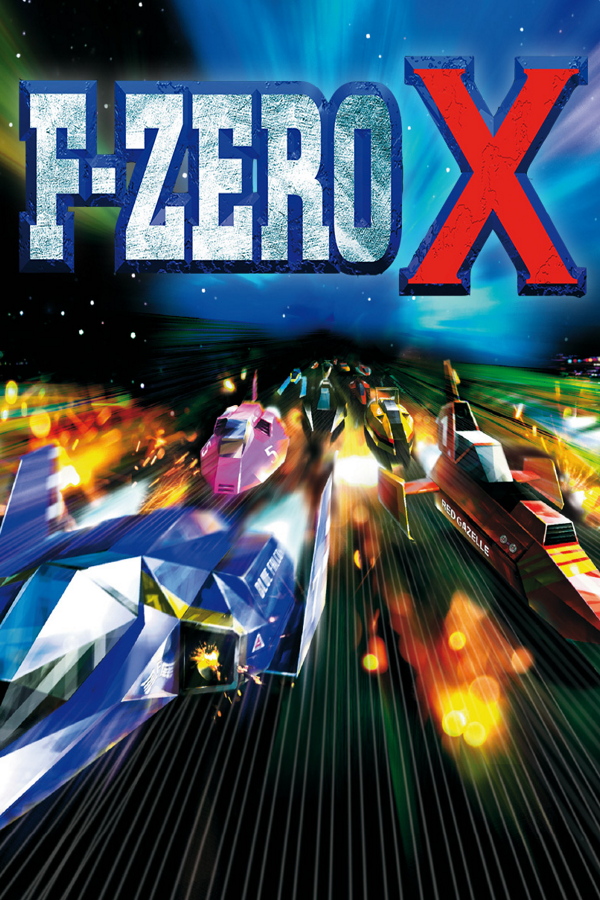
F-Zero X (3DS)
F-Zero X
Sobre el proyecto
F-Zero X es un videojuego de carreras futurista desarrollado y distribuido por Nintendo en 1998 para la videoconsola Nintendo 64. Es la continuación de F-Zero de Super Nintendo, y el segundo videojuego de la serie del mismo nombre.
2 versiones de F-Zero X
Estás viendo: F-Zero X (3DS)
Información oficial del proyecto
G-Diffuser 3DS — F-Zero X on Nintendo 3DS
A native port of the F-Zero X decompilation to Old and New Nintendo 3DS, built on the G-Diffuser PC port. Full stereoscopic 3D, full audio, and an optional on-console Expansion Kit (64DD content, streamed from the SD card).
This is a fan-made, educational software-preservation project. See Legal before downloading or building anything.
Download
Pick the file that matches your console from the
latest release (checksums in
SHA256SUMS):
| Build | Console | Content | Files |
|---|---|---|---|
O3DS | Old 3DS / 2DS | F-Zero X | G-Diffuser-3DS-O3DS.3dsx / .cia |
N3DS | New 3DS / New 2DS XL | F-Zero X | G-Diffuser-3DS-N3DS.3dsx / .cia |
N3DS-EK | New 3DS | F-Zero X + Expansion Kit | G-Diffuser-3DS-N3DS-EK.3dsx / .cia |
O3DS-EK | Old 3DS / 2DS | F-Zero X + Expansion Kit (experimental) | G-Diffuser-3DS-O3DS-EK.3dsx / .cia |
Easiest: grab the zip for your build, e.g. G-Diffuser-3DS-O3DS-v1.2.0.zip. It is laid out like
an SD card (3ds/…3dsx, the .cia at the top, a short README.txt), so you unzip it onto the SD
card's root.
Use the build for your console — an N3DS build does not fit an Old 3DS's memory budget. The
-EK builds additionally need your own 64DD disk dump — see Expansion Kit
below for what happens without one. .3dsx runs from the Homebrew Launcher, .cia installs to
the HOME menu (needs Luma3DS and sigpatches) — both come from the same build and share saves,
settings and logs.
Quick install
- Download the zip (or the
.3dsx/.cia) for your console (table above). - Clone this repository with git to get
tools/prebake/prebake.py— it's not in the release download. Do not use GitHub's "Download ZIP" button: that leaves thedecompsubmodule empty and the next step will fail.
(Onlygit clone https://github.com/cruxxxxxx/gdx-3ds.git cd gdx-3ds git submodule update --init decompdecompis needed for this step. To build from source later, add the rest by name:git submodule update --init decomp torch, plusfzerox-expansion-kitfor an EK build.) - On your PC, dump your own F-Zero X (USA, rev 0) cartridge, download
gdx-extractfor your OS (Windows / macOS / Linux) from the same release, and run:
This producespython3 tools/prebake/prebake.py --rom /path/to/your-dumped-rom.z64 --extractor /path/to/gdx-extractfzerox.o2randgdiffuser.o2r. The console never sees your ROM — this step runs entirely on your computer. - Copy both
.o2rfiles tosdmc:/3ds/gdiffuser/, and unzip the release zip onto the SD root so the.3dsxlands insdmc:/3ds/(or install the.ciawith FBI).-EKbuilds: also copy your 64DD disk image — see Expansion Kit below. - Dump your console's DSP firmware once, if you haven't already: install the DSP1
homebrew app and press B to write
sdmc:/3ds/dspfirm.cdc. Without this the game runs but is completely silent — seedocs/3DS-HARDWARE.md. - Launch from the Homebrew Launcher or the HOME menu.
- That's it — the native renderer and stereoscopic 3D are on by default on both consoles; you
don't need to write any
gdiffuser.inilines for performance. The file is optional, for hand-tuning or reverting to the bare defaults. See Performance.
Full steps, the complete SD card layout, the DSP firmware dump audio needs, and troubleshooting:
docs/3DS-HARDWARE.md.
On hardware
v1.0 — New 3DS, with the DASH dashboard on the bottom screen: its idle view on the menus, and the race dashboard (energy, position, lap times, course map) during a race.
<table> <tr> <td><a href="docs/media/v1-menu.jpg"><img src="docs/media/v1-menu.jpg" alt="v1.0 on a New 3DS: the Expansion Kit's Select Mode screen with COURSE EDIT and CREATE MACHINE on top, the G-DIFFUSER idle view on the bottom screen"></a></td> <td><a href="docs/media/v1-race.jpg"><img src="docs/media/v1-race.jpg" alt="v1.0 on a New 3DS: a Grand Prix race on the top screen, the DASH race dashboard with energy, position, lap times and course map on the bottom screen"></a></td> </tr> </table>v0.9 (2026-09) — the first New 3DS release, before DASH: the bottom screen is the debug console.
<p align="center"> <img src="docs/media/gameplay-race.gif" width="420" alt="v0.9: F-Zero X Grand Prix running on a New Nintendo 3DS, the debug console on the bottom screen"> <img src="docs/media/gameplay-handheld.gif" width="420" alt="v0.9: handheld footage of a race on the New 3DS"> </p> <table> <tr> <td><a href="docs/media/title.jpg"><img src="docs/media/title.jpg" alt="v0.9: F-Zero X title screen on the New 3DS, the debug console on the bottom screen"></a></td> <td><a href="docs/media/menu.jpg"><img src="docs/media/menu.jpg" alt="v0.9: Select Mode screen on the New 3DS"></a></td> </tr> <tr> <td><a href="docs/media/character1.jpg"><img src="docs/media/character1.jpg" alt="v0.9: Select Machine screen on the New 3DS"></a></td> <td><a href="docs/media/character2.jpg"><img src="docs/media/character2.jpg" alt="v0.9: Blue Falcon machine stats on the New 3DS"></a></td> </tr> </table>Full-quality v0.9 clips: Grand Prix · handheld.
Multiplayer
2–4 players per room, each on their own 3DS: nearby over local wireless or the same Wi-Fi, or
online with a room code. Races run in lockstep, so only controller inputs and state checks cross
the network. Online rooms meet through a small rendezvous server; consoles connect directly where
they can, and otherwise the server relays those same race packets. No game data passes through
it. Player guide: docs/MULTIPLAYER.md.
Captured in the emulator (Azahar), not on hardware: four instances racing online through a local server.
Author's notes
Hello reader. This is the only section of this project written by a real human. Isn't that kind of neat? Well, I guess it depends on how you feel about all of these changes in our lives. In this section, I'll quickly detail my thoughts on this 100% AI generated port, its reflection on the direction of software development, and my own experience in using Claude Code to create it.
Awhile back I saw Chris Lewis make a post about using Claude to assist in the Snowboard Kids 2 decompilation. It got me thinking: what a perfect use-case for a coding agent. It's a long running, tedious, endeavor of classification and definition.
I realized that one day I'd like to port F-Zero X to 3DS using a coding agent when it was decompiled/ported. So when G-Diffuser port was released based on the Inspectredc Decompilation, I gave it a shot. I pulled a bunch of adjacent repositories & documentation together, fed it to Claude using deep research, read the master plan and gave it the OK to spin up a bunch of subagents. For 3 weeks, I babysat and assumed a role somewhere between a Product Owner and a QA tester.
- Claude suggests an implementation strategy to either fix a bug or improve performance.
- I approve the suggestion, push back, or do research/implore research if we seem to hit a dead end.
- Claude works and validates in Azahar emulator.
- Claude provides a build and I test on 3DS.
- I report back and provide debug logs. Loop continues.
This continued until it was 'done'. It still totally blows my mind that after 24 days I can play F-Zero X in 3D at a near solid 60fps.
Since my first experience using ChatGPT in 2022, I was filled with total existential dread. I saw my livelihood threatened, as this skill I had dedicated my life to became immediately devalued. Since then, I've used LLM chatbots & coding tools extensively and I've oscillated between feelings of fascination, fear, humility, intrigue, reward, and emptiness.
This project revealed to me how much things have changed. The complexity of this project cannot be overstated: this is a marvel. This is nothing short of a miracle. And it was done by a machine, with no human intervention on the code. I never read a line. I never made a true technical decision.
I learned how to program 15 years ago with the dream of contributing projects like this, and since then I've come to a stark realization: while I COULD plausibly port F-Zero X to the 3DS by hand, the time in my life IS finite, and when weighed against other life pursuits such as making an original game, it would not serve me well. I'm sure the journey would make me a better programmer. I'm sure I would learn so much about graphics rendering, address-space heuristics, the 3DS architecture, edge device profiling, etc. And I wholeheartedly thank & admire everyone whose work this is built off of, many of you are nameless but overwhelmingly appreciated.
The (terrifying) fact is: this would've taken me a few thousand hours of my life. For professionals, this might've cost nearly 80x to make (actually, even more, because Claude is currently subsidized).
So to any naysayers, feel free to not play. I understand. The ethics of LLMs are muddy and their incoming impact on society is understated. This project, in my opinion, serves as proof of the latter. However, to anyone who has ever dreamed of F-Zero X 3DS, enjoy.
Update, 2026-10-27:
Hello again, reader. Since I published this about 2 months ago, it has taken on a bit of a life of its own and been a catalyst for discussion around Agentic development. There's been plenty of drive-by dismissals, some appreciation, some curiosity, and, best of all, some folks who walked away a bit more enlightened by the nuance.
This project has continued to be fun, and I'm still shocked how the boundaries can be pushed. I now consider this project 'feature complete' aside from some bug fixes.
All of this is still keeping me up at night. This project was a great learning experience for me, and has furthered my ability to use Claude far better than I could before. My high level understanding is more concrete now, but when I'm pressed on edge cases in problems, I'm clueless, because I'm not engaging enough with implementation details. I have severe fatigue from the massive amounts of code churned out and my ability to comprehend it all just by reading carefully. It's a practice that is tiring but it's my new job, I suppose.
To anyone who has enjoyed the project, thank you. The support kept me going. I think it came along really well and I hope to race some of you online.
Thanks especially to my girlfriend, Stace, who had to hear the Mute City theme way too many times and sat beside me while I toiled away, surrounded on the bed by many gadgets.
And thanks to TuxSH, a veteran in the 3DS scene, and jonhohle, a contributing member to the decomp scene. They challenged the integrity of the project on Hacker News. I understand a project stands on their shoulders, and so I respect their advice and principles greatly, even if we disagree on this project. I am humbled that they even took a look, and I mean no disrespect.
Post-mortem
The full story of the port — research to a native 60 fps stereoscopic build, the road to 60 fps round by round, what fought back, and what it cost — is published as a small site:
https://cruxxxxxx.github.io/gdx-3ds/ (source under docs/postmortem/, also available there as
a PDF).
Features
Full details, what has and hasn't been run, and this release's measured numbers:
docs/RELEASE-NOTES.md. How the native renderer itself works, lever
by lever: docs/NATIVE-RENDERER.md.
- Old 3DS / 2DS support, alongside New 3DS / New 2DS XL. Which performance profile runs is
decided at startup by detecting the console model, so even the
O3DSbuild picks New-3DS settings when it's running on one - Automatic detail scaling in heavy races — rival detail steps down in crowded 30-machine packs by default, on both consoles
- A native renderer — this project's own F3DEX2→citro3d interpreter and dedicated drawing paths for the track, racer meshes, HUD and effects — see Performance for how to turn it on
- Expansion Kit on console — Course Edit, Create Machine, and the DD cups, from your own 64DD disk image (see Expansion Kit)
- Multiplayer, 2–4 players — pick VS on the main menu: race nearby over local wireless
or the same Wi-Fi, or online with a room code, each console showing its own racer full screen.
Works out of the box; see
docs/MULTIPLAYER.md - Bottom-screen menus — a Home screen with a SETTINGS button at the title and main menu, the MULTIPLAYER menus, and the DASH race dashboard with three HUD placement modes, cycled with the MODE chip or a SELECT tap. In 2–4 player VS on one console, the HUD is forced to the top screen.
- Stereoscopic 3D — real depth via the 3D slider, with adjustable strength and convergence.
On by default on both consoles, as part of the tuned performance preset below; set
[stereo] enabled = 0ingdiffuser.iniif you'd rather it stayed off. Details:docs/3DS-HARDWARE.md - Full audio through the 3DS DSP
- Touch-screen settings — Home's SETTINGS button (or SELECT on Home): display mode (full-bleed or authentic borders), rival detail, true widescreen (experimental), 3D tuning, circle pad deadzone/range/curve, optional D-pad steering, button remapping, volume
- Proper system integration — HOME menu, sleep mode, clean power-off
- Two install formats — Homebrew Launcher
.3dsxor an installable.cia
Settings are written back to gdiffuser.ini from the in-game menus as you change them.
Performance
The native renderer is on by default on both consoles — you don't need to write any ini lines
for performance. With no gdiffuser.ini, or none with a [perf] preset key, the game detects
the console it's running on at startup and picks the tuned configuration for it: New 3DS gets the
n60 preset, Old 3DS gets o3ds-auto (the same stack, sized for Old 3DS's smaller memory
budget). Both also get automatic rival-detail scaling in crowded races and stereoscopic 3D (see
Features). This is the configuration this release's measured numbers were taken on.
Any key you set by hand in gdiffuser.ini overrides the preset's value for that key. To go back
to the bare, untuned defaults instead — for comparison, or if something regresses for you — set:
[perf]
preset = off
See docs/RELEASE-NOTES.md for the measured figures, and
docs/NATIVE-RENDERER.md for what each lever does.
Expansion Kit
The N3DS-EK and O3DS-EK builds add the 64DD Expansion Kit — Course Edit, Create Machine, and
the DD cups — on top of the normal game. O3DS-EK is experimental: it runs, but on Old 3DS
the 64DD courses are jittery, the disk music breaks up, and the editors are laggy — see
Known issues. Use N3DS-EK if you have a New 3DS. Either needs:
- Your own 64DD disk dump, the retail Japanese one. Place it at
sdmc:/3ds/gdiffuser/media/baserom.jp.ek.ndd— the only retail release of the disk, and the only one supported in v1.2.0. It should be about 64.9 MB; anything under 60 MB is rejected as truncated. If you dumped your disk in MAME's DD format rather than as a raw.nddimage, convert your dump first withtools/dev/mame2ndd.py. A fan English translation of this disk exists (Zoinkity's translation, adapted to disk form by LuigiBlood) but isn't supported yet — see Known issues. - Nothing else. Japanese button and text input is accepted by default on 3DS builds, so the retail Japanese disk works without extra setup. Menus inside the Expansion Kit modes are Japanese.
The image is streamed from the SD card — there's no large RAM copy. First boot runs a roughly one-minute whole-image integrity check and caches the result, so later boots skip it.
Without a disk image, an EK build still boots and plays the normal game; the EK-only menu entries just don't open.
An EK build installs as its own HOME-menu title ("G-Diffuser EK", separate from "G-Diffuser") with its own save file and log, and can be installed alongside a non-EK build — both share one SD folder for settings, archives and media.
Building from source
(For the file and architecture layout first, see docs/ARCHITECTURE.md.)
The build wizard sets up the CMake flags for you — pass a target and it configures, builds, and
collects the result. Targets are lowercase; the four released builds above are the same names,
uppercase (o3ds-ek is the experimental one — see Known issues).
export DEVKITPRO=/opt/devkitpro
tools/build-3ds.sh <o3ds|n3ds|o3ds-ek|n3ds-ek|all>
all builds all four. Output lands in dist/3ds/ named the same as the
release downloads, with a SHA256SUMS file. Useful flags: --list (show the targets), --jobs N,
--out DIR, --no-cia (skip the .cia, build only the .3dsx).
The targets map to these CMake options (plus -DGDX_PLATFORM_3DS=ON, Release, the devkitPro
toolchain), if you'd rather configure by hand:
| Target | CMake flags |
|---|---|
o3ds | -DGDX_3DS_O3DS=ON |
n3ds | (none — the default) |
o3ds-ek | -DGDX_3DS_O3DS=ON -DGDX_3DS_EXPANSION_KIT=ON (experimental — runs poorly on Old 3DS hardware) |
n3ds-ek | -DGDX_3DS_EXPANSION_KIT=ON |
Requires devkitPro (devkitARM + libctru + citro3d), CMake, and the decomp / torch
submodules (git submodule update --init decomp torch); the libultraship submodule is not
needed for the 3DS build. The o3ds-ek / n3ds-ek targets also need the
fzerox-expansion-kit submodule (git submodule update --init fzerox-expansion-kit) and
Python's PyYAML package.
This list isn't exhaustive — step-by-step instructions, including building in a container and on
Windows: docs/BUILDING.md.
Asset conversion is unchanged and still runs on your PC from your own ROM dump — no ROM, disk image, or game assets are bundled with this build.
Requirements
| What | Why |
|---|---|
| A New or Old Nintendo 3DS / 2DS family console | See the download table for which build to get |
| Luma3DS custom firmware | Homebrew execution, and sigpatches for the .cia route |
| Your own F-Zero X (USA, rev 0) ROM | No ROM or game assets are included or downloadable — you must dump the cartridge you own. Converted on your PC; the ROM itself never goes on the console. |
Your own 64DD disk dump (-EK builds only) | The course editor, machine creator and DD cups live on the disk. No disk image is included or downloadable. |
dspfirm.cdc DSP firmware dump | Required for audio; dump it on your own console with the DSP1 homebrew app |
Controls
| 3DS | Action |
|---|---|
| Circle Pad | Steer (deadzone / range / curve tunable in SETTINGS) |
| D-pad | Steer, when D-pad steering is enabled in SETTINGS (off by default) |
| A | Accelerate |
| B / Y / ZL / ZR | Boost |
| L or X / R | Slide-drift left / right |
| C-stick (New 3DS only) | ↓ Brake; any other direction: Camera |
| START | Pause |
| SELECT | In a race: cycle DASH HUD placement (same as tapping the bottom screen's MODE chip). On Home (title / main menu): open SETTINGS |
| Touch screen | Home's SETTINGS button (display, 3D, controls, volume); the MULTIPLAYER menus |
| L+R+SELECT, held 1.5 s | The developer console (status, log viewer, diagnostics); again to close it |
All bindings are remappable in SETTINGS (the IN tab). The C-stick needs New 3DS's hardware — on Old 3DS / 2DS it reports nothing, so Brake and Camera do nothing by default there; rebind them to other buttons on the IN tab.
Known issues
- A rare, cosmetic speed spike (~826 KPH) can appear briefly at the finish line
- Brief audio gaps can occur during loads
- Old 3DS has a tighter memory ceiling than New 3DS — some heavy content is tight on headroom
- Hardware-tested, but not every mode has been run on every console model
- The Old 3DS Expansion Kit build (
O3DS-EK) is experimental: 64DD courses are jittery, the disk music breaks up, and the course editor and machine creator are laggy
See docs/RELEASE-NOTES.md for the full, honest list of what is and
isn't verified.
Reporting a bug
Open an issue at github.com/cruxxxxxx/gdx-3ds/issues
and include sdmc:/3ds/gdiffuser/log.txt (log-EK.txt for an EK build; if it's missing, add
[debug] / filelog = 1 to gdiffuser.ini and reproduce again — there's no in-game toggle for
this; see docs/DIAGNOSTICS.md) and crash*.txt if the game crashed, plus
which build you're on (O3DS, N3DS, N3DS-EK or O3DS-EK)
and your console model.
Legal
- Not affiliated with, endorsed by, or sponsored by Nintendo. Nintendo, F-Zero, Nintendo 3DS, and Nintendo 64 are trademarks of Nintendo Co., Ltd. All original game content is © Nintendo.
- No ROM, disk image, or game assets are included in this repository or its downloads, and none is available from this project in any form. The binaries contain code compiled from the community decompilation of F-Zero X (and of the Expansion Kit), including the N64 SDK library code that decompilation carries. To play, you must dump your own cartridge (and, for the Expansion Kit, your own 64DD disk); the asset conversion happens on your own computer.
- Educational purpose: this project exists for the study of software preservation, compiler/runtime engineering, and console homebrew development. It is non-commercial and must never be sold, bundled with game data, or distributed with pre-converted assets.
- If you enjoy F-Zero, support the rights holder — buy official releases.
Credits
- inspectredc's F-Zero X decompilation — the matching decomp this port is built on, and the work of every decomp contributor
- inspectredc's F-Zero X Expansion Kit decompilation —
the 64DD Expansion Kit decomp the
-EKbuilds' disk-asset layout is generated from - G-Diffuser — the PC port foundation (libultraship-based runtime)
- Torch (Lywx & HarbourMasters contributors) —
the asset extractor behind
gdx-extract - Zoinkity — the original F-Zero X Expansion Kit English translation; and
LuigiBlood — its adaptation to 64DD disk form, and the
64DD research and preservation work the
-EKbuilds rely on - libultraship (Kenix3 & contributors) — the N64 runtime/renderer framework
- devkitPro — toolchain; citro3d (fincs) — PICA200 GPU library; libctru (smea & contributors)
- Azahar — 3DS emulator used during development
- The sm64-port / Ship of Harkinian communities, whose public engineering informed many techniques in this port