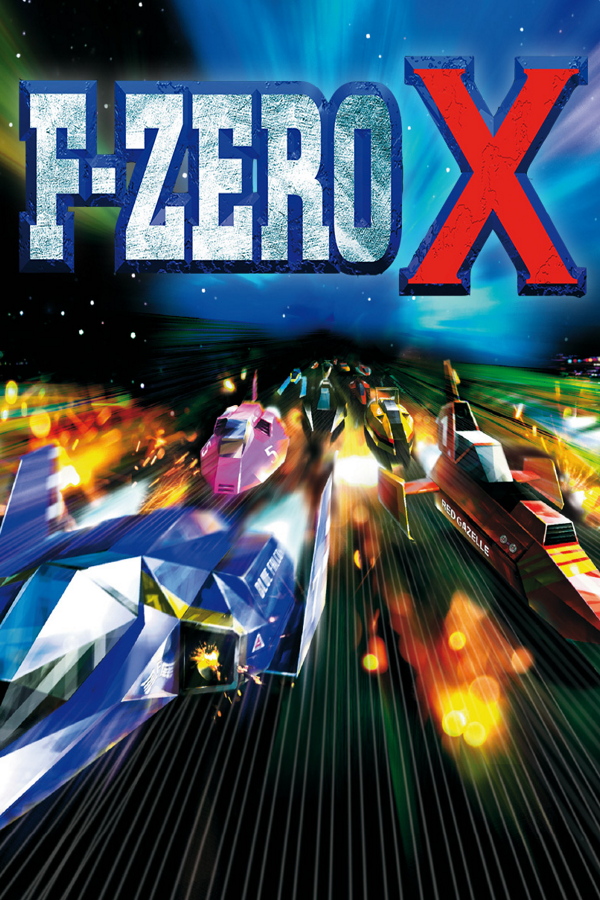
F-Zero X
OrigenNintendo 64
TecnologíaRecompilación Estática (C/C++ nativo)
Disponible paraWindows, Linux, macOS, Android
Ver proyecto oficialSobre el proyecto
F-Zero X es un videojuego de carreras futurista desarrollado y distribuido por Nintendo en 1998 para la videoconsola Nintendo 64. Es la continuación de F-Zero de Super Nintendo, y el segundo videojuego de la serie del mismo nombre.
2 versiones de F-Zero X
Estás viendo: F-Zero X
Información oficial del proyecto
A native PC port of F-Zero X (N64), including 64DD Expansion Kit support.






G-Diffuser runs F-Zero X natively on your PC — no emulator at runtime. It is a fully decompiled source port built on top of the inspectredc/fzerox matching decompilation and the Kenix3/libultraship runtime (the same engine behind Ship of Harkinian and Starship, along with other PC ports like Battleship). On top of the original game it adds true widescreen rendering, an in-game enhancement menu, quality-of-life features, post-process shaders, mod packs, shareable tracks and machines, ROM hack support, and full support for the 64DD Expansion Kit, with a much expanded Course Edit and the DD cups included.
The repository ships no Nintendo ROM, disk, IPL, or extracted game assets. You bring your own legally obtained dumps; game data is extracted or loaded locally from the files you supply.
Features
Options live in the enhancement menu, which opens with F1. Editing tools are in Course Edit itself.
Graphics
- True widescreen: the game renders in 16:9 (
gEnhancements.Graphics.Widescreen), with an optional widescreen-anchored HUD so on-screen elements sit at the screen edges instead of being stretched from 4:3 (gEnhancements.Graphics.WidescreenUI). - Ultrawide support (21:9 and wider): an opt-in mode widens the game's own culling so track
pieces, machines, fireworks and background stars stop popping at the edges of ultrawide
windows; the HUD anchors to the true corners (
gEnhancements.Graphics.UltrawideMode). - Black border removal: the original game framed every screen inside the CRT overscan-safe
area, which shows as a black border on modern displays. An opt-in toggle opens the picture to
the true edges on every screen (
gEnhancements.Graphics.RemoveBorders), with a companion toggle to hide the race-intro wipe curtain (gEnhancements.Graphics.HideRaceCurtain). - High-refresh frame interpolation: the simulation runs at its true 60 Hz while rendering interpolates smoothly up to your monitor's refresh rate (144 Hz and beyond), covering the camera, racers, effects and UI. WARNING: NOT PERFECT: While I did my best efforts to implement this in full capacity, it might get some slowdowns rarely, especially after screen transitions. I will do my best to keep optimizing this feature in future releases.
- Post-process shaders: RetroArch
.slangppresets such as CRT Royale and crt-geom, with live parameter sliders and your own saved presets. Put presets in ashaders/folder next to the game. See the shader guide. - Track depth test: on by default, so a track inside a tube no longer flickers.
- Machine detail and lighting: adjustable detail for machines and boosters, forced machine shadows, and a preliminary Fancy lighting option. Thanks to NewGBAXL.
- Modern rendering knobs: internal resolution scale, MSAA, texture filtering, VSync, z-fighting mitigation, draw distance, and frame pacing.
Racing
- Continue Cup: leave a Grand Prix between races and pick it up later from the main menu.
- Single Race rules in Practice: 1 to 99 laps or unlimited, a chosen number of CPU racers, and an optional random rival. These races never write records, ghosts or points. Lap digits by Heebeejeebees.
- Race setup: a custom starting grid and an AI aggression slider.
- X Cup seed codes: share a generated course as a code, queue several codes to play them in order, and copy the codes of the cup you just played.
- X Cup real courses: an option that makes each X Cup course a random stock or Expansion Kit course, six different ones per cup. CPU racers use that course's tuning. Seed codes are off while it's on.
- Save an X Cup track: after a race, save the generated course you just played as a Course Edit track.
- Skippable ending and credits: hold START for about a second.
- Ghost library: import/export ghost replays as
.gdgfiles, a per-course host-side ghost library, and a Ghost Browser window, all alongside the game's own SRAM ghost slot. - Photo mode: hide the HUD while paused in a race for clean captures
(
gEnhancements.Practice.PhotoMode). - Practice lap deltas: your last lap versus your session best, drawn in Practice mode
(
gEnhancements.Practice.ShowLapDeltas). - Achievements and playtime: local achievements and playtime tracking, stored in
saves/.
Machines and colors
- Machine stat editor: override body, boost, grip and weight per machine.
- Machine palette editor: recolor machines and keep the result.
- Random opponent colors: shuffle rival machine colors each race.
- Effect colors: pick the colors of boost trails, side-attack glow and ghost boost trails.
Course Edit and the 64DD
- 64DD Expansion Kit: loads the translated EK disk image and the 64DD IPL ROM to unlock the Course Edit track editor and the DD cups.
- Durable 64DD save sidecar: Course Edit saves and disk writes are journaled to a sidecar
file next to the game; your original
.ndddisk image is never modified. - Undo and redo: with an optional History panel of the last 32 changes. Click a row to jump back to it.
- Up to 127 control points: the combined main and alternate paths share this limit. Geometry and gadget budgets are separate; an over-budget course refuses generation or test drive.
- Forks: the Split, Insert and Link tools build a second path. Path B can span several segments. Point and track settings shows the active path and has A/B selectors. Inactive nodes stay visible without Split; Ctrl+click one in Course mode to select it. Junction rendering clips near-coincident Path B faces against Path A using a bounded retained mesh. Driving and visual acceptance remain unverified; see the limits in the guide below.
- Fork minimaps: optionally include alternate roads in the race minimap and Content Library preview. The preference defaults off.
- Part and track settings: edit pit/lava, dirt, and ice coverage, per-magnet strength and
range, and track-wide lava/magnet settings. These settings and forks travel in
.gdxpexports. See Course Edit settings and limits before sharing tracks with older builds. Both paths support segment parts; their outgoing fork-start parts and settings can differ. Shared gate, building, and sign placement stays shared. - Lava strips: left, right, middle or both sides. They drain energy and kill at zero, and CPU racers steer away from them. "Lava strips never kill" turns off the kill.
- Magnet traps: thin pulsing rails on the left, right or middle of the road. Side magnets pull machines toward the track edge and middle magnets pull them onto the center line, with their own warning sound and adjustable pull strength and range. CPU racers steer away from them. They can't be placed on pipes, half-pipes or cylinders.
- CPU hazard coverage: an optional CPU track-hazard avoidance setting uses saved strip widths and magnet ranges when choosing a lateral target. It defaults off and does not route CPUs onto alternate paths. A full-width hazard can leave no safe target.
- Mouse editing: drag point position, height, width, bank and offset, with multi-select and box select. Create Machine has a mouse cursor too.
- Blender-style camera: orbit and pan with a button you choose, and zoom with the wheel. Sensitivity and inversion are adjustable.
- Shaping tools: bank snap at 45, 90 or 180 degrees, typed Width, Center, and Bank values, and lining up a run of three or more points. Enable Course Edit mouse input, select the tool and points, press Enter, type a value, then press Enter to apply or Escape to cancel. Bank rounds to the nearest 3 degrees.
- Keys and help: number-key shortcuts, rebindable tool keys, a hint strip for the current tool, and a Controls Help page showing your live bindings.
- Test drive: choose the machine and engine, and drive in widescreen.
- Per-track options: names up to 20 characters, custom music from
music/, and an ending scene option. An experimental toggle raises the height ceiling from 5,000 to 30,000, but those tracks won't load on real hardware or in other Expansion Kit tools.
Controls
- Input: keyboard and SDL controller support (including DualSense) with rumble, plus a draggable on-screen N64 input viewer overlay.
- Players 2 to 4: assign controllers to ports, or let them assign themselves as they connect.
- Controller profiles: keep separate setups and switch between them.
- Input actions: remap what each button does separately in races, in Course Edit and in menus.
- Steering curve: set how stick travel maps to steering for each controller port. 1.00 is stock, higher is gentler near center, lower is sharper, and full lock doesn't change.
- Mouse steering: steer races with the mouse, with adjustable sensitivity.
Audio
- Separate volume sliders: master, music and sound effects.
- Streamed music replacement: play your own
.ogg,.flacor.wavfor any BGM frommusic/beside the executable. See the custom music guide.
Sharing and mods
- Content Library: a card-based view of your tracks and machines, with click-to-assign Edit Cup slots and a track preview that shows the start and direction. Thanks to airon-main.
- Recoverable track deletion: remove an installed track and its cup references from the Content Library, with exact-name confirmation and a retained per-track Restore record. Interrupted confirmed operations finish on restart. See deletion and recovery.
- Shareable files: a track or a whole Edit Cup exports as a
.gdxppackage that carries its custom music, and a machine as a.gdxcfile. See the sharing guide. - Import from a disk image (experimental): read tracks and machines straight out of a 64DD disk dump from an emulator or a console.
- ROM hacks (experimental): play a hack packaged as an
.o2rarchive frommods/~romhacks/, or build one from a patched US rev0 ROM. Each hack has its own save and its own Continue Cup, and brings its courses, music, skylines, buildings and text. Only assets and courses come across: anything a hack changed in code doesn't run. - Texture-pack modding: drop
.o2rpacks in amods/folder to override textures (gEnhancements.Workshop.TexturePacks), with hot reload from the menu. - More mod packs: machine models, music sequences, samples, soundfonts and Lua scripts, with a load order that decides which pack wins a conflict.
- Course elements: mod packs can add named venues, skyboxes, music, part styles and track effects to Course Edit. See the course elements guide.
- Asset dumping: decode named assets straight from the extracted archive, per class, from the Workshop tab. See the modding guide to turn a dump into a pack.
Platforms and tools
- macOS and Android: macOS on Metal thanks to FeedMana, and Android on OpenGL ES thanks to izzy2lost and airon-main. See Platforms.
- In-game updater: on Windows, Linux and macOS, with rolling nightly builds published with checksums.
- In-game enhancement menu: a full ImGui menu opened with F1 (also Escape or Gamepad Back), with Settings, Enhancements, Workshop, Online and Dev Tools sections, navigable with keyboard or controller.
- Discord Rich Presence: off by default; when enabled it shows your mode, course, lap and
position on your Discord profile, with per-field privacy toggles so you choose exactly what is
visible (
gEnhancements.Online.DiscordPresence). - Developer tools: live Stats, an optional top-right FPS/frame-time overlay, a command Console, and the Fast3D graphics debugger under Dev Tools.
Planned features
All of the vanilla content, cartridge and Expansion Kit, is playable from start to finish today. The next thing planned for G-Diffuser is Japanese version support: the original JP ROM and disk as a selectable profile. Feature requests live in the forum on the Discord server.
Quick Start
You must provide your own legally-obtained F-Zero X ROM. G-Diffuser does not, and will never, distribute copyrighted game files.
- Get the game files you own. G-Diffuser needs an F-Zero X US rev0 ROM dump. It must be
big-endian (
.z64) byte order — the loader does not byte-swap, so a.n64or.v64dump must be converted to.z64first or it will be rejected. Setup auto-detects a ROM namedbaserom.us.rev0.z64beside the executable; any other filename works too, as long as you point the first-boot wizard at it with Browse — it is copied in under the canonical name. - Download a G-Diffuser release for your platform, or build it yourself (see Building).
- Launch the executable. On first boot the setup screen detects files already beside the executable and lets you review, replace, or choose the ROM, Expansion Kit disk image, and 64DD IPL ROM. Extraction begins only after you select Build game data and continue. Everything remains beside the executable so later launches boot directly into the game.
- Play. Press F1 at any time to open the enhancement menu.
Startup creates supported drop folders on first and subsequent launches without replacing your
files: mods/~romhacks/ in the resolved game-data directory, plus music/ and
exports/machines/ beside the executable. Use music/ for both game replacements and selectable
Course Edit songs. Old music locations remain readable fallbacks; startup does not create them. Folder-creation failures are logged;
other folders are still attempted. Cached native machine export is in F1 > Workshop > Tools.
Updating. From 1.2 on, Windows, Linux and macOS builds can update themselves from the
enhancement menu. Android installs new versions from the APK. Coming from 1.1.0 or older, update
by hand: saves are stored in saves/ beside the executable, and every release unpacks to a
folder named G-Diffuser. To update, extract the new release into the same place as your current
install, replacing its files: your saves/, ROM and game data stay where they are. On Windows,
Extract All proposes a new folder named after the zip, so change the destination to the folder
that contains your existing G-Diffuser folder.
Expansion Kit files (required)
G-Diffuser is a port of the full Expansion Kit experience — Course Edit, the DD cups, and the disk save system are core features, not add-ons — so these two files are required alongside the ROM:
| File | What it is |
|---|---|
baserom.translated.ek.ndd | The fan-translated Expansion Kit disk image (English translation by Zoinkity, adapted to the 64DD disk image by LuigiBlood). The loader also accepts baserom.jp.ek.ndd for the original Japanese disk. A retail 64DD image is ~64.9 MB. |
N64DDIPLROM.n64 | A 64DD IPL / drive ROM dump (~4 MB). Supplies the drive's built-in font. The US prototype dump is also accepted under its own name, 64DD_IPL_US_MJR.n64 — no renaming needed. |
Place them next to your ROM (or feed them to the first-boot wizard). Setup will not complete without them.
Controls
Open or close the enhancement menu with F1, Escape, or Gamepad Back. Toggle fullscreen with F11. Menu navigation from a controller is opt-in via the menu's controller-navigation toggle.
Platforms
| Platform | Renderer |
|---|---|
| Windows | Direct3D 11 |
| Linux | OpenGL (SDL2) |
| macOS (Apple Silicon) | Metal |
| Android | OpenGL ES 3.0 |
All targets are driven by libultraship's Fast3D renderer.
Android requirements: Android 7.0 or newer, arm64, and OpenGL ES 3.0 — which covers essentially every device sold since 2019. Your three dumps are imported through the system file picker on first run and the archives are built on the device; nothing is bundled with the APK. The on-screen pad appears as an ordinary SDL controller, so it can be remapped in-game like a physical one, and a Bluetooth or USB controller works with no setup. See docs/ANDROID.md for the full picture, including what had to differ under the hood.
Linux requirements: glibc 2.35 or newer — Ubuntu 22.04+, Debian 12+, Fedora 36+, SteamOS 3,
or any rolling distribution. No CPU features beyond the x86-64 baseline are needed, so anything
64-bit will do. Libraries that distributions do not reliably ship travel in lib/ beside the
executable, so nothing has to be installed first.
macOS: Apple Silicon only, tested on an M1; Intel Macs are untested. The nightly release
carries a macos-arm64 tarball for macOS 11 or newer, with SDL2 in lib/ beside the executable
so nothing has to be installed first. The build is not signed with an Apple Developer ID, so
macOS blocks the first launch. Allow it once under System Settings > Privacy & Security, or
clear the download flag from Terminal:
xattr -dr com.apple.quarantine G-Diffuser
You can also build from source (see Building).
Custom Assets
The release includes gdiffuser.o2r, which contains only the MIT-licensed Fast3D shaders needed
to initialize the renderer. On first boot, gdx-extract uses your ROM and the CC0-licensed
decomp-recipes/ metadata to generate your local fzerox.o2r. That generated archive contains
game-derived data and must not be redistributed with G-Diffuser.
To mod the game, place .o2r packs in a mods/ folder next to the game, enable their kind on
Workshop > Mods, and click Reload packs. Packs can replace textures, music, sound effects,
instruments, and machine models, or add Lua scripts. The modding guide
has a step-by-step guide for each, plus a walkthrough for code mods.
Building
G-Diffuser is a CMake project. It pulls in four components: libultraship/
(Kenix3/libultraship — runtime + Fast3D renderer), torch/ (HarbourMasters/Torch — build-time
asset extraction), decomp/ (inspectredc/fzerox — the F-Zero X C source), and
fzerox-expansion-kit/ (the Expansion Kit decompilation reference). Clone with
submodules:
git clone --recursive https://github.com/Zorkats/G-Diffuser.git
Windows
| Prerequisite | Notes |
|---|---|
| Visual Studio 2022 | MSVC toolset, "Desktop development with C++" workload |
| CMake 3.24+ | The top level asks for 3.20, but libultraship/ requires 3.24 |
| Python 3 | Required, not optional — CMake configure fails without an interpreter (build-time asset generators). The generators also need PyYAML and Pillow |
Build from a clean shell without MSYS2/MinGW on your
PATH, or MSVC may pick up MinGW headers. Use a Developer Command Prompt (vcvars64).
# Configure. Visual Studio is CMake's default generator on Windows; USE_AUTO_VCPKG lets
# libultraship bootstrap its own vcpkg into the build tree, so no manual vcpkg install is needed.
cmake -S . -B build/x64 -DUSE_AUTO_VCPKG=ON

# Build. --config Release is REQUIRED here: the Visual Studio generator is multi-config, so it
# ignores -DCMAKE_BUILD_TYPE and picks the configuration at build time.
cmake --build build/x64 --config Release --target G-Diffuser
The executable lands in build/x64/port/Release/. Other targets: ALL_BUILD builds everything
including the console test executables; G-Diffuser-JP exists only when you configure with
-DGDX_BUILD_JP=ON.
Ninja is single-config, so -DCMAKE_BUILD_TYPE selects the configuration and --config does
nothing. libultraship's auto-vcpkg derives its triplet from the Visual Studio generator, so on the
Ninja path supply your own vcpkg instead:
vcpkg install zlib bzip2 sdl2 glew libzip nlohmann-json tinyxml2 spdlog --triplet x64-windows

cmake -S . -B build/x64-ninja -G Ninja \
  -DCMAKE_BUILD_TYPE=Release \
  -DCMAKE_TOOLCHAIN_FILE=<vcpkg>/scripts/buildsystems/vcpkg.cmake \
  -DVCPKG_TARGET_TRIPLET=x64-windows
cmake --build build/x64-ninja --target G-Diffuser
Linux
Install the toolchain and libultraship's dependencies from your distribution (CMake 3.24+, Ninja, a C++20 compiler, Python 3, SDL2, GLEW, zlib, bzip2, libzip, nlohmann-json, tinyxml2, spdlog), then:
cmake -S . -B build/x64-linux -G Ninja -DCMAKE_BUILD_TYPE=Release
cmake --build build/x64-linux --target G-Diffuser
macOS
Install Xcode's Command Line Tools (compiler and Metal SDK), then the toolchain and dependencies
with Homebrew (native Apple Silicon Homebrew in /opt/homebrew), then build
with Ninja:
xcode-select --install
brew install cmake ninja sdl2 glew libzip nlohmann-json spdlog fmt tinyxml2
cmake -S . -B build/macos -G Ninja -DCMAKE_BUILD_TYPE=Release
cmake --build build/macos --target G-Diffuser -j$(sysctl -n hw.ncpu)
The game renders through Metal. The executable lands in build/macos/port/.
Android
android/gradlew -p android assembleDebug
Needs a JDK between 17 and 25 (Android Studio's own is fine), the Android SDK 36 and NDK
30.0.15729638, CMake 3.30.3 from the SDK manager, and the same Python 3 with PyYAML and Pillow
the other platforms need. The APK lands in
android/app/build/outputs/apk/debug/. Full details, including release signing, are in
docs/ANDROID.md.
Expansion Kit build
Expansion Kit support is on by default (GDX_EXPANSION_KIT=ON) and is the supported
configuration — it is what makes the disk loader, Course Edit, and the DD cups part of the build,
and it is why the Expansion Kit files are required at runtime.
Configuring -DGDX_EXPANSION_KIT=OFF produces a cartridge-only binary with the disk subsystem,
Course Edit, and the DD cups excluded. That build does not need the disk image or IPL, but it is not
what releases ship and it is not the experience this port is for.
FAQ
Do I need an emulator? No. G-Diffuser is native code; there is no emulator at runtime.
Where do I get the ROM / disk / IPL? You must dump them yourself from hardware you own. This project does not condone piracy and will not point you to copyrighted files.
Which ROM region? F-Zero X US rev0. Use a .z64 (big-endian) dump. The loader does not
byte-swap — .n64 / .v64 images must be converted to big-endian .z64 first, or they'll be
rejected at load time.
Will my disk file get corrupted? No. Disk writes go to a separate save sidecar; your original
.ndd image is never modified.
Is the docs/ folder part of the release? Yes. docs/ holds the maintained user-facing
documentation that ships with releases — the architecture overview, the diagnostics reference,
the modding guide, and the status ledger. Internal design notes and investigation material live
outside the repository.
Troubleshooting
The game runs too fast. On a high-refresh display (e.g. a 120/144 Hz laptop or handheld) where vsync isn't capping the frame rate, the game can run faster than 60 FPS. Open the enhancement menu (F1), go to the graphics settings, and enable the Frame Pacer — it holds the game to its intended 60 FPS. The setting persists across launches.
Diagnostic logging. Log output is opt-in; without it, no run log is created. Two ways to turn it on:
| How | What it does |
|---|---|
| Environment variables | GDX_LOG=1 writes gdiffuser-run.log next to the executable. GDX_TRACE=1 adds the high-frequency per-frame trace lines (and opens the log file on its own). A variable exported at launch pins that setting for the whole run, including boot, and the menu shows it as locked. |
| In-game | F1 → Dev Tools → General → Developer gates → Logging: Write gdiffuser-run.log and High-frequency trace. These persist in gdiffuser.cfg.json, but they are read at startup — tick one and restart to capture boot. |
GDX_TRACEis off by default in release builds (it is on by default in Debug builds). That is usually why a log has none of the interesting per-frame lines in it. Set it explicitly.
Those two are what a bug report needs. The full set of 28 developer gates is reference material: it
lives on that same Dev Tools page, and in port/gdx_dev_gates.c in the source, each with its own
description.
Crash reports. On Windows a crash always writes gdiffuser-crash.txt next to the executable —
no environment variable required. Attach it if you have one.
Reporting a bug
Open an issue at github.com/Zorkats/G-Diffuser/issues.
Generate a log first:
# Windows (PowerShell)
$env:GDX_LOG="1"; $env:GDX_TRACE="1"; .\G-Diffuser.exe

# Linux / macOS
GDX_LOG=1 GDX_TRACE=1 ./G-Diffuser
Then reproduce the problem, quit, and include:
- Platform and renderer — Windows/D3D11, Linux/OpenGL or macOS/Metal
- Which build — release version, or the commit you built
- ROM region and dump — F-Zero X US rev0, plus whether the Expansion Kit disk is the translated or the Japanese image
- Repro steps — what you did, what you expected, what happened
-
gdiffuser-run.log— from the run above, found next to the executable -
gdiffuser-crash.txt— if the game crashed
Please do not attach ROMs, disk images, IPL dumps, or your generated fzerox.o2r.
Regarding LLM Usage.
To be fair, I was scared at first of saying I used LLM models to bring G-Diffuser into existence. I used LLM models to better understand how F-Zero X's quirks worked (it's probably one of the most complex N64 games) and yes, I used it to write code, but 70% of the code was written by me, and 30% was written by an LLM but that code was later reviewed and tested by me, with every single iteration being a testing process. I also audited and made every single design and choice regarding the software, the models weren't involved in any of the ideas and thought processes I had during development. This was also tested by me and my older brother, each doing their own playthroughs of the game with this port. I know some people (including people I have worked with before, and myself) will not be content with me using LLMs to accelerate a development process that would have taken more months, but the ones that know me, and know the work I have done for different communities is more worth it than me just using an LLM model to understand the game's source code and improve the workflow. I am a computer science student, modder for various games, and have made various hand made contributions to other projects, and this was a vacation project for me in order to distract myself from my own real world troubles. And this would not have been possible without the decompilation of inspectrdc, I am grateful to them and their team. I hope that the quality of the project makes people play it and have a good experience. But if you don't want to play a project that was done with the help of an LLM, that's 100% okay, but just walk away and don't throw hate at me. I have enough with my own daily woes. A project that will be done 100% by hand will appear once the decomp reaches 100%, but in the meanwhile you can have this. I do believe there's a difference between making "slop" and using LLMs to automate and help with certain tasks. And that is probably what is going to matter from now on, having critical thinking to know when the model has made mistakes and know how to fix them yourself (or redirect the model in doing it). And to be clear, I AM against LLM generated art or assets. But code is different. There's a lot of difference between writing 200+ lines of DirectX boilerplate or header files and make the model write them, for example, while I focus on other tasks, than making the LLM do EVERYTHING. People will not realize that this wasn't a "generate me an F-Zero X port" prompt, there was a PRD (Product Requirement Document) made by hand by me, with the whole structure, and analysis, and code done beforehand before I even started using LLMs to code.
Credits
G-Diffuser stands entirely on the shoulders of the people who did the hard foundational work.
- inspectredc and the fzerox decompilation contributors — without their matching decompilation of F-Zero X, none of this would exist. This port is built directly on their source, and I am deeply grateful to them and their team. F-Zero X is one of the most complex N64 games to reverse-engineer, and their work is the whole reason G-Diffuser can run at all.
- Zoinkity — for the original F-Zero X Expansion Kit English translation.
- LuigiBlood — for adapting and improving that translation into the 64DD disk image G-Diffuser loads, and for the extensive 64DD research and preservation work that makes the Course Edit / DD-cup support possible.
- Kenix3 and the libultraship project — the runtime and Fast3D renderer G-Diffuser is built on.
- The HarbourMasters community — Ship of Harkinian and Starship were both the inspiration for this project and the source of much shared technology and know-how.
- Kiziio — for the G-Diffuser logo and icon artwork.
- The wider N64 decompilation and modding community — for the tools, documentation, and years of accumulated knowledge that make projects like this achievable.
License and legal
Original G-Diffuser code and documentation are available under the MIT License.
Submodules, vendored components, tools, and fonts retain their own licenses; binary distributions
include their complete texts under LICENSES/. See Third-party notices
for the component and asset boundary.
This project is an unofficial compatibility project and is not affiliated with, endorsed by,
sponsored by, or associated with Nintendo. F-Zero and Nintendo are trademarks of Nintendo.
G-Diffuser distributions contain no Nintendo ROM, disk, IPL, texture, model, audio, or other game
payload. Users must supply legally obtained dumps. The locally generated fzerox.o2r and any
texture dumps remain game-derived and must not be distributed with the project.