Skate 3 (skate3-ios-setup)
Skate 3
About the project
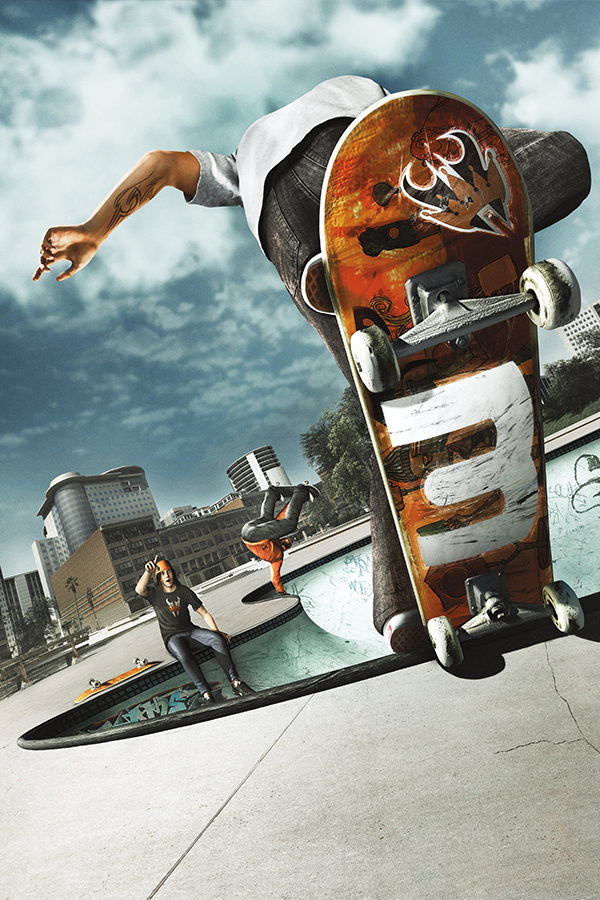
Skate 3 es la tercera entrega de la serie de videojuegos Skate, desarrollado por EA Black Box y distribuido por Electronic Arts. Publicado el 11 de mayo de 2010, es la secuela del juego del 2009, Skate 2.
7 versions of Skate 3
You're viewing: Skate 3 (skate3-ios-setup)
Skate 3 (skate3-ios-setup)github.com/andrewnakas/skate3-ios-setupSkate 3github.com/HelmXGaming/Skate-3-Recompiled--Work-in-Progress-Skate 3 (Skate 3 Rust Engine)github.com/SK8-ENGINE/skate-3-rust-engineSkate 3 androidgithub.com/andrewnakas/skate3-androidSkate 3 Mobilegithub.com/Buku313/Skate3-MobileSkate 3 Portgithub.com/darchap/Skate3-PortSkate 3 Recompiledgithub.com/mchughalex/skate3recompOfficial project information
skate3-ios-setup
Looking for the ipa? go here https://github.com/andrewnakas/skate3-ios-setup/releases
Build the Skate 3 recompilation for iOS from your own disc image, on your own Mac, signed with your own Apple ID, installed on your own iPhone.
Runs at a locked 60fps on an iPhone 13 mini (A15): median frame 16.7ms against a 16.67ms budget, 95th percentile 16.8-17.8ms. Anything newer has more headroom than that.
# 1. Get the source (about 1 GB, and slow - it carries the recompiler's data)
mkdir -p ~/skate3 && cd ~/skate3
git clone --branch android --recurse-submodules \
    https://github.com/andrewnakas/SK8-Engine.git skate3recomp-dev

# 2. Get this tool
git clone https://github.com/andrewnakas/skate3-ios-setup.git
cd skate3-ios-setup

# 3. Build and install, from your own disc image
./skate3-setup.sh --iso ~/Downloads/skate3.iso \
                  --title-update ~/Downloads/TU_12K2276_000000C000000.00000000000O3
Step 3 is the whole thing: it checks your tools, extracts your disc image, recompiles it, builds the app, signs it with your Apple ID, and installs it on your phone.
--recurse-submodules matters - the runtime lives in a submodule and the build
will not configure without it. If you already cloned without it, run
git submodule update --init --recursive inside skate3recomp-dev.
Two ways to install
Sideload the prebuilt app (no Mac needed). Add this source in AltStore or SideStore:
https://raw.githubusercontent.com/andrewnakas/skate3-ios-setup/master/source.json
Or download skate3.ipa from Releases and sideload it with
AltStore, SideStore or Sideloadly. The .ipa is unsigned - you sign it with
your own Apple ID, which is what those tools do.
On a free Apple ID the app stops opening after 7 days and needs refreshing; a paid developer account lasts a year. That is Apple's limit on sideloading, not this project's.
Then supply the game — see Supplying the game below. Without it the app will not start.
Or build it yourself from your own disc image — the rest of this README. Needs a Mac, gives you the recompiler and every knob.
To build an .ipa rather than install straight to a phone — to sideload it
later, or on a machine with no Apple account at all — add --ipa:
./skate3-setup.sh --iso ~/Downloads/skate3.iso \
                  --title-update ~/Downloads/TU_12K2276_000000C000000.00000000000O3 \
                  --ipa
That needs no signing identity, no team id and no connected device: the archive
is unsigned by design and whoever sideloads it re-signs it. It lands at
~/skate3/skate3.ipa unless you pass --ipa-out. Packaging refuses outright if
it finds game content in the bundle, so an .ipa you hand to someone else
cannot carry the disc or the title update with it.
Supplying the game
The app ships no game content. Two pieces have to come from you, and they are not the same kind of thing:
1. The game itself — you must supply this. Dump your own Skate 3 disc to an ISO and extract it. Nothing here will find, download, or provide one.
Launch the app once so its folder appears, then copy the extracted files into:
Files → On My iPhone → Skate 3 → game
That folder should end up containing default.xex and the data/ directory —
about 6 GB. If you built with the setup script instead, it extracted this for
you into ~/skate3/game; copy that folder's contents across.
2. Title Update 3 — download it on a computer, then copy it in. Skate 3 shipped patches, and the recompilation is built against TU3 specifically (title 454108E6, 3.0.0.0 → 3.0.3.0). The game will not run without it.
The in-app download does not work on iOS — an iOS app cannot spawn the downloader the other platforms shell out to. As of v2.4.0 the installer does not offer the button there at all, rather than offering one that always fails; it asks for the file instead. Fetch it on a computer, from the Xbox Unity archive of Xbox 360 title updates:
https://xboxunity.net/Resources/Lib/TitleUpdate.php?tuid=21774
You want the file named TU_12K2276_000000C000000.00000000000O3
(about 1.7 MB). Copy it into the app's Documents folder next to game, the
same way you staged the disc:
Files → On My iPhone → Skate 3
Then open the app's title-update installer and point it at the file. It checks the package against a known SHA-256 before using it, so a truncated or wrong download is caught rather than producing a mysterious crash later.
Neither the disc nor the title update ships in this repository or in the
.ipa.
What this ships, and what it does not
This repository contains no game code and no game content. It is a build script. Everything derived from the game is produced on your machine, from the disc image you supply, and never leaves it.
You need a legally obtained copy of Skate 3 and the ability to dump it. Nothing here will find, download, or provide one.
Requirements
| macOS | The iOS toolchain and code signing only exist here. |
| Xcode | Full Xcode, not just Command Line Tools — the iOS SDK ships only with Xcode. ~15GB. |
| Homebrew packages | brew install cmake ninja |
| Apple ID | Free works — verified, not assumed. See the note below. |
| Disk | ~12GB free: ~6GB extracted game data, ~300MB generated sources, ~2GB build. |
| RAM | 8GB is enough. The script picks a job count from your RAM; the generated translation units are large and over-parallelising will thrash a small machine. |
| Your Skate 3 disc image | Plus its title update package. |
| A controller | Optional — on-screen touch controls appear when none is attached. |
| Time | 30–90 minutes on the first run, depending on the machine. Later runs are incremental. |
The title update is not optional
The game's code is patched by the title update, and its functions are linked
into the binary. Without it the build fails at link time on an undefined
symbol. Pass it with --title-update.
About signing and the 7-day thing
The app is signed with your Apple ID, because the binary is yours — it was built on your machine from your disc.
- Free Apple ID: works, but iOS expires the signature after 7 days and
the app stops launching. Re-run
./deploy_ios.shto re-sign, or use SideStore / AltStore to refresh it automatically. - Paid account ($99/yr): the same, but yearly.
You do not need a paid account for the memory entitlements. The build
requests extended-virtual-addressing and increased-memory-limit, neither of
which a free personal team can be granted — but a build signed without them
installs, launches and plays. That was verified on device by re-signing the
same binary with both keys stripped: it ran at a 463MB footprint against
1634MB of headroom. Expanding opaque DXT1 to RGB565 brought the resident set
under the default jetsam ceiling, so the increased limit stopped mattering, and
extended virtual addressing turns out not to be needed on an A15.
If Xcode will not mint a profile for your team, delete both keys from
cmake/ios/skate3.entitlements rather than buying an account.
Playing without a controller
With no controller attached the game shows translucent on-screen controls: two
thumbsticks, the face buttons, shoulders, triggers, start/back and a d-pad.
They brighten under a thumb and disappear the moment you connect a real
controller, coming back when you disconnect it. Turn them off with
touch_controls=false in ios_args.txt.
MFi and most Bluetooth controllers pair through iOS Settings and are picked up automatically.
Staging game data
Game assets are loaded at runtime, not baked into the app. After the first install, put them on the phone once:
Finder → your iPhone → Files → Skate 3 — drop the game folder in.
Performance tuning, no rebuild required
Launch options live in Documents/user/ios_args.txt inside the app's container
and are read at startup, so tuning needs no rebuild. Presets are in
../ios_args/:
cap60_best.txt— current best. On an iPhone 13 mini this runs roughly 49–51 fps with a 16.9ms median frame, and has touched 58.9 fps with a 17.2ms 95th percentile in a clean window.cap60_phase12_off.txt— the same build with the descriptor-set recycling and RGB565 texture path disabled, for A/B comparison.known_good_30fps.txt— a conservative 30fps cap.
Copy one across with:
xcrun devicectl device copy to --device <UDID> \
  --domain-type appDataContainer --domain-identifier <your.bundle.id> \
  --user mobile --source ../ios_args/cap60_best.txt \
  --destination Documents/user/ios_args.txt
Note --user mobile (not --username), and the destination must be a file
path rather than a directory.
Options
--iso PATH             Your disc image (required on the first run)
--title-update PATH    Title update package (required on the first run)
--team-id ID           Apple Developer Team ID. Auto-detected from your
                       provisioning profiles when possible.
--bundle-id ID         Defaults to the id an existing build used, else one
                       derived from your team id.
--jobs N               Parallel compile jobs. Defaults from your RAM.
--no-install           Build and sign only; leave the device alone.
Re-running is safe and resumable. Each step detects work already done, so a failure part-way through does not restart the expensive parts.
If something goes wrong
"Xcode is required" — you have only the Command Line Tools. Install Xcode,
then sudo xcode-select -s /Applications/Xcode.app/Contents/Developer.
"No code signing identity" — Xcode → Settings → Accounts, sign in, then Manage Certificates → + → Apple Development.
"Could not determine your Team ID" — pass --team-id. It is on
developer.apple.com under Membership, or in Xcode → Settings → Accounts.
Install fails, build succeeded — the phone is locked, unplugged, or has not
trusted this Mac. Fix that and run ../deploy_ios.sh; it takes seconds and
does not rebuild.
The build wedges the machine — lower --jobs. The default is derived from
RAM but an unusually fat translation unit can still spike.
The app launches to a black screen — game data is not staged yet. See "Staging game data" above.
About the prebuilt IPA
The .ipa contains the recompiled game code and no game content — no
assets, no title-update data, nothing of the publisher's. You supply all of
that from a copy you own, after installing. This is the same shape as
Zelda 64: Recompiled, which
ships prebuilt binaries and has you provide your own ROM.
Recompilation translates the game's code to run natively, which is why it holds 60fps where an emulator could not. Translating a program you own to run on different hardware is well-established as legal in the US; distributing that translation is the less settled part, which is why the build-it-yourself path exists alongside the download.
Building locally is the more conservative option, and it is the one to use if you would rather every step happen on your own machine.
Built on other people's work
This is a packaging repository. The port it installs stands on work by people who are not me, and the ones below are in the shipped binary rather than merely nearby:
- Alex McHugh — skate3recomp and rexglue-skate3. The Skate 3 recompilation itself. None of this exists without it.
- portingpete — skate3-recomp. Early Skate 3 bring-up on ReXGlue.
- darchap — Skate3-Port. Six of
the settings this port ships were his first, ported here on 2026-09-22:
Vegetation, Pedestrians & Traffic, Movable Props, Hair Detail, Water Effects
and the FPS Percentiles readout. The crowd cuts are the good idea — pedestrians
are stopped at the spawn rather than hidden at the draw, so one who never
exists costs no collision, no voice and no update slot. BSD 3-Clause; his
notice and the dates are in
THIRD_PARTY_NOTICES.md. - Buku313 — Skate3-Mobile. A parallel ARM64 port; the 16 KB page-alignment fix came from there.
- ReXGlue SDK — rexglue-sdk, and Xenia (Ben Vanik and contributors), the Xbox 360 research underneath it.
Full licence texts: THIRD_PARTY_NOTICES.md.
Support the project
Really like this software? Feel free to donate to support the project.
