Skate 3 Port
Skate 3
OriginXbox 360
TechnologyNative C/C++ port (engine reimplementation)
Available forAndroid
View official projectAbout the project
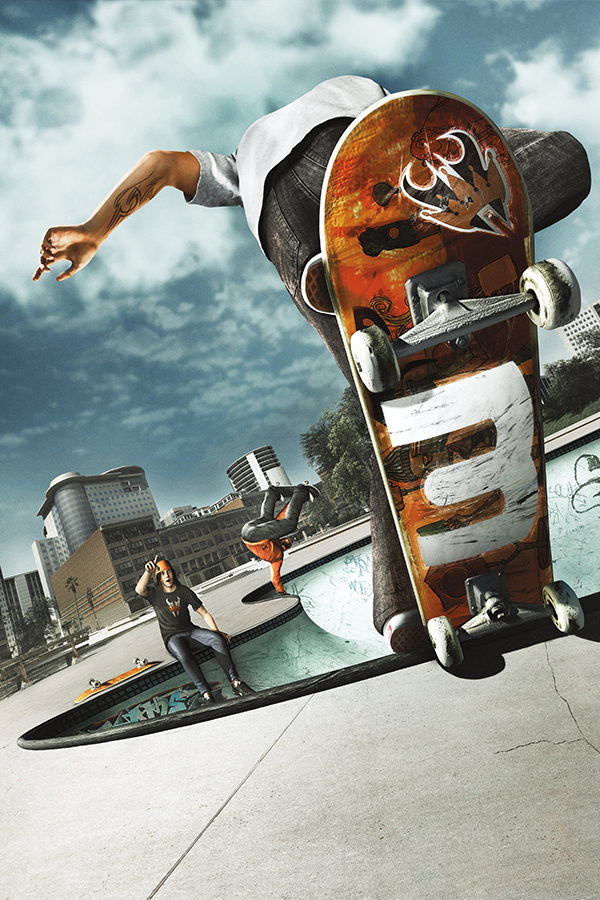
Skate 3 es la tercera entrega de la serie de videojuegos Skate, desarrollado por EA Black Box y distribuido por Electronic Arts. Publicado el 11 de mayo de 2010, es la secuela del juego del 2009, Skate 2.
7 versions of Skate 3
You're viewing: Skate 3 Port
Skate 3 Portgithub.com/darchap/Skate3-PortSkate 3github.com/HelmXGaming/Skate-3-Recompiled--Work-in-Progress-Skate 3 (Skate 3 Rust Engine)github.com/SK8-ENGINE/skate-3-rust-engineSkate 3 (skate3-ios-setup)github.com/andrewnakas/skate3-ios-setupSkate 3 androidgithub.com/andrewnakas/skate3-androidSkate 3 Mobilegithub.com/Buku313/Skate3-MobileSkate 3 Recompiledgithub.com/mchughalex/skate3recompOfficial project information
Skate 3 Port
Skate 3 running natively on Android phones — not emulated. The Xbox 360 PowerPC code is statically recompiled ahead of time into native ARM64 and linked against a Vulkan runtime, so the game runs as real ARM code on your device.
You need your own copy of the game. No retail game data is included in this repository or the APK. The app extracts the files from an ISO you dump yourself, on the phone.
This is experimental software. Expect visual bugs, missing effects, device-specific problems, and performance that differs between phones.
<p align="center"> <img src="media/launcher.png" width="320" alt="The launcher on first run: a three-step rail showing Select ISO, Title update and Play, with the first step active"> </p>Requirements
Your device
- Android 13 or newer (API 33+),
arm64-v8a, Vulkan - An ARMv8.2 CPU with FP16 and dot-product support
- About 8 GB free — the extracted install is roughly 6 GB. If the ISO is also on internal storage, peak use is around 15 GB until you delete it afterwards
- A physical controller, or the built-in touch controls
Developed and tested on a Poco F3 (Snapdragon 870 / Adreno 650).
Getting it running
Download the APK from Releases, install it, open it, and the launcher walks you through three steps:
- Select My Skate 3 ISO — pick your ISO with the file picker. The app verifies
default.xexanddata/webkit/EAWebkit.xexby SHA-256, then extracts them. - Title Update 3 — downloaded and verified automatically. There is a manual file picker if that fails.
- Play Skate 3 — and you are in.
Repair, start over, and a setup log are there if something goes wrong.
Game files live under Android/data/io.skate3port.game/files/game/. Uninstalling
removes that folder, so keep your original ISO somewhere safe.
What is different here
This is a fork of Skate 3 Mobile, rebuilt around one idea: the phone should decide how the game looks, not a preset.
Features
-
Every graphics option is yours. The Performance / High-End presets are gone and nothing re-applies one at boot — the settings file owns every Video row. 3D Scene Resolution runs from 512x288 to 1280x720, and the frame cap adds 30, 40, 45 and 50 FPS alongside 60 and up. Both apply live, without a restart. 40 divides evenly into 120 Hz panels and 45 into 90 Hz, for phones that pace better below their refresh rate.
-
Boot straight into gameplay. No menus, no front end — the game opens with your own profile and save already loaded. "Auto-Boot to Gameplay" in the overlay's System tab turns it off.
-
A real benchmark. Run Benchmark, at the bottom of the Video tab, flies a scripted 70-second camera path and reports average, median, p95, p99 and worst frame as both FPS and milliseconds, with frame and character counts and battery temperature.
-
Percentiles on the FPS counter. 1% low and p95/p99 frame times over the last four seconds, so you can see the stutters an average hides.
-
Ten separate Low-End Devices switches replace the single
handheld_potatotoggle: vegetation, clutter, texture layers, NPC and world update rates (down to every 4th and every 8th frame), draw batching, hair, water, and the two spawn switches below. Each is its own setting, persisted, defaulting to full quality. -
Crowds actually stop existing. Switching off pedestrians and traffic, or movable props, stops the LivingWorld spawns at the source — no collision, no voices, no engine noise, in career as well as free skate. Not just hidden meshes like in the other build. Both apply with Apply & Restart, so the picture and the physics always agree.
-
A launcher worth looking at. Rebuilt around the three steps that matter: pick your ISO, install the title update, play. Progress you can actually read, and it gets out of the way once the game is installed.
-
Bring your own GPU driver. On Snapdragon devices the launcher's GPU driver row imports a driver package from a ZIP and loads it for Skate 3 alone, leaving the rest of the phone on the system driver. The button always says which one the next launch will use, so a driver that crashes takes one tap to undo.
Fixes
- It survives being backgrounded. Lock the screen or switch apps and audio pauses and the frame loop parks; come back and the surface is rebuilt, with picture, audio and input resuming where they were. A foreground service keeps Android from killing the process meanwhile.
- The game actually quits. Swiping the app away used to leave it running in the background, audio and all, until Android reclaimed the memory. Backgrounding and screen lock still keep your session alive as before.
- The audio crackle is gone. The rhythmic crackle came from bursty credit dispatch; guest audio now follows the hardware's 5.33 ms cadence.
- MSAA no longer shrinks the scene into the top-left corner when the scene target is smaller than the output — the resolve lands in the scene plane and takes the upscale blit.
- Shadow rows work without a restart. The shadow, outline and spline pipelines are always built now.
- The settings overlay stays out of the way. It no longer opens the pause menu behind itself, and closing it no longer reaches the game.
Building from source
Windows 11, native — no WSL or Mac required.
.\build-android.ps1              # debug APK -> out\Skate3-Port-debug.apk
.\build-android.ps1 -Install     # ...and adb install it
.\build-android.ps1 -Regenerate  # force codegen again after changing config\*.toml
Toolchain: CMake 4.4, Ninja, LLVM/Clang 22, MSVC Build Tools 2022 + Windows SDK (headers only), Python 3.14, JDK 21, Android SDK platform 35 with build-tools 35.0.0 and NDK 27.2.12479018.
Expect a cold build to take a while — codegen is about 4 minutes cached, and the native
build runs into the tens of minutes on a clean tree. build-android.sh is the upstream
macOS/Linux script; it is kept for reference and should not be run on Windows.
Credits
Alex McHugh
Alex McHugh created and maintains Skate3Recomp and the Skate-specific rexglue runtime. His work is the foundation of this project: the static recompilation pipeline, the native renderer, game integration, settings, tools, and an enormous amount of reverse engineering. The original commits and authorship are preserved in this repository.
Buku313 / Antonio Seevers
This tree is inspired in Skate 3 Mobile by Buku313, That fork contributed the Android ARM64 port, SDL Android integration, handheld bring-up and optimisation, and the Android graphics work this port builds on. Its README credits further contributors to that lineage.
Projects used
- rexglue SDK — BSD-3-Clause, see
third_party/rexglue-sdk/LICENSE - Xenia — the recompiler and runtime build on its work
- SDL
- libadrenotools
- FFmpeg — LGPL-2.1-or-later
- Vulkan
Full licence texts for everything vendored here are listed in docs/THIRD_PARTY_NOTICES.md. This project's own code is BSD-3-Clause; see LICENSE.
Thank you to everyone whose Xbox 360 research, testing and open source work made this possible.
Legal
This is an unofficial fan project. It is not affiliated with Electronic Arts, Black Box, Microsoft, Google, or the Android project.
Skate 3, its characters, names and related assets belong to their respective owners. Android is a trademark of Google LLC. This repository does not contain the game, the title update, DLC, generated game code, or any other copyrighted retail data.