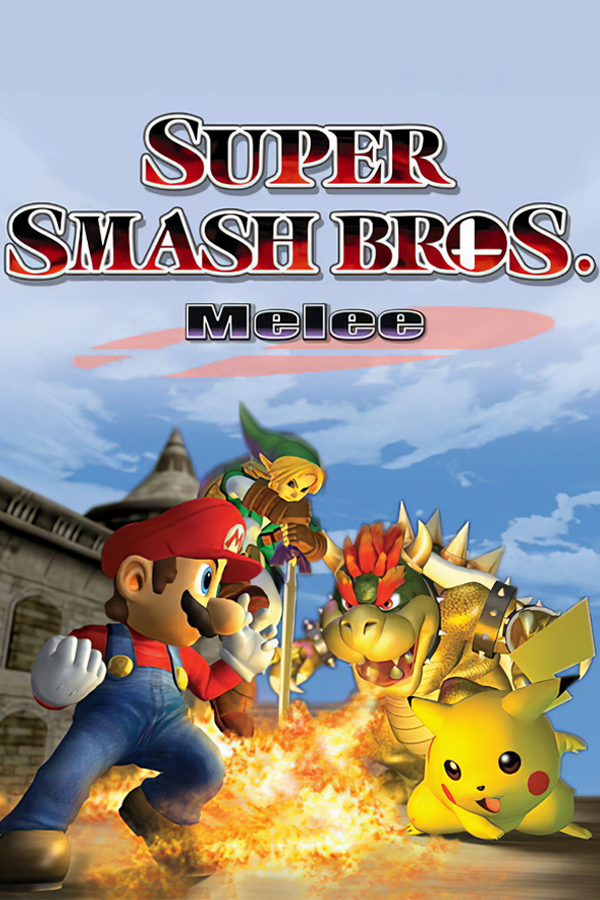
Super Smash Bros. Melee · gd melee workspace (GurekamDhillon)
Super Smash Bros. Melee
OriginGameCube
TechnologyNative C/C++ port (engine reimplementation)
Available forWindows, Linux
View official projectAbout the project
Separate experimental native port with published launch instructions for Windows and Linux, rollback and mods. Gameplay claims are upstream only.
5 versions of Super Smash Bros. Melee
You're viewing: gd melee workspace (GurekamDhillon)
gd melee workspace (GurekamDhillon)github.com/GurekamDhillon/gd-melee-workspaceMelee Nativegithub.com/jonrosner/melee-nativeSuper Smash Bros. Meleegithub.com/TechProGabe/Melee-XSuper Smash Bros. Melee (doldecomp)github.com/doldecomp/meleeSuper Smash Bros. Melee (Melee Unlocked)github.com/Hero88go/melee-unlockedOfficial project information
GD's Melee
<p align="center"> <picture> <source media="(prefers-color-scheme: dark)" srcset="docs/readme/brand/logo_horizontal_dark.png"> <source media="(prefers-color-scheme: light)" srcset="docs/readme/brand/logo_horizontal_light.png"> <img alt="GD's Melee" src="docs/readme/brand/logo_horizontal_light.png" width="600"> </picture> </p> <p align="center"> <a href="https://github.com/GurekamDhillon/gd-melee-workspace/releases/latest"><img alt="Release v0.2.2" src="docs/readme/brand/version.svg" height="28"></a> <img alt="Platform: Windows x64 and Linux x86_64" src="docs/readme/brand/windows.svg" height="28"> <img alt="Netplay: rollback" src="docs/readme/brand/rollback.svg" height="28"> <img alt="Mods: m-ex compatible" src="docs/readme/brand/mex.svg" height="28"> <img alt="Replays: Slippi" src="docs/readme/brand/slippi.svg" height="28"> <a href="https://discord.gg/FU4KTGQS5m"><img alt="Join GD's Workshop on Discord" src="docs/readme/brand/discord.svg" height="28"></a> <a href="LICENSE"><img alt="License: GPL-2.0-or-later" src="https://img.shields.io/badge/license-GPL--2.0--or--later-3a3f4b"></a> </p> <p align="center">Join <a href="https://discord.gg/FU4KTGQS5m">GD's Workshop on Discord</a> for matchmaking, setup help, bug reports, and modding.</p> <p align="center"> <a href="docs/readme/gameplay.mp4"><img alt="Four seconds of a Fox vs Marth match on Battlefield, running in the port at 3x render scale" src="docs/readme/gameplay.gif" width="480"></a><br> <sub>Real gameplay, captured frame by frame from the game's own screenshot hook. <a href="docs/readme/gameplay.mp4">MP4 version</a>.</sub> </p>A native PC port of Super Smash Bros. Melee (NTSC 1.02, GALE01), built from the matching
decompilation rather than by emulation or by recompiling the retail binary. It plays online with
rollback netcode from a competitive lobby, renders natively in HD, runs m-ex mod discs and
loose mods, and can be scripted in Lua.
Status: public test build (0.2.2). Expect rough edges and please report bugs: what you did, which disc, and the crash report from the
crashlogsfolder (ormelee-pc.log). Windows and Linux 0.2.2 play each other online; they do not play 0.2.1 or earlier, so both players update.
Quick start
<p> <a href="https://github.com/GurekamDhillon/gd-melee-workspace/releases/latest"><img alt="Download for Windows" src="docs/readme/brand/download_windows.svg" height="60"></a> <a href="https://github.com/GurekamDhillon/gd-melee-workspace/releases/latest"><img alt="Download for Linux" src="docs/readme/brand/download_linux.svg" height="60"></a> </p>- Download the latest release from
Releases and unpack it
anywhere:
GDMelee-<version>-win64.zipon Windows, orGDMelee-<version>-linux-x86_64.tar.xzon Linux (tar xf, then run./GD-Melee). - Point it at your own disc. Start
GD Melee.exe(Windows) or./GD-Melee(Linux), click Add disc... and pick your own legally dumped Melee NTSC 1.02.iso(mod discs such as ACE or Akaneia work too). Nothing disc-derived is distributed with the port. - Play. Press PLAY. For online play: VERSUS > ONLINE, then host a room and send the code, join one, or press Random Opponent.
The launcher is in English and Spanish (it follows the system language by default; English or Spanish
can be chosen in the launcher). Windows SmartScreen warns on first run because the launcher isn't
code-signed. The Linux build is a 32-bit game on a 64-bit host and needs the distribution's 32-bit
runtime and Vulkan driver; the tarball's README.txt lists the packages. Press F11 or
Alt+Enter for fullscreen.
What's new in 0.2.x
Details for each release are in tools/release/notes/.
- Linux, and Windows-vs-Linux play. A native Linux x86_64 build with the same launcher, mods and online play; Windows and Linux players can match each other. Before a match both games compare a build id, and a mismatched build is refused instead of desyncing (0.2.0, fixed up in 0.2.2).
- Online. Rollback with room codes and a competitive lobby, a stricter disc check, sets that resume after a disconnect (or can be abandoned), tied games replayed instead of sudden death, and the Turbo match rule for private rooms. Rollback checks look at far more of the game, so a real desync is caught on the frame it starts.
- Mod browser in the game (SSBM Nucleus). Browse and search mods with thumbnails and filters, queue them (the queue survives a restart) and the game downloads and installs zip mods for you. Mods from SSBM Nucleus - https://ssbmnucleus.net, used with the permission of sc00p.
- 255 costumes per fighter, so skins are no longer limited to the original palette slots.
- Fullscreen with F11 or Alt+Enter, and a Video setting.
- Everything unlocked by default: every fighter and stage from the start. Turn it off in Settings > Gameplay.
- Envoy, a roguelite on top of Classic and Adventure: pick a drive after each stage, carry four in a bag, take rare keystones with a drawback, and face tougher opponents that use technique against you. It ships on by default (SOLO > ENVOY; the launcher's Mods tab turns it off); two players can run it as offline co-op, or play an Envoy set in a private online room.
- A new Qt launcher for Windows and Linux with a Diagnostics tab, and opt-in crash report upload.
- Linux fixes: much faster rollback snapshots, the Turbo crashes fixed, and Envoy drive items, the crit shader and mod surface shaders now work. Elsewhere: a bad shader-cache entry can no longer stop the game from starting, and Data > Snapshots no longer freezes.
Features
<table> <tr> <td><picture> <source media="(prefers-color-scheme: dark)" srcset="docs/readme/feature_rollback_dark.png"> <img alt="Rollback netplay: Room codes or Random Opponent. Windows and Linux play each other." src="docs/readme/feature_rollback_light.png" width="400"> </picture></td> <td><picture> <source media="(prefers-color-scheme: dark)" srcset="docs/readme/feature_lobby_dark.png"> <img alt="Competitive lobby: Blind picks, starters and counterpicks, 1-2-1 strikes, bans and rematches." src="docs/readme/feature_lobby_light.png" width="400"> </picture></td> </tr> <tr> <td><picture> <source media="(prefers-color-scheme: dark)" srcset="docs/readme/feature_hd_dark.png"> <img alt="HD at any resolution: Native D3D12 or Vulkan at any render scale, vsync off, ~13 ms input." src="docs/readme/feature_hd_light.png" width="400"> </picture></td> <td><picture> <source media="(prefers-color-scheme: dark)" srcset="docs/readme/feature_mex_dark.png"> <img alt="m-ex mod support: Mod discs and loose mods: fighters, stages, items and music, online too." src="docs/readme/feature_mex_light.png" width="400"> </picture></td> </tr> <tr> <td><picture> <source media="(prefers-color-scheme: dark)" srcset="docs/readme/feature_roster_dark.png"> <img alt="94 fighter slots: Room for big m-ex rosters, with their names, emblems and stock icons." src="docs/readme/feature_roster_light.png" width="400"> </picture></td> <td><picture> <source media="(prefers-color-scheme: dark)" srcset="docs/readme/feature_scripting_dark.png"> <img alt="Lua scripting + kit UI: Scripts, a console and gd.kit: draw panels in the menus' own style." src="docs/readme/feature_scripting_light.png" width="400"> </picture></td> </tr> <tr> <td><picture> <source media="(prefers-color-scheme: dark)" srcset="docs/readme/feature_training_dark.png"> <img alt="Training on the kit: Training can run through the new character and stage select screens." src="docs/readme/feature_training_light.png" width="400"> </picture></td> <td><picture> <source media="(prefers-color-scheme: dark)" srcset="docs/readme/feature_launcher_dark.png"> <img alt="Launcher, EN / ES: Windows and Linux. Mods, diagnostics and crash reports, in English and Spanish." src="docs/readme/feature_launcher_light.png" width="400"> </picture></td> </tr> <tr> <td><picture> <source media="(prefers-color-scheme: dark)" srcset="docs/readme/feature_replays_dark.png"> <img alt="Slippi replays: Frame-accurate playback of .slp replays, straight from the game." src="docs/readme/feature_replays_light.png" width="400"> </picture></td> <td><picture> <source media="(prefers-color-scheme: dark)" srcset="docs/readme/feature_settings_dark.png"> <img alt="Settings screen: Video, audio, controls and online options, applied right away." src="docs/readme/feature_settings_light.png" width="400"> </picture></td> </tr> <tr> <td><picture> <source media="(prefers-color-scheme: dark)" srcset="docs/readme/feature_ucf_dark.png"> <img alt="UCF + tournament rules: Universal Controller Fix and tournament rule sets, built in." src="docs/readme/feature_ucf_light.png" width="400"> </picture></td> <td><picture> <source media="(prefers-color-scheme: dark)" srcset="docs/readme/feature_determinism_dark.png"> <img alt="Deterministic engine: Bit-exact simulation, checked frame by frame with SyncTest." src="docs/readme/feature_determinism_light.png" width="400"> </picture></td> </tr> <tr> <td><picture> <source media="(prefers-color-scheme: dark)" srcset="docs/readme/feature_envoy_dark.png"> <img alt="Envoy roguelite: A run of stages with loot and keystones. Solo, co-op or an online set." src="docs/readme/feature_envoy_light.png" width="400"> </picture></td> <td><picture> <source media="(prefers-color-scheme: dark)" srcset="docs/readme/feature_modbrowser_dark.png"> <img alt="In-game mod browser: Browse SSBM Nucleus mods in the game and install them from a queue." src="docs/readme/feature_modbrowser_light.png" width="400"> </picture></td> </tr> </table>Features
Online
- Rollback netcode, between Windows and Linux players too. Play a friend with a short room code, or press Random Opponent to be paired with anyone searching.
- A competitive lobby in the same room: blind character picks, stage strikes and bans, ready-up and rematches, with the set score kept.
- Stages are split into starters (Battlefield, Final Destination, Dream Land, Yoshi's Story, Fountain of Dreams) and a counterpick (Pokémon Stadium). Game 1 strikes over the starters 1-2-1; the counterpick opens from game 2 for bans and picks.
- The strike cursor skips struck and banned stages in every direction, with wrap-around.
- Sheik can be picked online (press A on Zelda again), and mods work online: you can pick any fighter or stage both players have.
- The GameCube adapter follows the window you're using and is only held in the background during an online match.
Mods (m-ex)
- Mod discs (ACE, Akaneia) and loose mods copied into the
modsfolder. The launcher's Mods tab lists installed mods, enables/disables them, and moves removed mods to a recoverable folder. It does not download mods; the in-game browser (above) does,. - 94 m-ex fighter slots (up from 31), so big rosters fit.
- The results screen shows m-ex fighters' names, emblems and stock icons.
- m-ex CPUs play from their clone base's CPU tables.
Menus and screens
- New main menu, hubs, character select and stage select that list every fighter and stage your disc and mods provide, with pages for big rosters.
- Training can run through the new character and stage select (
gd.training_select("kit"), orselect=kitin the scene grammar). - A Settings screen: video, audio, controls, online name and server, mods and gameplay options, applied right away and saved.
- Everything unlocked from the start by default, without a save file (Settings > Gameplay turns it off).
Graphics and input
- Native rendering (D3D12 on Windows, Vulkan on Linux) at any render scale, vsync off, and an experimental uncapped frame rate.
- About 13 ms from controller to screen, steadily.
- Fullscreen (F11 or Alt+Enter) and 255 costumes per fighter.
- GameCube adapter (plug in any time, clones supported) and any gamepad.
Scripting
- Lua scripts and a console (the backtick key). Scripts can read the match, draw, wait on the game, add console commands, and, if they declare it, drive gameplay (rollback-safe).
gd.kit: scripts draw with the menus' own kit (9-slice panels, the kit's fonts and text roles, list rows, icons, the palette) over any scene, a match included. Mods can ship their own kit art.- Built-in examples:
tm_lite(save/load positions on F5-F8),state_overlay(frame data),kit_hud,scene_setup. Seedocs/scripting.md.
Launcher and reports
- English and Spanish; the language follows Windows by default.
- Diagnostics tab, short logs, and local crash reports with your Windows user name removed. The Qt launcher opens logs and copies reports for sharing. Uploading crash reports is optional, off by default, and only happens when you click "Upload last 3 crash logs".
Changelog
Per-release notes: tools/release/notes/. Highlights of the 0.1.x line:
- 0.1.5: the keyboard is hotkeys only (controllers play), a "Connect a controller" notice, the
mouse in menus (
gd.mouse()for scripts), items no longer hitch on first spawn, m-ex crash fixes, bit-exact matrix maths with six console Slippi replays played back to the bit, and the Geno engine and LAB mode. - 0.1.6: TRAINING with frame advantage, move data and a configurable dummy; COMBO and DRILLS.
Screenshots
All captured from the running port (1280x960 window unless noted).
<table> <tr> <td width="50%"><img alt="Online lobby, game 1 stage striking: starters on the left, Pokémon Stadium as the counterpick, Dream Land struck by P2, the cursor on Battlefield" src="docs/readme/shots/lobby_strikes.png"></td> <td width="50%"><img alt="A Fox vs Marth match on Battlefield rendered at 3x (1920x1440)" src="docs/readme/shots/match_hd.jpg"></td> </tr> <tr> <td><img alt="The new character select on the Akaneia disc, with the m-ex fighters in the grid and Dr. Mario picked" src="docs/readme/shots/css.png"></td> <td><img alt="The new stage select, page 1 of 2" src="docs/readme/shots/sss.png"></td> </tr> <tr> <td><img alt="The kit_hud example script: a panel drawn with gd.kit over a match, listing both fighters and their percent" src="docs/readme/shots/kit_hud.jpg"></td> <td><img alt="Training's character select on the kit: Solo / Training / Characters, with the CPU dummy's card" src="docs/readme/shots/training_kit.png"></td> </tr> <tr> <td><img alt="Wolf vs Charizard, two m-ex fighters, on Final Destination" src="docs/readme/shots/match_mex.jpg"></td> <td><img alt="The results screen naming m-ex fighters Wolf and Charizard, with their emblems and portraits" src="docs/readme/shots/results_mex.jpg"></td> </tr> <tr> <td><img alt="The new main menu: Versus, Solo, Collection, Settings, Data" src="docs/readme/shots/main_menu.png"></td> <td><img alt="The Settings screen: video, audio, controls, online, mods, gameplay, rumble, screen display, language" src="docs/readme/shots/settings.png"></td> </tr> <tr> <td><img alt="The launcher's Play tab in English" src="docs/readme/shots/launcher_en.png"></td> <td><img alt="The launcher's Play tab in Spanish (Jugar)" src="docs/readme/shots/launcher_es.png"></td> </tr> </table>The Geno engine
Geno is the port's own layer for fighter content that m-ex can't express. A fighter opts in
through a geno.json next to its m-ex files; a fighter without one runs exactly as m-ex defines it,
so Geno stays 100% m-ex compatible. Everything it adds lives in the rollback snapshot and is
deterministic, so it works online. Geno adds character abilities inside Melee's rules: it never
changes Melee's physics, hitstun, knockback, air dodge or ledge rules.
- v0, the foundation: a registry with stable ids (salted into the netplay handshake), a per-fighter state block, a script escape in the fighter's own move scripts (variables, if/else, calls), attribute overrides, and multi-jump past Melee's table.
- v1, script features: script overlays for any subaction, engine values (read, write and test), change-action with Brawl-style requirements, rehit, autolink, special-attribute overrides and on-land handlers.
- v2, action states: brand-new action states with native behaviours: glide, and Brawl-style specials such as Mach Tornado and Drill Rush.
- v3, root motion: states that follow their animation's root motion on the ground and in the air, hidden and intangible values (Dimensional Cape), and Drill Rush rebuilt from Brawl's own code.
- v4, the model follows the move: the model pitches with a drill and spins at a tornado's spin rate.
The full reference is docs/geno.md
in the melee fork.
LAB, the frame-data lab
SOLO > LAB is a game mode of its own for studying any fighter (vanilla, m-ex or Geno): any fighters and CPUs on any stage, KOs respawn, and the clock never runs out.
- Display modes (hitboxes, hurtboxes, ECB, skeleton and more), a HUD drawn in the menus' own style, and a full-screen pause menu styled after Sakurai's move-list screens.
- Rewind a long way back and step frame by frame, a persistent savestate library, and hot reload of a fighter's files mid-match.
- The state browser: every action state the fighter has (common, special, m-ex, Geno), played from neutral, looped or slowed down, with its script windows beside it.
- Knockback preview: where a hitbox will send the victim, with DI, hitstun, tumble and the frame it crosses a blast zone, computed by the game's own knockback code.
- A/B compare: two fighters, or two versions of one, in lock-step.
- Frame-data export and diff.
- Rollback visualiser: see what a rollback re-simulates.
- Vanilla-parity checks against real Slippi replays recorded on a console: the port plays them back and compares every frame.
New in 0.1.6: TRAINING shows frame advantage, move data, inputs and technique feedback. A configurable dummy supports DI, techs, reactions and recorded inputs; COMBO reviews follow-ups, and DRILLS provides scored practice. LAB remains offline only.
Ports: Halberd (Meta Knight)
ports/halberd/ is Halberd, Meta Knight ported from Super Smash Bros.
Brawl as an m-ex fighter on Geno: his normals, grabs and throws, his four specials, glide, six
jumps, and his own effects, sounds and menu art. This repository carries the research only:
notes, the character IR, the conversion tools and configs. No Nintendo assets are included;
rebuilding him requires your own legally obtained copies of the games. The shared character IR
schema is in ports/ir/.
Known issues
- UnclePunch's Training Mode features are not fully ported; LAB and
tm_litecover different practice workflows. TM-CE and 20XX discs boot, but their disc-specific features don't work. - Fighter and stage mods from different packs (for example ACE fighters with Akaneia stages) can't be mixed yet.
- The uncapped frame rate is experimental: the picture trails the game by one frame.
- Teams mode on the new character select isn't finished, and 4-player local matches have had little testing.
- Online play has been tested on one PC with two game windows, not yet widely across the internet. Online Envoy has only the passive drives.
- New skins appear after a restart. Heavy modded fighters can still cost more than a 120 fps game allows.
- On some Linux laptops the game has run below 60 fps (0.2.1); this is still being worked on.
- On a 144 Hz monitor, 60 fps looks uneven. Set the display to 120 Hz, or turn on G-Sync/FreeSync.
Each release's notes are in tools/release/notes/.
What this is
Most "Melee on PC" efforts are either emulation (Dolphin + Slippi) or static recompilation of the retail binary. This project takes a third road — compiled decompilation:
doldecomp/meleeis a matching decompilation of Melee in which every game translation unit is real C that reproduces the original PowerPC behavior.- Those translation units are retargeted to x86 by
pc/tools/gwtool: clang's PPC front-end emits LLVM IR, and gwtool rewrites every memory access to be big-endian, prefixes every symbol withgw_, and emits x86 COFF. The result links against a native platform layer. - The GameCube SDK surface (GX, OS, PAD, CARD, AX, DVD, AR, …) is replaced by native shims over Aurora (a GC/Wii SDK reimplementation on top of Dawn), so rendering goes straight to D3D12 (Windows) or Vulkan (Linux) with no emulated GPU. Where the SDK's own decompiled source is worth keeping, it is built as a translation unit like any other — the THP video decoder is, with its Gekko paired-single IDCT rewritten in portable C.
- m-ex content ships PowerPC code inside its data files; the port runs those blobs through a small PowerPC interpreter and bridges their calls back to its own native functions.
The payoff over static recompilation is a fully editable game — every line of engine code is C you can change. The price is that all ~980 translation units must be made correct by hand, which is where most of the engineering goes (see the devlog).
Status
| Area | State |
|---|---|
| Boot → menus → VS match, Training | working |
| Rendering (GX → D3D12 on Windows, Vulkan on Linux, via Aurora/Dawn), any render scale | working |
| Audio (own AX / DSP-ADPCM mixer over SDL3) | working, incl. both aux buses + AXFX reverb/delay |
| Cutscenes (THP video, own decoder) | working |
| Memory-card saves (GCI) | working |
| GameCube adapter, gamepads (keyboard = hotkeys only), mouse in menus | working |
| Vanilla parity (console Slippi replays, bit-exact) | working |
| Geno engine + LAB mode | public test, including LAB training, dummy, combos and drills |
| Frame pacing | hard 60 Hz; experimental uncapped frame rate |
| Rollback netplay + competitive lobby | public test |
| Slippi replay playback | working |
| m-ex discs and loose mods (94 fighter slots) | public test |
| Lua scripting + console | working (API 1) |
| Windows x64 and Linux x86_64 builds, Windows-vs-Linux online play | public test (0.2.2) |
| Launcher (Qt, English and Spanish), release packaging | public test (0.2.2) |
| In-game SSBM Nucleus mod browser (zip mods) | public test (0.2.2) |
| Envoy roguelite (solo, offline co-op, online sets with passive drives) | public test; look and balance still being tuned |
| Widescreen | Hor+ gameplay; centred wide kit menus and Lua canvas, live VIDEO toggle (menu changes awaiting in-game verification) |
Repository layout
docs/DEVLOG.md        engineering log: every hard-won fact, bug and fix (read this first)
docs/HANDOFF.md       current state + next experiment (resume here)
docs/scripting.md     the Lua scripting API, the console and the examples
PORT_BOOTSTRAP.md     project origin and the feasibility analysis
_research/            boot gates, SDK/console invariants, shim surface, port dev quickref
_build/               Windows build scripts (Aurora, per-TU pipeline, link, run)
tools/port/           build.sh (build + bridge fixpoint), run.sh (sandboxed runs)
tools/release/        the launcher, release build/check/publish scripts, release notes
tools/netplay/        the matchmaking server and netplay test drivers
ports/               fighter ports (research only, no assets): halberd/ (Meta Knight), ir/ (character IR)
DEPENDENCIES.md       every third-party component, its version/pin, and its licence
The port source itself lives in the melee fork of doldecomp/melee, on the
pc-port branch, under pc/
(pc/platform shims, pc/gameworld, pc/tools/gwtool). That fork is the buildable project; this
repository carries the tooling, launcher, research and engineering log around it.
Building
Host is Windows with WSL, MSVC Build Tools, clang 23, and CMake/Ninja for Aurora. The exact,
maintained commands are in _research/port-dev-quickref.md. In
short:
- Build Aurora + Dawn + SDL3 —
_build/build_aurora_melee.bat. - Build
melee-pc.exe—tools/port/build.shcompiles changed translation units through the retarget pipeline, links, and regenerates the m-ex bridge until it is a fixpoint. - Run it against your own disc image —
tools/port/run.sh <name> --iso <path to GALE01 v1.02>. - Package a release — see
tools/release/README.md.
Legal
- No copyrighted material is included. You must supply your own legally dumped ISO of Super Smash Bros. Melee (NTSC 1.02). No ROM, no game assets and no Nintendo SDK code are distributed here. The screenshots show the port running on the author's own discs.
- Ports carry research only.
ports/holds notes, tools and configs, never game files; a port such as Halberd is built locally from your own legally obtained copy of the source game (Super Smash Bros. Brawl), and.gitignorekeeps every built asset out of the repository. - Not affiliated with, endorsed by or sponsored by Nintendo. Super Smash Bros. and Melee are trademarks of Nintendo.
- The underlying decompilation is a pre-existing, openly published, research-oriented effort.
- The port is licensed GPL-2.0-or-later — see
LICENSE.
Credits
- doldecomp/melee — the decompilation this is built on.
- encounter/aurora — GC/Wii SDK reimplementation.
- google/dawn — WebGPU implementation.
- TwilitRealm/dusklight — precedent for turning a GameCube decomp into a native cross-platform port.
- akaneia/m-ex and its contributors — the content-expansion
framework whose patches are used as the specification for behaviors reimplemented in the
port (no m-ex source is vendored or built; see
DEPENDENCIES.md). - Dolphin Emulator —
pc/gameworld/gekko_fp.cderives fromCommon/FloatUtils.cpp(GPL-2.0-or-later); attribution is in that file.