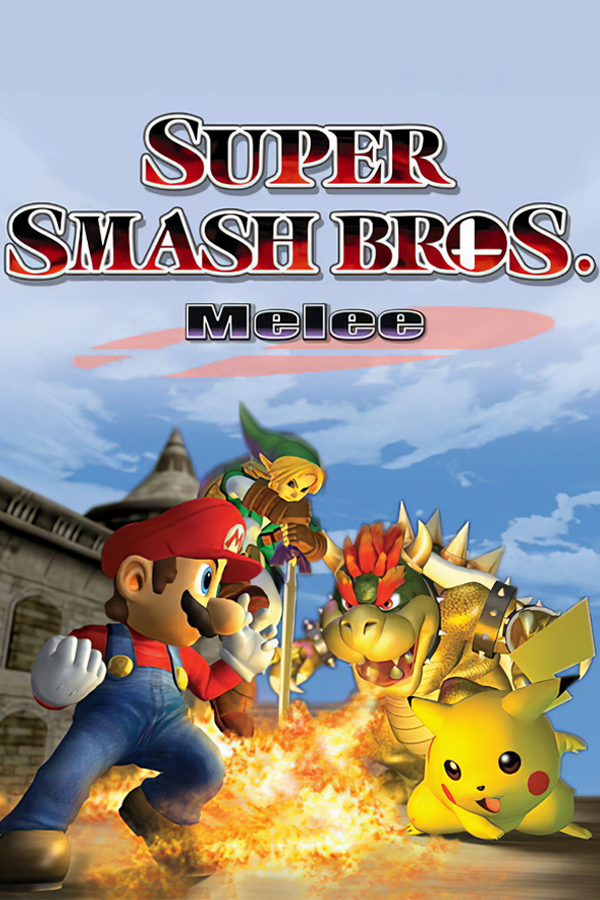
Super Smash Bros. Melee
About the project
Super Smash Bros. Melee, conocido en Japón como Dairantō Smash Brothers DX , a veces abreviado como SSBM o simplemente Melee, es el segundo título de la serie de juegos de lucha y acción crossover Super Smash Bros. distribuido para la Nintendo GameCube en el 2001 en Japón y los Estados Unidos, y al año siguiente en Europa y Australia. Es el sucesor de Super Smash Bros. para Nintendo 64 de 1999, y el predecesor de Super Smash Bros. Brawl para Wii de 2008. Fue desarrollado por HAL Laboratory, y dirigido por el productor Masahiro Sakurai.
5 versions of Super Smash Bros. Melee
You're viewing: Super Smash Bros. Melee
Super Smash Bros. Meleegithub.com/TechProGabe/Melee-XMelee Nativegithub.com/jonrosner/melee-nativegd melee workspace (GurekamDhillon)github.com/GurekamDhillon/gd-melee-workspaceSuper Smash Bros. Melee (doldecomp)github.com/doldecomp/meleeSuper Smash Bros. Melee (Melee Unlocked)github.com/Hero88go/melee-unlockedOfficial project information
Super Smash Bros. Melee, running natively on an original Xbox. No emulator. The game's own decompiled code is rebuilt for the Xbox's Pentium III and drawn by its NV2A GPU.
I started this after OpenCrossing-Xbox, my Animal Crossing port, to see if the Xbox could handle Melee. It can. Four players, 720p, rumble, and your Dolphin saves come along too.
What it is
The doldecomp project turned Melee back into C source. Melee-X compiles that code for the Xbox's 733 MHz CPU, and a GameCube graphics layer written for the Xbox draws every frame on its own GPU. The game data streams from your disc image the same way it would from a GameCube disc.
It's fully playable. Matches run between 30 and 60 fps depending on the stage and how busy it gets, menus sit at 60, and the game itself always ticks at full speed. It's still in development, so a crash can happen, but it's rare.
What you get:
- 4 players on the 4 controller ports, with rumble
- 480i, 480p or 720p, in 4:3 or 16:9, up to whatever your dashboard allows
- A settings menu right on the title screen (press Back there)
- Saves in the GameCube
.gciformat, so a Dolphin or memory card save works here and the other way around - L + R + Back + Black on any controller quits to the dashboard
What you need
- A modded original Xbox (softmod or modchip) that runs homebrew. A stock 64 MB console is fine. A 128 MB console runs in its first 64 MB.
- A way to copy files to it. Most dashboards (UnleashX, XBMC4Gamers, EvolutionX) have an FTP server built in.
- Your own dump of Super Smash Bros. Melee, NTSC-U, version 1.02 (game ID
GALE01, revision 2)..iso,.gcmand.cisoall work, and the file name doesn't matter. PAL and Japanese copies won't boot. Versions 1.00 and 1.01 start, but only 1.02 has been tested. - A controller. The Duke and the Controller S both work.
Nothing from Nintendo ships with this. You need your own copy of the game.
Install
Grab the newest Melee-X-<version>.zip from Releases and unzip it. Inside are Melee-X/default.xbe (the game), Melee-X/default.tbn (the dashboard icon) and tools/make-xiso.
Hard drive (easiest, and it loads fastest):
- Put your Melee disc image in the
Melee-Xfolder, next todefault.xbe. - Connect to your Xbox with an FTP client like FileZilla. The dashboard shows the IP address, and the login on most dashboards is
xbox/xbox. - Copy the whole
Melee-Xfolder to wherever your dashboard looks for apps or games, likeF:\Applications\orE:\Games\. The image is about 1.4 GB, so give it a minute. - Launch Melee-X from the dashboard.
Burned disc: this packs default.xbe and your disc image into one Xbox image of about 1.4 GB, so you need a DVD-R.
- Get xdvdfs.
- Build the ISO with
tools/make-xiso Melee-X "Melee.iso" Melee-X.iso(Git Bash, WSL, Linux or macOS, withxdvdfson your PATH). Or put your image in theMelee-Xfolder and runxdvdfs pack Melee-X Melee-X.iso. - Burn
Melee-X.isoas an image at a low speed (ImgBurn or similar) and start it from the dashboard.
Some Xbox drives just don't like burned discs. Samsung drives are the most forgiving and Thomson drives the least. If yours won't read it, use the hard drive.
xemu: load the ISO with Machine > Load Disc and give xemu 64 MB of memory. It's slower than a real Xbox.
Updating: copy the new default.xbe and default.tbn over the old ones. Your saves and settings stay put.
Settings
Press Back on the title screen ("Press Start") to open the settings menu. Up and down pick a row, left and right (or A) change it, and B saves and closes. Rows marked * apply after a restart, and Save and restart does that for you. If you pick a mode your dashboard doesn't allow, the menu shows what you'll actually get, like 480p -> 480i.
| option | what it does |
|---|---|
| Video output | 480i, 480p or 720p * |
| Widescreen (16:9) | 16:9 at 480, on by default. Widescreen also has to be set in the dashboard * |
| Frame-rate counter | fps in the top left corner, off by default |
| BACK screenshots | Back saves E:\UDATA\4d580001\shotNN.bmp, off by default. Handy for bug reports |
| Front LED effects | the front light flashes on KOs, in the last seconds and on GAME!, off by default. Leave it off if something else drives your LED, like a Kronos modchip |
| Rumble | off, or 25% to 100% |
| C-stick in 1P modes | Camera (like the GameCube: the C-stick moves the camera in Classic, Adventure, training and the other 1P modes) or Attacks (smash attacks there too, like the Action Replay code) |
| Controller | pick a port, then set its stick and C-stick dead zones, how far the triggers go in before they count as a full press, and Trigger as Z (Off, Left or Right). That trigger grabs instead of shielding, handy if grabbing with White or Black feels awkward |
| Save and restart / Save and close |
Everything the menu changes lives in E:\UDATA\4d580001\settings.ini, which you can also edit over FTP. That's the only settings file Melee-X reads (a settings.ini next to default.xbe is ignored). It's written on the first boot, and deleting it brings back the defaults. Button remapping only lives in this file for now. Under [port1] to [port4], lines like a = A map an Xbox button (a b x y white black start back lstick rstick up down left right) to a GameCube one (A B X Y Z L R START UP DOWN LEFT RIGHT NONE).
Controls
| Xbox | GameCube |
|---|---|
| A | A |
| X | B |
| B | X |
| Y | Y |
| White or Black | Z |
| Left / right trigger | L / R (analog). Either one can be Z instead (Trigger as Z) |
| Left stick | Control stick |
| Right stick | C-stick |
| D-pad | D-pad |
| Start | Start |
| L + R + Back + Black | Quit to the dashboard |
The buttons sit where they do on a GameCube pad.
Video
Your dashboard decides what your TV and cables can handle, and Melee-X never goes past it.
- 480i works on everything, composite included.
- 480p needs component cables (or a VGA or HDMI adapter) and 480p turned on in the dashboard. Busy four player matches run smoothest here.
- 720p needs component cables (or an HDMI mod or adapter) and 720p turned on in the dashboard. It's the sharpest picture, Melee-X uses it whenever the dashboard allows it, and it's always 16:9.
- Widescreen at 480 shows more of the stage instead of stretching it. Set widescreen in the dashboard and leave it on in Melee-X.
Black screen? Some TVs won't show 720p even when the dashboard allows it. Hold Back on any controller while Melee-X starts (the loading screen tells you when). That boot comes up in 480i and turns 720p and 480p off in your settings. You can turn them back on in the menu whenever you like.
Saves
Saves always go to the hard drive, even when you play from a disc: E:\UDATA\4d580001\card_a\, as normal GameCube .gci files. Each save is written to a new file first and only then swapped in, so a failed save (a full E:, say) leaves your old one alone.
To bring over a save from Dolphin or a real memory card, export it as a .gci (Dolphin's memory card manager does this), launch Melee-X once so it makes its folders, and FTP the .gci into E:\UDATA\4d580001\card_a\. It works the other way around too.
If something breaks
The logs are in E:\UDATA\4d580001\: boot.log for the last start, boot_prev.log for the one before, and crash.log or hang.log if something went wrong. Attach those (and a photo if there was an error on screen) when you open an issue. If something looks wrong rather than crashing, turn on BACK screenshots and press Back when you see it.
Nothing gets saved? If Melee-X can't write to E: (usually because it's full), the title screen says Can't write to E: (full?): nothing will be saved and boot.log goes next to default.xbe instead. Free up some space and launch again.
No sound? After a crash or a power cycle the Xbox's sound chip can get stuck. Melee-X tells you so for 10 seconds and plays on without sound. Turn the console off and on again.
Upgraded or overclocked CPU? Some BIOSes for upgraded CPUs patch a timing instruction inside games, which can crash them. Melee-X checks its own code at every boot and puts those bytes back ([BOOT] code check in boot.log).
Building it
nxdk and LLVM 21, natively on Windows with MSYS2 or in Docker:
tools/xbox/msys/build.sh          # Windows (MSYS2)
tools/xbox/docker/build.sh        # Docker (Linux, macOS, Windows)
Both write build-xbox/xbe/default.xbe. docs/ has the rest, starting with docs/toolchain.md and docs/architecture.md. main is the release branch and dev is where the work happens.
Thanks
This port stands on a lot of other people's work:
- doldecomp/melee, the decompilation. The whole game, as C. Without it there is no port.
- melee-pc, the PC port that got the decomp running on little-endian machines.
- encounter/aurora for the Dolphin SDK headers.
- nxdk, the open Xbox dev kit everything runs on, xemu, which does a lot of the testing, and xdvdfs, which packs the discs.
And to the people playing it on real consoles and telling me what broke:
- maple72, for testing release candidate after release candidate on real hardware.
- wadeonxbox, whose early reports and logs got us through the v1 boot hang.
- DarthPidgey, who reported most of the bugs fixed in v4.2.
- drewtang713, whose HDMI logs tracked down the 720p bug.
- AnthonyChester3D, for the 720p boot report.
Legal
This repo has no game assets, no disc data and no Nintendo binaries. It's the decompiled C source plus port code. You need your own legally dumped copy of Melee, so please don't ask for ISOs.
This is an unofficial fan project, not affiliated with or endorsed by Nintendo or Microsoft. Super Smash Bros. Melee belongs to Nintendo, and Xbox is Microsoft's. Licensing is in LICENSE.md.
AI tools (Claude) were used in developing this port.