Tekken 6 (tekken6-recomp)
Tekken 6
About the project
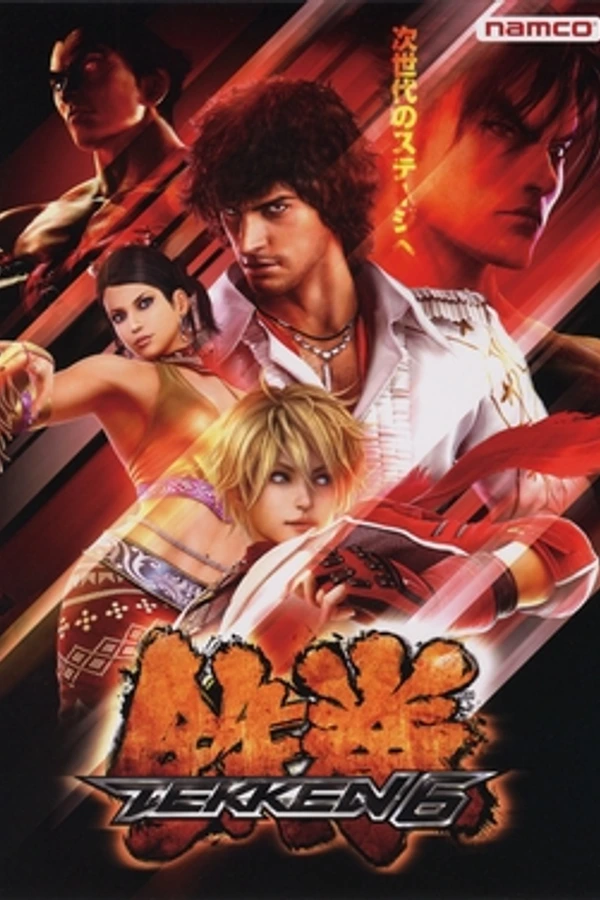
Tekken 6 es la sexta entrega de la serie de videojuegos de lucha Tekken. Fue lanzado en las máquinas arcade el 26 de noviembre de 2007 en Japón y para las consolas de séptima generación PlayStation 3 y Xbox 360 el 27, 29 y 30 de octubre de 2009, y para PlayStation Portable el 11 de diciembre de 2009 ; además, el vestuario de algunos de los personajes estuvieron a cargo del famoso grupo mangakas Clamp [cita requerida] y como dato interesante en esta entrega podemos encontrar la reconstrucción y modernización de 3 escenarios de Tekken Tag Tournament: por ejemplo Lightning Storm, Manji Valley y N
4 versions of Tekken 6
You're viewing: Tekken 6 (tekken6-recomp)
Official project information
Tekken 6 Recomp
Static recompiler project for the Xbox 360 release of Tekken 6. Game data and generated code come from a user-provided XEX and are kept out of version control.
Windows build
For a Linux-hosted Windows build, use an extracted LLVM-MinGW distribution. Initialize the SDK submodule and apply the repository patch before configuring the native SDK. Generate guest code from your own game XEX, then configure the Windows build:
git submodule update --init --recursive
python3 tools/apply_rexglue_patches.py

cmake -S third_party/rexglue-sdk -B build/sdk-native -G Ninja \
  -DCMAKE_C_COMPILER=clang -DCMAKE_CXX_COMPILER=clang++ \
  -DCMAKE_BUILD_TYPE=Release -DCMAKE_CXX_FLAGS=-mssse3 \
  -DREXGLUE_ENABLE_TRACY=OFF -DREXGLUE_ENABLE_PERF_COUNTERS=OFF
cmake --build build/sdk-native --target rexglue --parallel 3
third_party/rexglue-sdk/out/linux-amd64/rexglue codegen tekken6_manifest.toml

cmake -S . -B build/windows-llvm -G Ninja \
  -DCMAKE_TOOLCHAIN_FILE=cmake/windows-clang.cmake \
  -DLLVM_MINGW_ROOT=/path/to/extracted/llvm-mingw \
  -DCMAKE_BUILD_TYPE=Release -DTEKKEN6_USE_PREGENERATED_CODE=ON \
  -DREXGLUE_USE_D3D12=ON -DREXGLUE_USE_VULKAN=ON \
  -DREXGLUE_ENABLE_TRACY=OFF -DREXGLUE_ENABLE_PERF_COUNTERS=OFF \
  -DREXGLUE_RECOMP_DEBUG_INFO=none
cmake --build build/windows-llvm --target tekken6 tekken6_low_overhead \
  tekken6_late_depth tekken6_fused_resolve tekken6_vulkan \
  tekken6_vulkan_fbo --parallel 2

python3 tools/package_windows.py --build-dir build/windows-llvm \
  --game-root /path/to/game --output /path/to/windows-package \
  --llvm-mingw-root /path/to/extracted/llvm-mingw
The package tool checks PE imports, stages required compiler runtime DLLs, and
writes a build-info.json manifest with source revisions and binary hashes.
SDK changes are maintained in the project patch.
CMake defaults to Release when no build type is selected. Generated guest
code uses FMA3 by default for faster explicit fused operations; the resulting
executable requires an FMA3-capable CPU. Set -DTEKKEN6_ENABLE_FMA3=OFF for a
portable build.
macOS
What you need
- A Mac with Apple Silicon and macOS 13.3 or later, or an Intel Mac with macOS 15 or later
- Your own disc image (
.iso) of Tekken 6 for the Xbox 360, USA/Europe, Rev 1 - About 20 GB of free space
Install
- Download
Tekken6-Builder-macOS-<version>.zipfrom Releases, unzip it and openTekken 6 Builder. - Click Choose Disc Image and pick your
.iso. If it asks for Apple's Command Line Tools, click Install, then Try Again. - Wait for it to finish (a few minutes), then click Open Tekken 6.
Tekken 6 is now in Applications. The game files, saves and shader cache are in
~/Library/Application Support/Tekken 6, so you can delete the disc image.
The first launch shows a black screen for 10 to 20 seconds while shaders are prepared.
Controls
| Xbox 360 | Keyboard |
|---|---|
| Start | Return |
| A, B, X, Y | Space, Backspace, L, P |
| Left stick | W A S D |
| D-pad | Shift + arrow keys |
| LB, RB / LT, RT | 1, 3 / Q, E |
In a fight, L, P, ; and ' are left punch, right punch, left kick and right kick. F3 shows the frame rate. Game controllers work too.
Using a game folder somewhere else
To play from a game folder you already have (the one with Default.xex, on any
drive), hold Option while opening Tekken 6 and choose it. The app remembers it.
Building from source
Needs Apple's Command Line Tools and brew install cmake ninja.
tools/build_mac.sh --iso /path/to/Tekken6.iso   # add --arch x86_64 for Intel
tools/make_mac_app.sh --install                  # puts Tekken 6.app in /Applications
tools/run_mac.sh starts it from the terminal: --game DIR for the game
folder, --fullscreen, --res 768x432 for a lower 3D resolution, --log to
write a log to logs/. tools/package_mac_builder.sh makes the builder
(--sign and --notarize for a Developer ID signed release).
What changed for macOS
All in the SDK patch:
- Fixed two timing bugs in the Xbox event emulation that froze the first frame.
- Converts a primitive type Metal can't draw.
- Fixed a shader converter value that washed every scene out white.
- Groups graphics work into fewer passes (M1 Max: 21 fps before, 60 after).
- Paces frames evenly to the display (
--vulkan_present_pacing=falseturns it off). - Intel Macs don't use Metal argument buffers, which hung the AMD GPU.
- Removed the white square where the Xbox shows the gamer picture.
Intel needs macOS 15 because the macOS 13 AMD driver draws the game's motion blur wrong and the characters come out black.
For developers: --execute_unclipped_draw_vs_on_cpu=true (set by the launchers)
is needed for Practice mode and fights to render. After changing the shader
converter, delete cache/. If the game hangs, set REX_DEBUG_DUMP_TRIGGER=/some/file
and create that file to print what every thread is waiting on.
Portable ISO builder
The release can include a self-contained Tekken 6 Builder.exe beside its
builder folder. Players extract the complete release, choose their own ISO
with the Windows file picker, select one or more renderer checkboxes, and pick
an output folder. The D3D12 ROV option is checked by default and is labeled as
the widest-compatibility choice. No compiler installation or network access is
needed on the player's PC. The ISO and its game files are never included in the
builder release.
To assemble that release folder, first build the Windows GUI and XDVDFS helper,
then provide LLVM-MinGW 20260908 MSVCRT x64 (Clang 23.1.1), portable CMake,
Ninja, and the Python embeddable package. The bundled compiler's fixed
capabilities are supplied by cmake/windows-portable-capabilities.cmake so
players do not repeat the compiler feature probes.
cmake --build build/windows-llvm --target tekken6_builder xdvdfs_tool --parallel "$(nproc)"
python3 tools/package_portable_builder.py \
  --builder-exe build/windows-llvm/tekken6_builder.exe \
  --llvm-mingw-root /path/to/llvm-mingw \
  --cmake-root /path/to/cmake \
  --ninja /path/to/ninja.exe \
  --python-root /path/to/python-embeddable \
  --xdvdfs-tool build/windows-llvm/tools/xdvdfs/xdvdfs_tool.exe \
  --output build/Tekken6-Builder-Windows
Release versions are set in VERSION.txt; the builder window, Windows file details,
and package manifests use that version. For 0.9.4, archive the complete
build/Tekken6-Builder-Windows folder as Tekken6-Builder-Windows-0.9.4.zip.
Keep Tekken 6 Builder.exe and its builder folder together. The folder contains
the pinned project sources and build tools; the game itself is extracted from the player's
ISO when they run the builder. Project sources stay in one archive to reduce the
number of files in the initial unzip; the builder unpacks them automatically
when the first build starts.
Game compilation uses the available CPU threads, limited by available memory. After a successful build, temporary sources, extracted game copies, and compiler outputs are deleted automatically. The activity indicator keeps animating while the build runs, and the Build button stays disabled after completion.
Press F3 in game to show or hide the FPS and frame-time overlay. It reports
guest frame swaps independently of the host's overlay or presentation rate.
Routine logs are disabled in the Windows launcher. Unhandled crashes write
crash.txt and crash.dmp under crashes/<run>/.
The startup chooser offers internal 3D resolutions from 640x360 through the original 1024x576. It also enables a 512x512 size for the 1024x1024 offscreen target by default; this can soften shadows. Uncheck the option to keep the original offscreen size.
Rendering paths
tekken6.exe selects D3D12 ROV. The runtime includes no-blend shader
specialization, ROV sample-count variants, and direct RGBA8 packing for known
targets. Unsupported states retain the general shader path.
Late-depth and fused RGBA8 resolves are available through their optional
launchers.
tekken6_vulkan.exe selects Vulkan fragment shader interlock (FSI). It requires
a Vulkan device and driver that expose fragment shader interlock. The explicit
request fails if the extension is unavailable. tekken6_vulkan_fbo.exe selects
the experimental framebuffer path, which does not require interlock.
The launcher keeps user saves, shader caches, and crash reports in the package directory. Game files and generated recompilation sources are local inputs and must not be committed.