
Pokémon Emerald (PS2)
Pokémon Emerald
Sobre el proyecto
Pokémon Edición Rubí y Pokémon Edición Zafiro, conocidos en Japón como Pocket Monsters Ruby & Sapphire , son dos videojuegos del género RPG pertenecientes a la tercera generación de la saga Pokémon, y los primeros en su tipo lanzados para la consola portátil Game Boy Advance de Nintendo. Ambos, marcan el principio de la tercera generación de la serie, y se ambientan en una nueva región denominada Hoenn.
8 versiones de Pokémon Emerald
Estás viendo: Pokémon Emerald (PS2)
Pokémon Emerald (PS2)github.com/dnllnoe/pokeemerald-ps2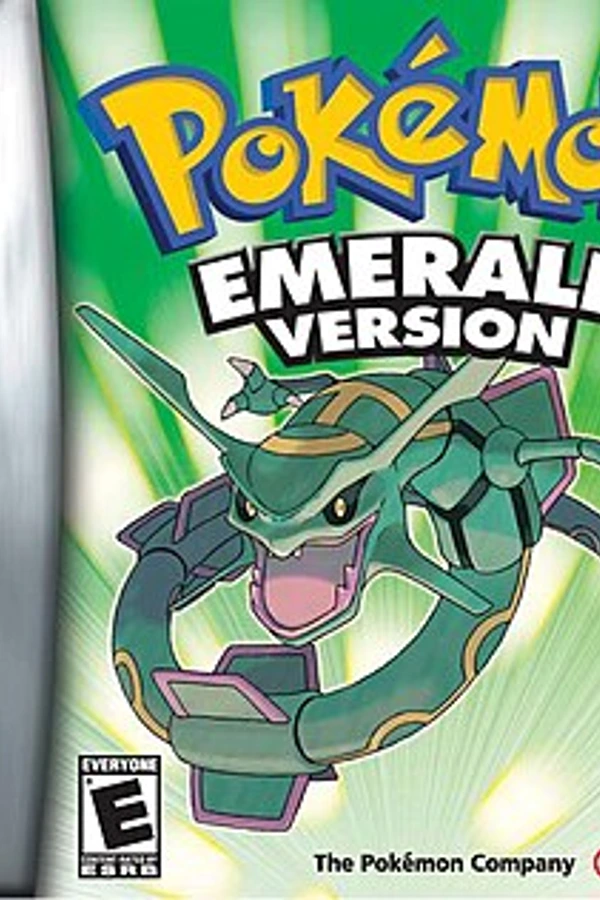 Pokemon Emeraldgithub.com/pret/pokeemeraldPokémon Emeraldgithub.com/ZallaxDev/emerald-3dsPokémon Emerald (Dual Screen)github.com/Goldoire/pokeemerald-dualscreenPokémon Emerald (Pokabbie)github.com/Pokabbie/pokeemerald-roguePokémon Emerald (pokeemerald-wasm)github.com/tripplyons/pokeemerald-wasmPokemon Emerald (PSP)github.com/JustKidding23/Pokemon-Emerald-PSPPokémon Emerald Recompiledgithub.com/mstan/EmeraldRecomp
Información oficial del proyecto
Pokémon Emerald
This is a PC port of Pokémon Emerald, based on the pret decompilation. The PC port was originally made by NTx86.
Supported operating systems: Windows, Linux and macOS, and there's a PlayStation 2 build (see PlayStation 2 below)
To set up the repository, see INSTALL_PC.md.
Playing
| GBA | Keyboard | Controller |
|---|---|---|
| A | Z | A |
| B | X | B or X |
| Start | Enter | Start |
| Select | \ or Backspace | Back |
| L, R | A, S | LB, RB |
| D-pad | Arrow keys | D-pad or left stick |
| Fast-forward (hold) | Space | Right trigger |
Ctrl+R resets the game, like A+B+Start+Select, Ctrl+P pauses and F11 switches to fullscreen.
The controls, the window size and fullscreen can be changed in pokeemerald.ini, which
the game writes with the defaults when it first starts. It's next to the save file, in
%APPDATA%\pokeemerald on Windows, ~/.local/share/pokeemerald on Linux and
~/Library/Application Support/pokeemerald on macOS. If the
folder the game starts in has a pokeemerald.sav, where earlier versions saved, both
files are there instead. The game prints where they are when it starts, and
--save FILE and --config FILE use other files.
SDL knows most controllers. For others, put a gamecontrollerdb.txt from
SDL_GameControllerDB in the same folder.
PlayStation 2
make ps2 builds pokeemerald32.elf, which runs on a PlayStation 2 or in PCSX2. How to
build it is in INSTALL_PC.md. No game data or binaries are
provided here.
The picture is drawn by the PS2's Graphics Synthesizer, from the GBA's VRAM, palettes and OAM, at twice the GBA's size in the middle of an NTSC screen. Everything the game has shown in testing, including battles, the title screen and the intro, is drawn this way at 60 frames a second in PCSX2, and matches the software renderer pixel for pixel where it was compared. Turned and scaled sprites and backgrounds are finer than the GBA's, and some blended colors can be one step off. Anything the GS can't draw like the GBA yet falls back to the software renderer.
Sound is mixed at 24000 Hz, which the PS2's sound driver plays as it is.
| GBA | PS2 controller |
|---|---|
| A | Cross |
| B | Circle |
| Start | Start |
| Select | Select |
| L, R | L1, R1 |
| D-pad | D-pad or left stick |
The save and pokeemerald.ini go in a pokeemerald folder in the folder the ELF is
started from, like mass:/POKEEMERALD/pokeemerald/ for an ELF started from
mass:/POKEEMERALD/ with wLaunchELF. In PCSX2, turn on Host Filesystem so the game can
save next to the ELF.
So far this has only been tested in PCSX2, not on a PS2. The video mode is NTSC only.