
Pokemon Emerald (PSP)
Pokémon Emerald
Sobre el proyecto
Pokémon Edición Rubí y Pokémon Edición Zafiro, conocidos en Japón como Pocket Monsters Ruby & Sapphire , son dos videojuegos del género RPG pertenecientes a la tercera generación de la saga Pokémon, y los primeros en su tipo lanzados para la consola portátil Game Boy Advance de Nintendo. Ambos, marcan el principio de la tercera generación de la serie, y se ambientan en una nueva región denominada Hoenn.
8 versiones de Pokémon Emerald
Estás viendo: Pokemon Emerald (PSP)
Pokemon Emerald (PSP)github.com/JustKidding23/Pokemon-Emerald-PSP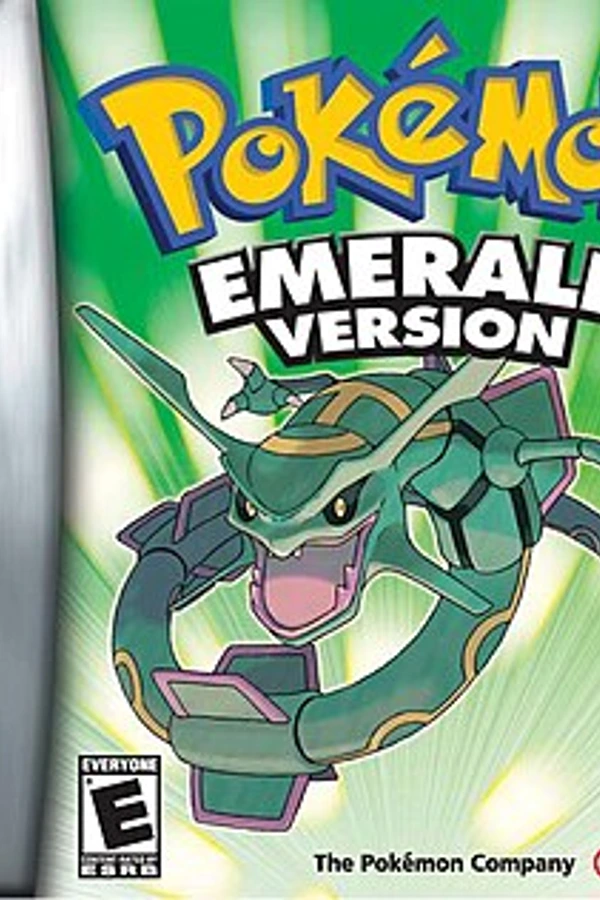 Pokemon Emeraldgithub.com/pret/pokeemeraldPokémon Emeraldgithub.com/ZallaxDev/emerald-3dsPokémon Emerald (Dual Screen)github.com/Goldoire/pokeemerald-dualscreenPokémon Emerald (Pokabbie)github.com/Pokabbie/pokeemerald-roguePokémon Emerald (pokeemerald-wasm)github.com/tripplyons/pokeemerald-wasmPokémon Emerald (PS2)github.com/dnllnoe/pokeemerald-ps2Pokémon Emerald Recompiledgithub.com/mstan/EmeraldRecomp
Información oficial del proyecto
Pokémon Emerald PSP
Pokémon Emerald running natively on the Sony PSP. It isn't an emulator: the game is
compiled for the PSP from the pret decompilation,
by way of fuddlesworth/pokeemerald-native
(the PC port first made by NTx86) and its
PlayStation 2 fork dnllnoe/pokeemerald-ps2.
The PSP work is on the psp branch.
It's played on a PSP 3001 with custom firmware (6.61 PRO-C), from the intro through the first battle and saving, and tested in PPSSPP.
Built with AI, openly. Every change in this fork was made with Claude, Anthropic's AI assistant, working in Claude Code alongside the owner of this repository, who tested each build on a real PSP. How this was made says more. AI-written code can contain mistakes, so review it before relying on it.
No game files here. The repository has no ROM and no built game. Building needs no ROM, because pret's decompilation keeps the game's graphics and sound as source files, but what you build contains the game, so keep it to yourself and own the game you build.
CREDITS.md names everyone whose work this is built on: the pret team who decompiled the game, and the PC and PS2 ports before this one.
Want to help, or found a problem? CONTRIBUTING.md says how. Reports from playing on your PSP are as welcome as code.
Also by me: Pokémon FireRed PSP, SM64 PSP and Ocarina of Time PSP
What's different from the GBA
- Three save files. FILE SELECT, under SAVE in the start menu and at the end of the main menu, shows them like the game's CONTINUE screen. You can play, copy or delete each.
- Settings on the PSP's music note button: screen size, smoothing, which button is A, frameskip, turbo speed and a speed display.
- Turbo while Square is held, two or three times as fast, with the music at its normal tempo.
- The PSP menu shows the logo, Rayquaza from the title screen and the title music when the game is selected, if you make them (see The menu's art and music).
There's no link cable or wireless play.
Playing
| PSP | Game |
|---|---|
| Cross, Circle | A, B (the settings can swap them) |
| D-pad or analog stick | D-pad |
| L, R, Start, Select | L, R, Start, Select |
| Square (hold) | Turbo |
| Music note button | Settings |
Select and Triangle together also open the settings, for where the note button can't be read (like PPSSPP).
Save files
The saves are saves/slot1.sav to saves/slot3.sav in the game's folder. Each is an
ordinary 128 KB Emerald save, the same as an emulator or a cartridge dumper makes, so you
can bring a game over by copying it there with that name. The previous version of each is
kept as slotN.sav.bak. A pokeemerald.sav next to the EBOOT becomes file 1 if there are
no saves yet.
Playing another file starts the game over with it, so FILE SELECT asks first: anything you haven't saved is lost. If the game is saving at that moment, it waits until it's done. The game keeps running behind FILE SELECT and the settings, so the music carries on.
Speed
The PSP draws the picture in software. On a PSP 3001 the game runs at full speed and draws every frame it has time for: all of them in menus and indoors, and about half in the overworld. Turn on "Show speed" in the settings to see the frames a second and how long each part of a frame takes.
Building
You need Linux (or WSL), the tools pret's build uses, and the
pspdev toolchain in ~/pspdev. Then:
make psp -j$(nproc)
That makes build/psp32/PSP/GAME/EMERALD_PSP/. Copy that folder to PSP/GAME/ on the
memory stick. It has EBOOT.PBP and kbuttons.prx, a small kernel module that reads the
music note button for the game, since only the kernel can. INSTALL_PC.md
has the details.
The menu's art and music
psp/make_art.sh makes the PSP menu's icon, background and music from the game itself,
using a PC build of this repository (make linux). It needs ImageMagick, ffmpeg and
atracdenc release 0.2.3 for the music, which
the PSP only plays in Sony's ATRAC3 format. Run it before make psp. They come from the
game, so they stay out of the repository.
How this was made
This port was made over two days in October 2026 by Claude (Opus 5.5) in Claude Code, directed by the owner of this repository, who chose the features and tested every build on their PSP. Claude compared the existing native Emerald ports (PC, PS2, 3DS, RP2350, RG Nano) and picked the PS2 port as the base, because it already compiled the game for a 32-bit MIPS console. It then wrote the PSP backend, sped up the renderer, and found and fixed what only went wrong on real hardware, with the PSP's owner running the tests and reading the screen back.
Two things it found are useful to anyone making PSP homebrew, and docs/psp.md has the details:
- The PSP's CPU mishandles an lwl/lwr result used straight away. GCC turns
byte-by-byte reads into lwl/lwr pairs, and on a PSP the instruction right after one gets
the word before it's merged. The game froze after leaving the moving truck because of
it, while PPSSPP ran it fine. Three compiler flags avoid it, and
psp/tools/lwlr_hazards.pyfinds any left in a program. - The PSP menu is picky about its music file (SND0.AT3). Files from atracdenc's current version didn't play, but ones from release 0.2.3, with the RIFF size fixed, did.
The commit messages say what each change does and how it was tested.
PC and PS2
The rest of this file is about the PC and PlayStation 2 builds this one comes from. To set up the repository, see INSTALL_PC.md.
Playing
| GBA | Keyboard | Controller |
|---|---|---|
| A | Z | A |
| B | X | B or X |
| Start | Enter | Start |
| Select | \ or Backspace | Back |
| L, R | A, S | LB, RB |
| D-pad | Arrow keys | D-pad or left stick |
| Fast-forward (hold) | Space | Right trigger |
Ctrl+R resets the game, like A+B+Start+Select, Ctrl+P pauses and F11 switches to fullscreen.
The controls, the window size and fullscreen can be changed in pokeemerald.ini, which
the game writes with the defaults when it first starts. It's next to the save file, in
%APPDATA%\pokeemerald on Windows, ~/.local/share/pokeemerald on Linux and
~/Library/Application Support/pokeemerald on macOS. If the
folder the game starts in has a pokeemerald.sav, where earlier versions saved, both
files are there instead. The game prints where they are when it starts, and
--save FILE and --config FILE use other files.
SDL knows most controllers. For others, put a gamecontrollerdb.txt from
SDL_GameControllerDB in the same folder.
PlayStation 2
make ps2 builds pokeemerald32.elf, which runs on a PlayStation 2 or in PCSX2. How to
build it is in INSTALL_PC.md. No game data or binaries are
provided here.
The picture is drawn by the PS2's Graphics Synthesizer, from the GBA's VRAM, palettes and OAM, at twice the GBA's size in the middle of an NTSC screen. Everything the game has shown in testing, including battles, the title screen and the intro, is drawn this way at 60 frames a second in PCSX2, and matches the software renderer pixel for pixel where it was compared. Turned and scaled sprites and backgrounds are finer than the GBA's, and some blended colors can be one step off. Anything the GS can't draw like the GBA yet falls back to the software renderer.
Sound is mixed at 24000 Hz, which the PS2's sound driver plays as it is.
| GBA | PS2 controller |
|---|---|
| A | Cross |
| B | Circle |
| Start | Start |
| Select | Select |
| L, R | L1, R1 |
| D-pad | D-pad or left stick |
The save and pokeemerald.ini go in a pokeemerald folder in the folder the ELF is
started from, like mass:/POKEEMERALD/pokeemerald/ for an ELF started from
mass:/POKEEMERALD/ with wLaunchELF. In PCSX2, turn on Host Filesystem so the game can
save next to the ELF.
So far this has only been tested in PCSX2, not on a PS2. The video mode is NTSC only.