
Pokémon Emerald
Sobre el proyecto
Pokémon Edición Rubí y Pokémon Edición Zafiro, conocidos en Japón como Pocket Monsters Ruby & Sapphire , son dos videojuegos del género RPG pertenecientes a la tercera generación de la saga Pokémon, y los primeros en su tipo lanzados para la consola portátil Game Boy Advance de Nintendo. Ambos, marcan el principio de la tercera generación de la serie, y se ambientan en una nueva región denominada Hoenn.
8 versiones de Pokémon Emerald
Estás viendo: Pokémon Emerald
Pokémon Emeraldgithub.com/ZallaxDev/emerald-3ds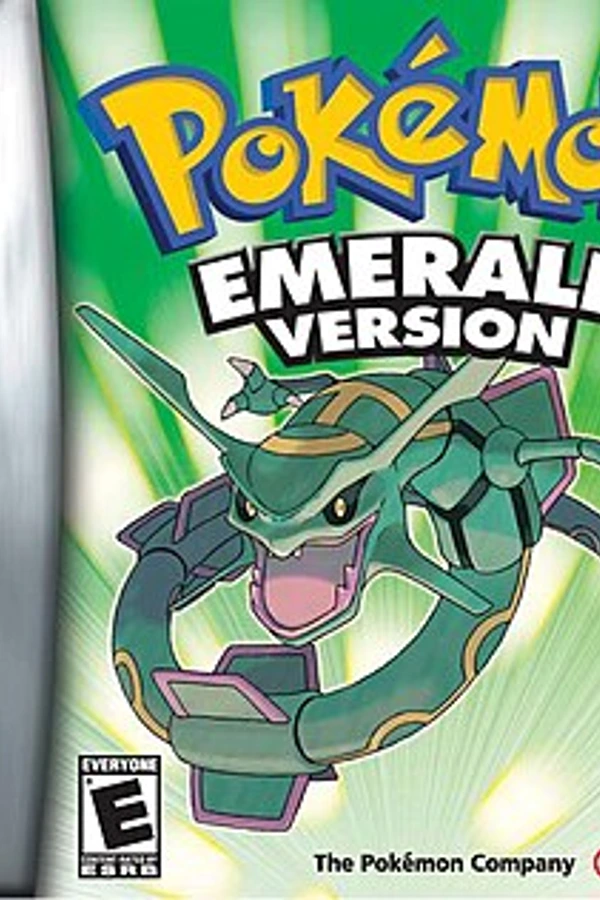 Pokemon Emeraldgithub.com/pret/pokeemeraldPokémon Emerald (Dual Screen)github.com/Goldoire/pokeemerald-dualscreenPokémon Emerald (Pokabbie)github.com/Pokabbie/pokeemerald-roguePokémon Emerald (pokeemerald-wasm)github.com/tripplyons/pokeemerald-wasmPokémon Emerald (PS2)github.com/dnllnoe/pokeemerald-ps2Pokemon Emerald (PSP)github.com/JustKidding23/Pokemon-Emerald-PSPPokémon Emerald Recompiledgithub.com/mstan/EmeraldRecomp
Información oficial del proyecto
Get the latest version — directly in your browser
Visit emerald-3ds.com to generate and download the latest version from your own supported ROM. No desktop builder or source code download is required.
The website includes the complete installation and update instructions, sound setup and frequently asked questions. Start there whether you are installing for the first time, updating or troubleshooting.
<p align="center"> <a href="#screenshots">Screenshots</a> · <a href="#features">Features</a> · <a href="https://emerald-3ds.com/">Web builder, instructions & FAQ</a> · <a href="#documentation">Documentation</a> · <a href="#community">Community</a> · <a href="#support-the-project">Support the project</a> </p>Need help? Please read the instructions and FAQ on emerald-3ds.com before opening an issue or asking on Discord. If your question is still unanswered, include your console or emulator, game version and the exact error message when asking for help.
Emerald 3DS brings the adventure to Nintendo 3DS as native homebrew. The game runs on the top screen, while a dedicated touch interface on the bottom screen replaces the START menu. Enable the optional voxel overworld to explore supported areas from a new angle.
Screenshots
<p align="center"><em>A look at the adventure across both screens.</em></p> <table> <tr> <td><img src="https://i.postimg.cc/h42VQzvT/10-10-26-18-38-57-898.png" alt="Screenshot 1" width="400"></td> <td><img src="https://i.postimg.cc/d1BrBDBc/10-10-26-18-39-27-88.png" alt="Screenshot 2" width="400"></td> </tr> <tr> <td><img src="https://i.postimg.cc/bwtn5mTG/10-10-26-18-29-16-693.png" alt="Screenshot 3" width="400"></td> <td><img src="https://i.postimg.cc/vmwnw5qC/10-10-26-18-28-18-321.png" alt="Screenshot 4" width="400"></td> </tr> </table> <details> <summary><strong>View more screenshots · 9 more images</strong></summary> <br> <table> <tr> <td><img src="https://i.postimg.cc/gj7wSh6W/10-10-26-18-27-40-122.png" alt="Screenshot 5" width="400"></td> <td><img src="https://i.postimg.cc/ZYsyKGsg/10-10-26-18-27-45-633.png" alt="Screenshot 6" width="400"></td> </tr> <tr> <td><img src="https://i.postimg.cc/9FvRyGh4/10-10-26-18-37-47-426.png" alt="Screenshot 7" width="400"></td> <td><img src="https://i.postimg.cc/pLbrmRfF/10-10-26-18-45-48-07.png" alt="Screenshot 8" width="400"></td> </tr> <tr> <td><img src="https://i.postimg.cc/s2fh23yr/10-10-26-18-47-44-358.png" alt="Screenshot 9" width="400"></td> <td><img src="https://i.postimg.cc/dtm3Zg5t/10-10-26-18-49-30-756.png" alt="Screenshot 10" width="400"></td> </tr> <tr> <td><img src="https://i.postimg.cc/J4q7zZzd/10-10-26-18-51-13-56.png" alt="Screenshot 11" width="400"></td> <td><img src="https://i.postimg.cc/659wgqfj/10-10-26-18-52-28-651.png" alt="Screenshot 12" width="400"></td> </tr> </table> </details>Features
| What to expect | |
|---|---|
| Native 3DS homebrew | Runs directly on the console's ARM11 using libctru, Citro2D and Citro3D, without an emulator. |
| Two screens, one adventure | The game on top, with a dedicated touch interface below in place of the START menu. |
| Seven languages | English, Spanish, French, Italian, German (experimental) and Japanese (experimental), each built from your own cartridge of that language: texts, graphics and credits come from your ROM. Brazilian Portuguese is a fan translation built from the English cartridge. |
| Optional voxel overworld | Modelled buildings, trees, signposts and terrain relief, with adjustable camera angle and zoom, and real stereoscopic 3D on a New 3DS. |
| HD battle interface | Info boxes and text box drawn at the top screen's full resolution; optional 3D battles over the voxel world. |
| Follower Pokémon | Optional: your lead Pokémon walks behind you with its HeartGold/SoulSilver overworld sprite and answers when you talk to it. |
| Optional day/night lighting | Morning, daylight, sunset and night outdoors in 2D and voxel mode, lit windows and street lamps, and a clock that can run up to 120X. |
| Local wireless play (experimental) | Union Room, trades, battles, Berry Blender, minigames and link contests between 3DS systems nearby. |
| Enhancements | All optional: physical/special split, IVs and EVs on the summary, infinite TMs, running indoors, Repel prompt, visible wild Pokémon, faster speeds and more. |
| Built from your own cartridge | The builder generates the game data locally from your own dump. No ROM content is distributed. |
A new perspective on Hoenn
The voxel overworld is off by default. Open OPTION on the bottom screen and enable VOXEL 3D, then adjust 3D ANGLE and 3D ZOOM to set your camera. On a New 3DS, raise the 3D slider for a stereoscopic world; 3D WORLD and 3D DEPTH (OPTION → SETTINGS, second page) control it.
3D mode is a work in progress. Many towns and routes now have modelled buildings and relief, but large parts of the map and most interiors are still shown flat, and the Battle Frontier is only an early start. More areas will be modelled as the project moves forward.
Day and night
In OPTION → ENHANCEMENTS, set DAY / NIGHT to AUTO to enable outdoor lighting inspired by HeartGold/SoulSilver. It is OFF by default; indoors, caves, underwater areas, menus and classic battles keep their original colours. Nights have a soft moonlit blue, and supported voxel windows and street lamps glow warm.
CLOCK SPEED selects 1X, 6X, 12X, 24X, 60X or 120X. At 1X, lighting
follows Emerald's own clock; higher speeds advance a separate clock (60X is
a day in 24 real minutes) and berries grow with it. Daily events and the
GBA save format stay original, and time with the console asleep or off runs
at 1X. Back up emerald3ds.clock and emerald3ds.clock.bak together with
emerald3ds.sav.
WILD POKEMON → TIMED changes some grass encounters by morning, day and night on routes 101–104, 110, 116–117, 119–121 and 123 (ORIGINAL, the default, keeps the original tables). SHOW CLOCK → ON adds the time to the bottom screen's map. More in the day/night guide.
Follower Pokémon and local wireless
OPTION → ENHANCEMENTS → FOLLOWER makes your lead Pokémon walk behind you. Its sprites and messages come from HeartGold/SoulSilver: the builder downloads them while it builds (the only step that needs an Internet connection; without one, the game is built without them).
Local wireless play is experimental: two to four consoles with the same version and language can meet in the Union Room and use the link features of Pokémon Centers, the Berry Blender, contests and the Battle Tower. Expect bugs, and back up your save before trying it.
Getting started
Recommended: use the website
- Open emerald-3ds.com and follow the instructions for your console or emulator.
- Select your own clean, supported Pokémon Emerald ROM in the web builder (see supported cartridges).
- Generate and download the game files, then follow the website's installation guide to place them correctly.
- Complete the sound setup described in the guide before launching the game.
Everything is generated in your browser. You do not need to download or install the Windows builder, Python or this repository. You only download the resulting game files. Your ROM is processed locally in your browser and is not uploaded.
For a physical console, you need a Nintendo 3DS / 2DS family console with custom firmware and access to its SD card. Follow the website's instructions for the available launch methods.
Supported cartridges
The game is built in the language of the cartridge you dump. Only clean, unmodified dumps are accepted:
| Language | Cartridge | Game code |
|---|---|---|
| English | Pokémon Emerald Version (USA, Europe) | BPEE |
| Spanish | Pokémon Edición Esmeralda (Spain) | BPES |
| French | Pokémon Version Émeraude (France) | BPEF |
| Italian | Pokémon Versione Smeraldo (Italy) | BPEI |
| German (experimental) | Pokémon Smaragd-Edition (Germany) | BPED |
| Japanese (experimental) | Pocket Monsters Emerald (Japan) | BPEJ |
Other languages and ROM hacks are not supported.
Updating or having trouble?
Use the website's update instructions and FAQ as your first stop. Follow the steps for the version you are installing, including regenerating the data pack when required.
- No sound? Follow the sound setup instructions; the required DSP firmware file is separate from the generated game files.
- Using an emulator? Follow the emulator instructions and use its emulated SD card location.
- Missing or incompatible data pack? Check the installation and update instructions and make sure your files match the release.
- Still stuck? Check the FAQ before asking for help on Discord or opening an issue.
Windows
- Download
Emerald3DS-vX.Y.Z-Windows.zipfrom the latest GitHub release and extract the whole ZIP. - Run
Emerald3DS-Builder.exe, choose your supported ROM and your SD card, then press Install. - Follow the installation guide, including sound setup, and launch the game from the Homebrew Launcher.
The builder writes /3ds/emerald3ds/Emerald3DS.3dsx, Emerald3DS.smdh and emerald3ds.pak. Your ROM is only read, not copied, uploaded or modified. The desktop builder needs an Internet connection only to download the optional follower sprites.
When an existing save is present, each desktop-builder install creates a new backup of it and any available clock/tracker companions in SD:/3ds/emerald3ds/backup/<YYYYMMDD-HHMMSS>[-N]/. Backups accumulate and are never pruned automatically. You can remove older backup folders manually when no longer needed; keep a recent complete backup. See the builder documentation for the backed-up files and incomplete .partial folders.
Linux and macOS
Run the builder from source with Python 3.11+ and Pillow, using the payload/ folder from the matching release ZIP:
python -m emerald3ds_builder --payload /path/to/payload install --rom /path/to/rom.gba --sd /path/to/card
See the builder documentation for setup and additional commands, and the installation guide for updates.
</details>About this repository
This repository contains no game content. It holds the port's own code, the tools that build it and the builder that turns your own cartridge dump into the game's data pack. Nothing derived from the ROM is distributed here or in the releases.
| Component | Location | Role |
|---|---|---|
| Engine | pret/pokeemerald · upstream.lock | The Pokémon Emerald decompilation, pinned to a specific revision. |
| Port patches | patches/pokeemerald/ | The port's changes to the upstream engine. |
| 3DS backend | 3ds_port/ | ARM11 backend, GPU compositor, NDSP audio, touch UI and voxel overworld. |
| Data builder | builder/ | Creates the data pack locally from the player's own supported ROM. |
Building from source
python tools/bootstrap.py        # pinned upstream + patches + port -> build/upstream
python tools/bootstrap.py --make # also builds the 3DSX there
python tools/bootstrap.py --make --spanish-rom esmeralda.gba  # Spanish build
python tools/bootstrap.py --make --french-rom emeraude.gba    # French build
python tools/bootstrap.py --make --italian-rom smeraldo.gba   # Italian build
python tools/bootstrap.py --make --port-lang pt_br             # Brazilian Portuguese build
python tools/bootstrap.py --make --german-rom smaragd.gba      # German build
python tools/bootstrap.py --make --japanese-rom emerald-ja.gba # Japanese build
The Spanish, French, Italian and Japanese builds take their texts and graphics from your own clean Spanish (BPES), French (BPEF), Italian (BPEI) or Japanese (BPEJ) ROM; see Pokémon Esmeralda en español, Pokémon Émeraude en français, Pokémon Smeraldo in italiano and ポケットモンスター エメラルド(日本語版); the German build reads a clean German (BPED) ROM, see Pokémon Smaragd auf Deutsch.
Start with the development guide for requirements, the development loop, loose data, data packs and host tests.
Documentation
For players: emerald-3ds.com brings together the web builder, complete instructions and FAQ. The repository guides below provide additional reference and development documentation.
| Guide | What's inside |
|---|---|
| Install and update | Installation, sound setup and updating an existing installation. |
| Development | Build requirements, workflow and tests. |
| Spanish build | Playing in Spanish with your own Pokémon Esmeralda (Spain) ROM. |
| French build | Playing in French with your own Pokémon Émeraude (France) ROM. |
| Italian build | Playing in Italian with your own Pokémon Versione Smeraldo (Italy) ROM. |
| Portuguese build | The whole game in Brazilian Portuguese, from your own English ROM (leia em português). |
| German build | Playing in German with your own Pokémon Smaragd-Edition (Germany) ROM (experimental). |
| Japanese build | Playing in Japanese with your own Pocket Monsters Emerald (Japan) ROM (experimental). |
| Architecture | How the engine and the 3DS backend fit together. |
| Asset pipeline | How game data is prepared for the port. |
| Releasing | Building and packaging a release. |
| Contributing | Guidelines for contributing to the project. |
| Changelog | Changes across releases. |
Community
Before asking for installation or update help, please check the website instructions and FAQ.
Join the Discord community to talk about the project and share your adventures in Hoenn. Follow @DustZallax on X for project updates and to stay in touch.
<p align="center"> <a href="https://discord.com/invite/tfqHF8496P"><img src="https://img.shields.io/badge/Join_us_on-Discord-5865F2?style=for-the-badge&logo=discord&logoColor=white" alt="Join us on Discord"></a> </p>Support the project
If you're enjoying this new way to explore Hoenn, you can buy me a coffee on Ko-fi. It's an optional way to support my work on the project, and every coffee is appreciated. Thank you for being part of the adventure!
<p align="center"> <a href="https://ko-fi.com/zallax"><img src="https://img.shields.io/badge/Buy_me_a_coffee-Support_on_Ko--fi-FF5E5B?style=for-the-badge&logo=kofi&logoColor=white" alt="Buy Zallax a coffee — support on Ko-fi"></a> </p>You can also support the project by starring the repository, sharing it or contributing.
Provenance and licences
Only original Emerald 3DS code, tools and documentation are licensed by this project, under CC BY-NC-SA 4.0 since 0.5.0: fork it, change it and share it with credit, not for profit, and under the same licence. The decompilation, the game and third-party components keep their own terms; see NOTICE.md and docs/PROVENANCE.md. AI-assisted tooling was used during development: AI_DISCLOSURE.md.
Emerald 3DS is an unofficial fan project, not affiliated with or endorsed by Nintendo, Game Freak, Creatures or The Pokémon Company. Pokémon and Pokémon Emerald are trademarks of their respective owners.