
Doom SNES (PC Recompilation)
Doom
OriginSuper Nintendo
TechnologyStatic recompilation (native C/C++)
Available forWindows, Linux, macOS
View official projectAbout the project
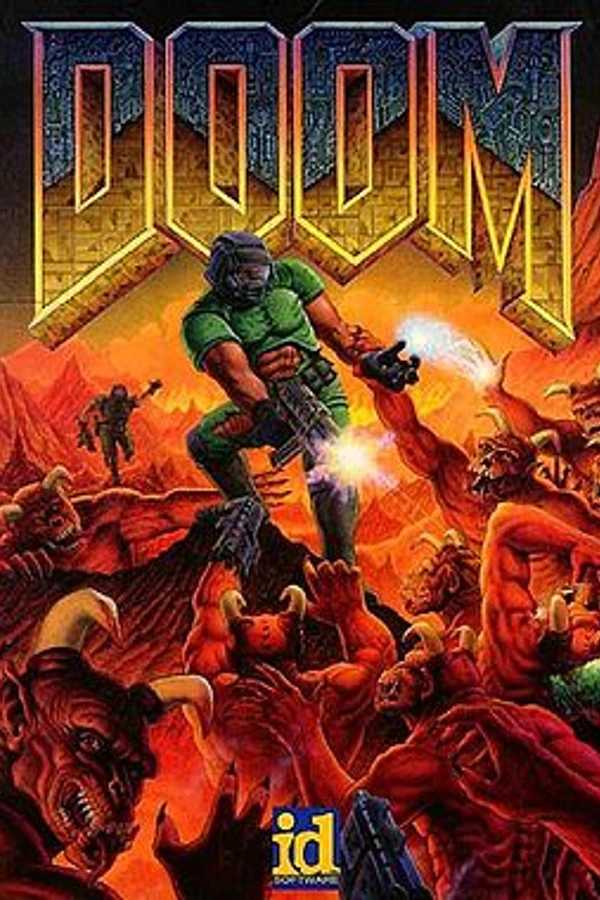
Doom es un videojuego de disparos en primera persona desarrollado y publicado por id Software. Lanzado el 10 de diciembre de 1993 para DOS, es la primera entrega de la franquicia Doom. El jugador asume el papel de un marine espacial, más tarde conocido extraoficialmente como Doomguy, que lucha contra hordas de humanos no muertos y demonios invasores. El juego comienza en las lunas de Marte y termina en el infierno, y el jugador atraviesa cada nivel para encontrar la salida o derrotar a su jefe final.
20 versions of Doom
You're viewing: Doom SNES (PC Recompilation)
Doom SNES (PC Recompilation)github.com/Cacodemontube/DoomSNESRecompChocolate Doomgithub.com/chocolate-doom/chocolate-doomCrispy Doomgithub.com/fabiangreffrath/crispy-doomDoomgithub.com/viciious/d32xrdoom wasm · Web (alula)github.com/alula/doom-wasm DOOM · Doomsday Engine (skyjake)github.com/skyjake/Doomsday-EngineOdamexgithub.com/odamex/odamexThe Eternity Enginegithub.com/team-eternity/eternityDOOM · UZDoomgithub.com/UZDoom/UZDoomWoofgithub.com/fabiangreffrath/woofDoom (3DS, PrBoom+)github.com/Damnerz/PrBOOMplus-ENHANCED-3ds
 Doom (Classic Core Engines)github.com/sandstranger/com.mobilerpgpack.phoneDoom (doom.wasm)github.com/jacobenget/doom.wasmDoom (QuestZDoom)github.com/Team-Beef-Studios/QuestZDoomDoom (Silent Space Marine)github.com/GMH-Code/DwasmDoom Retrogithub.com/bradharding/doomretrodsda-doomgithub.com/dsda-org/dsda-doomGZDoomgithub.com/ZDoom/gzdoomNugget Doomgithub.com/MrAlaux/Nugget-DoomPsyDoom (PlayStation Doom backport)github.com/BodbDearg/PsyDoom
Official project information
Doom SNES - PC Recompilation Project (By Cacodemontube)
[Created with SNESRecomp]
A still in development, native PC port of SNES Doom! With a bunch of quality of life improvements and much more to come!
Release v0.04
Download DoomSNESRecomp v0.04.
Download the Windows x64 or x86, Linux x64, or macOS Intel / Apple
Silicon ZIP from GitHub Releases and extract the whole archive. On Windows,
start DoomSNESRecomp.exe; on Linux or macOS, run ./DoomSNESRecomp from a
terminal in the extracted folder. Select your own verified
Doom (USA).sfc ROM in the launcher. Keep assets/ and mods/ beside the
executable. The Windows executable icon is generated from logo1.png.
See CHANGELOG.md for fixes and remaining limitations, including
the unresolved E1M1 music crackle. The native release workflow runs the regression
suite on each platform and stages runtime files with scripts/stage_runtime.py.
Generated build input is supplied through a temporary private draft-release asset
and removed before publication; no ROM is uploaded.
Windows runtime ZIPs can also be reproduced with
scripts/package_windows.ps1 -BuildDirectory build-v001-x64 -Architecture x64
(substitute x86 for a 32-bit build). They contain the executable, runtime
assets, mods and licenses; ROMs, generated source and local settings are excluded.
The existing scripts/package_release.sh separately produces source setup packs.
Display enhancements
Open Mods → Doom Display Enhancements in the launcher. These display features are disabled by default and can be enabled independently:
-
Adaptive widescreen renders additional world geometry at 4:3, 16:9, 21:9, 32:9, or Fit to window. Fit follows the window from 4:3 through 32:9. The original status bar and weapon stay centered.
-
Interpolated frame rate interpolates the camera, weapon sway and automap between captured game states. Choose Auto to follow display refresh, or 60, 90, 120, 144, 165, 240, or 360 presentations per second. The simulation and game speed remain unchanged. This works with widescreen disabled, too.
-
Higher 3D resolution offers 2x, 3x and 4x world rasterization. At 4:3, the 3D viewport is 432x288, 648x432 or 864x576 respectively. Widescreen increases its width further. Wall geometry and original wall textures are sampled at the new resolution. Automap walls and arrows are also drawn at the selected resolution. Objects are sampled directly from their original artwork at the selected resolution, with filtering for distant objects. HUD and weapon artwork retain their original pixel art. This works independently of the other display toggles. Start with 2x; higher levels increase CPU cost. Disable the toggle to return to native world rendering. Save data and gameplay speed are unaffected. In-game menus retain the high-resolution background and apply the original white tint across the widescreen view. Menu lettering stays centered. Fade transitions retain the selected world resolution. Music cheats hold the picture while the native audio loader uploads the selected track.
-
Transparent automap places map lines over a lightly dimmed live 3D view. It works independently of the resolution and frame-rate options, and follows them when enabled. Native map controls, discovery and cheat arrows are preserved.
See resolution implementation and validation and automap implementation and validation.
Unlocked episodes
Enable Mods → Doom Unlocked Episodes → All episodes at every difficulty for Super Famicom-style episode access. All three episodes are selectable from I'm Too Young to Die through Nightmare. Finishing E1M8 continues to Episode 2, and finishing E2M8 continues to Episode 3, at your selected difficulty. The option is off by default and works independently of cheats.
PC keyboard cheats
Enable Mods → Doom PC Keyboard Cheats → PC keyboard cheats. It is off by default and works with either the original controls or modern controls. Type the codes directly during gameplay; no console is needed.
| Code | Effect |
|---|---|
IDDQD | Toggle god mode with the glowing-eye face. Enabling sets health to 100%; disabling keeps your current health. |
IDKFA | All weapons, full ammo, 200% armor, and all keys. |
IDFA | All weapons, full ammo, and 200% armor; existing keys are retained. |
IDCHOPPERS | Give and select the chainsaw. |
IDBEHOLDR | Toggle the radiation shielding suit. |
IDBEHOLDI | Toggle partial invisibility. |
IDBEHOLDV | Toggle the invulnerability powerup. |
IDBEHOLDA | Give the computer area map; repeated use keeps it enabled. |
IDBEHOLDL | Toggle the light amplification visor. |
IDBEHOLDS | Toggle berserk; enabling restores health to at least 100% and selects fists. |
IDCLIP | Toggle wall noclip. |
IDDT | Cycle full map, full map with living monsters and active projectiles as green arrows, and normal map. |
IDCLEVxy | Warp to episode x, mission y, with a black-screen transition and pistol start at the current difficulty. |
IDMUSxy | Restart the music from episode x, mission y, without changing the level or inventory. |
Available warp destinations are E1M1–5, E1M7–9; E2M1, E2M3–4, E2M6,
E2M8–9; and E3M1–4, E3M6–9. Missing SNES levels are rejected. Exiting a
warped level follows the game's normal progression and secret-exit rules.
IDMUSxy accepts those same 22 maps and uses their original SNES tracks;
some maps share music. Entering the same code again restarts the track.
Disabling the mod also disables god mode and noclip. Granted inventory stays.
Typing is ignored while a host panel is open or the game is unfocused.
See cheat validation.
Powerups use the original SNES pickup durations and effects. Their cheats also turn off powerups collected in a level. Turning berserk off preserves the health it granted.
Modern keyboard and mouse
The host's P pause shortcut is disabled. Use Doom's own pause control (Enter with modern controls, or your configured SNES Start button).
Enable Mods → Doom Display Enhancements → Modern keyboard + mouse. The option is off by default. Set player 1's input source to Keyboard.
| Input | Action |
|---|---|
| W / S | Walk forward / backward |
| A / D | Strafe left / right |
| Shift | Run |
| Ctrl (hold) | Crouch, when Crouching is enabled (off by default) |
| E | Open doors and use switches |
| Enter | Pause / resume the game |
| Space | Jump |
| Mouse left / right | Turn, including while strafing |
| Mouse up / down | Classic vertical look |
| Left click | Fire |
| Right click | Use |
| 1 | Fist, or chainsaw if picked up |
| 2 | Pistol |
| 3 | Shotgun if picked up |
| 4 | Chaingun if picked up |
| 5 | Rocket launcher if picked up |
| 6 | Plasma rifle if picked up |
| 7 | BFG 9000 if picked up |
| Tab | Automap |
| + / =, - or keypad + / - | Zoom the automap in / out |
| Mouse wheel | Zoom the automap in / out |
| Home | Center the view |
| Escape | Release the mouse; click to capture again |
The Mouse skull pointer option is on by default within modern controls. The animated skull follows the mouse; hover menu text and left-click to select. Turning it off restores relative up/down mouse navigation and click confirmation. Arrow keys and E also work. Ctrl+L opens the launcher. Legacy controls retain the original SNES weapon cycling; modern controls use the number keys. Sensitivity, invert-Y and the vertical-look toggle are in the same feature. Mouse capture releases when focus is lost or a host panel opens.
Horizontal turning uses the original SNES mouse conversion as its base. Vertical look shifts the rendered horizon in the style of classic FPS games. With interpolated frame rate disabled, vertical look follows the same native world-update cadence as ordinary movement and turning. The HUD and weapon stay fixed, and shooting retains SNES Doom's auto-aim. It works at native resolution, higher resolutions and widescreen. Vertical look uses the host world rasterizer and adds some rendering cost. See implementation and validation.
Current source also includes the v0.02 follow-up. For machines that struggle, start with 2x resolution, widescreen off, 60 interpolated FPS and run-ahead off. High-resolution world rendering runs on the CPU; higher refresh rates and run-ahead require additional headroom. Uncovered noclip rays now draw retained high-resolution imagery rather than stretched native pixels. Reduce to native resolution if 2x still misses the desired frame rate.
Use Ctrl+L to reopen the launcher during play. The framework saves the selected options in its normal mod state beside the executable. Presentation rates are targets; actual throughput depends on the cost of rendering the scene and the host machine.
The renderer captures the original Super FX camera and scene, then executes the game's render jobs against private copies of cartridge RAM. Additional camera views are projected onto one flat wider view. Menus and unavailable scenes use the centered original picture. No ROM, generated game code, or game assets are included in this repository.
See presentation validation for the
repeatable gameplay route, guest-state comparisons, and frame captures.
Set DOOM_RENDER_STATS=1 to log renderer capture/replay counters while
investigating a rendering problem.
See lag diagnostics for isolated timing runs,
reference-emulator comparison, and the developer TCP
game presentation_stats renderer/input query.
The local lag fixes correct beam/APU overshoot accounting and omit unused instruction-history writes during private rendering replays. Both preserve the player's input configuration; see fix validation.
Windows frame composition
The pinned shared framework uses cached HLE frame composition by default on
Windows x64. This optimizes host presentation while preserving the existing
guest CPU/Super FX, audio and status interfaces. Build the maintained
correctness-reference compositor separately with
cmake -S . -B build-frame-lle -DCMAKE_BUILD_TYPE=Release -DSNESRECOMP_FRAME_IMPL=LLE,
then cmake --build build-frame-lle. Selection is fixed at build time.
LLE can reduce performance; it remains available for correctness checks. Other
platforms keep LLE defaults, and existing CMake cache selections are preserved.
See HLE defaults and opt-out.
The reviewed native-view, uncapped Windows route measured 250.122 to 443.316 FPS (+77.24%, process CPU -43.12%); it includes boot/menu work and active gameplay. The owner accepted the normal-paced adaptive HLE build. These are measured build/route results, not universal gains or a quiet-host precision claim; foreign compiler activity was observed. Normal play retains normal pacing/audio. See the shared framework's frame model.